


Quick Summary:
- Most Florida car hire payments use chip, but swipe fallback still happens.
- Check your card app for magstripe toggles and travel settings.
- Bring a second physical credit card to avoid desk authorisation issues.
- Ask the agent to retry chip and contactless before swiping.
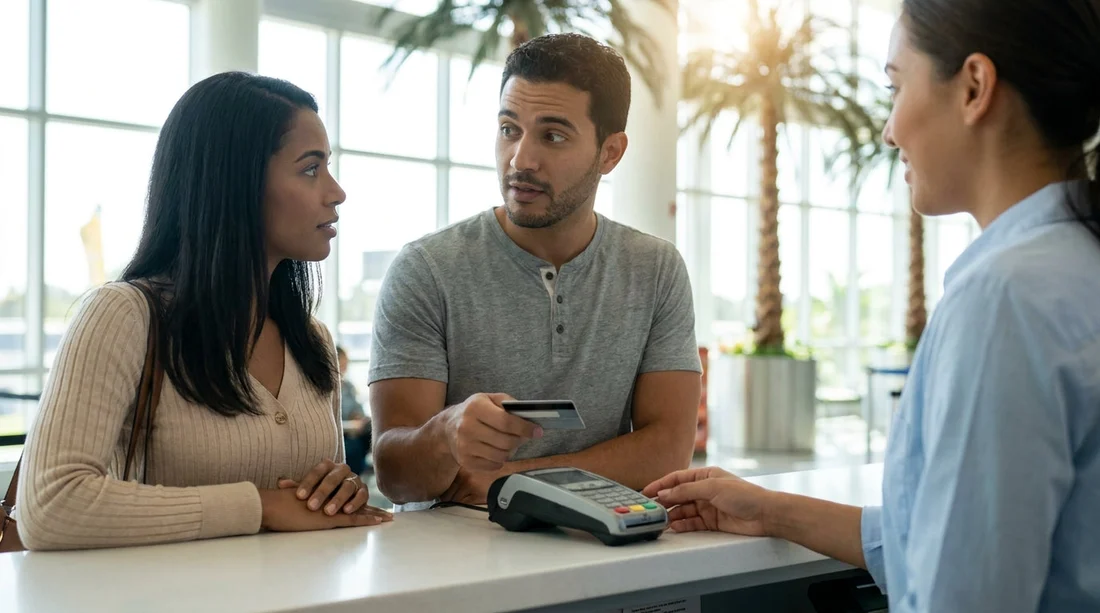
Florida is largely chip-and-PIN or chip-and-signature territory for in-person card payments, yet car hire counters can still occasionally fall back to a magstripe swipe. Whether you need to enable magstripe payments on your credit card depends less on the state, and more on the exact payment flow at pick-up, the terminal’s connectivity, and how your card issuer handles fallback transactions.
This matters because a failed payment at the counter can delay collection, trigger extra checks, or force you to switch to another card. Understanding why swiping still happens, and how to prepare, is the simplest way to keep your Florida car hire pick-up smooth.
Why car hire counters sometimes still swipe cards in the US
In the US, EMV chip has been mainstream for years, but magstripe is still present on most cards and many payment terminals. Car hire desks and airport locations often run high volumes, handle travellers with many different card types, and rely on systems that must work even when networks are busy.
Swiping typically appears as a fallback when the chip cannot be read or when the terminal workflow expects a swipe for a specific step. Common reasons include a worn chip, a dirty reader, a chip reader that is temporarily out of service, or a software path that reverts to swipe after repeated chip errors.
Do you actually need to enable magstripe for car hire in Florida?
For most travellers, the answer is: you do not need to enable magstripe as a default, but you should be prepared for it. Many UK and international card issuers now let you toggle magstripe transactions on or off in the banking app as a fraud-prevention feature. If your card has magstripe disabled and the counter tries to swipe as a fallback, the transaction may be declined even though your chip would have worked.
So the practical approach is to check your issuer settings before you travel. If you see a setting like “Magnetic stripe payments”, “Swipe payments”, or “Track data payments”, consider enabling it for the trip, then disabling it again when you are home. If your app has regional controls, make sure US transactions are allowed. Also check whether in-person payments or international payments are restricted.
However, enabling magstripe is not a substitute for bringing an appropriate card. Car hire firms usually require a physical credit card in the main driver’s name for the deposit. Some debit cards are accepted at certain locations, but requirements vary and can be stricter at airports. The key point is that the card must be capable of taking a pre-authorisation, and it must pass fraud checks.
How to prepare your credit card to avoid payment delays at pick-up
Payment problems at pick-up tend to come from preventable issues. A few checks before you fly can reduce the chance of being asked to swap cards or phone your bank in the queue.
1) Confirm you have a credit card, not only a debit card. For car hire, the deposit pre-authorisation is the critical moment. Even if you can pay for the rental itself another way, the deposit is often the blocker. If you have multiple cards, bring at least two physical credit cards if possible.
2) Check your card controls in your banking app. Look for toggles affecting magstripe, international usage, and card present payments. If you can set travel notices, add Florida dates to reduce automated fraud declines.
3) Ensure the card is in good physical condition. A scratched magstripe or damaged chip increases the chance of fallback errors. If your chip has been temperamental in shops, replace the card before your trip.
4) Know your PIN and have a backup verification method. Some US terminals still run chip-and-signature, but you can be asked for a PIN depending on the issuer and terminal. Make sure you can access your banking app abroad if a verification prompt appears.
5) Keep deposit headroom on the card. The pre-authorisation can be substantial, and it reduces available credit temporarily. If you are close to your limit, a perfectly valid card can still fail. Keeping headroom also helps if the first attempt triggers a fraud block and you need to retry.
If you are planning a city-based pick-up rather than an airport counter, you may find the process calmer and the hardware newer. For example, Hola Car Rentals has location information for car rental in Coral Gables if you are staying closer to central Miami.
What to do at the counter if the terminal asks to swipe
If an agent asks to swipe your card, you can handle it without creating a standoff or a long delay.
Ask for chip or contactless first. A simple request like “Could we try chip again?” is reasonable, especially if you normally keep magstripe disabled. Many declines on the first attempt are just a read error.
If swiping is required, enable magstripe quickly if you can. If your banking app allows instant changes, you can toggle magstripe on, then try again. Be ready for the bank to send a confirmation prompt.
Switch to your backup card without hesitation. If the first card is blocked or repeatedly fails, a second card is often the fastest solution. This is particularly useful after a long flight when banks may flag unusual transactions.
Avoid using virtual cards for deposits. Mobile wallets are excellent for day-to-day spending, but deposits often require the physical card to be presented and sometimes inserted. Even when tap-to-pay works for the rental amount, the deposit step can have different rules.
Common misconceptions about magstripe and US car hire
“If I can tap to pay in shops, I can tap for car hire.” Not always. Many car hire deposits require a physical card, and the terminal may insist on chip insertion even if contactless is available.
“Swipe means the company is outdated or unsafe.” Swipe fallback is not automatically a red flag. It can simply be a temporary reader issue or a standard procedure after multiple chip failures. The bigger concern is whether your issuer blocks swipe transactions for fraud reasons.
“Turning on magstripe will solve everything.” It only addresses one potential failure. Deposit amount, name matching, card type, and available credit are just as important.
If your trip includes Central Florida theme parks, you might collect from a busy airport hub where throughput is prioritised. The Hola Car Rentals overview of Thrifty car hire at Orlando (MCO) is useful context for what a major airport pick-up can feel like.
Bottom line for Florida travellers
You do not usually need to proactively enable magstripe payments for car hire in Florida, but it is wise to check whether your card has a magstripe toggle and understand what happens if a terminal requests a swipe. The best preparation is simple: bring a suitable physical credit card with enough headroom for the deposit, carry a backup card, and keep your banking app access working abroad. That way, whether the desk uses chip, contactless, or a rare magstripe fallback, you can complete payment without turning pick-up into a long delay.
If you are collecting a vehicle around Fort Lauderdale, the Hola Car Rentals guide for car hire at Fort Lauderdale Airport (FLL) can help you plan your pick-up timing and documents.
If you need more space for passengers or luggage, it is worth checking deposit expectations for larger vehicles. The Hola Car Rentals page for minivan hire at Fort Lauderdale (FLL) is a helpful reference for typical requirements.
FAQ
Do Florida car hire companies still accept magstripe swipes? Yes, many terminals can still process a swipe as a fallback, usually after chip read errors or hardware issues. It is less common than chip, but it still happens.
How do I know if my card has magstripe disabled? Check your card controls in your banking app. Look for settings labelled magstripe, swipe payments, magnetic stripe, or track-based payments, then confirm whether they are allowed abroad.
Will a swipe transaction be declined even if I have enough credit? It can be. Some issuers block magstripe by default, especially for international usage, because it is easier to misuse than chip. Enabling magstripe or using a backup card usually fixes it.
Can I use Apple Pay or Google Pay for the deposit? Often, no. Many car hire deposits require the physical card used for the pre-authorisation, even if contactless is accepted for other charges.
What is the fastest way to avoid pick-up delays? Bring two physical credit cards in the main driver’s name, keep deposit headroom, and ensure your banking app allows in-person US transactions, including magstripe fallback.































































































