


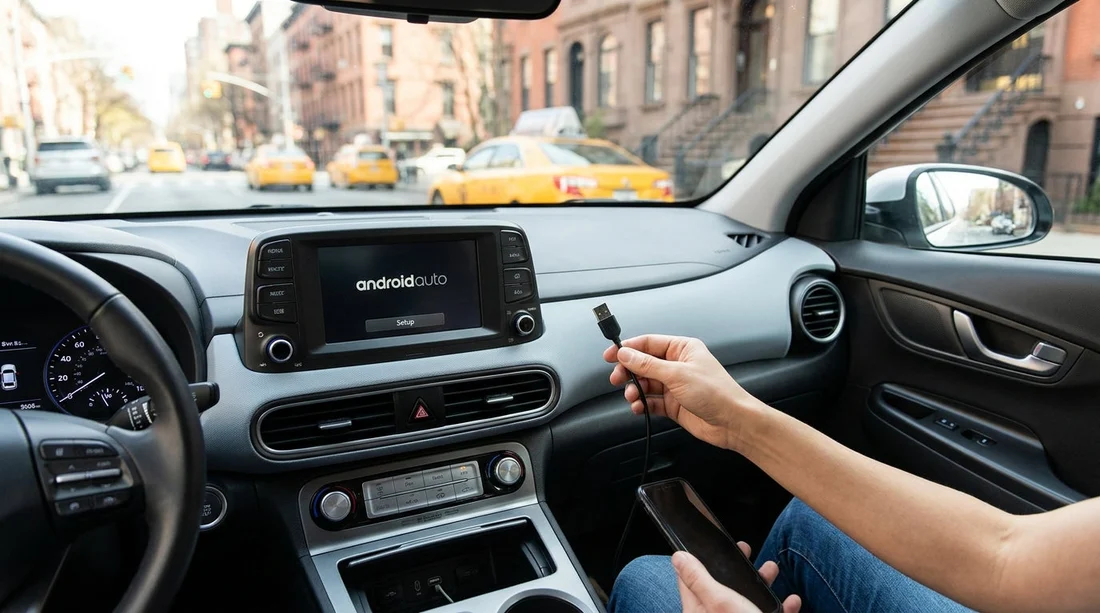
Quick Summary:
- Bring a data-capable USB-C cable, not charge-only, for Android Auto.
- At pick-up, test the infotainment USB port labelled data or smartphone.
- Some rentals only support wired Android Auto, wireless is not guaranteed.
- Confirm your phone, app, and permissions are ready before leaving.
If you are planning car hire in New York and you rely on Google Maps, Spotify, or hands-free messaging, Android Auto can save time and reduce distraction. The practical answer to the title question is, yes, you should bring a USB cable, even if the vehicle claims to support wireless Android Auto. Rental fleets vary widely, cables in the glovebox are not guaranteed, and a known good cable is the fastest way to get connected and driving.
This guide explains what to bring, what to check at pick-up, and the common compatibility limits that can slow you down. The goal is to have Android Auto working before you leave the airport or depot, not halfway through your first Manhattan junction.
Why bringing your own cable is still the safest plan
Many modern cars support Android Auto, but not all support it the same way. Some models offer only wired connections, some offer both, and a few have wireless but only after a pairing step that takes time. In rental cars, another variable is the condition of the USB ports, cables, and the infotainment system’s software version.
Bringing your own cable helps in three ways. First, you avoid charge-only cables that will power your phone but never trigger Android Auto. Second, you avoid worn rental cables with loose connectors. Third, you can choose the correct connector combination for your phone and the car’s ports.
What cable to bring for Android Auto
To connect quickly, pack at least one short, high-quality data cable. For most Android phones in 2026, that means USB-C on the phone end. The car end depends on the vehicle.
Common, reliable combinations: USB-A to USB-C, or USB-C to USB-C. Many rental vehicles still have USB-A data ports, but an increasing number have USB-C ports that can also pass data.
Avoid these common mistakes: very long cables, cheap unbranded cables, and “fast charge” cables that omit data lines. If you are unsure, test the cable at home with a laptop for file transfer. If it transfers data, it is far more likely to support Android Auto.
Helpful backup: a second cable. If you are doing multi-day car hire in New York, a spare can rescue you if one cable fails mid-trip.
What to check at pick-up so Android Auto works before you leave
Before you set off, do a quick two-minute check in the lot. It can prevent a ten-minute troubleshooting session on a busy curbside lane.
1) Identify the correct USB port. Some cars have multiple USB sockets, but only one is connected to the infotainment system for data. Look for a port labelled with a phone icon, “data”, “USB”, or “smartphone”. Ports in the rear seats often charge only.
2) Start the car and wait for the system to boot. Many systems will not offer Android Auto until the head unit finishes loading. Plugging in too early can cause a silent failure where the phone charges but nothing launches.
3) Unlock your phone and approve prompts. First connection usually triggers permissions for contacts, microphone, notifications, and location. If you miss the prompt, Android Auto may not start. Keep the phone unlocked for the first minute.
4) Confirm Android Auto is installed and updated. On many phones it is built-in, but updates still matter. A quick check for updates before your flight can reduce pairing glitches.
5) Check Bluetooth is on. Even with a wired connection, many vehicles use Bluetooth for calls and initial handshake. If Bluetooth is off, Android Auto may connect partially or fail to launch.
If you are collecting near the airports, you may want to allow a little extra setup time. People picking up via car rental New York JFK often want navigation ready immediately because signage and lane choices come quickly once you leave the terminals.
Wired vs wireless Android Auto in rental cars
Wireless Android Auto is convenient, but it is not consistent across rental fleets. Some trims support it, others do not. Some require a one-time pairing that can take several minutes, especially if the head unit is slow or the phone has previously paired with many devices.
For car hire, wired is usually the most dependable option because it reduces radio interference, keeps the phone charged, and works even when the vehicle’s wireless feature is disabled or missing. If the car offers wireless, you can still start with a cable to confirm functionality, then switch to wireless later if you prefer.
Also note that some vehicles restrict wireless Android Auto when a passenger hotspot or certain driver profiles are enabled. In a rental, you might not have access to all settings, so a cable remains the universal solution.
Compatibility limits that commonly stop Android Auto from launching
When Android Auto does not appear, it is often a simple limit rather than a major fault.
Phone or region restrictions: Most modern Android phones support Android Auto, but older Android versions and some heavily customised models can be inconsistent. Make sure your phone is running a supported Android version and that Android Auto is enabled in settings.
Infotainment settings: Some cars require you to enable Android Auto in the settings menu the first time, or accept a safety notice. Rental cars may retain the previous driver’s settings, which can block new devices.
USB port power management: If the port is loose, the phone may repeatedly connect and disconnect. Swap to a different data port if available, or try your backup cable.
Multiple phones: If the car is still paired to a previous renter’s phone, the head unit may try to reconnect to it first. Ask staff to clear paired devices if you cannot access the menu.
These issues can happen with any provider. If you are arranging collection through a specific counter, such as Budget car hire New York JFK or Payless car hire New York JFK, it is still the same principle: test Android Auto in the lot, because swapping cars is far easier before you exit.
New York driving considerations that make Android Auto worth setting up
In New York, route changes happen fast. Bridges, tunnels, and parkways can involve quick lane decisions and occasional restrictions. With Android Auto working, you can use voice control for navigation and messages, and keep the screen interface simplified compared with holding the phone.
Remember that some routes around the region can shift you into New Jersey. If your plans include Newark pickup or cross-river travel, the same cable and setup tips apply. Those comparing options like Enterprise car hire Newark EWR may find different vehicle models than at JFK, which changes whether the car has USB-A, USB-C, or both.
FAQ
Q: Do I always need a USB cable for Android Auto in a rental car in New York?
A: Not always, but it is strongly recommended. Many rentals only support wired Android Auto, and a data-capable cable avoids delays at pick-up.
Q: Will any USB cable work, or does it need to be a data cable?
A: It needs to support data. Charge-only cables will power the phone but will not trigger Android Auto on the infotainment screen.
Q: The car has USB ports, but Android Auto does not appear, why?
A: You may be plugged into a charge-only port, the phone is locked, permissions were not accepted, or the system is still paired to a previous device.
Q: Is wireless Android Auto common in rental cars?
A: It is becoming more common, but it is not guaranteed. Even when available, first-time pairing can take longer than using a cable.
Q: What should I check before leaving the rental lot?
A: Confirm the correct USB data port, connect with an unlocked phone, accept all prompts, test navigation audio, and verify calls work hands-free.































































































