


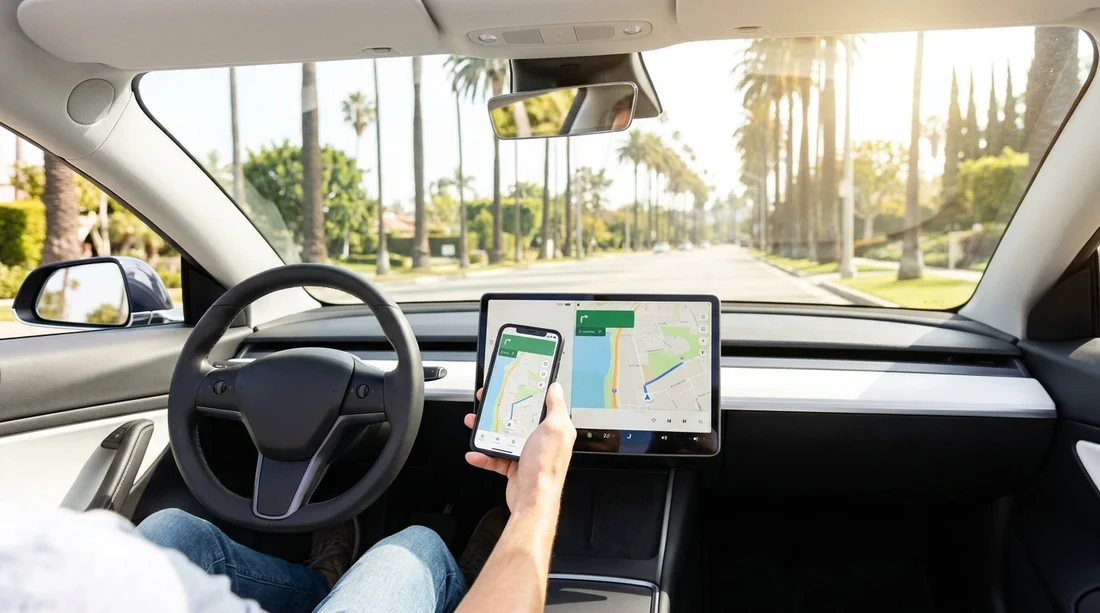
Quick Summary:
- Wired CarPlay or Android Auto is more common than wireless.
- Check the infotainment menu for CarPlay and Android Auto settings.
- Test Bluetooth, USB ports, and a good cable before leaving.
- Request a swap at pick-up if the promised feature is missing.
Wireless Apple CarPlay and Android Auto can make driving in Los Angeles much simpler, especially when you are navigating freeways, searching for parking, or hopping between neighbourhoods. The key point for car hire is that connectivity features are not guaranteed across every vehicle, even within the same category. Whether you get wireless CarPlay or Android Auto depends on the vehicle model year, trim level, infotainment system, and how the previous driver paired their phone.
This guide sets realistic expectations by vehicle class, and gives a practical checklist to run at pick-up so you do not discover issues when you are already in traffic.
Wireless versus wired: what you will actually find in Los Angeles
Many rental vehicles support CarPlay or Android Auto, but wireless support is less consistent. Wired support is common because it only requires a data-capable USB connection and a compatible head unit. Wireless support needs both the right infotainment hardware and the right phone setup, and it can be disabled by software settings or previous pairings.
In Los Angeles car hire fleets, a typical pattern is:
Most likely: Wired CarPlay and wired Android Auto via USB.
Sometimes: Wireless CarPlay, especially in newer vehicles and higher trims.
Less common: Wireless Android Auto, as some manufacturers added it later or restrict it by trim.
Also note that some vehicles show the CarPlay or Android Auto icon only after you connect a cable once, even if wireless is supported. Others require you to enable it inside settings, such as allowing “Phone projection” or “Smartphone integration”.
What to expect by vehicle class
Rental categories describe size and comfort, not exact features. Still, you can use the class as a rough predictor of how likely wireless connectivity will be.
Economy and compact cars
In economy and compact classes, expect basic infotainment with a smaller screen. Many models offer CarPlay and Android Auto, but wired connections are far more common. Wireless can appear in newer model years, but it is not something to assume. If your Los Angeles trip depends on keeping your phone in a pocket or bag, bring a reliable USB cable and plan on plugging in.
Midsize and standard cars
Midsize and standard categories are where you will often see a stronger feature set, including larger displays and better Bluetooth performance. Wired CarPlay and Android Auto are common. Wireless is possible, especially in newer sedans and crossovers, but it still varies by make and trim. If you have a preference, you should confirm on the actual vehicle at pick-up, rather than relying on category descriptions.
Full-size, premium, and luxury
In full-size and premium categories, wireless CarPlay is more likely, and you may see wireless charging pads. Android Auto wireless availability is improving too. Even here, though, one trim might have wireless while another only supports wired. If you are using a work phone with restrictions, confirm that phone projection is enabled and not blocked by a “guest mode” or privacy setting.
SUVs and people carriers
SUVs in Los Angeles are popular for comfort, visibility, and luggage capacity. Many late-model SUVs include CarPlay and Android Auto, but the connection method depends on the manufacturer. Some systems are wireless for CarPlay but wired for Android Auto, or vice versa. If you are planning day trips beyond the city, test it before you set off so you are not troubleshooting in a service station car park.
If you are considering a larger vehicle for groups, the fleet pages can help you compare categories. For example, van rental California LAX can be a useful reference point when thinking about cabin tech and passenger needs.
Your pick-up checklist in Los Angeles, before you drive off
Run this quick check in the car park while you still have time to ask questions or request a change. It usually takes five minutes and prevents a lot of annoyance later.
1) Identify the infotainment system and look for phone projection
Turn the car on fully, not just accessory mode. On the home screen, look for “Phone”, “Projection”, “CarPlay”, or “Android Auto”. If you cannot find any mention, it may still be available but hidden until you connect a cable.
2) Test Bluetooth calling first
Pair your phone via Bluetooth and make sure audio routes to the car speakers. If Bluetooth itself is unreliable, wireless phone projection may be unreliable too.
3) Locate the correct USB data port
Try the port closest to the screen, often near the centre stack. Plug in with a known good cable and watch the screen for a prompt. If nothing appears, try a second port.
4) Confirm audio, maps, and microphone
Once connected, play a short podcast segment and try voice control. In Los Angeles, accurate voice input matters for hands-free navigation while you merge or change lanes.
5) Check charging strategy for the day
Wireless CarPlay and Android Auto can drain the battery faster than wired. If the car has a wireless charging pad, verify it actually charges your phone with your case on. If not, plan to use a cable, especially on longer drives.
6) Ask about switching vehicles if needed
If wireless connectivity is essential for you, be clear and polite about what you need. If the current car does not support it, it can be easier to swap immediately than to troubleshoot later.
How this fits into planning car hire around Los Angeles
Connectivity features are part of trip comfort, just like air conditioning or luggage space. If you are flying into Southern California and comparing pick-up points, you may notice that fleets can differ by location and supplier. For browsing options, see Dollar car hire California LAX. If you are looking at Orange County as an alternative gateway, refer to car rental airport Santa Ana SNA and car hire Santa Ana SNA for location context.
Regardless of where you pick up, the most reliable approach is to assume wired will work, bring a suitable cable, and then treat wireless as a bonus you confirm on the actual vehicle.
FAQ
Do all rental cars in Los Angeles have wireless Apple CarPlay?
No. Some vehicles have CarPlay but only via USB, and others may not have CarPlay at all. Wireless availability depends on model year, trim, and infotainment system.
Is Android Auto wireless more common than wired in car hire cars?
Wired Android Auto is generally more common in rental fleets. Wireless Android Auto exists in newer vehicles, but it is not consistent across categories or manufacturers.
What cable should I bring for the most reliable setup?
Bring a high-quality, data-capable USB cable that matches your phone, plus an adaptor if needed. A charge-only cable is a frequent reason CarPlay or Android Auto fails to appear.
Can I clear the previous renter’s phone from the system?
Usually yes, via the car’s Bluetooth or phone-projection settings, where you can delete paired devices and reset connections. If menus are locked down, ask staff for help before leaving.
What should I do if the car does not have the connectivity I expected?
Check both USB ports and the infotainment settings first, then confirm your phone permissions. If the feature is still missing and it matters for your trip, request a vehicle swap at pick-up.































































































