


Quick Summary:
- Yes, you can use your own holder if it leaves no damage.
- Pick vent, suction, or cup mounts that avoid airbags and controls.
- Set route and audio while parked, then rely on voice guidance.
- Remove it slowly and wipe surfaces to avoid return cleaning fees.
Using your own phone holder in a rental car before you drive off in New York is usually fine, as long as it is safe, does not obstruct the driver’s view, and does not leave marks or damage. Most rental agreements focus on returning the vehicle in the same condition, so the practical question is not “is it allowed?”, it is “will it create a safety issue or a chargeable mark?” If you are arranging car hire for New York driving, getting your navigation set up while you are still parked at pick-up is one of the simplest ways to avoid distraction once you enter busy traffic.
Before you mount anything, remember the basics of New York safe driving: keep your hands free, your screen within easy glance range, and your attention on the road. New York has strict distracted driving enforcement, and using a handset can lead to penalties. A properly mounted phone holder helps, but only if you set your route and audio before moving off.
Is it legal to mount a phone holder in New York?
New York rules generally prohibit driving while holding or using a handheld mobile phone. A phone in a holder supports hands-free use, but it does not give permission to interact with the screen while driving. The safest approach is to set navigation, music, and any calls before you move, then rely on voice guidance and brief glances rather than tapping. Also avoid any mount position that blocks your view through the windscreen, interferes with mirrors, or covers instrument displays.
In practice, legality and safety overlap: a mount that obstructs visibility or distracts you can attract attention from law enforcement and increases risk. For car hire pick-ups around the metro area, including locations serving Newark or JFK, plan a couple of minutes in the car park to set up properly before joining fast-moving traffic. If you are comparing pick-up points, you can see options such as car hire at Newark Airport (EWR) and decide where you will have space to adjust your setup calmly.
Safe mounting locations that work in rental cars
Not every car has the same dashboard layout, vents, or screen position, so bring a mount style that adapts. Whichever mount you use, keep it clear of airbags and do not place it where it encourages you to look away for long periods.
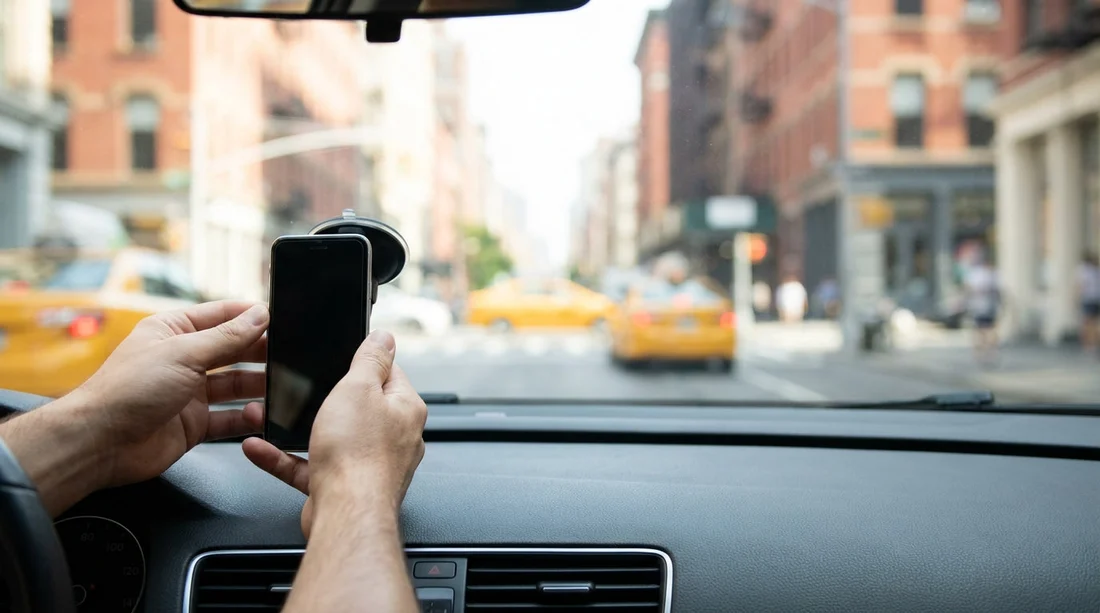
Windshield (suction mount): Often gives the best visibility, but it must not block your view. Place it low and to the side, not in the centre of your vision. Be careful near the A-pillars, which may contain curtain airbags. Also note that some newer vehicles have sensor areas or camera housings near the mirror, which you should not cover.
Dashboard (suction or adhesive base): Can be stable, but the dashboard in a rental is where marks or residue happen most often. If you must use a dash mount, choose a removable base designed for clean release. Avoid textured materials where suction cups fail or pull up a sheen.
Air vent mount: Usually the most rental-friendly because it leaves little trace. Choose a mount with rubberised grips that will not scratch vent fins. Do not over-tighten. Confirm the vent is sturdy and not a fragile, motorised style.
Cup holder mount: Very low risk for marks, and it avoids windscreen and dashboard concerns. It can be too low for quick glances, but it is a safe option if the vehicle’s layout makes other positions awkward.
How to avoid marks, residue, or damage fees
Rental companies may charge for cleaning or repairs if a mount leaves sticky residue, a ring on the dashboard, or scratches on trim. The goal is to mount securely while keeping the interior as close to original condition as possible.
1) Inspect and photograph the area first. Before fitting your holder, take quick photos of the intended mounting surface in good light. This helps if you later notice a pre-existing scuff or sticky patch. It is a sensible habit for any car hire, whether you pick up in Manhattan or at an airport facility.
2) Clean the surface gently. For glass, a clean microfibre cloth works well. For dashboards, avoid harsh cleaners that could change the finish. If the car already has dashboard dressing, suction cups can slip, so a vent or cup holder mount may be better.
3) Use minimal adhesive, and add a barrier if needed. If your mount uses an adhesive pad, consider a removable protective disc designed for temporary mounts. Do not use tape, glue, or household adhesives, as these can pull off coatings or leave residue that is difficult to remove.
4) Keep it away from airbags and seams. Do not mount on airbag covers, along seam lines, or where trim panels meet. If the airbag deploys, a mount can become a hazard and may damage the interior.
5) Do a stability test before driving. Once mounted, gently shake the arm and check that it does not slip. If it moves, reposition it while you are still parked.
If you are picking up from a busy hub, you may have limited time in the bay. Building in a few minutes helps, especially when collecting from an airport location connected to New York travel. People often arrange vehicles through pages like car rental at Newark (EWR), then want to be navigation-ready for the first merge onto major roads.
What to do if the rental car has built-in navigation or CarPlay
If the vehicle already supports CarPlay or Android Auto, you may not need a holder at all. Many drivers still prefer a mount so the phone is visible for passenger control or quick reference, but keep interaction minimal. When in doubt, use the built-in screen and store the phone out of direct reach. This can reduce distraction risk and eliminates any possibility of mounting marks.
If you are travelling with more people or luggage and your cabin setup is tight, vehicle choice matters. Options like van rental in New York JFK may give you more cabin storage, making it easier to place phones safely without cluttering the dash area.
Removing the holder cleanly at return
Take the holder down before you reach the return lanes, while you are still parked somewhere safe. For suction mounts, lift the release tab rather than pulling the cup. For vent mounts, loosen gently and slide off to avoid stressing fins. For any adhesive pad, warm it slightly with cabin heat and peel slowly, keeping it low and steady. Then wipe the surface with a clean microfibre cloth to remove oils or faint rings.
Finally, check you have not left any parts behind, such as magnetic plates or spare adhesive discs. Leaving accessories in the car can complicate inventory checks. If your trip involves collecting at EWR and dropping elsewhere, using consistent, low-mark mounting choices is helpful across different vehicles, including those listed under car hire in New Jersey via EWR.
FAQ
Can I install my own phone holder in a New York rental car? Yes, in most cases you can, provided it is fitted safely, does not obstruct your view, and does not cause damage or residue.
Is a windscreen suction mount a bad idea in a rental? Not necessarily, but it must not block visibility and it should be removed carefully. If you worry about marks, a vent or cup holder mount is usually lower risk.
Where should I avoid mounting because of airbags? Avoid the steering wheel area, the passenger-side dash panel, and the A-pillar zones. If you are unsure, choose a vent or cup holder position away from airbag covers.
Could I be charged if the mount leaves a sticky patch? Potentially, yes. Cleaning fees can apply if adhesive residue or scuffs are left behind, so choose removable mounts and clean surfaces before and after.
Do I still need a holder if the car has CarPlay or built-in navigation? Often no. Using the built-in system and keeping your phone stowed can be safer and avoids any risk of marks on the interior.































































































