


Quick Summary:
- Expect to show your physical driving licence at the counter.
- Bring the passport original, digital scans usually are not accepted.
- Match the main driver name across voucher, licence, and payment card.
- Carry the booking confirmation, digital is fine as backup proof.
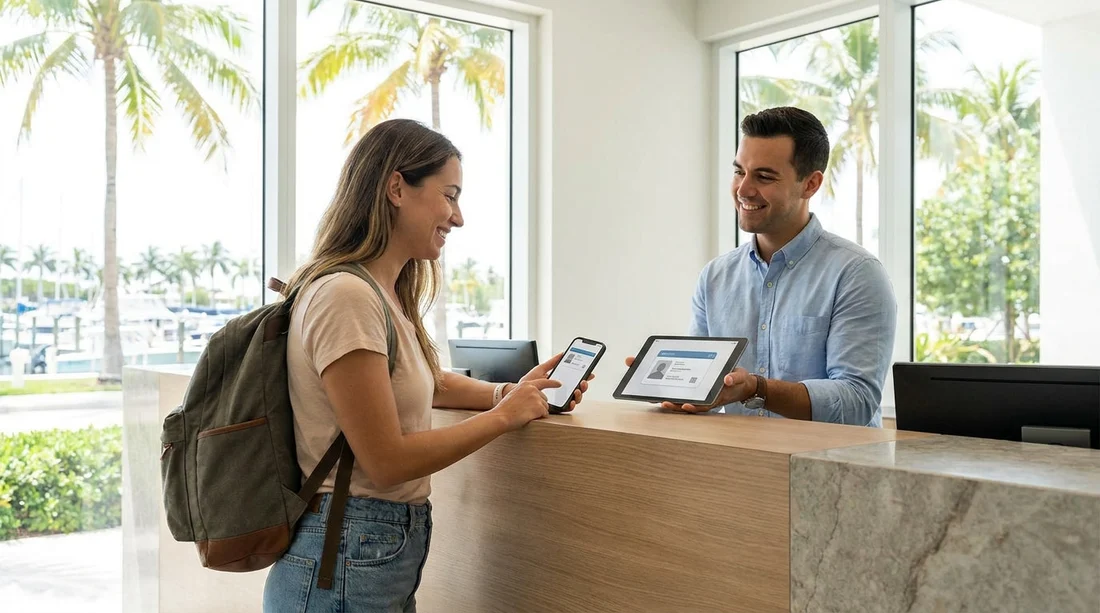
Picking up car hire in Miami often looks simple online, but the handover at the counter is still a document driven process. Many travellers keep scans of their passport and driving licence on their phone and assume that will be enough. In practice, most rental desks in Miami still require original, physical documents to complete the rental agreement and release the vehicle. Digital copies can help you recover details or speed up questions, but they rarely replace originals.
This guide sets expectations for what is usually checked at pick-up in Miami, why counters ask for physical documents, and how to prepare so you are not turned away or delayed after a long flight. Requirements can vary by supplier and by the specifics of your booking, but the patterns below are consistent across major operators.
If you are collecting near the airport, the same document checks typically apply whether you are using car hire at Miami airport and Miami Beach or heading to a neighbourhood counter. Similarly, local collections around business districts, such as car rental in Doral or downtown, still usually involve the same identity and payment verification steps.
Can you collect with digital copies only?
Most of the time, no. For car hire pick-up in Miami, digital copies of your passport and driving licence are typically treated as supporting information rather than acceptable primary documents. Staff need to verify authenticity, check security features, and ensure the documents match the person standing at the desk. A phone image or PDF does not give them the same confidence, and many counters have policies that explicitly require originals.
There are exceptions in limited situations. For example, a local renter might have alternative acceptable ID, or a company account might have pre-verified drivers. However, for international visitors and most leisure rentals, you should plan on presenting physical documents at the counter.
Documents you usually must present physically
1) Your original driving licence. The main driver must present a valid licence in hand. This is the single most important document for car hire. A digital copy is unlikely to be accepted because the counter needs to confirm validity, expiry date, and that the licence appears genuine. If you have a paper style UK licence, bring it. If you have a photocard licence, bring the photocard. If you are adding additional drivers, they normally need to be present with their own physical licence too.
2) Your original passport. For many travellers, especially those visiting from abroad, the passport is the primary identity document used at pick-up. Digital copies are generally not accepted as proof of identity. The counter may also check that the passport name matches the booking and the cardholder, and they may look at entry details if relevant to eligibility.
3) The payment card used by the main driver. Most rental agreements require a physical payment card in the main driver’s name. Even if you paid online, the counter often needs a card to secure the deposit. A digital wallet may or may not be accepted depending on supplier policy and terminal capability, but you should assume the safest option is a physical card. If the card does not match the main driver name, you may be refused.
4) Proof of booking. A printed voucher is not always required, but having access to your confirmation details helps. A digital version on your phone is usually fine here, because it is not used to verify identity in the same way, it is used to locate the reservation and confirm inclusions.
Why counters insist on originals
Car rental staff in Miami are balancing fraud prevention, insurance rules, and compliance checks. Physical documents allow them to inspect security features, compare signatures or photos, and ensure the document has not been altered. They also need to record document details accurately on the rental agreement. A digital image can be edited easily and may not show holograms or other authentication features.
Insurance and liability can also drive the requirement. If a vehicle is damaged or involved in an incident, the rental company needs confidence that the driver was properly identified and licensed. Requiring originals is a straightforward way to reduce risk.
International Driving Permit and foreign licences
Whether you need an International Driving Permit (IDP) in Miami depends on where your licence is issued and the supplier’s policy. Florida may allow visitors to drive with a valid foreign licence, but some rental companies still request an IDP as a translation aid, especially if your licence is not in English. Treat an IDP as a useful extra document, not a replacement. If you have one, bring the original IDP and your original licence, because an IDP is typically only valid when carried alongside the licence.
If you are unsure, check your supplier’s terms before travel and do not rely on a digital scan of an IDP. For speciality vehicle categories, policies can be stricter, for example if you are arranging SUV rental in Coral Gables for family travel, you still need the same core documents at pick-up.
Common reasons people are turned away at pick-up
Most problems are preventable. These are frequent issues seen with car hire collections in Miami:
Name mismatches. If your booking is in one name, but the driving licence or payment card is in another, the counter may refuse the rental. Make sure the main driver on the reservation is the person who will present the licence and card.
Only a digital licence image. A photo of your licence on your phone is not the same as presenting the licence. Plan to carry the original.
Expired documents. A recently expired passport or licence can stop the rental. Check expiry dates before you fly.
Additional driver not present. If you want someone else to drive, many suppliers require them to be at the counter with their physical documents when you add them.
Card issues for the deposit. Insufficient available funds, a card type not accepted, or a mismatch in cardholder name can delay or end the pick-up process.
What digital copies are still useful for
Although digital copies are usually not enough on their own, they are still worth keeping securely. They can help if your wallet is lost and you need reference details for an emergency replacement. They can also help you double-check exact spellings, document numbers, and dates when completing forms or talking to customer support. If you store scans, keep them in a secure vault rather than your camera roll, and protect your phone with a passcode.
Digital copies can also support the booking process itself. For example, if you are comparing suppliers such as Hertz car rental in Miami or looking at locations like Dollar car rental in Brickell, having your details handy can reduce errors when entering driver information online. The key point is that online convenience does not remove the counter’s requirement for originals.
Practical checklist for a smooth Miami pick-up
Carry originals in your hand luggage. Do not pack your passport, driving licence, or payment card in checked baggage. If your bag is delayed, you may not be able to collect the car.
Ensure the main driver controls the documents. The person collecting the vehicle should have their own passport and licence, plus the card used for the deposit.
Confirm licence validity for the full trip. Some suppliers prefer the licence to have been held for a minimum period, and it must remain valid throughout the rental.
Keep your booking confirmation accessible. A screenshot or saved PDF is helpful if mobile signal is weak in the arrivals area.
Allow extra time at peak periods. Even with the right paperwork, queues can build at Miami counters, especially around weekends and holiday travel dates.
FAQ
Can I collect car hire in Miami using only a photo of my passport? Usually not. Most counters require the original passport to verify identity and eligibility before releasing the vehicle.
Is a digital driving licence accepted for car hire pick-up in Miami? In most cases, no. You should bring your physical driving licence, as staff typically need to inspect the original document.
Do I need to print my booking voucher for car hire in Miami? Often you do not need to print it. A digital confirmation is usually fine, but keep it easily accessible in case of poor signal.
What if my payment card name does not match the booking? This can cause refusal at the counter. The safest approach is to ensure the main driver name matches the reservation and the card used for the deposit.
Will an International Driving Permit replace my driving licence in Miami? No. If an IDP is required or recommended, it is normally used alongside your original driving licence, not instead of it.































































































