


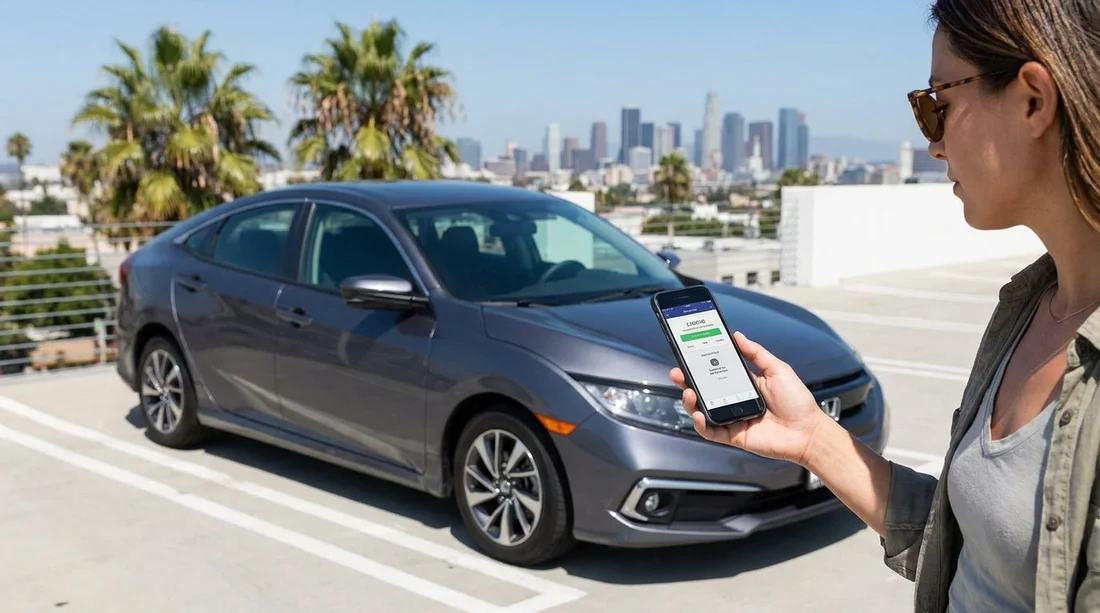
Quick Summary:
- Install ParkMobile, Passport Parking, PayByPhone, and LA Express Park before arrival.
- Add a payment card, set alerts, and enable location services.
- Save your licence plate details, rental email, and a backup payment method.
- Practise starting a session, extending time, and downloading receipts beforehand.
Los Angeles parking is a mix of kerbside meters, residential restrictions, private garages, and city-run structures, and the payment method changes by neighbourhood. If you arrive for car hire and only then start downloading apps, creating accounts, and hunting for a verification code, you can easily spend longer setting up than you spend parking. The goal is simple, finish setup before pick-up so you can park immediately, pay in seconds, and move on.
LA is not a single-app city. You will most often see a small group of payment apps depending on the operator, plus a separate system for some city garages. The best approach is to install the common options, load your details once, and keep your phone ready with notifications and permissions turned on.
If you are collecting at LAX, it is worth planning your first stop before you leave the lot. The pages for car rental California LAX and car hire Los Angeles LAX are useful for orienting yourself around the airport area, but your parking will quickly depend on where you drive next.
The most-used parking payment apps in Los Angeles
ParkMobile is widely used across LA County and often appears on street signs and meter stickers. It commonly covers on-street metered spaces and some off-street lots. You typically enter a zone number shown on a sign, choose your time, and pay. It is also popular for event parking near venues.
Passport Parking is another frequent option for metered street parking and municipal lots in parts of Los Angeles and nearby cities. The flow is similar, zone number, time, and payment, with the advantage that you can extend remotely if the rules allow it. Because the branding on signs varies, it is smart to have both Passport and ParkMobile installed.
PayByPhone is extremely common in major US cities and appears in many LA areas, especially for kerbside meter payment. It is reliable for quick sessions and reminders. If you only set up one app, PayByPhone is a strong candidate, but LA coverage is not universal, so pair it with another.
LA Express Park is specific to some City of Los Angeles parking structures and selected areas, historically concentrated around Downtown. It is not the same as the private garage apps you might see elsewhere. If you plan to spend time in DTLA, having LA Express Park set up can save you from queueing at pay stations and help you track costs.
Garage operator apps also matter in LA, where many popular areas rely on private off-street parking. Different operators use different systems, sometimes QR-based entry or pay-on-exit. You cannot prepare for every brand, but you can prepare your phone and payment settings so any app download takes minutes rather than an entire coffee break.
What to do before pick-up so you can park immediately
1) Install the core apps while you have stable WiFi. Do this at home or in your hotel, not at a kerb with a meter ticking down. At minimum, install ParkMobile, Passport Parking, and PayByPhone. Add LA Express Park if Downtown garages are likely on your itinerary.
2) Create accounts and verify your phone number. Most parking apps require a verification text or email. Complete that process early so you are not blocked by poor signal in a concrete garage. Use a phone number that will work in the US, and make sure you can receive SMS on your travel plan.
3) Add a payment method and check your bank’s travel settings. Add a card to each app and consider adding a second backup card. Some banks flag small, rapid transactions as suspicious, and parking payments can look like that. It helps to inform your bank of travel, or ensure your card is enabled for overseas use if you are visiting from the UK.
4) Save your licence plate details, but be ready to update. Many apps tie the session to the vehicle registration. With car hire, you will not know the plate until pick-up, so pre-create a placeholder vehicle profile if the app allows it, then update it immediately after receiving the keys. Before you drive out, take a photo of the plate and the windscreen tag if present. Accuracy matters, a wrong character can lead to a ticket even if you paid.
5) Turn on location services and notifications. Location helps some apps suggest nearby zones and reduces errors. Notifications are essential, they remind you when time is nearly up, and some apps let you extend from your phone. If you keep notifications muted, set a manual alarm as a backup.
6) Practise a session without paying. Most apps let you reach the payment screen without confirming. Try selecting a zone and adjusting time so you understand the flow. This reduces mistakes when you are parked in a busy area and cars are waiting behind you.
7) Store receipts for expenses and disputes. If you are travelling for work, you will want a clean receipt. Even for personal trips, receipts are helpful if you receive a parking citation and need to show proof of payment. Confirm that receipts are emailed or accessible in the app history.
8) Plan for dead zones and low battery. Garages can have weak reception. Before you enter, open the app and be ready to start the session quickly. Carry a car charger and cable, and consider a power bank. If your phone dies, you may have no way to prove you paid or to extend time.
How to recognise which app you need when you pull up
In Los Angeles, the sign or meter usually tells you the payment method. Look for the app name and a zone number, and sometimes a local phone number for PayByPhone. The zone number is the critical piece, it links your payment to that exact block or lot.
If you see multiple payment options, choose the one you already have set up and double-check that the vehicle plate in the app matches your rental. If you are unsure, take a quick photo of the sign. That photo can help later if the session appears under a different zone than you expected.
For travellers picking up near the airport, it is also helpful to know your broader route. If you are comparing vehicle types for luggage, the van hire California LAX page can be relevant, but parking app prep remains the same, install, verify, add payment, update the plate.
Mistakes that lead to tickets even when you paid
Wrong zone number. A single digit off can make your payment invalid for that block. Always cross-check the zone printed on the nearest sign, not a sign across the street.
Wrong licence plate. This is common with car hire because you are updating details in a hurry. After you edit the plate in the app, start a fresh session so the correct plate is attached.
Overstaying the posted limit. Extending in the app does not override maximum stay rules. If the sign says two hours max, paying for three hours can still earn a citation.
Ignoring street-sweeping, loading zones, and permit rules. Payment apps do not grant permission to park in a restricted space. Read the full sign cluster, not just the payment sticker.
If you are also considering different suppliers around LAX, you can compare options such as Budget car hire Los Angeles LAX and National car hire California LAX. Regardless of provider, the parking apps and set-up steps stay consistent.
FAQ
Do I need more than one parking app for Los Angeles? Yes, LA coverage varies by operator, so having two or three installed reduces delays when a sign lists a different provider.
Can I set up the apps without knowing my rental car’s licence plate? You can create the account and add payment now, then update the plate immediately after pick-up before starting your first session.
Will parking apps protect me from street-sweeping tickets? No, the app only handles payment. You must follow posted restrictions like sweeping times, permit-only hours, and red zones.
What if my phone has no signal inside a garage? Start the session before you drive into a low-signal area, keep receipts in the app, and use a charger so your phone stays available.
Can I extend parking time remotely in Los Angeles? Often yes, but only if the location allows extensions and you have not hit the maximum stay shown on the signs.






























































































