


Quick Summary:
- Check your voucher for the supplier name and desk operator details.
- Follow terminal signs to the AirTrain and the rental facility.
- Match queue signs to brand logos, not just counter numbers.
- Confirm licence, driver name, and payment card rules before joining.
At Newark Liberty International Airport (EWR), many travellers expect a row of separate brand desks, but the reality can be shared counters, combined queue areas, and staff serving more than one car hire brand. When you have a flight to catch, a tired family, or a late-night arrival, choosing the wrong queue wastes time and can add stress. The good news is that you can usually identify the correct place to check in by using three sources of truth: your voucher, the airport and facility signage, and the branding on the queue system itself.
This guide walks you through what to look for at each step, from baggage reclaim to the rental facility, and how to confirm you are in the right place before you hand over your driving licence and payment card. If you are researching car hire options around EWR, you can compare car hire at Newark Airport (EWR) and car hire in New Jersey near EWR to understand which suppliers you might meet at the desks.
Why shared desks happen at Newark
Shared desks are common at airports where several brands operate under the same parent company, where an operator handles check-in for partner brands, or where the facility layout groups multiple suppliers into one service area. In practice, you might see one counter bank with several logos, or a single “customer service” line that feeds multiple agents. This can be confusing because your booking brand, the on-site desk operator, and the company on your payment pre-authorisation may not look identical.
The key is to rely on your documentation and the queue labels, rather than assuming that the biggest logo or the shortest line is the right one.
Step 1: Use your voucher as your primary identifier
Before you leave arrivals, open your confirmation email or voucher PDF and locate the details that help you match a desk to a booking.
Supplier or brand name. This is the name you expect to see on signs and counter branding. If your booking references a specific brand page, it can help to recognise it, for instance Thrifty at Newark (EWR) or Payless at Newark (EWR).
Pick-up location wording. Look for phrasing like “Newark Airport Rental Car Center” or “Off-airport shuttle” notes. At EWR, most major car hire pick-ups funnel through the airport’s rental facility accessed via AirTrain, so the location description can quickly tell you whether you should be heading to the AirTrain or looking for a shuttle pick-up point.
Reservation number and desk instructions. Shared desks often ask for a booking reference on arrival. Keep it ready as a screenshot in case your mobile signal drops inside the terminal or on the AirTrain platform.
Payment and deposit notes. If you see requirements such as “credit card in main driver’s name”, “deposit held”, or “no debit cards”, that can affect whether you should speak to an agent immediately instead of waiting in a long line only to be turned away at the counter.
Step 2: Follow airport wayfinding to the correct facility
At Newark, the first challenge is not the desk, it is reaching the right building. Pay attention to overhead signs that mention “AirTrain” and “Rental Cars”. The airport’s rental operations are typically consolidated, so even if your supplier is a smaller brand, the journey often begins the same way as it does for larger operators.
Do not join the first line you see. Some airports have customer service desks near arrivals that are not the actual rental check-in counters. At EWR, the decisive branding and queue information is usually at the rental facility itself.
Step 3: Decode what “shared” means at the counter bank
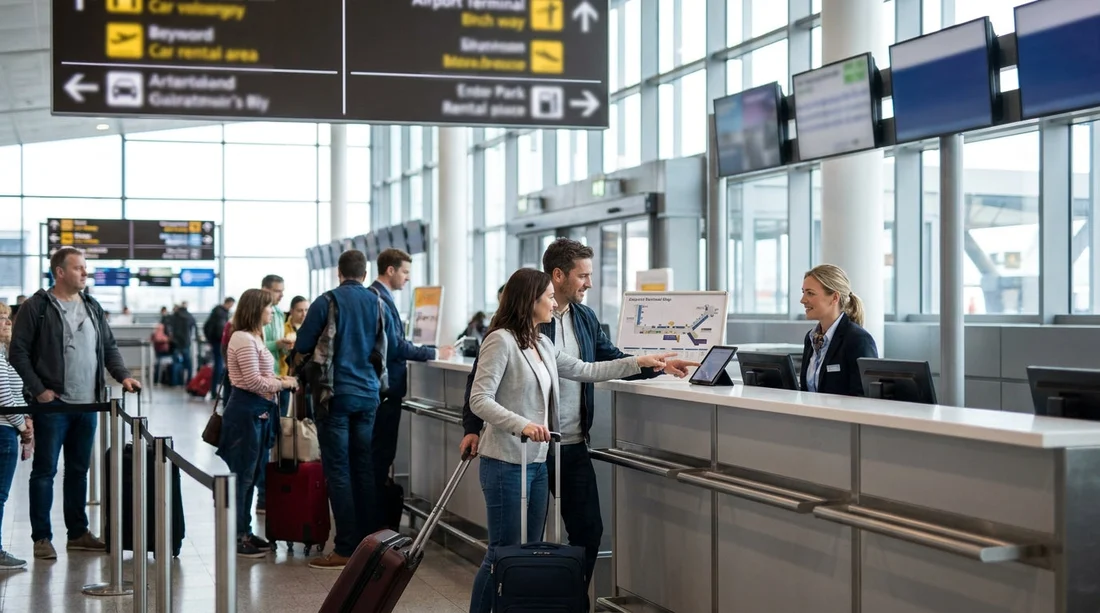
Once you arrive at the rental facility, you will likely see a bank of counters and a roped queue area. Shared desks can appear in a few formats.
One counter, multiple logos. The desk header might show several brands. In that case, your supplier’s logo should be present even if the staff member is wearing a different uniform.
One queue feeding multiple desks. There might be a single line, then an agent calls the next customer to the next available window. In this setup, the sign at the start of the queue is crucial. Read it carefully for a list of brands served.
Separate queues, adjacent counters. This is where mistakes happen. If two brands share back-office systems, their counters can be next to each other. The line markers and hanging signs above the queue entrances are often clearer than the small text on the desk itself.
To avoid joining the wrong queue, match at least two of these three items before you commit: the logo on the sign, the brand list printed on the queue header, and the supplier name on your voucher.
Step 4: Check the small print that staff will check anyway
Even if you have found the right desk, you can save time by verifying that the documents and details you present will align with what the agent needs. Shared desks move quickly when customers are prepared, and slowly when key details are missing.
Main driver name and licence. Make sure the name on the booking matches the driver’s licence. If you have multiple drivers, be ready with each licence, because the desk may need to add them immediately.
Payment card match. Many car hire counters require a credit card in the main driver’s name for the deposit hold. If you only have a debit card, ask an agent early, before you wait, whether it is accepted under your booking conditions.
Insurance and cover expectations. Your voucher may include specific cover terms. If you are unsure what is included, ask the agent to point to the line item on the agreement before you sign. This is especially important when desks are shared, because the agent may be working across several brand rule sets.
Step 5: Use the receipt trail if branding is unclear
If you booked through a platform or have multiple emails, your payment receipt can help. Look for a merchant name or supplier indicator, and cross-check it with your voucher supplier name. Do not assume the merchant name will match the brand on the counter exactly, but it can confirm you are speaking to the correct family of brands when desks are combined.
If you are travelling between airports, it also helps to recognise that desk layouts differ. For comparison, Hola Car Rentals pages like car hire at New York JFK show that pick-up processes can vary by airport and facility design, even within the New York area.
Step 6: Ask a targeted question before you wait
If you are still unsure, avoid a long explanation and ask a single, specific question to the first available staff member or floor marshal: “Does this queue serve [supplier name on voucher] bookings?” Show the voucher line with the supplier name and pick-up location. Staff can normally redirect you instantly if you are in the wrong place, and it is far easier than fixing it at the desk window.
Common mistakes at Newark and how to avoid them
Mistaking “rental return” signs for “rental pick-up” directions. If you are arriving, focus on “Rental Cars” or “Car Rental Center”, not “Returns”.
Following a brand logo too early. Inside terminals, you may not see your supplier logo until you reach the rental facility. Follow airport wayfinding first.
Joining a partner-brand queue. Some brands operate side-by-side. Always check the queue header for the exact brand list served, then confirm with your voucher.
Not having offline access to documents. Save screenshots of your voucher, booking number, and terms. Underground corridors and crowded halls can mean patchy mobile data.
FAQ
How can I tell if my car hire desk is shared at Newark Airport? Look for counter signage showing multiple logos, or a queue header listing several brands served by the same line.
Should I follow my supplier’s brand signs from arrivals? Usually follow airport “Rental Cars” and AirTrain signs first, then match your supplier name once you reach the rental facility.
What voucher details matter most to find the right queue? Supplier name, pick-up location wording, reservation number, and any desk instructions or payment requirements help you match the correct counter.
Why does the agent’s uniform not match my booking brand? Some rental desks are operated by a shared service team or partner company, so uniforms can differ even when they can process your booking.
What should I do if I am unsure between two adjacent queues? Ask a staff member which queue serves the supplier name on your voucher, then join only after confirmation.






























































































