


Quick Summary:
- Assume the car has USB ports, but no cable provided.
- Pack your own Lightning or USB-C cable plus a 12V adapter.
- Check the port types at pickup, then test charging before leaving.
- Bring a phone mount and offline maps for reliable navigation.
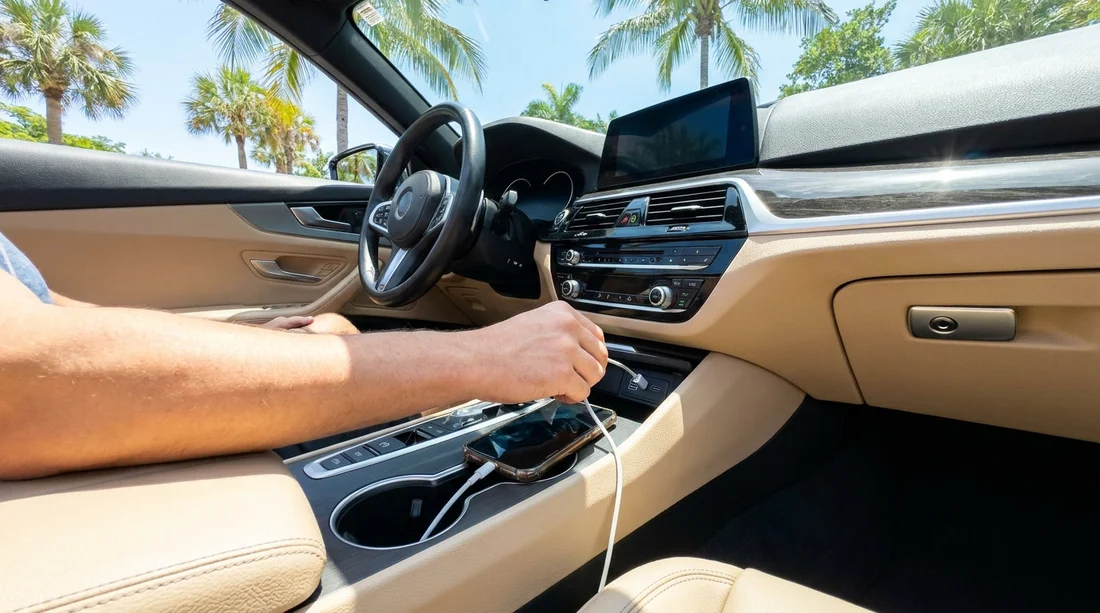
If you are picking up a car hire in Florida and planning to use your phone for navigation, music and calls, it is smart to assume you will need to bring your own charging cable. Many modern rental cars include USB ports, and some have wireless charging pads, but cables are rarely included as standard equipment. That can catch travellers out, especially after a long flight when your battery is already low.
Before you leave the counter, you want to know two things, whether your phone can actually charge in that specific vehicle, and whether it will charge fast enough to keep up with maps. A quick plan and a small charging kit can prevent the classic problem of losing navigation mid drive on Florida highways.
Do rental cars in Florida provide phone charging cables?
In most cases, no. A rental car may have one or more USB ports, but the cable is considered a personal accessory. Cables are inexpensive, easy to forget in the vehicle, and vary by phone type, so fleets typically do not stock them in each car.
What you might find instead are built in charging options that still require your own lead. Common examples are USB-A ports near the centre console, USB-C ports in newer models, or rear seat USB points. Some cars also include a 12V socket (sometimes called a cigarette lighter socket) which is useful when USB ports are limited or slow.
If you are collecting a vehicle at a major pickup location, such as Miami Airport car hire or Orlando Airport van hire, you will see a wide range of car ages and trims. That variation is exactly why it is safest to bring your own cable and a backup power option.
USB ports vs cables, and why the difference matters
A USB port is the power source, a cable is what connects your phone to that source. People often assume that if the car has a USB port, charging is sorted, but the details matter.
Port shape: USB-A is the older, rectangular port. USB-C is smaller and oval, and is becoming more common. If your phone uses USB-C, you may still need USB-A to USB-C, or USB-C to USB-C, depending on what the car provides.
Data vs charge: Many ports can both charge and support Apple CarPlay or Android Auto, but some are charge-only. If you rely on phone based navigation on the main screen, you may need a specific port or a cable that supports data, not just power.
Charging speed: Some in-car USB ports are low output. They can be enough to maintain battery level with the screen off, but not enough when you are running maps, brightness is high, and the phone is hot. In Florida, heat and sunshine can push phones into higher power use, which increases the risk of slow charging.
What to pack for Florida car hire so your phone stays charged
Think of your car hire charging kit as part of your travel essentials, like sunglasses and toll money. A few small items make a big difference.
1) The right cable for your phone
Bring at least one good quality cable that matches your device, for example Lightning for many iPhones, or USB-C for many Android phones and newer iPhones. If you have a second cable, pack it too, cables fail at the worst moments.
2) A 12V USB car adapter
A compact 12V adapter with two ports gives you flexibility. It lets you charge even if the car’s built in ports are slow, hard to reach, or already in use. Look for one that supports faster charging standards for your phone.
3) A phone mount
Charging and navigation go together. A stable mount reduces the temptation to hold the phone, and it helps with airflow if you position the phone near an air vent. Just ensure it does not block your view.
What to check at the counter and at the car, before you drive away
The best time to confirm charging is before you leave the pickup area. It is easier to swap cars or ask questions then, rather than after you have merged onto a busy road.
Ask what ports the vehicle has. Staff may not know every trim detail, but they can often point you to a newer model range or confirm whether the car tends to have USB-C.
Test charging immediately. Plug in, start the engine, and check that the phone shows it is charging. If your navigation app is already running, see if battery percentage rises, not just holds.
Confirm CarPlay or Android Auto if you need it. If you prefer the map on the main screen, test the connection. Some cars require plugging into a particular USB port for data, and some require you to approve prompts on the phone.
Plan cable routing for safety. Make sure the lead does not interfere with the gear selector, steering, or pedals. A longer cable is not always better if it ends up dangling.
Wireless charging and built in infotainment, useful but not guaranteed
Some newer vehicles include a wireless charging pad, usually near the centre console. It can be convenient, but treat it as a bonus, not a guarantee. Wireless charging can be slower than a cable, and phone cases or camera bumps can prevent proper contact.
If you are hiring in busy areas where vehicle choice may vary, such as Brickell budget car hire or Fort Lauderdale car hire, it pays to assume you will use your own cable rather than relying on wireless features.
Bottom line, should you bring your own charging cable?
Yes, you should bring your own cable for a rental car in Florida. USB ports are common, but cables are not usually provided, and port types and charging speeds can vary by vehicle. Pack the correct lead for your phone, add a 12V adapter for reliable fast charging, and test everything at pickup before you drive away. That small preparation helps ensure your phone stays powered for navigation throughout your trip.
FAQ
Do Florida rental cars usually have USB ports?
Many do, especially newer models, but the number and type of ports varies. Expect at least one USB port, but do not rely on USB-C being available.
Will the rental company provide a Lightning or USB-C cable?
Typically no. Bring your own cable, and consider a spare. It is one of the easiest items to forget, and it is rarely included with the vehicle.
Is a 12V car charger worth packing for car hire?
Yes. A 12V USB adapter often charges faster than built in USB ports and works regardless of whether the car has USB-A or USB-C.
Can I use Apple CarPlay or Android Auto without a cable?
Some vehicles support wireless connections, but many require a cable and the correct USB data port. Test it before you leave the pickup area.
What if my phone overheats while charging and navigating?
Move it out of direct sun, reduce screen brightness, and use air conditioning airflow if possible. If needed, pause charging briefly to cool the device.




























































































