


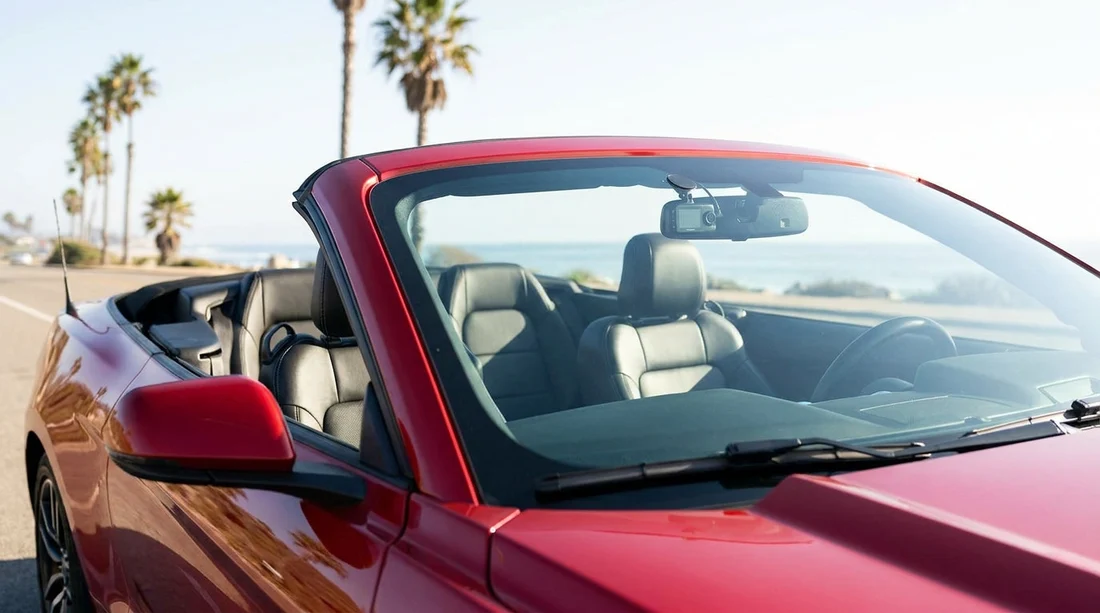
Quick Summary:
- Confirm the hire company allows temporary mounts and no adhesive residue.
- Mount low in the windscreen corners to preserve driver visibility.
- Disable cabin audio unless everyone consents under California privacy law.
- Remove the camera before return, and photograph any pre-existing marks.
Using a dash cam in a rental car is generally possible in California, but you need to think beyond the gadget itself. The main risks are simple, a poor mounting spot can block your view, audio recording can trigger privacy issues, and sticky pads can damage the windscreen or trim and leave you liable for cleaning or repairs. If you plan ahead, you can normally use a dash cam during car hire without problems.
Before you even drive away, treat your dash cam like any other accessory you bring into a hired vehicle. It should not interfere with safe driving, it should not alter the vehicle, and it should not create a dispute at return. The best approach is to use a mount that is secure but removable, position the camera where it does not obstruct visibility, and keep audio recording off unless you have clear consent from everyone who might be captured.
Check the rental agreement and counter guidance first
California law is only one layer. Your car hire agreement can include rules about attachments, modifications, and damage charges. Many companies do not mind temporary suction mounts, but they often object to adhesives that leave residue or pull up tint film. If you are collecting at a busy location such as Los Angeles LAX, it helps to check the paperwork quickly for wording like “no affixing items to interior surfaces” or “no modifications”. If anything is unclear, ask at the counter and keep your setup non-permanent.
Also consider the practicalities of your trip. If you are hiring a larger vehicle for family travel, such as via minivan rental in Sacramento, you may have more glass area and more passengers, which increases the chance that audio recording picks up private conversations. For most travellers, video-only recording avoids the majority of privacy concerns.
Mounting and visibility rules, where you can place it
California has specific rules about items mounted on the windscreen. The safest approach for dash cams is to keep the device small and place it in a permitted corner area so it does not block your view of the road. As a rule of thumb, use the lower corner of the windscreen on the passenger side, or the lower corner on the driver side if the unit is very compact and does not intrude into the primary viewing area.
To reduce the chance of a visibility issue, sit in your normal driving position and confirm you can see pedestrians, cyclists, and traffic signals clearly. Then check from the outside that the camera is not obviously obstructing your view through the glass. Avoid the centre of the windscreen where it can interfere with your sightlines and potentially with sensors in newer cars.
If you are picking up a car around Silicon Valley, you may be driving a newer model with more windscreen-mounted tech. In that case, set up after you have inspected the glass and mirror area, and keep the mount low and to the side. If you are planning your collection through car hire in San Jose SJC, allow a few minutes in the car park to position it correctly and safely, rather than rushing at the exit.
Audio recording consent in California, what to know
California is known for stricter privacy rules than many places, especially when it comes to recording conversations. Video of the road is usually the least controversial. Audio can be the issue, because recording spoken conversations may require consent from everyone involved, depending on the situation. In a hired car with passengers, you can accidentally capture private discussions, phone calls on speaker, or conversations at the pickup counter.
The simplest, lowest-risk option is to disable audio recording in the dash cam settings. Many dash cams allow you to toggle audio on and off quickly, or to set audio off by default. If you genuinely need audio, tell every passenger clearly that the dash cam records sound and get their agreement before you begin driving. If anyone is uncomfortable, keep audio off. Also remember that ride-share passengers, colleagues, or acquaintances you pick up later may not have been informed.
Avoid damaging the windscreen, dashboard, and trim
Damage and residue are the biggest reasons dash cams create disputes in car hire returns. Suction mounts are usually preferable because they remove cleanly. Adhesive pads can be risky on a rental windscreen, particularly if the glass has aftermarket tint, a film, or a coating. In hot California weather, adhesive can soften, slide, and leave stubborn residue. When removed, it can pull or tear delicate films or leave marks that the next driver reports as damage.
To keep things safe, avoid any mount that needs solvents, scraping, or force to remove. Do not route cables by tucking them aggressively under A-pillar trim, because many vehicles have curtain airbags there. A safer choice is to power the dash cam via a 12V socket or a USB port, and accept that parking recording may be limited.
Best practice during pickup and return
At pickup, do your standard inspection and take photos of existing marks on the windscreen, dashboard, and trim, especially near where you plan to mount the dash cam. This helps if you later notice a scratch and are unsure when it happened. Do not place the camera until after you have taken those initial photos, so the “before” condition is clear.
If you are collecting at Sacramento SMF or any other airport location, you may be under pressure from traffic flow at the exit. If possible, pull into a safe bay, set your camera, confirm visibility, and only then join the main flow of traffic. Ensure the unit is not blocking your view of the road and does not obstruct the wipers’ sweep.
Before return, remove the camera and mount fully, including any cable clips. Wipe the glass lightly with a microfibre cloth if there are suction marks, but do not use harsh cleaners that could affect coatings. Check that no trim has been pulled loose and that no wires are left behind. A clean removal reduces the chance of a charge for “residue” or “repair”.
Choosing a dash cam setup that suits car hire
If you regularly use car hire, look for a dash cam kit that is designed for temporary installs. Key features include a reliable suction mount, a compact body, a quick-release clip, and an easy audio toggle. Consider a short USB power cable plus a longer backup, so you can route it neatly without forcing trim. If your dash cam has a screen, dim it or set it to turn off automatically, so it does not distract you at night.
If you choose to hire through a specific provider, procedures can vary slightly, but the principles remain the same. Whether your pickup is with Hertz at Sacramento SMF or another desk, aim for a non-permanent, visibility-safe setup and remove everything cleanly at return.
Overall, yes, you can usually use a dash cam in a rental car before you start car hire in California, as long as you mount it responsibly, avoid recording audio without consent, and protect the vehicle’s glass and trim from damage or residue.
FAQ
Can I mount a dash cam on the windscreen in California? Usually yes, but keep it in a corner area that does not block your view. Avoid the central windscreen and any sensor housings near the mirror.
Should I record audio inside a rental car? It is safer to turn audio off. If you want audio, tell all passengers and only record if everyone clearly consents.
Is a suction mount better than an adhesive mount for car hire? In most cases, yes. Suction mounts typically remove cleanly, while adhesives can leave residue or damage tint film and coatings.
Can I hide the power cable under trim panels? Avoid forcing cables under A-pillar trim where curtain airbags may be fitted. Route gently along gaps and keep wires away from airbag seams.
What should I do with the dash cam when returning the hire car? Remove the camera, mount, and all cables, then check for residue or loose trim. Taking a quick photo of the clean windscreen can help.




























































































