


Quick Summary:
- Follow Rental Car signs to reach the MIA Rental Car Center quickly.
- Use directory boards to match Hola bookings to the correct counter.
- Queue by voucher details, not the main desk branding.
- Keep licence, passport, payment card, and booking reference ready.
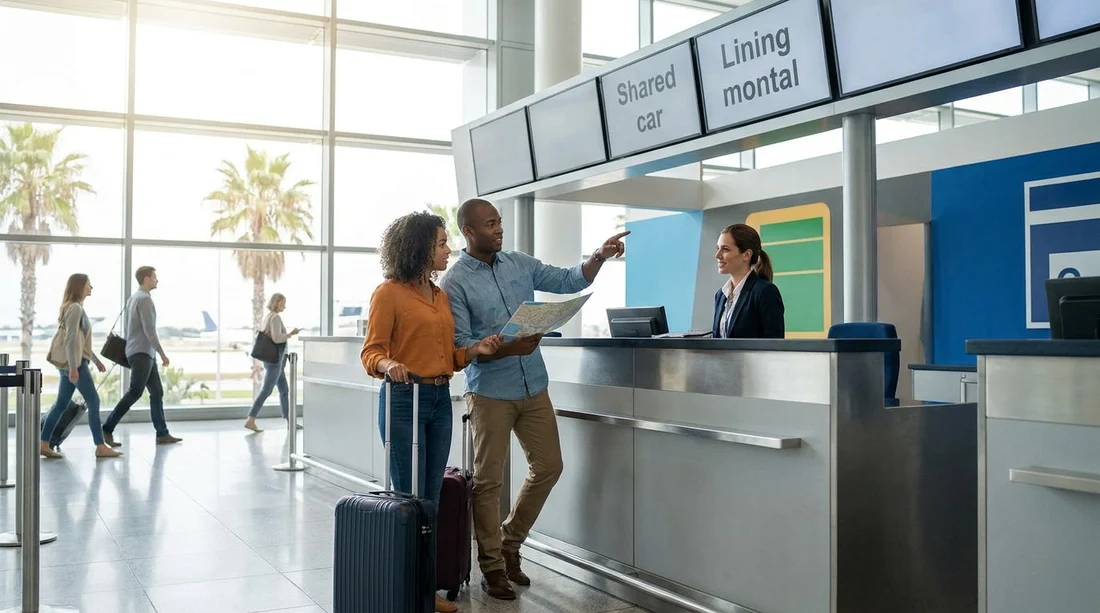
Miami International Airport, often shortened to MIA, routes most car hire pick-ups through a central facility rather than individual desks in every terminal. That is why you may hear that desks are “shared”. In practice, it means Hola Car Rentals may be served from a partner-branded counter, a multi-brand desk, or a consolidated customer service position that handles several suppliers. If you arrive expecting a standalone Hola sign, you can waste time walking between halls, so it helps to know what shared counters look like and how to confirm you are in the right queue.
The key idea is simple, you do not hunt for a specific logo first. You follow airport wayfinding to the Rental Car Center, then use the counter directory and digital screens to match your paperwork to the desk that is processing Hola customers at that time.
How shared car hire counters work at Miami Airport
Shared counters are an operational set-up where the airport or the rental company group assigns one physical desk to handle multiple brands. This can happen for staffing efficiency, late-night coverage, seasonal peaks, or because several brands belong to the same parent company. At MIA, you will usually be channelled into the same general rental area, so “shared” typically refers to the desk you speak to, not the location of the car hire facility.
There are three common models you may see:
Multi-brand counter, a single desk with several brand names listed on the front, above the counter, or on a nearby signboard.
Partner-serviced counter, your voucher indicates Hola, but the desk branding shows an operating partner name. The partner staff process your agreement, deposit, and keys.
Consolidated customer service, a central help point directs you to the correct line or issues a ticket number, especially during busy arrivals.
None of these models changes what you need to collect your vehicle. Your booking reference, lead driver documents, and payment method are what identify you, not the logo printed on the desk.
Where to go first, follow the “Rental Car” signs
At Miami Airport, start by following the standard overhead signs for Rental Car or Rental Car Center. Do this even if you landed at a terminal that has other travel services nearby. The airport’s wayfinding is designed to funnel all renters to the same hub, so it is the fastest route to the correct counters, whichever brand is serving you today.
Once you arrive at the Rental Car Center area, the “shared” part begins. Rather than walking counter to counter looking only for Hola, look first for a directory board that lists brands and desk numbers, then cross-check your voucher.
What signage to look for when desks are shared
Shared counter layouts rely heavily on directories, screens, and small-print partner notes. The most useful signs are usually not the biggest ones. Focus on the information that links your booking to the desk:
Counter directory boards at entrances and near queue stanchions. These list brands alphabetically, sometimes including “served by” notes or grouped by company family.
Digital queue screens that show which brands each counter is currently processing. In busy periods, screens may change, so re-check if you have been waiting a while.
Small “also serving” placards placed on the counter edge, often naming additional brands handled at that desk.
Voucher wording such as “Please proceed to” and “Serviced by”, which is often more accurate than a general airport map.
If your paperwork references a partner or a well-known brand family, follow that instruction. If it only says Hola, use the directory board to find where Hola is listed. If you cannot find Hola on the board, ask the nearest staffed counter, not the general airport help desk, because the rental area staff typically know the day-to-day desk assignments.
What to have ready for a faster check-in
Shared desks can be fast if you reach the correct queue and have your documents ready. They can be slow if you get to the counter and then need to step aside to find missing items, because the agent will usually move to the next customer.
Prepare these essentials before you join the line:
Driving licence for the lead driver, and for any additional drivers if you plan to add them. Make sure it is valid for the whole rental period.
Passport or accepted photo identification, matching the name on the booking.
Payment card in the lead driver’s name, with sufficient funds for any deposit and charges.
Booking confirmation on your phone or printed, including reservation number and supplier details. A screenshot can help if airport signal is weak.
Also, quickly confirm the vehicle group, mileage policy, fuel policy, and whether toll programmes are optional. At a shared counter, the agent may be handling several brands, so being clear and concise speeds up your transaction.
Planning alternatives in Miami if your pick-up point changes
If you prefer picking up outside the airport, or you are comparing options for later in your trip, it can help to review other Hola pages for the wider Miami area. You can explore options such as car hire in Brickell and car hire in Coral Gables if your itinerary is not centred on MIA.
If you are arriving via a different airport in the region, compare how counters work at car hire at Fort Lauderdale Airport, since facilities and signage can differ. And if your booking is linked to a specific operator name on the voucher, you may find it helpful to review the brand page for Hertz car hire at Miami Airport, especially when shared desk servicing is involved.
Whichever pick-up point you use, the shared-counter principle stays the same. Follow the airport’s Rental Car signs to the correct hub, use the directory to match your voucher to a desk, then approach the counter with documents ready so the agent can complete the agreement without pauses.
FAQ
Where exactly is the Hola car hire counter at Miami Airport if desks are shared? You will usually go to the MIA Rental Car Center, then use the counter directory or screens to find which desk is handling Hola or its servicing partner at that time.
What should I look for if I cannot see a Hola logo? Look for “also serving” signage, digital queue screens, and the brand name listed on your voucher under “served by” or “please proceed to”.
Can I queue at any car hire desk and ask them to pull up my booking? It is better to confirm the correct desk first, as not every counter can access every reservation system. Ask staff which counter is handling Hola bookings before waiting.
What documents help me check in quickly at a shared counter? Have the lead driver’s driving licence, passport or photo ID, a payment card in the same name, and your booking confirmation with reference number ready before you reach the front.
What if the counter staff say they do not have my reservation? Re-check your confirmation for the servicing partner name, then return to the directory board or ask a supervisor which desk currently processes that partner’s bookings at the Rental Car Center.




























































































