


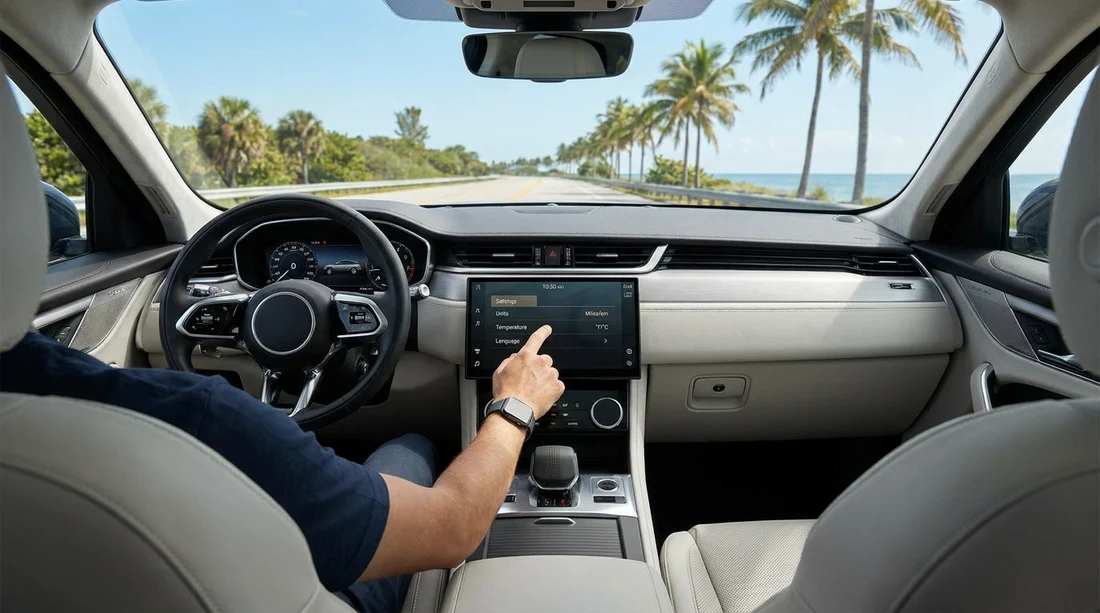
Quick Summary:
- Find Units in Settings and set distance to miles and mph.
- Change temperature units to Fahrenheit in climate, infotainment, or instrument menus.
- Verify navigation shows miles and voice guidance uses mph for limits.
- Before leaving, confirm fuel range, trip readings, and warnings match US units.
When you pick up a car hire in Florida, the car may not be set up the way you expect, especially if it has been driven by international customers. Most US cars support both metric and imperial units, and switching early can prevent missed exits, misread speed limits, and climate confusion on a hot day. The good news is that changing kilometres to miles and Celsius to Fahrenheit is usually a quick settings change on the instrument cluster, the infotainment screen, or both.
This checklist is designed for the first five minutes at the kerbside or in the car park, before you drive off. It focuses on what to press, where to look, and how to confirm the change has actually applied across the vehicle. If you are collecting near Orlando, Miami, Fort Lauderdale, or Tampa, the steps are the same, only the specific menu names vary by brand and trim.
Before you start, do a 30-second “where are the units shown?” scan
Sit in the driver’s seat with the car in Park, ignition on. In many modern vehicles you can do this with the Start button without pressing the brake, so the screens light up without fully starting the engine. Note where you see numbers.
First, the instrument cluster. This is the speed readout, odometer, and warning icons. Second, the centre screen infotainment. This is navigation, audio, and often vehicle settings. Third, the climate display. Some cars show temperature on physical dials, some show it digitally on the screen, and some show it in both places.
If you are picking up at a busy location such as Orlando Airport, doing this scan before you move helps you avoid holding up other drivers while you hunt through menus later.
Step 1, set distance and speed to miles and mph in the instrument cluster
On many US models, the instrument cluster controls are on the steering wheel or a stalk. Look for a button labelled Menu, Settings, or a small “i” icon. Use arrow keys to scroll. Common menu names include “Units”, “Display”, “Vehicle Settings”, or “Driver Assist”.
What to choose: set Distance to miles, Speed to mph, and Fuel economy to mpg (often shown as MPG or US MPG). If you see options for temperature here too, set it to Fahrenheit, but do not assume that changes the climate system, because some vehicles separate these settings.
How to confirm: back out to the normal speed display. If it is a digital cluster, you should see “mph” next to the speed. If it is an analogue dial, there is usually a larger mph scale and a smaller km/h scale, and the odometer and trip should still switch units if the setting changed.
Quick sanity check in Florida: speed limits are posted in mph, often 30, 45, 55, 65, or 70. If the cluster is still showing 100 when traffic is flowing at about 60, you are in km/h and need to switch.
Step 2, change Fahrenheit on the climate system and centre screen
Temperature units can live in a different place from distance units. If your climate is controlled by the infotainment screen, open Settings, then look for “General”, “System”, or “Preferences”. From there you may find “Units” or “Language and Units”. Set temperature to °F. If you have separate climate settings, open the Climate menu and look for a small gear icon or “Settings” within Climate.
If your car has physical temperature knobs with a digital readout, there may still be a menu option to switch °C to °F. In some models you can press and hold a button such as AUTO or a temperature up and down pair for a few seconds to toggle units. If nothing changes, return to the infotainment settings and try again.
How to confirm: set the cabin temperature to a familiar number. In Florida, many drivers choose around 72°F to 76°F for comfort. If you see 22 or 24, you are likely still in Celsius.
Step 3, make sure navigation and route guidance use miles
Even after the cluster shows mph, the map app may still be set to kilometres, particularly if the car supports multiple driver profiles. Open the navigation app, then its settings. Look for “Distance units” or “Guidance units”. Choose miles. Some systems follow the phone language and region when you connect Apple CarPlay or Android Auto, so it is worth checking both the car’s native navigation and your phone projection.
How to confirm: start a short test route, even to a nearby petrol station. The next turn should show distances like “0.5 mi” or “1.2 mi”, not “0.8 km”. Also listen for voice prompts, it should say “in half a mile” rather than metric distances.
If you are collecting around Miami Airport and driving straight onto highways, this step matters, because the slip roads and interchanges arrive quickly and it is easy to misjudge a distance in the wrong unit.
Step 4, check the trip computer, fuel range, and driver-assist displays
Cars often have multiple places where units appear. After switching the main setting, quickly review the following screens.
Trip computer: “Trip A/B”, average speed, average consumption. Make sure the trip distance is in miles and the average speed is mph. Fuel economy should be mpg if available.
Fuel range: if the “miles to empty” number looks too large or too small for the fuel gauge position, open the range screen and confirm it is showing miles. Some cars label it clearly, others do not.
Driver assist: adaptive cruise and speed limiter sometimes show a set speed without units. Look for “mph” near the set speed readout. If you plan to use cruise control on Florida highways, you want full confidence the set speed matches posted limits.
What if you cannot find the units menu?
If you cannot find a units option within two minutes, do not keep tapping while distracted. Use a systematic approach. First, search within Settings for “Units”. Some infotainment systems have a built-in search bar. Second, look for a “General” or “System” category, because units are often placed there rather than in navigation or display. Third, check the instrument cluster menus separately, because cluster and infotainment can have independent settings.
As a last resort, ask the desk or lot staff to show you. It is a reasonable question at pickup, especially with car hire fleets that rotate between international renters.
Common Florida driving cues to confirm you got it right
Use real-world cues as you pull away slowly. Speed limits in car parks are typically 5 to 15 mph. Residential streets can be 25 to 30 mph. Many multi-lane roads are 45 to 55 mph. If your display suggests you are doing 80 when you are clearly creeping, you are still on km/h.
If you are heading out of Tampa with a larger vehicle, these cues matter even more, because you will be paying closer attention to lane position, mirrors, and turning radius, and you do not want to also translate units in your head.
If you are collecting at Fort Lauderdale Airport and heading to beachfront areas with slower roads, knowing you are reading mph correctly reduces stress in unfamiliar traffic.
FAQ
How long should it take to switch a US rental car to miles and Fahrenheit? Usually two to five minutes. The fastest route is instrument cluster Units for miles and mph, then infotainment Settings for °F, then a quick navigation check.
Why does my speed show mph, but my map still shows kilometres? Many cars store units separately for the cluster and navigation app, or per driver profile. Change distance units inside the navigation settings as well as the main vehicle units.
Will changing units affect how the car drives or any safety systems? No, it only changes what is displayed. However, it can affect how you interpret cruise control and speed warnings, so confirm mph is shown before using them.
Can Apple CarPlay or Android Auto override the car’s unit settings? They can influence map units based on phone region and app settings. If the car is correct but your projected map is not, adjust units in the phone’s navigation app settings.
What should I do if the car keeps reverting to kilometres and Celsius? Check driver profiles and select one profile consistently. If it still reverts after restarting, ask the pickup staff to confirm the settings are saved properly.




























































































