


Quick Summary:
- Minor wear often passes, but torn photo pages can trigger refusal.
- Bring your valid driving licence plus a second photo ID.
- Match your passport details to the reservation name and payment card.
- Arrive early if damage may prevent scanning or chip reading.
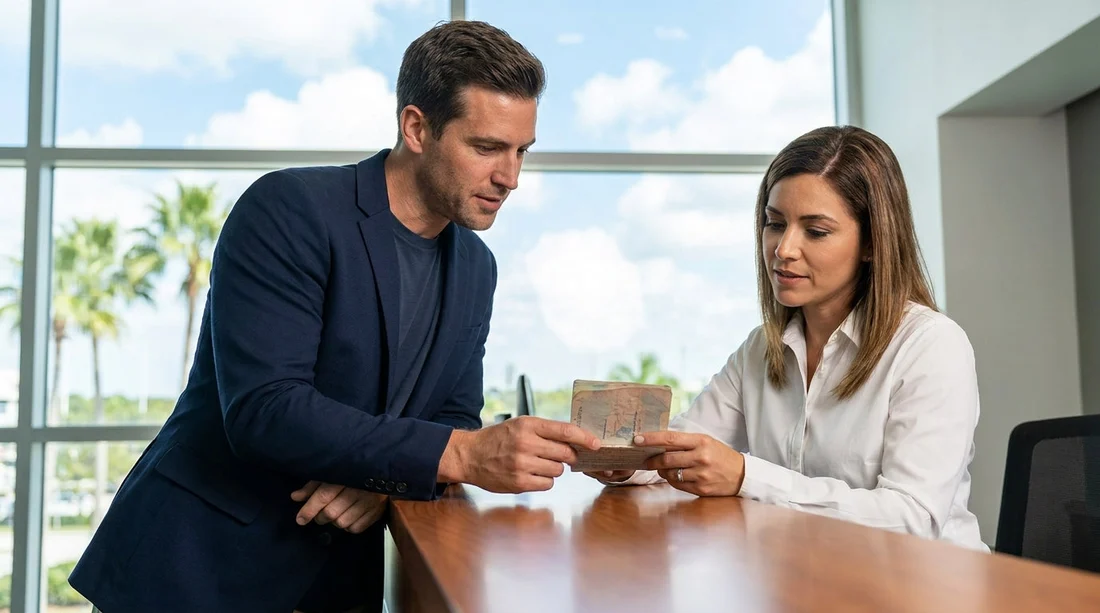
Picking up a vehicle for car hire in Florida often involves fast checks at the counter or kiosk, especially at busy airports and downtown locations. A damaged passport can slow things down because rental staff must verify identity, match names across documents, and in many cases scan the passport to create the rental agreement. Whether you will be refused depends on what is damaged, how readable the key details are, and what other identification you can provide.
The most important point is that car hire companies are not border control, but they still have to manage fraud risk and comply with internal policies. If your passport cannot be reliably used to confirm identity, or it appears altered, a refusal is possible even if you have already paid a deposit online. Planning ahead and bringing backup ID can turn a potential refusal into a short manual check.
Why a damaged passport matters at Florida car hire pick-up
At pick-up, staff typically need to confirm three things: you are the person named on the reservation, your driving licence is valid for the class of vehicle, and your payment method is acceptable for the required deposit. A passport is commonly used as the main identity document for international travellers, and it is also one of the easiest documents for a desk agent to scan and cross-check.
If a passport is damaged, the problems usually fall into two categories. First, scanning issues, where the machine cannot read the information page or chip. Second, trust issues, where damage could indicate tampering, such as a photo page lifting, inconsistent lamination, or altered personal details. Either issue can mean delays, escalation to a supervisor, or a decision to refuse release of the vehicle.
If you are collecting near major arrival points, you may encounter higher volumes and stricter desk routines. For example, pick-ups arranged through Orlando Airport (MCO) car rental or Miami (MIA) car rental locations can be particularly time-sensitive, so a manual verification may feel more disruptive.
Types of passport damage that can cause refusal
Not every scratch or bent corner will derail your car hire. The risk rises when the damage affects the parts used to confirm identity, security features, or electronic readability.
1) Damaged biodata page (photo and details)
Refusal is more likely if the photo page is torn, peeling, heavily scratched, or stained so that your name, date of birth, nationality, passport number, or expiry date is unclear. If the photo itself is obscured, or the page looks as if it has been removed and reattached, expect a higher chance of refusal.
2) Water damage, swelling, or ink bleed
Water damage can warp pages, blur text, or affect the embedded chip. Even if you can read the details, the passport may not scan, pushing staff into manual checks. If the passport looks mouldy or pages are stuck together, it can be treated as unreliable.
3) Chip or machine readability issues
Many ePassports have a chip that can be read, and the photo page has a machine-readable zone. If either is damaged, a desk agent may not be able to complete the normal verification steps. This does not automatically mean refusal, but it increases delays and the need for additional ID.
4) Signs of alteration
Any evidence of tampering, such as inconsistent lamination, lifted edges around the photo, or mismatched fonts, is a major problem. Even if you can prove who you are, staff may be required to decline if the document appears altered.
5) Missing pages or major tears
While blank pages are less relevant for car hire than for travel, missing pages can still raise concerns about document integrity. A split cover, detached pages, or a passport that does not close properly can also trigger refusal.
Damage that is usually acceptable, if details remain clear
Many travellers worry unnecessarily. Light wear on the cover, small corner bends, minor scuffs, or slight fading on non-critical pages will often be fine, provided the photo, personal details, and passport number are crisp and match your other documents. That said, “usually” is not a guarantee, because policies vary by brand and location, and staff may err on the side of caution during busy periods.
How to avoid delays at pick-up in Florida
Inspect your passport before you travel
Check the photo page for peeling, cracks, heavy scratches, or unreadable text. If you spot serious damage, arrange a replacement before the trip if possible, as that is the cleanest solution for both travel and car hire.
Update your reservation to match your documents
Make sure the reservation uses your full name exactly as it appears on your passport and driving licence, including middle names if present. Mismatches can be manageable when documents are perfect, but they become much harder to resolve when a passport is damaged.
Allow extra time for manual checks
Even if you expect the passport to be accepted, build buffer time in case the desk needs a supervisor or additional verification. This is especially useful for city pick-ups where queues can build quickly, such as around Coral Gables car rental.
Keep documents accessible and in good condition
Do not tape, laminate, or “repair” a passport yourself, as that can look like tampering. Store it in a protective sleeve, keep it dry, and avoid placing it near liquids or heat.
If in doubt, call ahead or arrive early
If the damage is obvious, arriving earlier gives staff more time to check options without pressure. Busy desks may have less flexibility during peak periods. For travellers picking up on the Gulf Coast, timing can matter at airport locations such as Hertz car rental Tampa (TPA), where queues can surge around flight banks.
What happens if the desk refuses your damaged passport
If staff refuse to accept the passport, they may offer alternatives, such as using another approved ID document, adding further verification, or requiring the main driver to be someone else who can meet requirements. If you cannot satisfy the identity and payment requirements, the vehicle may not be released.
To reduce the chance of losing time and money, focus on what you can control: bring strong backup ID, ensure the payment method matches the main driver, and keep your reservation details aligned. If your trip depends on driving, consider arranging an emergency passport replacement through your country’s consular services, although timeframes vary.
FAQ
Can I pick up car hire in Florida with a slightly torn passport cover?
Often yes, if the biodata page and machine-readable area are intact and readable. Damage to the cover alone is less important than damage to the photo and details page.
Will a water-damaged passport stop me collecting a rental car?
It can. If water damage affects readability or scanning, staff may need extra ID or may refuse if the document appears unreliable or tampered with.
Is a driving licence alone enough if my passport is damaged?
Sometimes, but not always. Many locations will still want a passport or additional photo ID, especially for international renters, so bring a second government-issued ID if you can.
What if my passport does not scan at the counter?
Ask for a manual check and present backup documents that match your reservation and payment card. Non-scanning passports typically cause delays rather than automatic refusal, but it depends on the damage.
Should I try to repair a damaged passport before car hire pick-up?
No. DIY repairs like tape, glue, or lamination can look like alteration and increase refusal risk. Protect it as-is and bring backup ID, or replace it if time allows.




























































































