


Quick Summary:
- You can usually add sat nav at pick-up, subject to availability.
- Expect a daily fee plus taxes, confirmed on the rental agreement.
- Ask for the all-in total and declined items before signing.
- Check your phone navigation option, it may be cheaper overall.
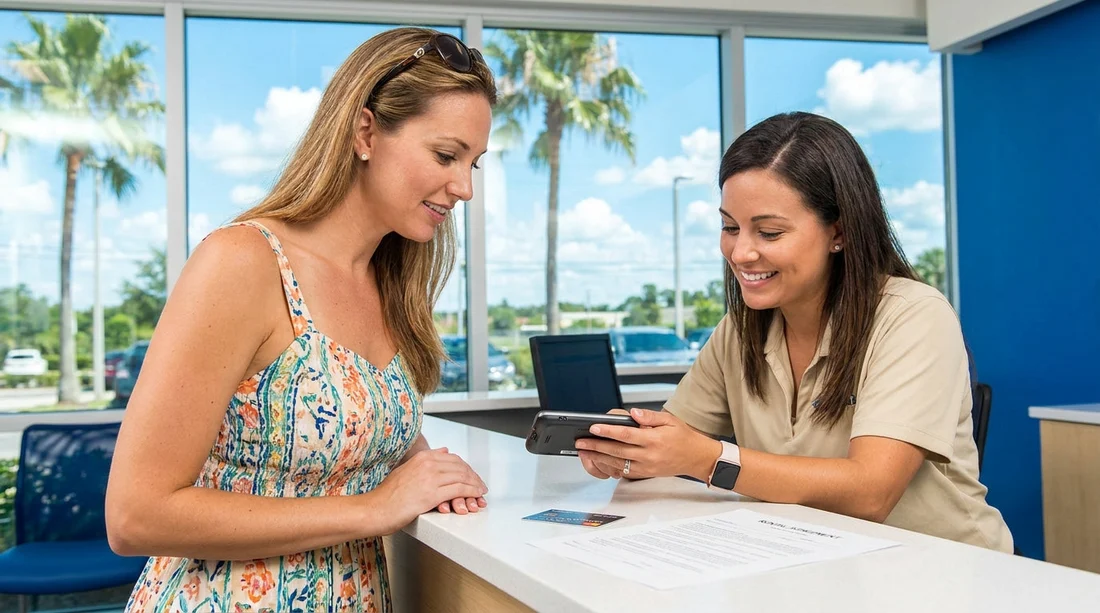
If you’re arranging car hire in Orlando and realise you did not prebook a sat nav, you’re not automatically stuck. In most cases, you can request a GPS or sat nav unit at the rental counter when you collect your vehicle. The key is understanding how optional extras are priced, how they appear on the paperwork, and what you should confirm before agreeing to any charges.
This matters because pick-up is when most extras are added, changed, or declined. It is also when the final contract is created, and that contract, not the quote you saw earlier, is what you are agreeing to pay.
Can you add sat nav at the counter in Orlando?
Yes, it is usually possible to add sat nav at the counter for Orlando car hire, even if you did not include it during the online reservation. However, it is not guaranteed. GPS units are physical devices, so the counter can only add one if they have stock available at that location and time.
Availability can be tighter during peak travel weeks, at busy airport locations, or late at night when fewer vehicles and accessories are being turned around. If sat nav is essential for you, prebooking is normally the safer option. If it is merely “nice to have”, asking at pick-up can work fine.
If you are collecting at Orlando International Airport, you may want to review the pick-up details for the airport desk you are using, for example car rental at Orlando MCO airport or car rental Orlando MCO, since the exact process can vary by provider and desk set-up.
How sat nav is priced when added at pick-up
When you add sat nav at the counter, the price is typically charged as a per-day rate, often with a maximum cap for the rental period. In Orlando, you should also expect taxes and sometimes facility fees to apply, depending on how the supplier classifies the item.
Common pricing features you should ask about before agreeing:
Daily rate: The base charge per rental day, which can look small but adds up quickly over a week or two.
Maximum charge (cap): Some suppliers cap the GPS fee after a certain number of days. If there is a cap, ask the agent to confirm the maximum total in dollars.
Taxes and surcharges: Taxes can be applied to optional extras, so the amount you pay may be higher than the headline daily rate.
Rental period rules: If you return the car late, an extra day may be triggered, and that can also extend the sat nav charge.
Because optional extras are often priced locally, it is normal for counter pricing to differ from what you saw online. The important thing is not whether it matches a previous estimate, but whether you understand the full cost and still want it.
How the extra is confirmed, and where it appears
At pick-up, the rental agent creates or updates your rental agreement. If you add sat nav, it should appear as a line item, usually labelled GPS, Navigation, or similar. The agreement should show the daily rate and the estimated total for the rental.
Before you sign, ask to see:
The itemised breakdown, showing sat nav plus any other extras and fees.
The estimated total charges including taxes, not just the base rental rate.
The deposit or authorisation amount that will be held on your card, which may increase when extras are added.
Keep in mind that the agreement may show two key figures: an “estimated” total (what you are expected to pay) and a separate card authorisation (what is temporarily held as a security deposit). Both are worth checking, particularly if you are trying to keep spending within a set travel budget.
Optional extras that can be bundled with sat nav
One reason travellers feel caught out at the counter is that adding one extra can lead to discussion of several others. In Orlando car hire, common optional extras include fuel options, toll programmes, additional driver fees, child seats, and insurance or damage waivers.
None of these are automatically wrong, but you should treat each one separately. If you are only asking for sat nav, it is reasonable to say you want only sat nav, then review the paperwork to confirm only sat nav was added.
If you are using a specific supplier at MCO, it can help to familiarise yourself with their location page and general expectations beforehand, such as Alamo car rental Orlando MCO or Budget car rental Orlando MCO.
What to check before agreeing to charges
The simplest way to avoid surprises is to slow the process down by a minute and check the contract carefully. Here is a practical checklist for adding sat nav at the counter.
1) Confirm availability and model: Ask whether it is an in-car system or a portable unit. Portable units may come with separate mounting and charging cables.
2) Ask for the all-in cost: Request the total price for sat nav for the whole rental, including taxes. This avoids mental maths on a daily rate.
3) Check the “accepted” and “declined” items: Many agreements show a list of optional items. Make sure anything you do not want is clearly marked declined or not present.
4) Review your payment and deposit: Ask how much will be charged now versus held as an authorisation, and whether sat nav changes the deposit.
5) Understand return expectations: If it is a portable device, ask what happens if a cable is missing or the unit is not returned. Some suppliers charge replacement fees.
6) Keep copies: Take a photo of the signed agreement or request an email copy. Do the same with the return receipt.
Is sat nav worth it in Orlando, or should you use your phone?
Orlando is a straightforward city for navigation, but the road network can be busy, and destinations are spread out. Many travellers now prefer phone navigation for real-time traffic and easier searching, especially around the theme parks and I-4 corridor.
Before paying for sat nav, consider these alternatives:
Use your phone with offline maps: Download the Orlando area in advance so you are less dependent on mobile data.
Check your roaming or eSIM plan: Data costs can be the deciding factor. If you will need data anyway, sat nav may be redundant.
Bring a windshield mount and charging cable: These small items can make phone navigation much easier and safer.
Sat nav can still be useful if you want a dedicated device, if multiple drivers will use the car, or if you want to save phone battery on long days out. The decision is really a cost-versus-convenience choice, and the counter is where you should confirm that cost clearly.
What if the counter price feels higher than expected?
If the sat nav price is higher than you expected, you can simply decline it. Optional extras should be optional. Ask the agent to remove the item and reprint or reissue the agreement so you can see the updated totals before signing.
If you feel pressured, focus on one question: “What is the total I am agreeing to pay today, and what is the total estimated at return?” Then decide whether sat nav is worth the difference.
It can also help to keep your core rental details clear, including where you are collecting and returning. If you are comparing options for Orlando car hire, pages like car hire Orlando MCO provide a useful starting point to understand what is included and what may be offered as an add-on.
FAQ
Can I add sat nav at the counter for Orlando car hire?
Usually yes, but it depends on availability at the location when you arrive. Ask the agent to confirm stock and the total cost before signing.
Will sat nav be charged per day or as a one-off fee?
Most suppliers charge sat nav per day, sometimes with a maximum cap. Always ask for the all-in total including taxes for your whole rental.
Where will the sat nav charge appear on my paperwork?
It should show as a separate line item on the rental agreement, often labelled GPS or Navigation, with a daily rate and estimated total.
Can I change my mind after seeing the final price?
Yes. If you have not signed yet, you can decline the sat nav and ask for an updated agreement showing the revised totals.
Could adding sat nav affect my security deposit?
It can. Some suppliers increase the card authorisation when extras are added, so confirm both the estimated charges and the deposit hold.




























































































