


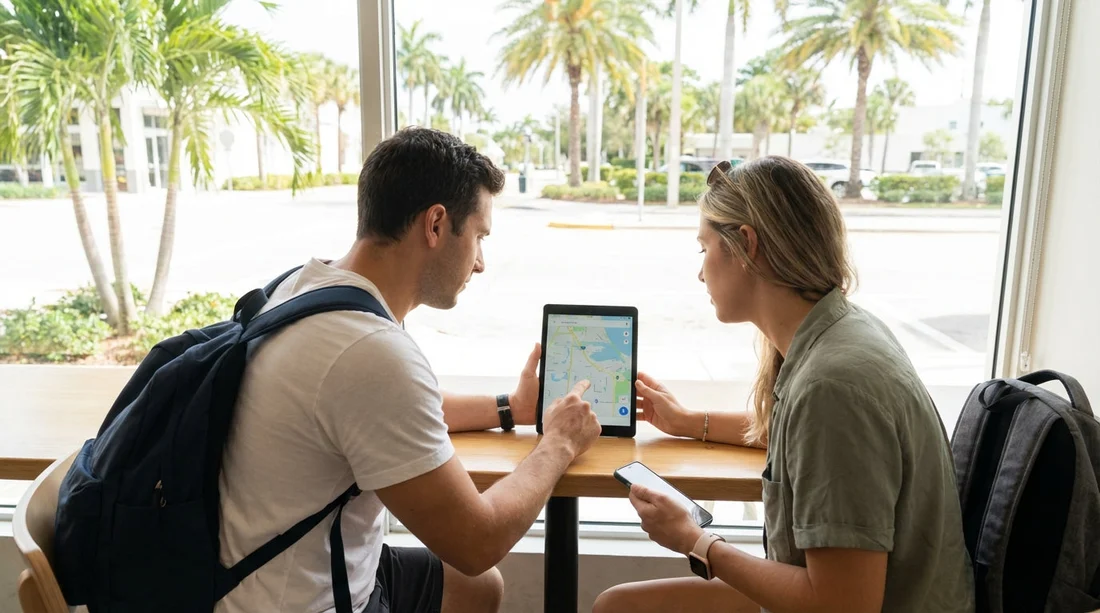
Quick Summary:
- Download Google Maps areas and test offline routing before you land.
- Install Waze too, but save a second offline option.
- Use Maps.me or HERE WeGo for fully offline turn by turn.
- Preload key routes: airports, hotels, toll roads, and fuel stops.
Florida looks easy to navigate until your signal drops on a causeway, in the Everglades, or between smaller Gulf Coast towns. If you are picking up a car hire and heading straight onto the highway, the most useful preparation is downloading offline maps, plus a backup navigation app, before you collect the keys. This article compares the most reliable offline options, explains what to download, and lists the settings that matter when mobile coverage is patchy.
Even if you plan to buy a local SIM or use an eSIM, offline navigation protects you from airport congestion, unexpected roaming limits, and app updates that chew through data. It also helps when your phone is hot and throttles performance, a common issue in Florida summer traffic. The goal is simple: you should be able to leave the car park and reach your first stop with no data at all.
If you are collecting near Miami, you may want to check the pickup area and nearby motorway interchanges in advance, because the first few miles are often the most stressful. Hola Car Rentals has dedicated pages for different collection points, such as car hire at Airport Doral (DRL), and city locations like car hire in Brickell (BRK) and car hire in Coral Gables (GBL), which makes it easier to pre-plan the first leg of your drive.
Why offline maps matter on a Florida road trip
Florida has strong 4G and 5G coverage in cities, but there are still weak spots. You can lose signal in parts of the Everglades, around some state parks, on rural stretches inland, and occasionally on barrier islands during peak congestion. Storms can also affect service, and holiday weekends can overload networks.
Offline maps matter for three practical reasons. First, they prevent wrong turns at complex interchanges when the map tiles fail to load. Second, they let you re-route after a missed exit without waiting for data. Third, they reduce battery drain, because a phone repeatedly searching for signal can drop charge quickly.
Remember that offline maps are not the same as offline navigation. Some apps allow viewing the map but still need data for turn by turn routing, traffic, or address lookup. The best setup for a Florida car hire trip is one app that does full offline routing and one app that does live traffic when you have coverage.
Option 1, Google Maps offline areas (most familiar, not always complete)
Google Maps is the default choice for many drivers because it is familiar and has strong place information. It also allows offline areas, which is helpful for Florida because you can download a large chunk of a metro area and still search for many streets without data.
Strengths: easy interface, dependable road geometry, good place details in cities, and simple downloads. It also works well with Android Auto and Apple CarPlay when you have connectivity.
Limitations: offline routing can be less predictable, and some searches, business hours, and rerouting features may require data. Traffic, hazards, and lane guidance can be reduced offline. Downloaded areas also expire and need refreshing, so you should download them shortly before travel.
What to download for Florida: choose one to three big areas rather than lots of small ones. Typical choices include Miami and Fort Lauderdale, the Florida Keys corridor if you are heading south, Orlando and the theme park belt, and Tampa Bay. If you are doing a long coastal drive, it can be smarter to download overlapping metro areas and rely on a second fully offline app for the in between stretches.
Settings to check: set Google Maps to download over WiFi, turn on automatic updates if you will have WiFi at your accommodation, and confirm that offline maps are stored on your device rather than removable storage that might not mount reliably. Also, open the app in airplane mode and test a route between two major landmarks to confirm that offline routing is functioning.
Option 2, Apple Maps offline maps (excellent if you are fully in Apple)
Apple Maps now supports offline map downloads in many regions, and for iPhone users it can be a clean solution, especially if you are using CarPlay. The key is verifying availability for the parts of Florida you plan to visit, then downloading before travel while on reliable WiFi.
Strengths: smooth CarPlay experience, good integration with iOS, and efficient battery usage. When offline maps are available, it can provide reliable guidance without constant data access.
Limitations: offline coverage and features can vary by region and iOS version. If you are travelling with older devices, you should confirm performance before relying on it. Place data can also be less complete in some rural areas compared with Google.
What to download: download the exact regions you will drive, not only the city you land in. If your trip includes long day drives, include the corridors between metro areas. Test a route offline the night before pickup.
Option 3, HERE WeGo (strong fully offline turn by turn)
HERE WeGo is one of the most dependable choices when you want true offline navigation. You can download state or regional maps and run turn by turn directions without a data connection. For Florida, that is useful if you are doing national parks, wildlife refuges, or long coastal drives where signal can be intermittent.
Strengths: reliable offline routing, clear guidance, and large offline downloads that cover whole regions. It is also good at planning ahead because you can keep the full state available.
Limitations: live traffic and incident reporting requires data. Some users prefer the interface of Google, so it can take a short practice run to feel comfortable.
What to download: download Florida in advance, plus neighbouring states if your road trip crosses into Georgia or Alabama. Then add a saved list of key places such as your first hotel, the car hire return location, and any early morning stops.
Option 4, Maps.me (offline maps that excel for outdoor stops)
Maps.me uses OpenStreetMap data and is popular for offline travel. It can be especially handy in Florida if your itinerary includes parks, trails, beaches with limited service, or scenic drives where you want to keep the map visible without data.
Strengths: detailed points of interest in some outdoor areas, compact downloads, and quick offline map rendering. It is useful as a backup even if you prefer another app for primary driving.
Limitations: routing quality can vary by area, and road restrictions or recent changes may lag behind commercial datasets. It is best as a second offline reference for orientation and nearby points of interest.
What to download: download Florida, then zoom in and confirm your planned regions are included. Create bookmarks for trailheads, state park entrances, and your accommodation. If you are heading to the Keys, confirm that the Overseas Highway is correctly represented for your chosen stops.
Option 5, Waze (not offline, but the best companion when you have signal)
Waze is not an offline navigation app, but it is still one of the most useful tools for Florida driving when you do have coverage. It shines in city traffic, on busy interstate sections, and around event surges near stadiums or theme parks.
Why include it: it helps you avoid jams, spot hazards, and choose quicker routes in real time. This is valuable around Miami and Orlando, and on Tampa Bay bridges during rush periods.
How to use it with offline planning: treat Waze as your live layer. Keep a fully offline app ready for when signal drops. Before you leave WiFi, load your first route in Waze so the app has some cached context, but do not assume it will navigate if you lose data.
What to download before you collect your car hire
The simplest approach is a two app setup. Pick one fully offline navigator, such as HERE WeGo, and one live traffic navigator, such as Waze or Google Maps. Then download and save the following before you arrive:
1) Offline map regions: download Florida, or at least your landing metro area plus your first two overnight areas. If you are driving Miami to Key West, include Miami, Homestead, and the Keys corridor. If you are doing Orlando to Tampa to Naples, include those metros and the inland connector routes.
2) Critical places saved as favourites: pickup point, first hotel, any toll road entry, your planned fuel stop, and the return location. If your pickup is near Orlando, the Payless car hire at Orlando (MCO) page is useful to reference for the general area while planning saved destinations. If you are flying into Tampa, note the area around Alamo at Tampa (TPA) so your first route is quick to load.
3) Your first two routes pre-checked: do a dry run route calculation while still on WiFi, then screenshot the key turns and exit numbers. Screenshots are not navigation, but they are a reliable last resort if your phone struggles.
4) Offline place info: write down hotel address, check-in name, and a second contact method. Offline maps can get you close, but you still need the exact entrance in some resort complexes.
Toll roads, ferries, and Florida specific routing issues
Florida has extensive toll roads, especially around Orlando, Miami, and Tampa. Offline maps may not always reflect the newest tolling changes, and live apps may suggest toll-heavy routes to save minutes. Before you leave, decide your preference in each app, avoid tolls or allow tolls, and keep it consistent. If you are unfamiliar with Florida tolling, it is worth checking your rental agreement terms for toll programmes.
Also consider that some beach routes have limited access points, and a missed turn can add a long detour. Offline routing helps, but it is smartest to pre-save the correct entrance road for your accommodation, not just the postcode.
Phone setup for patchy coverage, heat, and battery drain
Navigation fails more often due to phone issues than map issues. Florida heat can cause phones to dim screens, slow down, or stop charging. Prepare your device like you would prepare your route.
Storage: offline map packs can be large. Check you have several gigabytes free so downloads do not fail halfway.
Power: bring a quality car charger and a cable that supports fast charging. If you are hiring a larger vehicle for luggage and beach gear, you may value extra USB ports, and Hola Car Rentals also highlights options like an SUV rental in Brickell (BRK) for travellers who want more space.
Heat management: mount the phone out of direct sunlight, run cabin air to the mount area, and consider lowering screen brightness once you are on a straightforward motorway segment.
Permissions: allow location access for navigation apps, and make sure battery saver modes are not restricting GPS updates. Test this in advance, not in the airport car park.
Recommended offline map combinations for common Florida itineraries
Miami and the Keys: Google Maps offline area for Miami plus HERE WeGo for full offline, and Waze for traffic when available.
Orlando theme parks and day trips: Apple Maps offline region if you are on iPhone, plus Waze for live traffic. Add HERE WeGo as a backup if you plan to visit more rural springs or state parks.
Tampa Bay, Gulf Coast beaches, and inland drives: HERE WeGo offline Florida plus Google Maps offline for place research when connected.
Everglades and nature focused stops: HERE WeGo for routing, Maps.me for points of interest and orientation, and keep screenshots of any park directions provided in booking emails.
FAQ
Q: Can I rely on Google Maps alone for offline navigation in Florida?
Google Maps offline areas are helpful, but features can be limited offline. For a road trip with patchy coverage, pair it with a fully offline app like HERE WeGo.
Q: How soon before travel should I download offline maps?
Download 24 to 72 hours before you fly, while on stable WiFi. Then open the app once more before pickup to confirm the downloads are still active.
Q: What is the best fully offline navigation app for a Florida car hire trip?
HERE WeGo is a strong choice for full offline turn by turn routing across large areas. It is dependable for long drives where signal drops.
Q: Should I download Florida as one big map or smaller regions?
If your app supports it, one larger Florida download is simplest. If not, download overlapping metro areas that cover your route and overnight stops.
Q: What else should I save offline besides maps?
Save addresses, booking confirmations, and screenshots of key junctions. Also note your pickup and return locations so you can navigate even without data.





























































































