


Quick Summary:
- Most California EV rentals use apps or tap-to-pay, not RFID cards.
- Set up key charging apps and verify your logins before travel.
- Add a payment card, enable location, and keep a backup option.
- Ask at pick-up about billing, idle fees, and return charge rules.
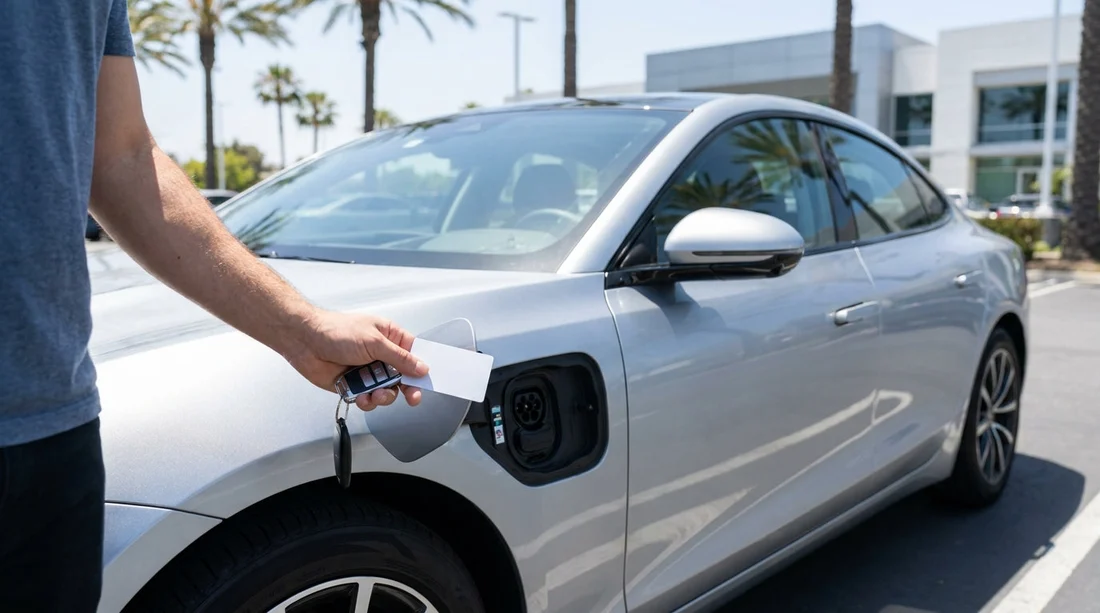
Many drivers collecting an electric car hire in California expect to receive a public-charging RFID card at the counter, similar to a fuel card. In practice, it is uncommon. Most charging networks have shifted to app-based authentication and tap-to-pay, and rental fleets generally avoid issuing network-specific cards that can be lost, misused, or hard to manage across multiple charging providers.
That does not mean you will be stranded. California has the densest fast-charging coverage in the US, but smooth charging depends on what you set up before you arrive. A few minutes of preparation can prevent the classic first-night problem of standing at a charger with poor signal, a drained phone, and an account that needs verification.
What is an RFID charging card, and why renters ask for one
An RFID card is a physical card linked to a charging account. You tap it on a compatible charger to start a session, then billing is handled through the associated account. It is appealing for car hire because it feels simple and reliable, especially if your phone battery is low or mobile data is patchy.
However, many networks now treat RFID as optional, sometimes even as a legacy access method. They prefer mobile apps, QR codes, or contactless bank cards. For visitors, the real question is not whether you get a card, but which access methods will work with the specific EV you collect and the charging locations you will use.
Do rental companies in California typically provide an RFID card?
Typically, no. Most EV rentals are handed over without a universal charging RFID card, and usually without individual network RFID cards. There are occasional exceptions, such as a specific programme at a specific branch, or a vehicle that has a charging account tied to it. But you should plan as if no card is included.
Instead, access usually falls into one of these categories:
1) Vehicle-integrated access, for example Tesla Supercharging via the car itself. The session starts when you plug in, and the billing is managed by the rental company, then passed through according to the rental agreement.
2) App-based access, where you start and pay for charging in the network’s app.
3) Contactless card payment at the charger, increasingly common but not universal. Some stations still require an app or account, and pricing can vary by payment method.
What charging access is commonly included with an EV car hire
What is “included” varies by provider, vehicle type, and location. If you are collecting around major hubs, such as Los Angeles Airport (LAX) or San Francisco Airport (SFO), you will generally see clearer EV guidance at the desk, but it still differs by company.
Common inclusions and assumptions are:
Charging cable and adapters. Most rentals include what you need for AC charging, but do not assume every adapter is present. Confirm what is in the boot before you leave.
Access to a proprietary network. Teslas can use Superchargers without an RFID card. For non-Tesla EVs, you will typically use CCS fast charging and the relevant network app.
Billing handled after the fact. Some companies pass through charging costs plus an admin fee, particularly when charging is tied to the vehicle account. Ask how sessions are billed and how you will see the itemisation.
No bundled free public charging. Free credits are sometimes offered as promotions, but they are not the norm. If credits exist, confirm where they work, how to activate them, and whether idle fees still apply.
What to set up before pick-up: apps, payment, and practical checks
If you want charging to feel as easy as petrol refuelling, do the setup before you travel. In California, you are most likely to use a mix of fast charging networks depending on your route.
Create accounts in advance. Download the apps and register before you land. Typical essentials are Tesla (if you might drive a Tesla or use Magic Dock sites), Electrify America, ChargePoint, and EVgo. Some stations are roaming partners, but roaming is not guaranteed and can be more expensive.
Add a payment method and verify it. Many apps require a valid card on file before you can start a session. Some also place temporary authorisation holds. Make sure your bank will not block US charging transactions as suspicious.
Enable location services and allow notifications. Location helps you find sites quickly and can be required to start a session. Notifications matter for session status, idle fees, and time limits.
Check mobile data and roaming. Visitors using a UK SIM should confirm US roaming or pick up an eSIM. If reception drops, you may struggle to start a charge if the station lacks reliable contactless payment.
Questions to ask at the counter so you are not surprised later
At pick-up, keep it simple and get clear answers to a few operational points. This is useful whether you collect near the Bay Area, for example via San Jose Airport (SJC), or elsewhere in the state.
Is charging billed to me directly, or billed to the rental company then charged back? This affects whether you need the network apps at all, and whether there are admin fees.
What is the return battery policy? Understand the minimum state of charge at return, and the fee if you bring it back low. This influences whether you should top up near the return location.
Are idle fees passed through? Many fast chargers charge an idle fee if you stay connected after charging completes. That can be significant in busy areas.
Which connectors does this car use? Confirm whether it is Tesla (NACS) or CCS, and whether any adapters are provided. This determines which sites you should plan for.
Special case: Tesla rentals and Supercharging
If your car hire is a Tesla, you usually do not need an RFID card. You plug in at a Supercharger and the car handles authentication. The important part is understanding billing. Some rental providers charge the Supercharging cost back to your card, sometimes with an admin fee. Others may require you to pay within an app or through your rental account portal.
If you are comparing options, pages such as budget car hire at SFO and Payless at SFO can be useful for checking typical pick-up contexts, then you can confirm EV charging policies at the counter for the exact vehicle class you receive.
FAQ
Do electric rental cars in California come with a public-charging RFID card? Usually not. Most renters should expect to use charging apps, contactless payment, or vehicle-integrated billing instead of an RFID card.
What if I do not have mobile data when I need to charge? Look for chargers that accept contactless bank cards, or charge at locations with Wi-Fi such as some hotels and car parks. Keeping the main network apps installed helps when signal returns.
Will I be able to use any charging network with my rental? Not always. Access depends on the car’s connector type and the station’s requirements. Installing several major apps gives you flexibility across California.
How do I avoid unexpected charging fees? Ask how charging is billed, watch for idle fees, and move the car once charging finishes. Also confirm the return battery policy so you are not forced into expensive last-minute charging.
Is charging access easier with a Tesla rental? Often yes, because Superchargers authenticate through the car. You still need to confirm how Supercharging costs are passed back to you by the rental provider.





























































































