


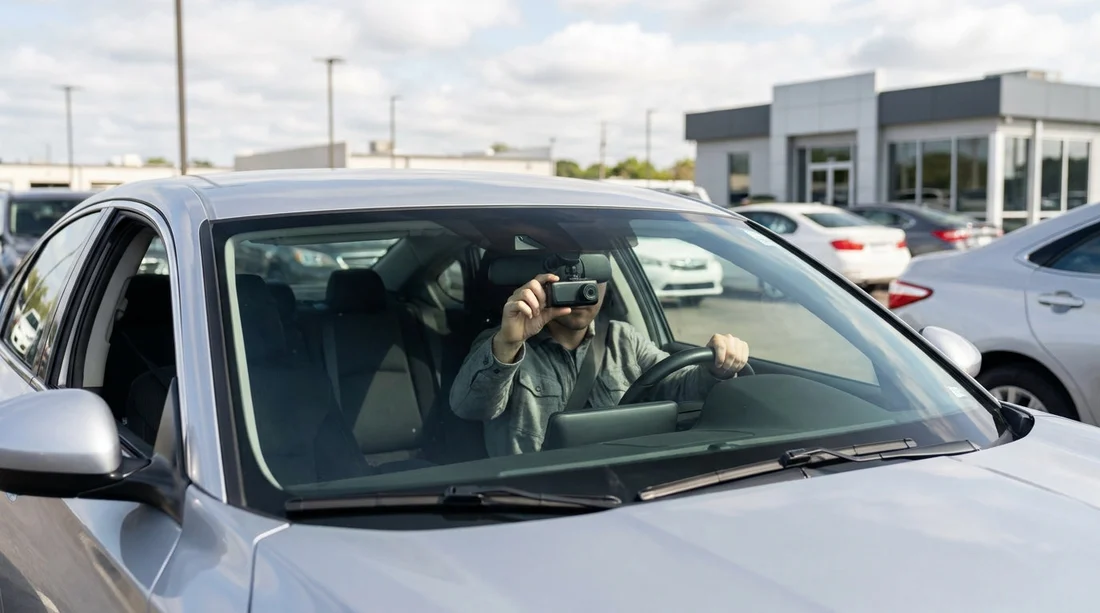
Quick Summary:
- Pennsylvania is two-party consent for audio, avoid recording voices.
- Mount dash cams so they do not block the driver’s view.
- Confirm the rental agreement allows accessories and interior filming.
- Test power, storage, and date settings before leaving the car park.
Dash cams are popular for documenting incidents, driving conditions, and parking mishaps. If you are planning car hire in Pennsylvania, the key question is not just whether you can bring a dash cam, but how to use it without breaching privacy rules, distracting the driver, or violating the rental agreement. The good news is that a dash cam is usually fine in principle, provided you handle audio recording carefully and mount the device safely.
This guide covers three practical areas before pick-up: Pennsylvania rules around recording video and audio, sensible windscreen placement so you do not obstruct visibility, and what to double-check in the rental paperwork and at the counter.
Pennsylvania recording rules: video is different from audio
Pennsylvania is widely treated as a “two-party consent” state for audio. In practical terms, recording a private conversation without the consent of everyone involved can create legal risk. For dash cams, this matters most when your device records sound inside the cabin, such as conversations between the driver and passengers, or between you and a police officer during a stop. It can also matter if you are picking up voices clearly from outside the car in a way that could be considered private.
By contrast, video of public roadways is generally less sensitive, because you are capturing what is visible in public. A forward-facing dash cam that records the road, traffic signals, and other vehicles is usually the least complicated option. Problems tend to start when audio is on, or when the camera is pointed into the cabin and captures people in a context where they could reasonably expect privacy.
A practical approach for car hire in Pennsylvania is to set the dash cam to record video only, or at least disable cabin audio unless every occupant clearly agrees each time. If you do want audio for safety reasons, obtain consent from passengers before you start driving, and be aware that consent can be withdrawn. If in doubt, leave audio off and rely on video and time-stamped location data for evidence.
Windscreen placement: keep your view clear
Even if recording is lawful, placement matters. A dash cam should never interfere with the driver’s view, mirror adjustment, airbags, or access to controls. The safest general mounting spot is high on the windscreen, near the rear-view mirror, so it sits within the area already occupied by the mirror and does not block your sightlines.
Before you set off, sit in your driving position and check for any obstruction to the road, pedestrians, and traffic lights. Also consider night driving: a camera mounted too low can reflect dashboard lights and reduce image clarity. If the camera is on a suction cup, ensure it is secure and does not fall off during heat, cold, or vibration.
Avoid placing the unit on the dashboard if it could become a projectile in a collision, and do not route cables across airbags or where they could catch on the steering wheel. Many rentals have curtain airbags along the A-pillar and roofline, so route power leads low and tidy, and use removable clips rather than permanent adhesives.
Power and cables: do not modify the vehicle
Most rental companies are fine with temporary accessories that do not damage the vehicle. Use the 12V socket or USB port rather than hardwiring. Hardwiring can be viewed as a modification, even if you know what you are doing, and it may breach the rental terms.
Bring a short cable where possible, and consider a low-profile USB adaptor that does not protrude. If the vehicle has Apple CarPlay or Android Auto, keep cables organised so you are not tempted to handle them while driving. Your goal is a set-up that is tidy, reversible, and does not leave residue on glass or trim.
What to confirm in the rental agreement before pick-up
Rental agreements vary, and the rules can differ by brand, location, and vehicle category. Before you start car hire, check the agreement and ask staff about anything unclear. You are looking for wording about accessories, modifications, filming, and device attachment.
Here is what is worth confirming:
1) Permitted attachments and cleaning fees. Some agreements prohibit attaching items to the windscreen or interior trim. Others allow it but charge if suction cups leave marks. Removing it cleanly at return is usually safest.
2) Use of the vehicle for recording or surveillance. A broad clause about unlawful activity can become relevant if audio recording is not handled correctly. If you plan to record audio, clarify whether the company has any additional policy.
3) Any telematics already in the car. Some rentals have built-in location tracking or driver-assist cameras. Your dash cam should not interfere with those systems. It is reasonable to ask if there is a “do not block” area on the windscreen.
4) Damage responsibility. If your mount falls and cracks trim or glass, you may be liable. Confirm you are comfortable with the risk, and use a safer mounting method if necessary.
If you are arranging car hire around Philadelphia, it can help to review pick-up details on pages such as Philadelphia Airport car rental and Philadelphia city car rental, then keep your dash cam plan simple and compliant.
Before you leave the car park: a quick dash cam checklist
Once you have the keys, do a short set-up check before driving away. This avoids the common problem of discovering later that the lens was misaligned, the memory card failed, or the timestamp was wrong.
Set date and time so footage is credible if needed. If your device supports GPS, allow it a moment to lock. Format or check the memory card to ensure it is not full or corrupted. Confirm the lens angle, making sure it captures the road and not too much dashboard. Disable audio unless you have clear consent from all occupants. Check glare by viewing a short test clip.
Also confirm that your mounting position does not violate any windscreen sticker areas and does not obscure inspection or registration labels that might be present. If the camera blocks your view even slightly, reposition it higher and closer to the mirror.
So, are dash cams allowed before you start car hire in Pennsylvania?
In most cases, yes, you can use a dash cam in a rental car, but the “allowed” part depends on how you record and how you mount it. In Pennsylvania, the biggest practical risk is audio, because two-party consent rules can apply to private conversations. The next most important issue is safety and visibility: mount the camera where it does not obstruct the windscreen and do not route cables near airbags. Finally, read the rental agreement and confirm there are no restrictions on attaching devices to the glass or recording in the vehicle.
If you take a video-first approach, keep the installation temporary, and check the agreement before pick-up, a dash cam can be a straightforward addition to your trip.
If you want to compare pick-up options and timings, you can also review car hire in Philadelphia and car hire at Philadelphia Airport before you travel.
FAQ
Can I use my own dash cam in a rental car in Pennsylvania? Usually yes, as long as it is mounted safely, does not damage the vehicle, and does not breach the rental agreement. Be especially cautious with any audio recording.
Should I turn off audio recording in Pennsylvania? It is often the safest choice. Pennsylvania is generally treated as requiring consent from all parties for audio recording of private conversations, so disabling audio reduces risk.
Where is the best place to mount a dash cam on the windscreen? High on the windscreen near the rear-view mirror is typically best, because it minimises obstruction and keeps the camera stable. Avoid blocking your view or routing cables near airbags.
Do I need to tell the rental company I am using a dash cam? It is sensible to mention it if the agreement has rules about windscreen attachments, interior filming, or modifications. Confirm that suction mounting is acceptable and that no residue or damage will be charged.
What should I do with dash cam footage after an incident? Save the clip immediately to prevent overwriting, note the time and location, and avoid sharing it publicly. If asked for footage, provide it thoughtfully and keep privacy in mind.





























































































