


Quick Summary:
- Download ParkMobile and add a card for many LA city meters.
- Install PayByPhone, then practise entering zone numbers before driving.
- Set up a garage app, spotHero or ParkWhiz, for pre-paid parking.
- Enable location, notifications, and email receipts to dispute tickets quickly.
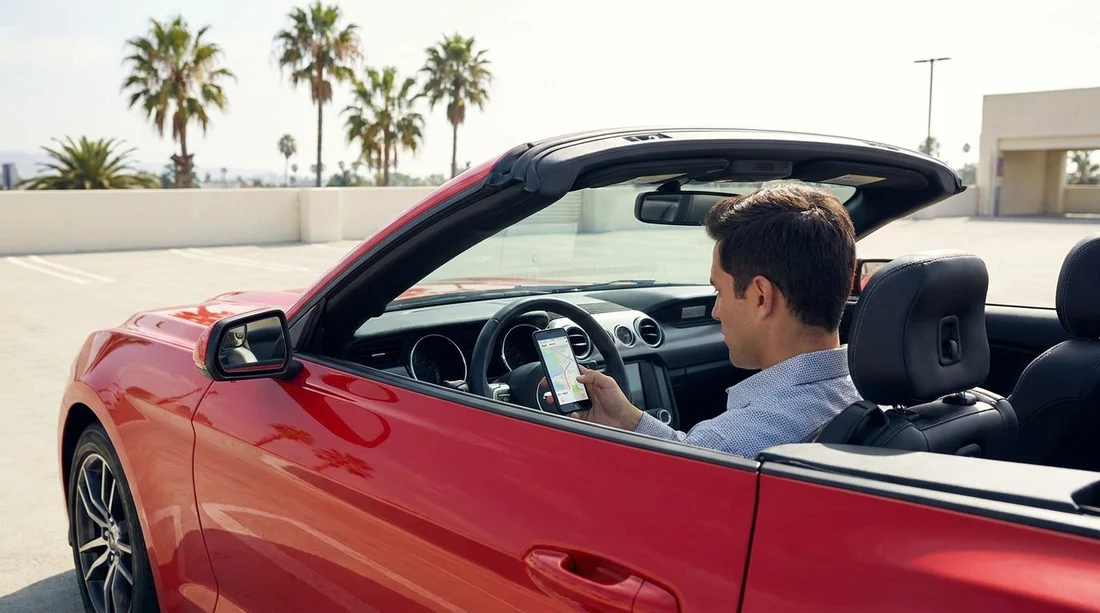
Picking up a vehicle for car hire in Los Angeles is the easy part, parking is where time and money can disappear fast. LA uses a mix of on-street meters, municipal lots, and private garages, and many of them now rely on mobile payment. If you arrive without the right apps installed, you can end up standing on a kerb trying to download an app with weak signal, or racing a meter countdown while you create an account.
This guide covers the most common payment methods you will see around Los Angeles, and the apps worth setting up before you collect your keys. The goal is simple, you should be able to park, pay, extend, and save receipts in seconds.
Know LA’s three common parking types
Most visitors will use a combination of these:
1) On-street meters: You will usually pay by app, card at the meter, or both. The app option often requires a zone number or meter number from nearby signage. Some areas have strict peak restrictions and street cleaning windows, so payment does not override a no-parking rule.
2) Garages: Downtown, Hollywood, Santa Monica, and around major attractions, garages may take pay-on-exit cards, but many promote pre-paid reservations via apps. Reserving can save time and may reduce the risk of full garages at busy times.
3) Municipal lots: In beach and shopping areas, city lots are common. Payment varies, sometimes a pay station, sometimes app supported, sometimes both. Lot rules can differ by day and season.
If you are collecting near the airport, note that rental counter areas can be busy and parking enforcement is brisk around transport hubs. Planning ahead is particularly helpful if you are arranging car rental Los Angeles LAX and driving straight into the city.
Essential meter apps to set up before pick-up
ParkMobile: One of the most commonly supported apps for on-street parking and some lots in the US, including parts of Los Angeles. Set it up before you arrive by adding your vehicle registration, saving a payment card, and turning on session reminders. The key habit in LA is to double-check you are paying the correct zone, paying the wrong zone is a common reason drivers get ticketed even though they paid.
PayByPhone: Another major player for curbside meters. It is popular in many cities, and you will see it referenced on meter stickers and signs. Before your trip, register your number plate, set a default card, and learn where the zone number appears on signage. The practical benefit is remote extensions, if you are delayed at lunch, you can often add time without returning to the car, where local rules allow it.
Why install both? Los Angeles is large and not perfectly consistent street to street. Having both ParkMobile and PayByPhone prepared reduces the chance you need a last-minute download when you are already parked.
If your route includes Orange County as well as Los Angeles, it can be useful to keep your travel plans flexible, for example comparing pick-up points like car hire Airport Santa Ana SNA if it better matches your itinerary.
Garage and reservation apps that save time in busy areas
spotHero: Best for reserving parking in advance, particularly around Downtown LA venues, Hollywood, and sporting events. You can compare prices, reserve a space, and keep the pass on your phone. Set up your account, add your card, and enable email receipts. Those receipts matter if you later need to expense parking or verify a charge.
ParkWhiz: Similar to spotHero, with strong coverage for events and garages where advance booking is common. In LA, this can be especially helpful when you are driving to a show or game and want to avoid circling. Do a test run in the app before your trip by searching a known landmark, checking entry instructions, and confirming whether you will scan a QR code, use a code, or show an in-app pass.
Garage payment systems vary: Some garages still use ticket machines and card payment at exit. Others integrate with reservation apps but have strict entry windows. Read the “how to park” instructions carefully, because arriving too early or too late can cause a reservation to fail.
When your plans include larger vehicles, remember that height limits are common in LA garages. If you are considering people movers, compare options such as van rental Santa Ana SNA and then factor in whether your likely parking locations can accommodate the height.
What to configure in each app before you land
Installing an app is only half the job. Before you pick up your car hire, do these setup steps while you have reliable Wi-Fi:
Add your vehicle details: Use the registration on your rental agreement once you have it, but you can still create the account in advance. Some apps let you store multiple vehicles, which helps if you change cars or extend your hire.
Save a payment method: Apple Pay or Google Pay can be quicker than typing card details on the street. Make sure your bank will not block small, repeated transactions, as meter payments can be frequent.
Turn on session alerts: Notifications help you avoid overstays, but do not rely on them alone. In areas with poor signal, the alert may arrive late, so build a habit of checking your remaining time.
Enable email receipts: Email receipts are useful if you need to confirm where you parked, reconcile spend, or challenge a ticket. Create a dedicated travel folder to keep them organised.
Check “extend” rules: Not all locations allow extensions, some zones cap the maximum stay. The app will typically show the limit, but signage is the final authority.
How to pay correctly at LA meters and lots
Find the right zone or meter number: On-street signs or meter stickers display a code. Enter it carefully. If you are in a long block with multiple zones, walk a few metres to confirm the closest sign matches your space.
Confirm your number plate selection: If you have added a temporary vehicle later, verify the active plate before starting a session. This is one of the easiest mistakes to make when swapping between vehicles.
Mind restrictions that payment cannot override: Street sweeping, rush-hour no-stopping, loading zones, and permit-only times are enforced separately. Paying does not make an illegal space legal.
Keep an eye on beach and tourist areas: Santa Monica and other coastal zones can have seasonal pricing and busy lots. If you are driving between areas, having both a meter app and a garage reservation app prepared is the safest combination.
For travellers comparing suppliers and pick-up locations, Hola Car Rentals provides LA and nearby airport options such as Budget car rental California LAX and Alamo car hire Los Angeles LAX, which can help match your schedule and arrival time.
Troubleshooting common parking app issues
Weak signal at the kerb: Screens can time out or payments fail. Take a quick photo of the sign with the zone number, then step to a spot with better reception to start the session. Only leave the car once you are certain the session is active.
App shows “location not found”: Manually enter the zone from signage rather than relying on GPS search. LA streets can be dense with overlapping zones.
Payment went through but you got ticketed: Save evidence. Keep the receipt email, screenshot the session, and photograph the sign near your space. Many disputes hinge on whether the correct zone and number plate were used.
Garage reservation not recognised: Re-check entry instructions. Some facilities require you to enter through a specific lane or scan at a particular kiosk. If you cannot enter, contact the garage attendant immediately and keep your in-app pass visible.
FAQ
Do I really need parking apps for car hire in Los Angeles? For many areas, yes. You can sometimes pay at a meter or pay station, but apps are common and save time, especially when extending a session.
Which apps cover most LA parking meters? ParkMobile and PayByPhone are the most useful to have ready, because different streets and lots may support different systems.
Can I set up the apps before I know my rental car registration? Yes. Create the account, add a payment method, and enable notifications now. Add the rental’s number plate once you collect the car, or store multiple vehicles if allowed.
Is pre-booking garage parking worth it in Los Angeles? In busy districts and during events, reserving through apps like spotHero or ParkWhiz can reduce circling and help avoid full garages.
What else should I check besides paying? Always read the street signs for sweeping times, rush-hour restrictions, and permit rules. Paying does not override a no-parking restriction.

























































































