


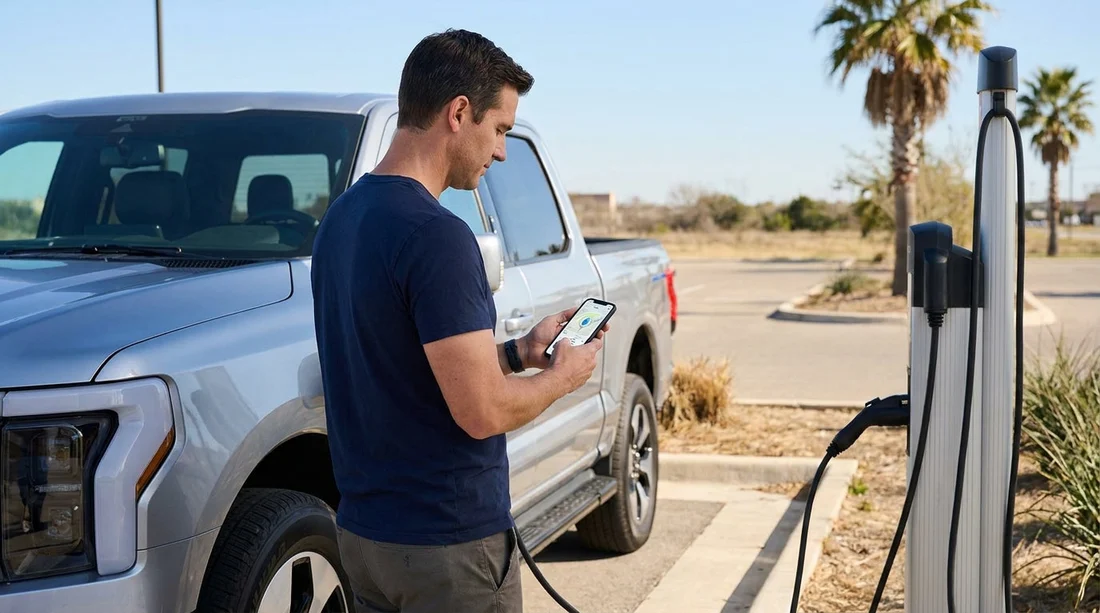
Quick Summary:
- Install Electrify America, ChargePoint, EVgo, and Tesla apps before pick-up.
- Create accounts, verify email, and add a payment card in advance.
- Enable location, notifications, and biometrics for quicker charger start.
- Know your connector type and bring the correct charging cables.
Picking up an electric rental for car hire in Texas is straightforward, but only if you can activate chargers quickly when you arrive. The most common delays happen when travellers reach a station and then realise they need an app, an account verification, or a payment method added before the charger will start. This checklist focuses on what to install, what to set up, and what to confirm on your phone before you collect the keys.
Texas is large, routes between cities can be long, and charger coverage varies by corridor. You will often encounter a mix of fast-charging networks, plus slower destination charging. Preparing a small set of widely used apps, then doing a few quick settings and payment checks, usually makes charging as simple as tapping “start” on arrival.
1) The core EV charging apps to set up for Texas
Electrify America is one of the most common DC fast-charging options on interstate routes and near major cities. Set up the app even if you plan to use other networks, because it can be a reliable fallback for fast top-ups. Ensure your profile is complete, your payment method is saved, and you understand how the app starts a session, typically via station and dispenser selection.
ChargePoint is widely used for Level 2 AC charging at hotels, car parks, and workplaces, plus some DC fast chargers. For car hire in Texas, it is especially useful for overnight charging or topping up during meals. ChargePoint also supports RFID cards, but the app alone is usually sufficient if it is configured before you travel.
EVgo operates DC fast chargers in many urban areas, including around airports, retail hubs, and commuter corridors. The app often supports Autocharge style features on some vehicles, but you should still be ready to start sessions manually in the app. Confirm roaming behaviour if you see partner stations within the app.
Tesla app is worth setting up even if you are not sure you will rent a Tesla. Some rental fleets include Teslas, and many Texas routes are well served by Superchargers. If you do rent a Tesla, the in-car system can handle most charging, but the app is still valuable for managing payment, monitoring the session, and finding sites. If you rent a non-Tesla EV, access to Superchargers depends on vehicle compatibility and site rules, so treat the Tesla app as “nice to have” unless your rental vehicle and the station clearly support it.
Where you collect your vehicle can shape which networks you will use first. If you are arriving through Houston Intercontinental, it helps to plan your first charger options around your route out of the city, see car hire at Houston IAH. For Dallas area arrivals, you may start with fast charging near the airport approach roads, see Alamo car rental Dallas DFW.
2) Account setup steps to complete before pick-up
Download apps while on reliable Wi-Fi and sign up with an email address you can access. Many charging apps require you to verify the address or phone number. Do this ahead of time so you are not searching for a code at a charger.
Then, in each app:
Add a payment method. Use a credit card that supports online transactions abroad if you are visiting from the UK. Some apps place a small authorisation hold, which can fail if your bank flags it. Adding the card before you travel gives you time to resolve issues.
Save your vehicle details if requested. Some apps ask for a vehicle model to estimate charging speed or filter plugs. Even if you do not know the exact model yet, you can return and adjust later. If the app supports scanning a QR code on the charger, enable camera permissions now.
Enable location services. Most apps are easier to use when they can show nearby chargers and navigate to them. If you prefer privacy controls, set location to “while using” and ensure it works when the app is open.
Turn on notifications. Charging sessions often trigger alerts for “charging started”, “charging stopped”, or “idle fees”. Notifications reduce the risk of paying extra because the car finished charging and remained plugged in.
Set up biometric login where available. Face ID or fingerprint access speeds up app launch when you are standing in heat or rain at a charger.
3) Payment prep: avoid the most common charging failures
Charging failures are often payment or connectivity issues rather than the charger itself. A practical payment checklist for car hire in Texas looks like this:
Carry a second payment card in case your primary is declined or flagged. If you use a digital wallet, make sure the physical card is also available.
Check your bank travel settings. Some banks block US merchant categories until you confirm travel. It is easier to fix this before you arrive.
Understand pre-authorisations. Some networks may place a larger temporary hold than the final cost. Ensure your available credit can handle that, especially if you also have hotel deposits during the trip.
Avoid last-minute app installs on mobile data. In some car parks and charger locations, reception can be weak. Install and sign in before you land, or at least before leaving the terminal area.
4) Connector types and what to confirm with your rental
Before you leave the rental desk, confirm the car’s charging port type and what equipment is provided. In Texas, you are most likely to encounter these scenarios:
CCS (Combined Charging System) for most non-Tesla EVs. CCS is common for DC fast charging on Electrify America and EVgo, and often paired with a J1772 inlet for Level 2 charging.
Tesla (NACS) on Tesla vehicles and some newer non-Tesla models. If your rental has NACS, ask whether a CCS adapter or J1772 adapter is included, if you plan to use non-Tesla networks or destination charging.
J1772 for Level 2 charging, typical at hotels and car parks. Many rentals include a basic cable, but do not assume. Ask what is in the boot and how to use it.
This matters because the “right app” is only useful if you can physically plug in. If you are landing in San Antonio and planning Hill Country drives, confirm your setup before leaving the airport area, see car rental San Antonio SAT. If you are starting from Fort Worth, routes toward Dallas, Waco, or westbound corridors can benefit from knowing where fast chargers are early, see Alamo car hire Fort Worth DFW.
5) Practical pre-pick-up checklist for smooth charging
Use this checklist the day before your flight, or while waiting for baggage:
Install: Electrify America, ChargePoint, EVgo, plus Tesla if there is any chance you will rent one.
Create accounts: confirm email and phone verification in each app.
Add payment: save at least one card per app, and confirm it shows as active.
Permissions: enable location “while using”, camera access for QR scanning, and notifications.
Set defaults: choose miles, and allow the app to show pricing and availability.
Battery plan: identify one fast-charging stop on your first driving day and a backup site nearby.
Idle fee awareness: read each app’s notes about idle fees or time limits, especially at busy urban sites.
Know your first charge target: aim to leave pick-up with enough range to reach a reliable DC fast charger without stress, rather than trying to run it low.
Finally, remember that EV charging can vary by time of day. If your first long leg starts during peak afternoon heat or traffic, you may want a slightly higher buffer. A few minutes spent preparing these apps can save much more time later, especially on longer Texas drives.
FAQ
Q: Do I need all charging apps for car hire in Texas?
A: Not all, but setting up Electrify America, ChargePoint, and EVgo covers many common chargers. Add Tesla if you might rent one or need a backup option.
Q: Can I just tap my card at the charger without an app?
A: Sometimes, but not reliably. Many stations work best through the network app, and some require app activation or account verification to start a session.
Q: What if my phone has poor signal at the charging station?
A: That is exactly why pre-setup matters. Log in, verify accounts, and store payment details beforehand, so you only need minimal connectivity to start charging.
Q: How do I know whether my rental needs an adapter?
A: Ask at pick-up which port the vehicle has, CCS or Tesla/NACS, and what adapters are included. Match that to the chargers you expect to use on your route.
Q: Are there extra fees I should watch for when charging?
A: Yes. Some networks apply idle fees after charging completes, and some place temporary payment holds. Enable notifications so you can move the car promptly when it finishes.

























































































