


Quick Summary:
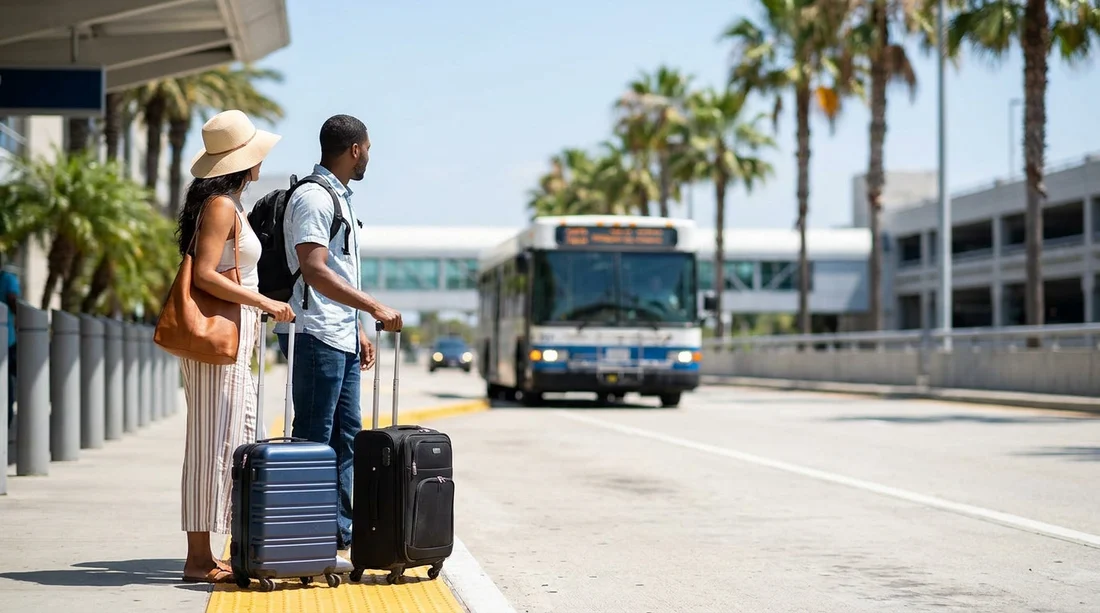
- Follow Ground Transportation signs to the shuttle and off-airport pick-up area.
- Check your confirmation for terminal, level, and exact pick-up zone.
- Have driving licence, card, and booking details ready before boarding.
- Confirm the shuttle shows Hola or partner branding before you queue.
If you are arriving at Orlando International Airport (MCO) and using Hola Car Rentals for car hire, the key is getting to the correct ground transport area for your terminal, then matching the exact pick-up zone listed on your confirmation. MCO is split into Terminal A and Terminal B (within the main terminal), plus Terminal C. Each has its own routes to Ground Transportation and separate kerbside zones. The good news is that airport signage is consistent, and once you know what to look for, finding the shuttle is straightforward.
This guide explains where to catch the Hola car hire shuttle at Orlando Airport in Orlando, which signs to follow, what to check on your booking, and what to have ready so you can board quickly without holding up the queue.
Start with your terminal: A, B, or C
Your shuttle pick-up point depends first on which terminal you arrive into. Before you start walking, confirm your terminal in one of three places: your flight details, the overhead terminal signs in Arrivals, and your Hola booking confirmation. Even if you arrive internationally and clear customs, you can still end up in a different area than you expect, so use the terminal letters displayed on overhead signs as your final confirmation.
If you want a general overview of Hola options tied to MCO, see car rental at Orlando Airport (MCO). For travellers comparing different MCO pick-up arrangements, car rental Orlando MCO is also useful background reading.
What signage to follow inside Orlando Airport
MCO makes wayfinding easier by grouping transport options under consistent headings. From baggage claim or the arrivals level, look for signs that read “Ground Transportation”. In some areas you will also see “Shuttles” or “Hotel Shuttles”, depending on the corridor. Your aim is to reach the ground transport pick-up kerb for off-airport rental shuttles, then match the exact zone number or letter shown on your reservation details.
Follow this sequence as you walk:
1) Baggage Claim or Arrivals, then look up for “Ground Transportation”.
2) Exit towards the kerbside pick-up lanes. If you pass ride-share or taxi queues, keep scanning for shuttle signage and zone markers.
3) Find the posted zone or bay identifiers. MCO uses clearly marked pick-up areas, and the shuttle operator will typically reference a specific bay, zone, or door number.
A common mistake is heading to the on-airport rental car counters or the APM (airport people mover) for the rental car facility, then realising your booking requires an off-airport shuttle. Your confirmation will tell you which applies, so treat it as the rulebook for where to stand.
Terminal A and Terminal B: where the shuttle typically departs
Terminal A and Terminal B share the main terminal complex, and both lead to ground transport areas outside the arrivals level. After collecting luggage, follow “Ground Transportation” signs until you reach the outside pick-up lanes. Once outside, look for the shuttle pick-up area and then the zone number or bay reference given in your Hola confirmation.
Because kerbside space can be busy, especially in the afternoon and early evening, it helps to stand close to the signpost for your zone rather than pacing along the kerb. Drivers usually scan for passengers at the correct marker, and being in the right place reduces the chance of a missed pick-up.
If you are travelling from the UK and want a page written with UK terminology around car hire at MCO, car hire Orlando MCO provides additional context.
Terminal C: how to locate the right pick-up area
Terminal C at MCO is newer and has its own layout for ground transportation. After baggage claim, follow “Ground Transportation” signs to the designated pick-up area outside. Terminal C signage is modern and highly legible, but the distances can feel longer than Terminal A or B, so allow a few extra minutes for walking.
Two practical tips for Terminal C:
Use the nearest exit doors shown for Ground Transportation, rather than the first doors you see for general pick-up.
Match your pick-up zone carefully. Terminal C has multiple kerbside sections, and standing in the wrong one can add delays even if you can see shuttles arriving nearby.
How to confirm you are boarding the correct shuttle
At a busy airport, several off-airport transport providers may stop in the same general area. Before you join a queue or load bags, verify the shuttle is the right one. Use a combination of visual cues and a quick question to the driver.
Check these items:
Branding on the vehicle, such as Hola, the supplier name, or a partner logo referenced in your confirmation.
Destination wording, often on a placard, LED sign, or clipboard list.
Driver confirmation, by stating your rental provider name and asking if the shuttle is for that location.
If your reservation is tied to a specific supplier category, you can also cross-check details on the relevant page. For example, if your booking references Dollar, Dollar car rental Disney Orlando MCO explains what to expect around pick-up. If your hire is with Budget, Budget car hire Disney Orlando MCO can help you match the naming you see on shuttles and paperwork.
What to have ready before boarding
Having your documents to hand helps the driver check you in quickly and keeps the kerbside moving. It also makes it easier if you need to show details to a staff member directing passengers to the correct bay.
Prepare these items before you step into the queue:
Your booking confirmation, ideally accessible offline or as a screenshot in case reception drops.
Your driving licence for the lead driver, and any additional driver details if applicable.
The payment card used for the booking, plus a back-up card if you carry one.
Basic arrival info such as your flight number and arrival time, helpful if the shuttle uses a passenger list.
If you are travelling as a group, agree in advance who will hold documents and who will manage luggage. This avoids last-minute searching while a shuttle is waiting at the kerb.
Timing, queues, and practical boarding tips
Shuttle frequency varies by time of day and demand. Even when services run regularly, you may encounter brief waits during peak arrival banks or in bad weather. Build a little flexibility into your plans, particularly if you are heading straight to a timed commitment like a restaurant booking.
To make the process smoother:
Stand at the exact zone marker listed on your confirmation, not merely “nearby”.
Keep your party together, as drivers may load passengers in the order they are waiting.
Label your luggage and keep valuables with you, not in the hold.
Listen for your provider name, as drivers may call it out rather than stopping for long.
If you are travelling with children, consider taking a quick comfort break before heading outside. Once you are in the pick-up area, you may prefer to stay in place to avoid missing the shuttle.
Common issues and how to fix them fast
You cannot find your zone. Step back inside to the nearest Ground Transportation signboard, then re-check your confirmation for the terminal and pick-up reference. If your phone is struggling, use airport Wi-Fi and pull up your email or booking page.
You are at the wrong terminal. Confirm whether you are in A, B, or C using overhead signage, then follow airport directions for inter-terminal transport. Do not guess based on airline alone.
You see multiple similar shuttles. Ask the driver the destination address or provider name tied to your car hire. Matching the address on your confirmation is often the quickest way to confirm.
It is late and you are worried about closing times. Keep your confirmation accessible and be ready to explain your arrival time. If you are delayed, having your flight details ready can help staff understand the situation.
FAQ
Where exactly do I catch the Hola car hire shuttle at Orlando Airport in Orlando? Follow “Ground Transportation” from baggage claim to the outside shuttle pick-up area for your terminal, then stand at the zone listed on your confirmation.
Which signs should I follow inside MCO to find the shuttle pick-up? Look for “Ground Transportation” first, then “Shuttles” or posted pick-up zone markers once you are outside at the kerb.
How do I know I am boarding the correct shuttle? Check the vehicle branding and destination display, then ask the driver to confirm the provider name or location shown on your booking.
What do I need ready before I board the shuttle? Have your booking confirmation, driving licence, and payment card accessible, plus any additional driver details and basic arrival information.
What if I accidentally wait at the wrong terminal or zone? Re-check the terminal letter on overhead signs, return to the Ground Transportation signboards, and move to the exact zone stated on your confirmation.

























































































