


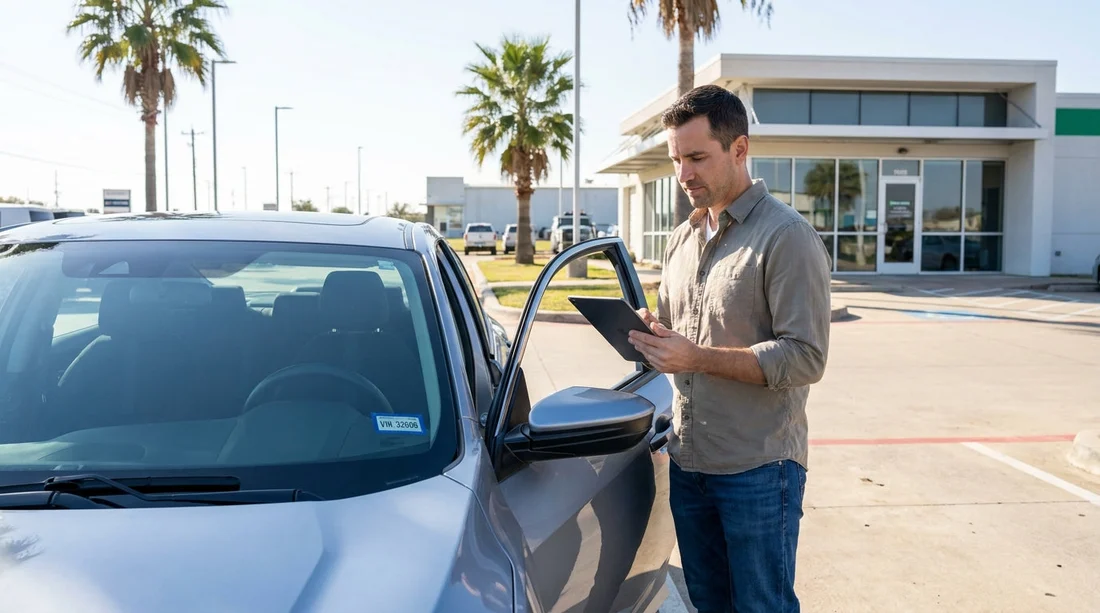
Quick Summary:
- Stop and compare the dashboard VIN plate with your agreement.
- Match the registration, licence plate, and car class before leaving.
- Ask the counter to reprint the agreement with the correct VIN.
- Do not drive until roadside, toll, and cover details match.
A Vehicle Identification Number, or VIN, mismatch is one of those small counter errors that can create big problems fast. In Texas, if the VIN printed on your rental agreement does not match the car you have been handed, treat it as a “do not depart” issue. Your agreement is the document that links you to a specific vehicle, its registration, and the cover and responsibility terms. If the wrong VIN is recorded, you could face delays at a toll dispute, complications after a bump in a car park, or extra questions during a traffic stop. The good news is that the fix is usually quick, as long as you catch it before you drive off.
This guide is written as a counter checklist, so you can verify VIN and registration details for a car hire in Texas and leave with corrected paperwork that matches the vehicle in your hands.
Why a VIN mismatch matters in Texas
The VIN is a unique 17 character identifier tied to the vehicle’s title and registration records. Rental systems use it to associate the specific car with your contract, damage records, roadside assistance eligibility, and sometimes tolling and plate recognition.
The simplest rule is this: if the VIN does not match, do not accept “it’s fine” as the final answer. Ask for the paperwork to be corrected or for the correct vehicle to be issued.
The counter checklist: verify the car before you move it
Use this step by step check while you are still at the counter, the kiosk, or the pick up bay. It takes two minutes and can save hours later.
Step 1: Find the VIN on the vehicle
Most drivers spot the VIN fastest in one of these places:
Lower driver side windscreen, look through the glass at the metal plate on the dashboard.
Driver door jamb sticker, open the driver door and look for the manufacturer label with VIN and tyre information.
Write the last six characters down (or take a clear photo of the full VIN plate) so you can compare accurately. Do not rely on memory, because one transposed character is enough to cause a mismatch.
Step 2: Compare against the agreement, not just the key tag
Key tags can be wrong, swapped, or re used. The contract matters most. On your rental agreement, locate the section that lists the vehicle details. Check:
VIN, compare the full VIN if printed, or at least the final six to eight characters.
Licence plate number, the plate should match what is on the vehicle.
Make and model, ensure the paperwork reflects the actual car class you received.
If any of these do not match, pause and move to the correction steps below. This applies whether you are collecting in Houston, Austin, Dallas, or elsewhere in Texas. For travellers arranging a car at major terminals, it helps to know where the desks and bays typically are, for example car rental at Houston IAH or car rental at Austin AUS.
Step 3: Check the registration card and inspection sticker details
In Texas, you may see a state inspection sticker on the windscreen for some vehicles, and the rental company may keep registration information in the glovebox packet. You do not need to read every line, but you should confirm:
The licence plate matches what is printed on the agreement.
The vehicle description is consistent with what you are driving.
No obvious expired paperwork that would raise questions if you are stopped.
If the glovebox packet is missing, mention that at the counter too. Some companies keep documents elsewhere for fleet security, but they should still be able to confirm registration details for you.
Step 4: Ensure the correct driver and dates are on the agreement
Sometimes a VIN mismatch appears alongside a broader contract issue, such as the wrong customer name, wrong return date, or missing additional driver. Before you leave, verify:
Your name is spelled correctly and matches your driving licence.
Pick up and return times reflect what you agreed.
Pick up and return location are correct, especially for one way travel.
Coverage selections and deposit terms are as discussed.
Even if only the VIN is wrong, reprinting is a good moment to ensure the rest is accurate too.
How to get corrected paperwork before you drive off
When you spot a mismatch, keep the process calm and specific. Here is a practical script and sequence.
1) Return to the counter or exit booth immediately. If you have already loaded luggage, leave the vehicle parked and take your agreement and key fob with you. Do not drive out of the facility, because the gate record may link your contract to the wrong vehicle.
2) Show the discrepancy with evidence. A quick phone photo of the dashboard VIN plate helps. Tell staff: “The VIN on the windscreen ends with XXXXXX, but my agreement ends with YYYYYY.”
3) Ask for one of two fixes. Either they correct the contract to match the car you have, or they swap you into the vehicle that matches the existing contract. In most cases, the easiest fix is a reprint with the correct VIN and plate.
4) Confirm the updated version replaces the old one. Ask them to void the incorrect agreement version in their system, then give you the final agreement copy. If you are emailed contracts, request the corrected PDF be sent again.
5) Recheck the new paperwork at the counter. Take 15 seconds to compare VIN and plate again. This prevents a second error.
If you are hiring a larger vehicle, such as an SUV in a busy bay where similar models are lined up, careful verification is even more important. See fleet options like SUV rental at Dallas DFW or SUV rental in Texas IAH for context on typical class assignments.
What if staff say “it doesn’t matter”?
Stay polite but firm. It does matter, because the contract is the legal and billing record tying you to a specific vehicle. A good response is: “I’m not comfortable driving until the agreement VIN matches the car VIN. Please reprint it.” If the first person cannot help, ask for a supervisor or the exit booth attendant, who often has authority to correct vehicle assignments.
Document the condition and the numbers once everything matches
After the VIN and plate match, take two additional steps that support you in any later dispute:
Photograph the car on all sides, plus wheels and windscreen, before leaving the facility.
Photograph the VIN plate and licence plate with a timestamp, plus the updated agreement page showing vehicle details.
This creates a simple record that the right paperwork was issued for the right car at the start of the hire.
If you already drove away: what to do next
If you notice the mismatch after leaving the airport or lot, pull over safely and handle it right away. Call the rental location number listed on your paperwork and explain you have a VIN mismatch. Ask them to email a corrected agreement immediately. If they cannot, return to the nearest branch as soon as practical for a reprint. Do not wait until return day.
FAQ
Is it illegal to drive a rental car if the VIN on the agreement is wrong in Texas? It may not be automatically “illegal”, but it is a serious documentation problem. If stopped, you could struggle to prove you are authorised to drive that specific vehicle, so get it corrected before driving.
What should match exactly, VIN, plate, or both? Ideally both should match. Licence plate is commonly used for tolling, while VIN is the definitive vehicle identifier for registration and fleet records. If either is wrong, request corrected paperwork.
Will a VIN mismatch affect insurance or damage cover? It can. Claims and incident reports are tied to the vehicle identified on the agreement. A mismatch can delay claim handling and create disputes, so fix the contract immediately.
Can the rental company just note the correction without reprinting the agreement? Ask for a reprint or an emailed updated agreement that clearly shows the corrected VIN and plate. A verbal note is hard to prove later, especially if staff change shifts.
What if the glovebox has no registration card? Tell the counter or exit booth and ask them to confirm the vehicle’s registration details in their system. The key point is that your agreement must correctly identify the car you are driving.

























































































