


Quick Summary:
- Match every scratch, dent and chip to the report before signing.
- Confirm mileage, fuel level and return policy match your agreement.
- Verify extras, accessories and safety kit are listed and working.
- Take time stamped photos of all sides, wheels and interior.
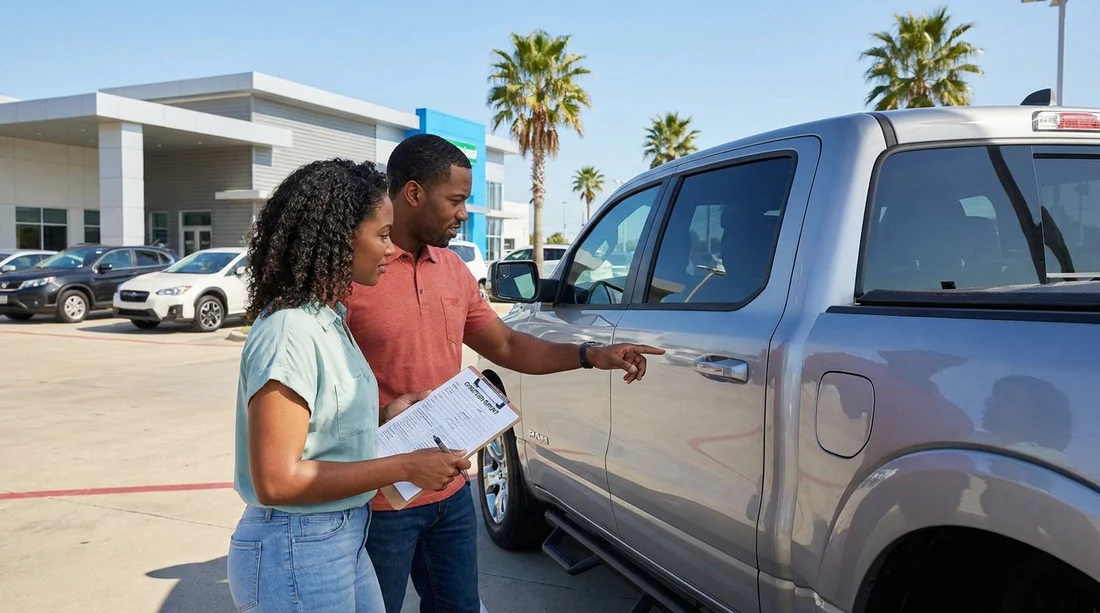
A rental car condition report, sometimes called the check-out sheet, is your written snapshot of the vehicle at handover. In Texas, where you might leave a busy airport rental hall and join fast multi-lane roads within minutes, it is worth slowing down for a careful review. The goal is simple: ensure the report matches the vehicle, and that the terms recorded on it match what you agreed. That way, if a question comes up at return, you have clear documentation to support you.
This guide focuses on the practical checks that protect you during car hire: existing damage marks, mileage, fuel status, and any extras or accessories. You can do most of this in under ten minutes if you know what to look for.
1) Confirm the report matches the right vehicle and contract
Before you even look at the diagram of the car, confirm the basics at the top of the condition report. Check the registration plate, vehicle identification number (VIN) if shown, make and model, colour, and the date and time of pick-up. A simple admin mismatch can cause problems later, especially if the location is moving cars quickly between bays.
Also compare the fuel policy and mileage arrangement to your booking confirmation or rental agreement. If your paperwork shows a particular fuel plan or mileage allowance, the condition report should not contradict it. This matters at large Texas hubs, such as when collecting around Dallas Fort Worth. If you are arranging car hire near the airport, this location page can help you confirm the local pick-up context: car hire at Fort Worth DFW.
2) Review existing damage marks carefully, not just the obvious ones
The most important part of the condition report is the damage map or checklist. Do not assume the markings are complete, and do not assume a tiny mark is too minor to matter. In practice, many disputes come from small chips or scuffs that were missed at check-out.
Start with a systematic walkaround. Begin at the driver-side front corner and move clockwise. Look at each panel in good light, and crouch to check lower areas that are easy to miss. Pay special attention to bumpers and lower lips, doors and door edges, wheels and hubcaps, windscreen and glass, plus the roof and bonnet.
When you find anything that is not clearly recorded, ask for it to be added before you leave. If the agent is unable to amend the form immediately, ask what the location’s process is for noting additional damage, and document it yourself with photos and a short written note you keep with your rental documents.
If you are picking up at another busy airport station, the same method applies. For example, many travellers collect at Dallas Love Field or DFW area counters. If you want a quick reference point for local car hire options, see car hire in Dallas DFW.
3) Take photos and video that support the condition report
Photos are not a replacement for the condition report, but they support it. Take clear, well-lit images of all sides of the vehicle, plus close-ups of any existing damage. Include the four corners, each wheel, the windscreen and mirrors, an interior overview, and the fuel gauge and odometer.
Time stamps help, but clarity matters more. If the car is parked in a dim garage, move it only if the location permits and you have already noted any marks you can see. Otherwise, use your phone’s torch or request better lighting. Make sure your photos show context, not only close-ups, so it is clear the images are of that specific vehicle.
4) Verify mileage and fuel level, then match them to the sheet
Next, sit in the car and check the odometer reading and fuel gauge. Compare both to what the condition report states. If the report lists “full” but the gauge shows three-quarters, get it corrected. The same applies if the report records a mileage figure that does not match the instrument cluster.
Also confirm the fuel return policy you are on, such as full-to-full or a pre-purchase plan. The condition report often shows the starting fuel level, which is the baseline used at return. If you begin with less than full, consider taking a photo of the gauge and keeping the nearest fuel receipt later, so you can demonstrate you refuelled appropriately for that baseline.
5) Confirm extras, accessories, and safety items are listed and present
The condition report may include a section for extras, sometimes separate from your main agreement. Review it line by line and physically confirm each item is in the car and works.
In addition, confirm the car has the basics you need to drive away safely: two number plates, working headlights, indicators, and wipers, plus enough screenwash for highway driving. It is not about being picky, it is about avoiding preventable issues ten minutes down the road.
If you are hiring a larger vehicle, checking extras becomes even more important because seat configurations and cargo equipment vary. For an example of a vehicle type where you might be counting seats and headrests before leaving, see minivan rental in Austin AUS.
6) Ask how the return inspection works at your location
Before you leave the counter, it helps to know how returns are handled at that specific station. Ask whether return inspections are done with you present, whether you receive a final condition email, and how fuel and mileage are verified. If the process is contactless, your own documentation becomes even more valuable.
This is relevant at major airport locations where returns can be busy and quick. For instance, if you are collecting near Houston and expect a fast handover, having your check-out documentation organised can prevent confusion later. This page gives a sense of the local context for car hire: Hertz car hire at Houston IAH.
7) Final checks before you drive off
Once the report matches the car, do a final practical check before leaving the bay. Start the engine and confirm no unexpected dashboard warning lights remain on, check tyre condition, adjust mirrors and seating, confirm doors and the boot work properly, and test the key fob locking.
These steps are not just about vehicle condition, they help ensure your car hire starts smoothly and safely, which is exactly what the condition report is meant to support.
FAQ
Should I sign the rental car condition report if I disagree with it? If something is missing or incorrect, ask for it to be corrected before signing. If the location cannot amend it, document the issue with clear photos and keep a note of who you spoke to and when.
What damage is most often missed on check-out sheets? Wheel scuffs, lower bumper scrapes, small windscreen chips, and minor door dings are commonly overlooked. These are also the areas you should photograph closely.
How do I verify fuel level properly in Texas car hire? Check the fuel gauge and compare it to the report’s stated level, then photograph the gauge. Confirm the fuel return policy so you know the baseline you are expected to return with.
Does mileage matter if my rental has unlimited miles? Yes, because the start mileage still confirms you received the correct car and helps validate usage. It can also matter for maintenance alerts or if there is an admin mismatch.
What if the car is dirty and I cannot see the paint properly? Tell staff before leaving and ask for a quick wipe of key areas or a bay change. At minimum, photograph the dirt that obscures panels and record any marks you can see clearly.

























































































