


Quick Summary:
- Test lock and unlock from several positions before leaving the forecourt.
- Confirm the fob is detected in-pocket and outside the car.
- Locate the emergency key blade and the hidden door keyhole.
- Practise starting, stopping, and shifting, and recognise “key not detected” alerts.
Keyless entry and push-button start are common in Florida fleets, but a small issue with the key fob, sensors, or procedures can turn a straightforward car hire pick-up into a delay, or worse, a lockout later. The goal at the counter and on the forecourt is simple, confirm you can reliably unlock, start, drive, stop, lock, and access the vehicle if the fob battery fails.
If you are collecting from a busy airport location, it helps to do these checks before you pull away. You can also compare notes across pickup points such as Orlando Airport (MCO), Fort Lauderdale Airport (FLL), or Tampa Airport (TPA), because layouts and staff handover routines differ, even when vehicles are similar.
1) Confirm you have the right key fob, and that it matches the car
Start with the basics while you are still near staff. Check the label or tag on the fob matches the vehicle registration or unit number shown on your paperwork. If you are given two fobs, confirm both belong to the same vehicle, and that both operate it.
Why it matters, if a fob was mixed up, you may be able to open the car in the lot but fail to start it, or trigger the alarm repeatedly. Sorting it on-site is far easier than returning after you have loaded luggage and driven off.
2) Test lock, unlock, and boot release from realistic distances
On the forecourt, step away from the vehicle and test lock and unlock from a few positions, directly in front, beside the driver door, and behind the boot. Do it twice, watching for consistent indicator flashes and listening for the locking sound. If the car has a separate boot or trunk release button on the fob, verify it opens and closes as expected.
Also test the door-handle touch sensor if fitted. Many keyless systems unlock when you touch the inside of the handle with the fob nearby, and lock when you touch a small ridge or button on the outside. Make sure you can consistently use these features, as they are what you will rely on when your hands are full.
3) Check “fob not detected” behaviour before you leave
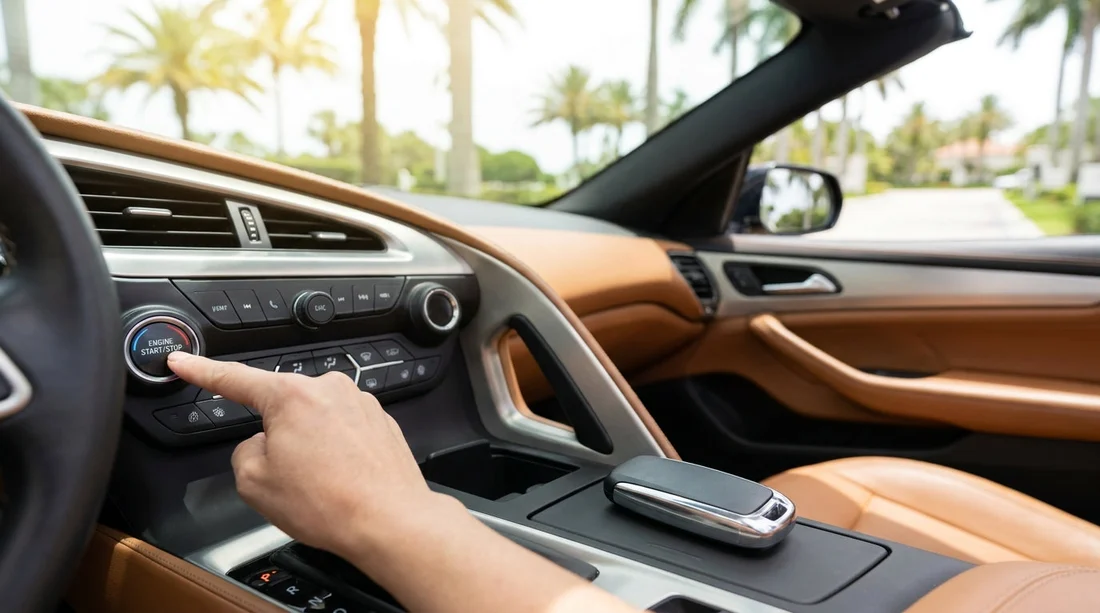
Get into the driver seat with the fob in your pocket or bag, then attempt to start the car. The car should recognise the fob without you removing it. If the dashboard displays “Key not detected”, try these quick checks before assuming a fault.
First, move the fob away from other electronics, power banks, or a phone pressed against it, because interference can reduce detection. Second, move it to a different pocket or place it on the centre console. Third, check whether the vehicle expects the fob to be in a specific location for backup starting, often a marked spot in the cupholder area or a place near the steering column.
If detection remains inconsistent, ask for another fob or another vehicle. Intermittent recognition can strand you at a petrol station when you stop the engine and cannot restart.
4) Practise the exact start, stop, and shifting sequence
Push-button start cars are not all identical. Before you drive away, practise the full routine in order. Confirm you can start the engine with your foot on the brake, and check what happens if you press the button without the brake, some cars switch to accessory mode first. Learn how to fully turn the car off, which may require shifting to Park first, then pressing the button once.
Verify you can shift out of Park. In many models you must press the brake and press a release on the shifter. Some have electronic shifters that return to centre, so you need to watch the indicator to confirm you are actually in Drive or Reverse.
5) Find the emergency key blade and the hidden door keyhole
Most key fobs include a physical key blade, either built in or stored inside the fob housing. Locate the release switch and remove the blade so you know how it works. Then find the mechanical door lock cylinder, which is often hidden behind a small plastic cap on the driver door handle.
This matters if the fob battery dies or the car battery is flat. Without the blade and the keyhole location, you can end up unable to access the cabin to retrieve belongings.
Once you have found it, refit the cap carefully. If the cap is already missing or loose, note it with the check-in photos and mention it at the desk so you are not blamed later.
6) Check for a low key fob battery warning, and know the backup start spot
Look for any dashboard message about a low key fob battery. If you see the warning at pick-up, ask to swap the fob or vehicle. A weak battery may still lock and unlock nearby, but fail when the fob is in a bag, or may stop working entirely during your trip.
Even with a healthy fob, learn the backup method. Many vehicles can start if you press the start button with the fob itself, or if you hold the fob against a marked sensor area. Ask where that location is for your specific model and memorise it.
7) Verify child lock, auto re-lock, and walk-away locking settings
Some cars automatically re-lock after 30 to 60 seconds if you unlock but do not open a door. Others auto-lock when you walk away, or auto-unlock when you approach. These features are convenient but can surprise you during Florida stops, especially at beaches or service stations.
At pick-up, test the behaviour quickly. Unlock the car, wait briefly, and see whether it relocks. If it does, make a habit of opening a door promptly after unlocking. If walk-away lock is enabled, ensure you know whether the car beeps, and confirm it actually locks, rather than assuming it has.
10) Do a “full loop” test before leaving the pick-up area
Before you merge into traffic, complete a simple loop test that simulates a real stop. Start the car, shift to Drive, roll forward a few metres, brake, shift to Reverse, then to Park. Turn the engine off. Open the driver door, step out, lock the car, and unlock it again. Then get back in and restart.
This quick routine confirms the fob, proximity sensors, shifter interlocks, and start/stop system all work repeatedly. If anything fails, you are still close to help, which is especially valuable at high-volume desks like Payless at Orlando (MCO) where queues can build quickly if you have to re-enter the process.
With these checks done, your Florida car hire pick-up is far less likely to be derailed by a small keyless-entry quirk, and you will feel more confident every time you stop, lock up, and restart during the trip.
FAQ
Do all Florida car hire vehicles have keyless entry and push-button start? No. Many do, but fleets are mixed. It is best to check the specific vehicle at pick-up rather than assume.
What should I do if the car says “key not detected” but the fob is with me? Move the fob away from your phone, try another pocket, then use the vehicle’s backup fob detection spot or press the start button with the fob.
Is it normal to receive only one key fob? It can be. If you receive one, confirm it is noted on your agreement and test it thoroughly before leaving.
How do I unlock the car if the fob battery dies? Use the emergency key blade inside the fob and the hidden driver-door keyhole, then use the backup start method to start the engine.
Why should I test locking and unlocking from different positions? Weak fob batteries or interference can work intermittently. Testing from several angles helps reveal problems while you are still near staff.

























































































