


Quick Summary:
- Bring your physical driving licence, not a photo or scanned copy.
- Present the payment card used, matching the lead driver’s name.
- Show an original passport or government ID for identity verification.
- Carry your confirmation and any vouchers, even after online check-in.
Online check-in is designed to reduce time at the counter, not remove the legal and security checks required to release a vehicle. For car hire in Orlando, you should expect the desk agent to confirm identity, driving entitlement, and payment details using original documents. This is true whether you are collecting at Orlando International Airport (MCO) or nearby off-airport locations serving MCO.
If you are arriving at MCO, the process is typically straightforward as long as you have the correct items in hand. Hola Car Rentals provides clear options for Orlando collection and partner brands, including Orlando airport car rental at MCO and car rental in Orlando MCO. Even with online check-in completed, the same core documents are still required at pick-up.
Why online check-in does not replace the desk checks
Online check-in usually captures your details in advance, for example, address, flight number, licence information, and acceptance of key terms. It can also reduce typing and form signing at the counter. What it generally cannot do is confirm that you are physically present, that the documents are original and valid today, and that the payment method is in the correct name and available for any deposit or authorisation.
In Orlando, the agent will typically run through a short verification routine. They compare the person in front of them to the photo ID, confirm the driving licence is valid and appropriate for the vehicle type, and ensure the card presented can support the rental charges and any security deposit. These steps protect both customer and supplier and are standard across major operators.
The original documents you should still present
1) Driving licence (original, physical)
You will almost always need to show your original photocard driving licence at the counter. A picture on your phone, a printout, or a scanned PDF is not accepted for vehicle release. The agent needs to check the licence is valid, unaltered, and belongs to the driver standing at the desk. If you have more than one driver, each additional driver will usually need to present their own original licence as well.
If you are visiting from abroad, bring the licence issued in your home country. Some renters also carry an International Driving Permit, which can help if your licence is not in English or uses a non-Latin script. Requirements vary by issuer and country, so the safest approach is to bring the permit if you have one, plus your home licence, because the permit is normally supplementary rather than a replacement.
2) Passport or government photo ID (original)
Even after online check-in, a desk agent may request your passport, or another accepted government-issued photo ID, to confirm identity. For international travellers, a passport is commonly the easiest document to use because it is universally recognised and includes a photo, full name, and date of birth. If you are a US resident, a state ID or driving licence may cover ID needs, but policies vary, and many travellers still prefer to use a passport for consistency.
3) Payment card in the lead driver’s name
This is the point that catches people out most often after online check-in. In most cases, you must present the physical payment card intended for the rental, and it usually needs to be in the lead driver’s name. The counter may run a pre-authorisation for a deposit and validate card ownership. A digital wallet alone may not be accepted, and a card belonging to someone not present can cause refusal at pick-up.
Bring the card you used online, plus a backup card if possible, as long as it is also in the lead driver’s name. This helps if the original card has unexpected limits or fails an authorisation. If you are comparing providers at MCO, Hola covers multiple partner pages such as Avis car rental Orlando MCO and Payless car rental Orlando MCO, and the card-in-name rule is a common theme across major suppliers.
4) Booking confirmation, voucher, and reference numbers
Online check-in helps, but it is still wise to have your confirmation accessible. Some suppliers want to see a voucher, rental agreement number, or booking reference to quickly locate your reservation, confirm inclusions, and check your chosen pick-up time. A printed copy is not always required, but it can be useful if your phone battery is low after a long flight.
5) Any supporting documents for special cases
Most renters only need the three essentials, licence, ID, and card, plus the confirmation. However, you should also carry any documents relevant to your particular situation. For example, if you have a different name on your passport and your driving licence due to marriage, bringing the relevant supporting document can prevent delays. If a corporate rate, membership, or affiliate discount is involved, bring whatever proof the rate requires, because the desk may ask to validate eligibility.
Common misunderstandings after online check-in
“I uploaded my documents online, so I will not need them.” Uploading speeds up data entry, but originals are still needed at the desk for verification. Think of online check-in as pre-approval, not final approval.
“A photo of my driving licence is fine.” It rarely is. The supplier must verify the physical security features of the licence and confirm it is current and undamaged.
“My partner can pay, even if I drive.” Often not. The lead driver commonly must be the cardholder. If a different person is paying, you may need to change the lead driver details in advance, or add the payer as an eligible driver, depending on the supplier’s policy.
“Debit cards are always accepted.” Acceptance depends on supplier rules, vehicle category, and sometimes where you are collecting. If you intend to use a debit card, read the terms carefully and bring an alternative payment method where possible to avoid being turned away.
Practical Orlando pick-up tips to avoid delays
Keep documents together and accessible. Have your passport or ID, licence, and payment card ready before you reach the counter. After a flight into Orlando, it is easy to misplace items between immigration, baggage claim, and transport.
Match names across documents. Ensure the name on the booking matches the name on the driving licence and the payment card. Even small differences, such as missing middle names or swapped surnames, can trigger extra checks.
Check licence validity dates. If your licence expires during your trip, some suppliers may refuse release or limit the rental length. Renew before you travel.
Plan for additional drivers. If you intend to share driving, bring each driver to the counter with their original licence and ID where required. Adding a driver later can take extra time and may not be possible if they are not present.
Consider vehicle category rules. Larger vehicles can come with stricter deposit or card requirements. If you are arranging an SUV for theme park travel, review the relevant Orlando options, including SUV hire Disney Orlando MCO, and ensure the lead driver’s card can support the authorisation amount.
What to expect at the counter, step by step
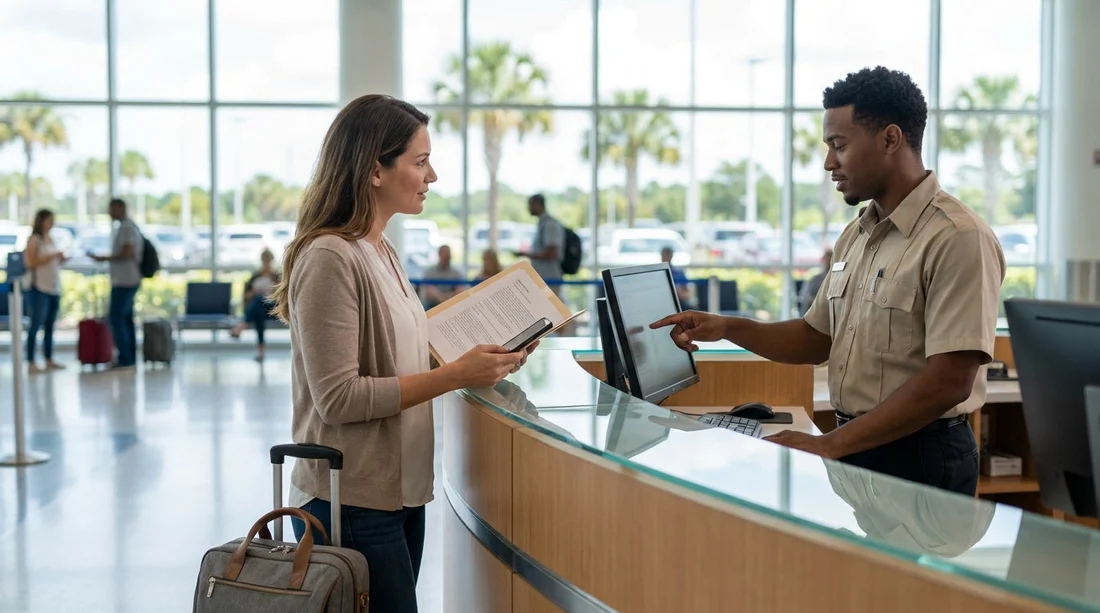
After online check-in, the counter process often looks like this: the agent finds your reservation using your surname and reference, checks your passport or photo ID, verifies your physical driving licence, and then reviews payment. They may confirm your address, contact number, and return details, then present the rental agreement for signature. Finally, they process the card authorisation, provide keys and paperwork, and direct you to the vehicle pick-up area.
If anything does not match, for example, the cardholder is not the lead driver, or the licence is a digital copy, the agent may not be permitted to release the car. Having the correct originals is the simplest way to keep the collection smooth.
FAQ
Q: After online check-in, do I still need to show my original driving licence in Orlando?
A: Yes. You normally must present the physical, original driving licence at the counter to collect the vehicle.
Q: Can I collect the car hire using only a digital wallet card on my phone?
A: Often no. Many suppliers require the physical payment card for verification and deposit authorisation, so bring the actual card.
Q: Does the payment card have to be in the lead driver’s name?
A: In most cases, yes. If the cardholder is not the lead driver, the supplier may refuse to release the car.
Q: What ID should international travellers bring for Orlando car hire pick-up?
A: Bring your original passport as primary photo ID, alongside your original driving licence and the payment card used.
Q: Do I need to print my booking confirmation if I completed online check-in?
A: Printing is usually not required, but having the confirmation accessible, printed or on your phone, helps if staff need to verify inclusions or references.

























































































