


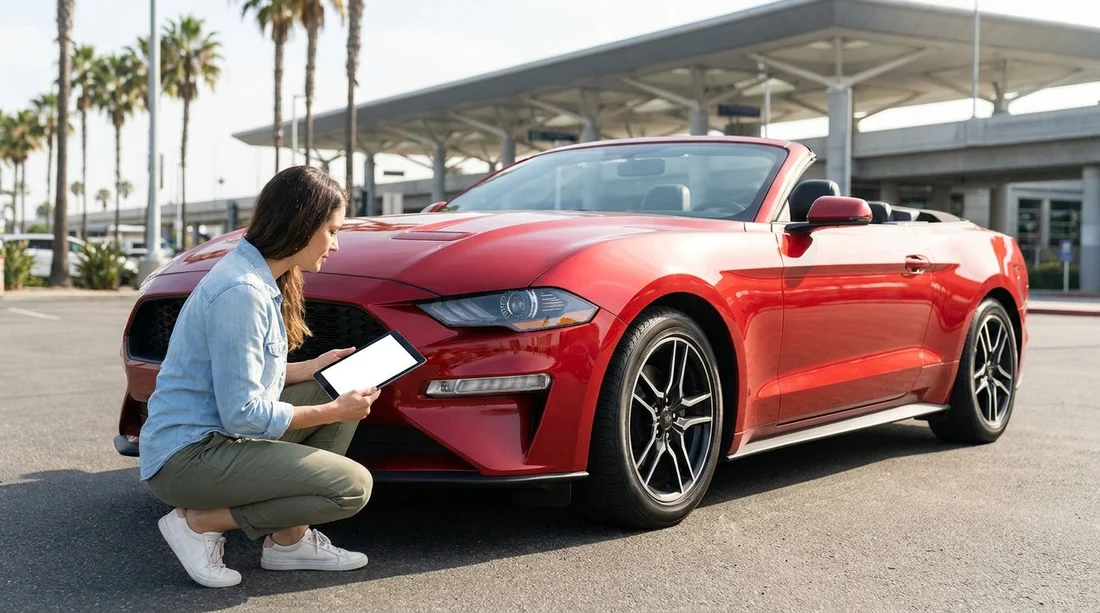
Quick Summary:
- Ask for a condition report to document existing damage before departure.
- Match the report to photos of wheels, glass, interior, and bumpers.
- Confirm fuel level, mileage, and key count are recorded accurately.
- Get staff initials and keep a copy for return-day reference.
Yes, you should ask for a vehicle condition report before leaving with a rental car in California. Even when everything looks fine at first glance, the report is the simplest way to confirm what was already marked on the vehicle before you drove off. It also gives you a shared reference if questions come up at return, particularly around small scuffs, wheel rash, windscreen chips, or interior marks that are easy to miss in a busy pickup area.
Whether you are collecting near the coast, heading inland, or starting a long drive between cities, a few careful minutes at the start can prevent a lot of uncertainty later. This is especially useful when you are collecting from a high-turnover location where cars are cleaned and turned around quickly, such as at airport counters. If you are comparing pickup options, you can review location pages like San Francisco Airport car rental or Santa Ana Airport car hire to understand typical collection setups and time pressures.
What a vehicle condition report is, and why it matters
A vehicle condition report is a checklist or diagram that records the car’s pre-existing condition at the moment it is handed over to you. It usually includes a simple outline of the vehicle, where staff can mark dents, scratches, cracked lights, or other visible wear. Some reports are digital and signed on a tablet, others are paper-based, but the aim is the same, to establish a baseline.
In practical terms, the report helps you in two ways. First, it prompts a structured walkaround so you do not forget common problem spots like lower bumpers and alloy wheels. Second, it creates a mutually agreed record, so the conversation at return focuses on what changed during your hire, not what might have been there beforehand.
What a good condition report should include
Not all reports are equally detailed. The best ones cover more than a quick tick-box and give you enough information to match what you can see on the vehicle.
Exterior damage mapping should show the side of the car and key panels. Look for marks against front and rear bumpers, doors, sills, the bonnet, and the boot. If the report uses codes such as “S” for scratch or “D” for dent, make sure you understand the legend and that the marks are placed accurately.
Wheels and tyres deserve special attention. Wheel scuffs are one of the most common sources of disagreement because they are easy to cause and easy to miss at pickup. Ensure each wheel is checked, including the rim edge. Also confirm tyre condition is broadly acceptable, with no obvious sidewall damage.
Glass and lights should be noted, including any small windscreen chips, headlamp cracks, or hazing. In California, glare and sun angles can hide fine cracks, so change your viewing angle and look closely.
Interior condition is sometimes overlooked on reports, but it matters. Stains, torn upholstery, cigarette smells, and deep scratches on plastics should be documented. Check the boot area too, especially if you plan to carry luggage, prams, or sports gear.
Operational items often appear on the report or the checkout sheet, such as fuel level, odometer reading, and sometimes the number of keys provided. If you are collecting a larger vehicle, like a people carrier, it can help to compare category options ahead of time, for example minivan hire in San Jose, because larger vehicles can have more surface area and more existing wear to document.
How to use the report to confirm existing marks before you drive off
A condition report is only useful if it matches reality. Use this simple process at the kerbside or in the car park.
1) Ask for the report before you leave the lot. Do not assume it will be emailed later. If it is digital, ask how you will receive a copy and when. If it is paper, keep it with your rental agreement.
2) Do a slow walkaround, then a second pass lower down. On the first pass, look at panels and reflections. On the second pass, focus on lower bumpers, sills, and the underside edges of doors where scrapes often appear.
3) Compare panel-by-panel with the diagram. If you see a scratch that is not on the report, ask for it to be added. If a mark is shown on the report but placed on the wrong panel, request a correction, because vague or misplaced notes can cause confusion later.
4) Take your own time-stamped photos. Photograph each side of the vehicle, the roofline if possible, close-ups of any existing damage, all four wheels, the windscreen, the fuel gauge, and the odometer. Photos support the report, they do not replace it.
5) Check the interior with the doors open. Take photos of any stains, seat tears, dashboard warning lights, and the boot floor. If there are removable accessories like a parcel shelf or child-seat anchors you plan to use, confirm they are present and intact.
6) Confirm staff acknowledgement. If changes are made, ask for initials or a digital confirmation. A note without acknowledgement may be less persuasive if there is a later dispute.
Common issues the report helps you avoid
Wheel scuffs and kerb rash are frequent in urban driving and tight car parks. If the rims already have scuffs, you want those clearly recorded, ideally with a note about which wheel and the approximate size of the mark.
Small windscreen chips can expand with temperature changes or road debris. California highways can throw up small stones, so existing chips should be documented precisely at pickup.
Parking lot bumper scrapes may be low and hard to see. If the report only marks “front bumper scratch” without noting location, it is worth clarifying whether it is left, centre, or right.
Interior staining is easy to dispute because cleaners may notice it only after you return the vehicle. A quick photo and a note on the report reduces ambiguity.
What to do if the rental desk says a report is not available
Sometimes staff may say the vehicle has already been checked in their system, or that the process is “contactless”. If no formal condition report is offered, you can still protect yourself by requesting a written acknowledgement of any existing damage you point out, or by asking for a digital check-out summary to be sent while you are still on site.
Keep your approach calm and factual. You are not accusing anyone of anything, you are simply aligning expectations. This matters at busy locations across California, whether you are collecting through a brand counter such as Hertz car hire in Santa Ana or comparing providers in other cities like Dollar car hire in Sacramento. Different operators have different paperwork styles, but the goal is the same, an agreed record.
Condition reports, deposits, and return inspections
A condition report does not change your responsibility for damage that occurs during your rental, but it can reduce grey areas. Deposits and potential charges are typically linked to the rental agreement terms, and return inspections often compare the vehicle’s current state with the state recorded at checkout.
To make the return smoother, keep the report accessible and keep your departure photos until the deposit is fully settled. If the return is after-hours, your initial documentation becomes even more important because you may not be present for the inspection.
Quick checklist before you leave the pickup area
Before you drive off, ensure you have the condition report (or digital equivalent), your rental agreement, and clear photos. Confirm that fuel level and mileage are correct, and that any pre-existing marks you noticed are documented. If anything feels rushed, it is better to take two extra minutes now than to rely on memory later.
FAQ
Is a vehicle condition report required for car hire in California? It is not always presented as a formal document, but you should still ask for a recorded pre-rental inspection or checkout summary.
What if I notice damage after I have already left the lot? Document it immediately with photos and contact the rental provider as soon as it is safe, asking for the damage to be added to your record.
Do my own photos matter if there is also a condition report? Yes. Photos provide visual detail and timestamps that support the written diagram and notes.
Should I check the fuel and mileage against the report? Yes. Confirm the fuel gauge and odometer match what is recorded, as this affects refuelling and mileage terms.
Will a condition report prevent all disputes? It reduces uncertainty, but you should also drive carefully and follow the rental agreement, especially regarding parking, cleaning, and authorised drivers.

























































































