


Quick Summary:
- A clear screenshot usually works, but carry the confirmation email too.
- Ensure the voucher shows your name, dates, pick-up location, and booking number.
- Have your driving licence, payment card, and ID ready at pick-up.
- If details mismatch, contact your broker before arriving to avoid delays.
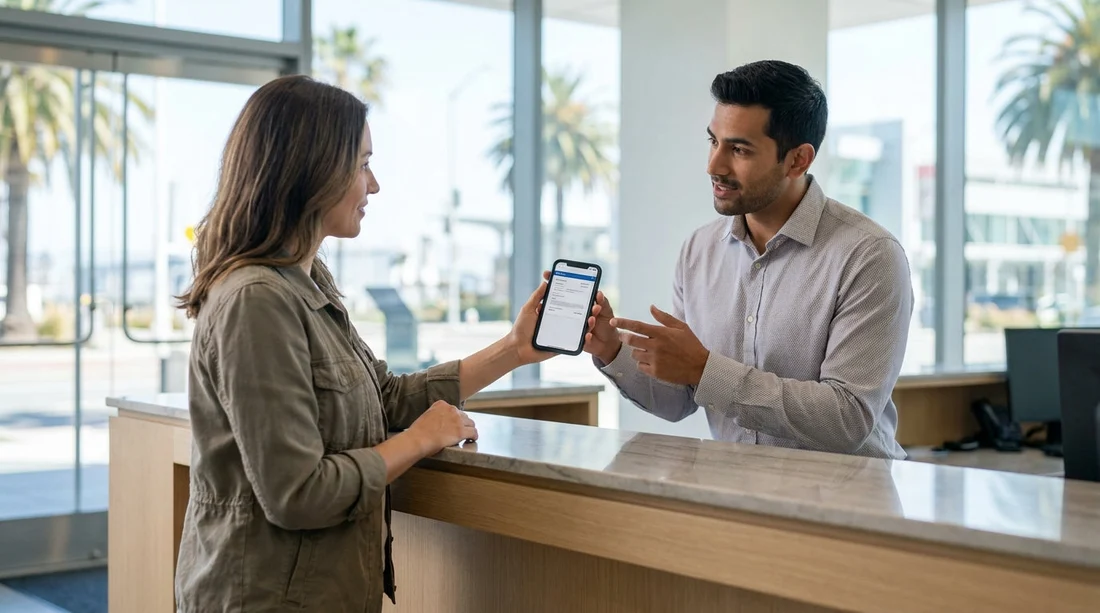
If you are collecting a car hire in San Francisco, you might wonder whether showing a screenshot of your voucher at the counter is enough. In most cases, yes, a screenshot is accepted as proof of booking, provided it is readable and contains the key details the rental desk needs to find and validate your reservation. That said, acceptance can vary by supplier, airport desk processes, and the specific situation at pick-up, so it is smart to prepare a couple of backup options.
At busy locations like San Francisco International Airport, small issues can slow the queue, for example a missing booking number, a name that does not match your driving licence, or a voucher that does not show the correct pick-up branch. A few minutes of preparation before you travel can make the counter process far smoother.
What the rental desk actually needs from your voucher
Rental agents do not need a printed page as such, they need the reservation details in a form they can quickly verify. A voucher screenshot works when it clearly shows the information the desk uses to locate your booking and confirm the rate and inclusions.
Booking reference or reservation number: This is the fastest way for the desk to pull up your booking. If your voucher has multiple references, capture the one labelled reservation, confirmation, or rental agreement reference.
Lead driver name: It must match your driving licence and, where required, your passport. Even small differences can trigger questions, for example missing middle names or swapped first and last names.
Pick-up location and supplier: “San Francisco” can mean several branches. Make sure the screenshot shows SFO or the exact branch name, plus the rental company brand you are collecting from.
Pick-up and drop-off dates and times: The time matters for pricing, availability, and late fees. In San Francisco, traffic and airport shuttle times can affect arrival, so it helps if the desk can see the scheduled time.
Vehicle category and inclusions: The desk confirms the class you reserved, not always a specific model. If your booking includes cover or unlimited mileage, having it visible reduces back-and-forth at the counter.
When a screenshot might not be enough
Most rental desks accept digital proof, but there are situations where relying only on a screenshot can cause delays.
Low signal or a dead phone: A screenshot helps because it is offline, but if your phone battery dies you lose everything. Bringing a second device, a power bank, or a printed copy avoids this risk.
Unreadable or incomplete image: If the reference number is blurry, cropped, or hidden behind a notification bar, the agent may ask for the confirmation email or full voucher.
Name or licence mismatches: If the voucher name does not exactly match the lead driver documents, the desk may refuse to release the vehicle until corrected. This is better fixed before arrival.
Payment and deposit checks: A voucher proves you have a booking, but it does not replace the need for a suitable payment card and deposit. Many suppliers require a credit card in the lead driver’s name.
What to have ready at the counter in San Francisco
To speed up your car hire pick-up, treat the voucher as just one part of a small document checklist. Having everything ready reduces the chance of being sent aside while you search through emails.
Driving licence: Bring your physical licence, not just a photo.
Passport or secondary ID: Requirements vary, but international visitors should expect to show a passport.
Payment card: Ensure the card type meets supplier rules and has enough available credit for the deposit. The name on the card should match the lead driver.
Voucher and confirmation email: Keep both accessible. A screenshot is quick, and the email or PDF is the backup if the agent needs more detail.
If you are collecting at the airport, these preparation steps are especially useful. For practical pick-up context, the Hola Car Rentals landing page for car hire at San Francisco Airport (SFO) can help you double-check you have the correct location details.
Tips for a smoother pick-up at SFO
San Francisco pick-ups can be fast when you arrive prepared, and slower when queues are long or flights land at the same time. Saving an offline PDF, matching your documents, and allowing transfer time to the rental facility can keep things moving.
If you are considering a larger vehicle for luggage or a group, it may help to compare options like van hire in San Francisco (SFO) or van rental at San Francisco Airport so your booking details match what you actually need.
Supplier differences, why policies can vary
Different rental brands and franchises may have their own desk habits. One agent may be happy with a screenshot that shows the booking reference and name, while another may ask to see the full voucher because they want to verify inclusions line by line.
If you know which supplier you are collecting from, it can help to review the relevant information ahead of time. For example, travellers sometimes look at pages such as Enterprise car hire in San Francisco (SFO) to confirm they are heading to the correct airport facility and have the right booking details accessible.
What to do if the desk cannot find your booking
Occasionally, the agent may not immediately locate the reservation. This does not automatically mean your booking is gone, it often means a reference number mismatch, a different supplier system, or a branch mix-up.
If you are changing plans to start outside San Francisco, compare locations carefully so you do not end up at the wrong counter. Some travellers also consider nearby airports, and pages like car hire in San Jose (SJC) can be a useful point of comparison when checking the exact branch shown on your voucher.
FAQ
Is a screenshot of my car hire voucher accepted at pick-up in San Francisco? Usually yes, as long as it is clear and shows your booking reference, name, dates, and pick-up location. Bring the email or PDF as a backup.
Do I need to print my voucher for a San Francisco car hire? Printing is rarely required, but a paper copy can help if your phone battery dies or the desk wants to see the full terms quickly.
What details must be visible on the voucher screenshot? The booking or confirmation number, lead driver name, supplier, pick-up branch, dates and times, and key inclusions such as mileage and cover.
What if my voucher name does not match my driving licence? Fix it before arrival if possible. A mismatch can cause delays or refusal to release the car, because the desk must match the contract to the driver’s ID.
Will the desk accept a voucher if I cannot provide the required payment card? The voucher proves the booking, but it does not override payment rules. If the supplier requires a credit card in the driver’s name for the deposit, you will need that to collect.

























































































