


Quick Summary:
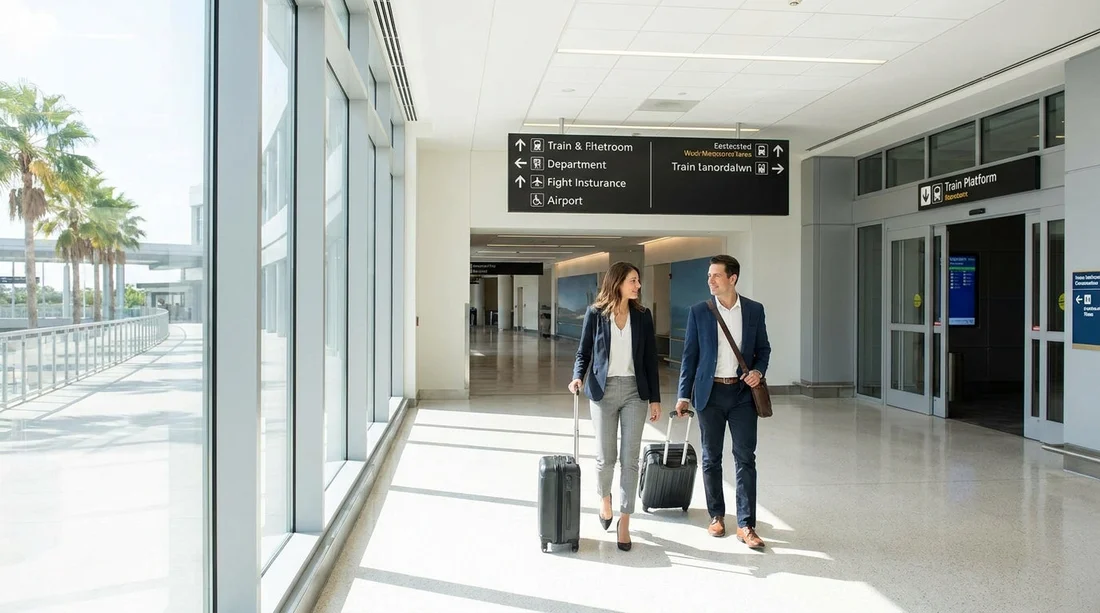
- Exit Brightline arrivals and follow Terminal C Ground Transportation signs.
- Walk about 5 to 10 minutes to Level 4 rental counters.
- Use lifts or escalators, then follow overhead “Rental Cars” signs.
- Finish at the counter, then go to the garage to collect.
Brightline’s Orlando station is directly connected to Orlando International Airport (MCO), within the newer Terminal C complex. That makes getting from the train to car hire pick-up one of the simplest airport transfers in Florida, as long as you follow the right signs and go to the correct level.
Below is the fastest, step-by-step route from Brightline arrivals to the airport rental car area, including what to look for on the way, typical walking times, and a few practical tips to avoid common wrong turns.
Step-by-step: Brightline arrivals to the rental car counters
Step 1, disembark and follow the main exit flow. When you step off the train, move with the passenger flow towards the station concourse and arrivals exit. You do not need any shuttle for the airport terminal connection. Keep your bags close, as the concourse can be busy around train arrivals.
Step 2, look for “Terminal C” and “Ground Transportation”. The quickest way to the rental car area is to follow the airport wayfinding rather than hunting for a specific brand logo. In most places, the sign you want will read “Ground Transportation” and then “Rental Cars” as you get closer. If you see signs pointing towards “Parking” and “Rideshare”, do not worry, these often share the same general direction initially.
Step 3, head to the terminal level and aim for Level 4. At MCO Terminal C, rental car counters are signposted on the terminal side rather than inside the train platforms area. Use the nearest escalator or lift bank and follow signs for “Rental Cars” or “Car Rental”. In Terminal C, the counters are typically accessed around Level 4, which is also a key wayfinding number to remember if you need to ask staff for help.
Step 4, keep an eye on the overhead signs near the arrivals hall. Once you enter the airport interior walkways, overhead signs become more frequent. Stay on the most direct corridor rather than drifting into the baggage claim crowd. If you accidentally end up at baggage claim, do not panic, you can still reach the rental car area by moving back towards the central atrium and following “Rental Cars”.
Step 5, arrive at the rental car counters and choose the correct queue. The counters are grouped together. Confirm your supplier name on the overhead boards, then join the correct line. If you arranged your car hire via Hola Car Rentals, your voucher will indicate the brand and any instructions, such as whether you are collecting at a counter or using a self-service kiosk.
If you want to review the Orlando Airport car rental set-up before you travel, see Orlando Airport car rental information for an overview of the MCO pick-up process and what to expect at the terminal.
Walking distance and timing, what “fastest” really means
From Brightline arrivals to the rental car counters, most travellers can make the walk in about 5 to 10 minutes at a steady pace. Add time if you have large suitcases, are travelling with children, or arrive during a busy wave of flights and train passengers.
Once you reach the counters, the waiting time varies by time of day. Midday and early evening can be busier. If you already have your driver’s licence and payment card ready, you can usually complete the counter part more quickly. After that, you still need to walk to the garage area to locate the correct aisle or bay for your car hire, which can add another 5 to 10 minutes depending on the supplier’s layout and how easy it is to find the vehicle.
For a general guide to car hire pick-up at MCO, including typical steps after the counter, refer to car rental at Orlando MCO.
Signage to follow, and common wrong turns to avoid
Best signs to follow: “Terminal C”, “Ground Transportation”, and then “Rental Cars”. Some signs may say “Car Rental” instead of “Rental Cars”, but they point to the same place. When in doubt, prioritise “Rental Cars” over “Rideshare” or “Taxis”.
Wrong turn 1, ending up outside at the kerb. If you exit the building to the ground transport kerb, you may add extra walking and have to re-enter to reach the counters. Stay inside and follow overhead signs until you are at the rental car desks.
Wrong turn 2, following “Hotel Shuttles” or “Buses”. These signs lead to pickup areas that are useful for some travellers, but they are not the fastest route to the rental car counters. If you find yourself near bus bays, look for “Rental Cars” and head back towards the main terminal interior.
Wrong turn 3, heading towards another terminal. Orlando International is a multi-terminal airport. Brightline is connected to Terminal C, and the simplest rental car route is within that complex. Avoid heading towards inter-terminal connections unless you have a specific instruction from your supplier.
After the counter, getting to your car in the garage
After your paperwork is complete, you will be directed to the rental car garage area and given either a bay number, a section letter, or an aisle location. Some companies give you keys at the counter, others send you to a desk in the garage, and some use digital check-out depending on the day and staffing.
Follow the “Rental Car Pick-Up” or garage signage. Keep the agreement handy. If you are unsure where to go, ask the staff member at the counter to point you to the correct garage level and the shortest lift or escalator route.
Do a quick walkaround before leaving the bay. Check for obvious marks, windscreen chips, and wheel scuffs. If you see anything, report it immediately at the garage booth or to an attendant so it can be noted. This only takes a minute and can prevent disputes later.
If your Orlando trip needs extra luggage space or you plan on theme parks plus shopping, you may prefer a larger vehicle. See SUV rental at Orlando MCO for options that suit families and groups.
Fast tips for a smooth car hire pick-up at MCO
Keep essentials accessible. Have your driving licence, payment card, and confirmation details somewhere you can reach quickly. This matters more than shaving off a minute on the walk from Brightline.
Know your fuel plan and toll approach. Florida driving often involves toll roads. Ask at the counter how tolls are handled and whether you should pay per toll, take a toll package, or use your own method. Understanding this at pick-up helps you leave the garage without last-minute confusion.
Confirm the return location now, not later. MCO has clear “Rental Car Return” signs on approach roads, but it still helps to confirm which terminal and entrance you need, especially if you are returning very early or during peak traffic periods.
Allow time for the first exit. The garage exit can back up in busy periods. Even if the walk from the station is fast, the final step of joining the airport road network can add a few minutes.
If you are arriving late, what changes?
Brightline arrivals can coincide with late flights, and some rental desks reduce staffing later in the evening. The walking route remains the same, but the main difference is counter availability and how long it takes to get served.
If your train arrives late, it helps to choose a car hire provider with clear out-of-hours procedures or extended desk hours. If you are comparing suppliers, you can review brand-specific pages like Hertz car hire at Orlando MCO to understand what the pick-up experience is typically like at the airport.
FAQ
How long does it take to walk from Brightline to the rental cars at Orlando Airport? Most people take about 5 to 10 minutes to reach the rental car counters, then additional time for the queue and garage walk.
Do I need a shuttle from the Brightline station to the car hire pick-up area? No. Brightline connects into Orlando Airport’s Terminal C complex, so you can follow indoor signs to “Rental Cars”.
What signs should I follow from Brightline to reach the rental car counters fastest? Follow “Terminal C” and “Ground Transportation” first, then look specifically for “Rental Cars” or “Car Rental” overhead signs.
Where do I pick up the vehicle after the counter? After the desk or kiosk, you will go to the rental car garage area and find the bay or aisle assigned to your supplier.

























































































