


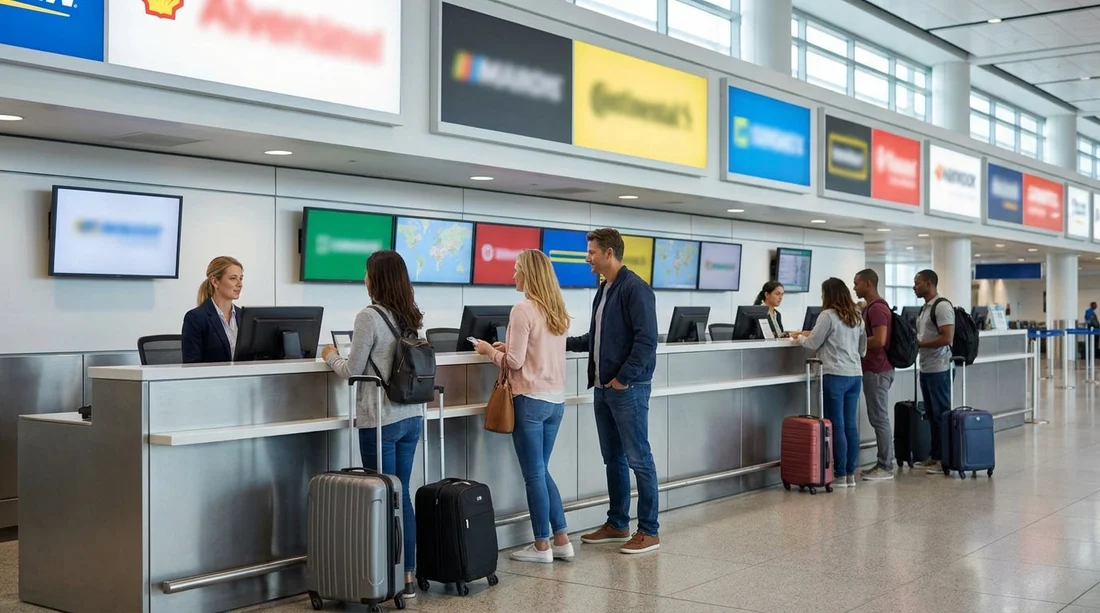
Quick Summary:
- Match your voucher brand and location code to the overhead counter signs.
- Check whether the queue is for vouchers, members, or walk-up rentals.
- Confirm partner brand names when multiple companies share one counter.
- Ask staff to verify vehicle class, pricing, deposit, and payment rules.
At JFK in New York, car hire counters can be confusing because several brands may be staffed from one shared desk. That does not mean your booking has disappeared, it usually means the operator is processing multiple brands from the same set of terminals. The key is to use your voucher as a matching tool, then confirm a few details with staff before you commit to a long queue.
This checklist is designed for travellers arriving at JFK who want to identify the right desk quickly, avoid lining up at the wrong brand, and reduce the chance of surprises at the counter.
1) Start with the voucher, not the logo
Many people look for a big brand sign first, but at shared desks the most important information is on your voucher. Open the confirmation email or PDF and locate these fields before you enter the rental area.
Supplier (rental company), which is the brand processing the agreement at the counter. Sometimes this differs from the broker name you booked through.
Pick-up location, which may include “JFK Airport”, a terminal reference, or a location code. If the voucher lists a specific terminal or “Federal Circle”, treat that as a routing clue even if the desk is shared.
Voucher or reservation number, and if shown, a secondary reference for the supplier. Shared desks often ask for the supplier reference first.
Included items, such as mileage policy, fuel policy, and whether a collision damage waiver or theft protection is included or only offered. These can affect which line you should join, for example, pre-paid voucher versus pay-at-counter.
If you are comparing options for the wider region, Hola Car Rentals has airport-focused pages that help you understand how desks and pickup points can vary by airport layout, such as car hire at Newark Airport and car rental at New Jersey EWR. Even if you are landing at JFK, the same voucher-first approach works across the New York area.
2) Decode shared-desk signage at JFK
Shared desks typically display more than one brand name in one place. Look for overhead boards that list several companies in smaller text, plus digital screens that rotate between brands.
Step A: Find the “operated by” clue. Some desks show “Brand X, Brand Y, Brand Z”, but the staff uniforms and the check-in software may match just one operator. Your voucher might say “served by” or “operated by”, which is the wording that matters when desks are shared.
Step B: Match the location wording. If the voucher says “airport counter”, look for signs that indicate on-airport service rather than off-airport shuttle desks. If it mentions an external address, do not join an airport counter line without confirming.
Step C: Check for separate lanes at the same desk. A single counter may have multiple queues split by service type, not by brand. That can cause people to join the wrong line even while standing at the correct desk.
If your voucher relates to a particular brand for the New York area, it can help to understand how that brand’s airport pages are usually structured. For example, the Hola Car Rentals page for Payless car hire at New York JFK reflects how supplier naming can appear in confirmations and desk instructions.
3) Choose the correct queue before you wait
At shared desks, the biggest time-waster is waiting in the wrong queue. Before you commit, scan for any signs that split the line. Common queue types include pre-paid voucher customers, loyalty members, walk-up reservations, and separate vehicle collection desks.
Practical tip: if the queue signage is unclear, ask the person managing the line a single question, “Is this queue for pre-booked vouchers for [supplier name]?” That is faster than starting a full conversation at the front of the line.
4) What to ask staff, quickly and in the right order
When desks are shared, the staff member might not immediately recognise the broker name on your email. Lead with the supplier and reservation number. Then ask these questions in order, keeping them specific so the answer is unambiguous.
1) “Can you confirm this reservation is in your system under this supplier name?” If they cannot find it, ask whether the booking is under a partner brand at the same counter.
2) “Is this pick-up location correct for JFK today?” This confirms you are not meant to take a shuttle to a different office.
3) “What payment method and deposit will be required at the counter?” Deposits can vary by vehicle class and driver profile. If you only have a debit card, confirm acceptance and the deposit amount before you proceed.
4) “Which items are included versus optional?” Ask them to read what is included on the voucher in their system and to list optional items separately, for example additional cover, roadside assistance, fuel options, toll products, or upgrades.
5) “If the reserved vehicle class is unavailable, what is the replacement policy?” This is useful at busy times when a similar class may be offered. Clarify whether the replacement is at the same rate.
If you want to compare how policies are often presented on airport landing pages, it can be useful to see a brand-specific example such as Alamo car rental in New Jersey EWR, as supplier pages commonly highlight what to confirm at the counter.
5) Use a “three-point match” to avoid desk confusion
Before joining any line, match three points between your voucher and what you see on site: brand match, location match, and process match. If even one does not match, ask a staff member or queue marshal to direct you before waiting.
6) Small prep steps that save time at shared desks
Shared desks tend to process quickly when paperwork is ready, and slowly when details are missing. These steps help avoid delays: have your driving licence and passport ready, bring the card you will use for the deposit, know your arrival time and grace period, and screenshot the voucher details in case mobile signal is weak.
If your trip also includes driving beyond New York, you might find it helpful to compare airport processes at nearby hubs, such as car rental at Newark EWR, where shared counters and split queues can present similar timing issues.
7) When something looks wrong, what to do next
If you cannot find your supplier name anywhere, or staff say they do not service that brand, do not guess. Check the voucher for an alternate supplier name or “served by” line, ask whether the booking is handled at a different terminal area or at Federal Circle, and provide both the broker reference and supplier reference if you have them.
In nearly all cases, desk confusion is solved by aligning the voucher supplier name to the operator at the shared counter, then joining the correct queue type.
FAQ
Q: Why do multiple car hire brands share one counter at JFK in New York?
A: Airports consolidate space, and companies sometimes use one operator to process several brands. You may still collect a vehicle under your booked brand, but paperwork is handled at the shared desk.
Q: My voucher shows a broker name, not the rental company. What should I say at the desk?
A: Lead with the supplier or “served by” name on the voucher and your reservation number. Staff can usually search by supplier reference faster than by broker branding.
Q: How can I tell if I’m in the right queue when the desk is shared?
A: Look for signs separating pre-booked vouchers, members, and walk-up customers. If unclear, ask a queue marshal whether the line is for pre-booked vouchers for your supplier.
Q: What are the most important questions to ask before waiting in line?
A: Ask whether your reservation is in their system, confirm the correct JFK pickup location, and verify deposit amount and accepted payment method for the main driver.
Q: What if the desk cannot find my booking?
A: Ask them to check partner brand names shown on the voucher, confirm the pickup point is JFK counter service, and provide both voucher and supplier reference numbers if available.

























































































