


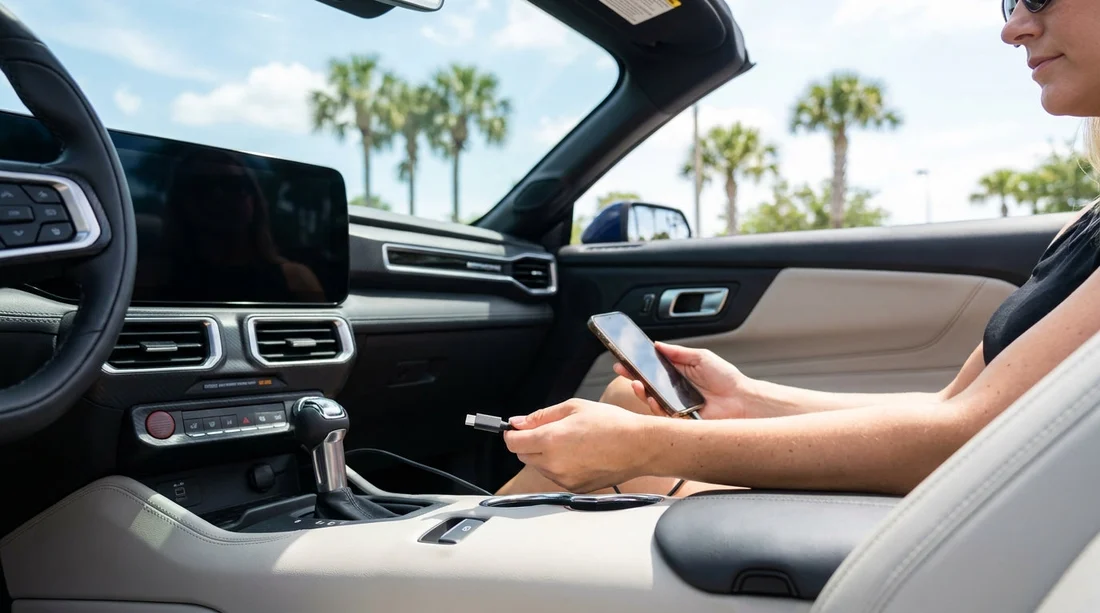
Quick Summary:
- Check booking notes and request a vehicle with front USB‑C ports.
- At the counter, confirm port types, locations, and whether they charge properly.
- In the bay, inspect the dash and console, then test charging.
- Pack USB‑A and USB‑C cables plus adapters, as ports vary.
USB‑C has quickly become the default for newer phones, tablets, power banks and some sat nav units. The problem with car hire is that charging ports are not always consistent, even within the same vehicle category. In Orlando, where you may spend hours driving between the airport, International Drive, theme parks and outlets, confirming USB‑C before you leave the car hire location can save a lot of hassle.
This guide focuses on practical steps you can take before pick-up, what to ask at the counter, what to check in the bay, and the small kit of cables and adapters worth packing if USB‑C cannot be guaranteed.
Why USB‑C is not guaranteed with car hire
Even brand new models can vary by trim level and fleet configuration. One car may have USB‑C in the front and USB‑A in the rear, another may have only USB‑A plus a 12V socket, and a third may have USB‑C ports that are data-only or too low power for fast charging. Some vehicles route USB ports through the infotainment system, so charging speed can depend on the car’s system settings.
Another reason is swaps. If your reserved model is unavailable, you may be offered a similar vehicle in the same group. Similar on paper does not mean identical USB ports. That is why you should confirm at two points, at the counter and again in the bay.
If you are arranging an Orlando airport pick-up, it helps to know the location flow in advance so you have time to check the vehicle before exiting. See pick-up guidance and general details on Orlando MCO airport car hire.
Before you arrive, add USB‑C requirements to your booking notes
Start early. When you compare car hire options, look for any feature lists that mention “USB”, “USB‑C”, “Bluetooth”, “Apple CarPlay” or “Android Auto”. Port type is often not shown, but adding a clear note increases your chances of being allocated a newer vehicle.
Use simple, unambiguous wording, for example: “Need at least one USB‑C charging port in the front, if available.” If you also need CarPlay or Android Auto, specify that too. While this still cannot guarantee a specific port, it gives the counter staff something concrete to search for in their fleet.
If you are collecting at MCO and want a general overview of typical Orlando pick-up processes, the information on car rental at Orlando MCO is a useful reference point.
What to ask at the counter, and the exact phrasing
At the counter, be polite but precise. The goal is to avoid vague answers like “It has USB” which could mean USB‑A only. Ask questions that force clarity.
Ask which port types are present. “Does the assigned vehicle have USB‑C ports, not just USB‑A?” If they do not know, ask if they can check the specific make and model on their system, or if a lot attendant can confirm before you walk over.
Ask where the ports are. “Are the USB‑C ports in the front console, dashboard, or rear?” Front ports matter most for drivers using a phone mount.
Ask whether the ports charge reliably. “Are the USB‑C ports charging ports, or data-only?” This is especially relevant if the port is next to the infotainment screen.
Ask about power output. If you carry a tablet, ask: “Do you know if the USB‑C provides enough power for an iPad?” Many cars provide modest output, so a 12V charger can be more dependable.
Ask about the exact vehicle if possible. “Which make and model am I being allocated today?” A quick search on your phone can confirm typical port layouts, but do this while you are still at the counter, not after you have left.
If you are travelling as a family and need charging in multiple rows, it may be worth looking at people carrier options where rear ports are more common. A reference page for larger groups is van hire around Disney and Orlando MCO.
What to check in the bay, before you drive out
Once you reach the vehicle, do a quick, systematic check before loading everything and leaving. You are looking for port type, port count, and whether charging actually works.
Step 1, find every port. Check the centre console, below the infotainment screen, inside the armrest cubby, and the rear of the console for passengers. Some cars also have ports in the glovebox.
Step 2, identify USB‑C versus USB‑A. USB‑C is the smaller, oval, reversible connector. USB‑A is the larger rectangular port. If you see a mixture, you are fine as long as you have the right cables.
Step 3, check for a 12V socket. Even if the car has USB‑C, a 12V socket gives you a strong back-up option with a plug-in charger. It may be in the console or lower dashboard.
Step 4, test with your own cable. Plug in your phone using a USB‑C cable you trust. Confirm that the battery percentage increases, not just that a charging icon appears. If you use CarPlay or Android Auto, check if the connection is wired or wireless, as some systems require a cable even if wireless is available.
Step 5, test while the engine is on. Some cars only power certain ports when the engine is running. Start the car, re-check charging, and verify the port does not cut out when you shift into gear.
If the car does not meet what you were told at the counter, return to the desk or speak to a lot attendant before you exit. It is much easier to adjust the vehicle assignment while you are still on-site than after you have driven away.
What to pack if USB‑C ports are not guaranteed
Because car hire fleets change frequently, the safest approach is to assume you might encounter any combination of USB‑C, USB‑A and 12V power. Pack a compact kit that covers all three.
1) USB‑C to USB‑C cable. Bring at least one high-quality cable long enough to reach from the port to your phone mount. A 1.5 m cable is often more comfortable than a short one.
2) USB‑A to USB‑C cable. This covers older cars with USB‑A only and is still common. It is also useful if a passenger has to charge from a rear USB‑A port.
3) 12V car charger with USB‑C output. Choose a charger that includes at least one USB‑C port and ideally a second port for another device. This can outperform built-in car ports and keeps you independent of the infotainment system.
4) USB‑C to Lightning cable (if needed). If anyone in your group uses an iPhone that still requires Lightning, bring the correct cable rather than relying on an adapter.
5) A small power bank. Helpful for queues at theme parks and as a buffer if the vehicle’s ports are inconveniently placed.
Also consider a short cable for rear passengers and a longer cable for the front seat, rather than trying to use one cable for all scenarios.
How vehicle category and supplier can affect USB‑C availability
In general, newer model years and higher trim levels are more likely to include USB‑C. Larger vehicles also tend to offer more ports across more rows. However, there are exceptions, and some compact cars have modern USB‑C setups while some larger, older fleet vehicles do not.
Supplier fleets differ too. If you know which supplier you are using, you can tailor your questions. Hola Car Rentals provides supplier landing pages that can help you orient yourself before travel, including Thrifty car hire near Disney and Orlando MCO and Alamo car hire near Disney and Orlando MCO.
FAQ
Can I guarantee USB‑C when I reserve car hire in Orlando? Usually not. Reservations are typically for a category, not an exact trim level. Add a note requesting USB‑C and confirm again at the counter and in the bay.
Is “USB” on the listing the same as USB‑C? No. “USB” can mean USB‑A, USB‑C, or both. Always ask staff to confirm the port type on the assigned vehicle.
What if the car has USB‑C but it charges slowly? Use a 12V charger with USB‑C output for faster, steadier charging. Built-in ports may have lower power or limit output through the infotainment system.
Where are USB‑C ports usually located in rental cars? Common spots include under the infotainment screen, in the centre console, inside the armrest storage, and on the rear of the console for back-seat passengers.
Should I test charging before leaving the car hire facility? Yes. Plug in your own cable, confirm the battery percentage rises, then re-check with the engine running. It is easier to swap vehicles before you drive out.

























































































