


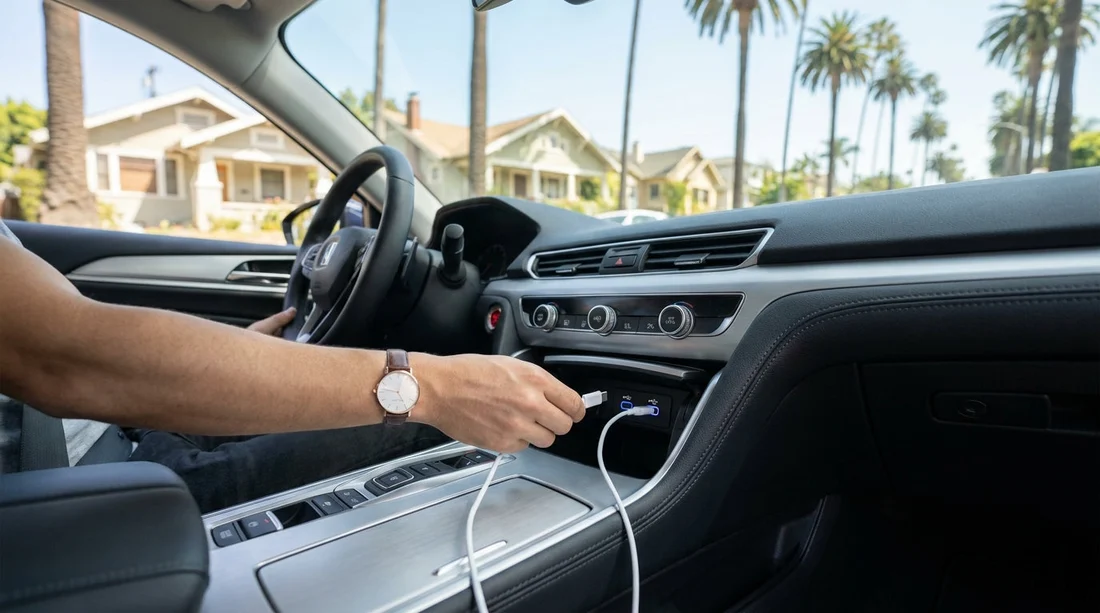
Quick Summary:
- Choose newer vehicle categories, as USB‑C is more common.
- Ask the supplier to confirm front-row USB‑C in writing.
- Check port locations so cables reach your mount comfortably.
- Pack a 12V USB‑C adapter as a reliable backup.
USB‑C is quickly becoming the standard for charging and data, but car hire fleets in Los Angeles can span multiple model years and trims, even within the same vehicle class. That means two “similar” cars can have very different charging options. If you rely on USB‑C for your phone, tablet, camera batteries, or even a laptop, it is worth confirming the details before you arrive at the counter, so you do not waste time troubleshooting when you should be driving.
The key is to treat USB‑C availability like any other feature that varies by vehicle, such as Apple CarPlay, Android Auto, or built-in navigation. You are not trying to identify the exact registration plate, you are trying to reduce uncertainty by choosing the right class, requesting the right notes on the booking, and preparing a simple fallback plan.
Why USB‑C is not guaranteed in Los Angeles car hire
Rental fleets are refreshed on cycles, but older vehicles remain in service, and manufacturers often introduce USB‑C mid-generation. Some trims have only USB‑A, others have a mix of USB‑A and USB‑C, and some have USB‑C ports that are “charge-only” with no data for CarPlay or Android Auto. On top of that, ports can be placed in the centre console, under the climate controls, or only for rear passengers, which matters if your cable run is short.
If you are arriving at LAX, you may be choosing between several suppliers and vehicle categories. Hola Car Rentals pages for LAX can help you compare options while focusing on practical needs like charging and connectivity, for example Los Angeles LAX car rental and car hire at LAX.
Step 1, choose a vehicle class with the best odds of USB‑C
Because exact models are not guaranteed, your best leverage is the category. In general, newer and more premium categories are more likely to include USB‑C. These are not absolute rules, but they improve your probability.
Also consider your charging method. If you are happy using a 12V socket adapter, USB‑C ports become “nice to have” rather than essential. If you need data over USB‑C for CarPlay or Android Auto, you must confirm both the connector type and whether it supports data.
Step 2, ask the right question, and ask it the right way
A vague question like “Does it have USB‑C?” can be answered incorrectly because staff may think of “USB” in general. Use a specific, checkable phrasing that separates charging and data.
Questions that get clearer answers: “Can you confirm the car will have at least one USB‑C port for charging in the front row?” “Is the USB‑C port charge-only, or does it support Apple CarPlay or Android Auto?” “How many USB‑C ports are there, and where are they located?”
Request written confirmation: If possible, ask for a note on the booking or an email confirmation that states “USB‑C charging port in front row” or similar. Even if the final vehicle varies, a note helps the desk team understand what you need and check options quickly.
If you know which supplier you are using, you can also narrow questions around typical fleet patterns. For instance, if you are comparing providers at LAX, supplier pages like Alamo at LAX or National at LAX make it easier to keep your notes organised and ensure you ask consistently.
Step 3, confirm whether you need USB‑C for power, data, or both
Many travellers say “USB‑C” when they really mean “a way to charge my USB‑C phone.” That can be solved in several ways. Before your Los Angeles trip, decide which of these scenarios applies.
Power only: Any of the following works, built-in USB‑C, built-in USB‑A with a USB‑A to USB‑C cable, or a 12V USB‑C adapter. If your phone supports fast charging, look for a 12V adapter with USB‑C Power Delivery (PD) so it keeps up with navigation, music, and hotspot use.
Data for CarPlay or Android Auto: You need the correct physical port and data support. Some cars require a specific port for data, while others support wireless CarPlay/Android Auto and use USB only for charging. If wireless is available, USB‑C becomes less critical for connectivity, though still useful for charging.
Step 4, understand where USB‑C ports are usually located
Even when USB‑C exists, placement can make it feel unusable. In Los Angeles driving, you will likely run navigation while your phone is mounted. If the port is inside a closed centre console, a cable may kink or the lid may not close. Ask about location and plan accordingly.
Front dash area: Best for short cables and easy access. Often paired with the primary data port.
Inside the centre console: Common in newer vehicles. Works well if you do not mind storing the phone inside, but less convenient for a dash mount.
Rear of the centre console: Great for back-seat charging, but not ideal for the driver unless you bring a longer cable.
Step 5, bring a simple backup kit that solves most cases
Even with careful planning, you might get a different model due to fleet availability, late returns, or upgrades. A small backup kit prevents the issue becoming a trip-stopper.
12V USB‑C PD car charger: This is the most reliable way to ensure fast charging regardless of built-in ports. Choose a reputable model with at least one USB‑C PD port and, if needed, a second port for another device.
Two cables: A USB‑C to USB‑C cable for PD charging, plus a USB‑A to USB‑C cable in case the vehicle only has USB‑A.
Step 6, do a quick verification at the vehicle before leaving
When you reach the car, take 60 seconds before pulling out of the bay.
Locate the ports, count USB‑C and USB‑A, and check front-seat access. Plug in your cable and confirm charging starts. If you need CarPlay or Android Auto, confirm it connects, either wired or wirelessly. If charging is slow, try a different port or use your 12V adapter. This quick check is especially helpful at busy locations like LAX, where returning to swap vehicles later is inconvenient.
What to do if the car does not have USB‑C
If you expected USB‑C and do not see it, you still have options that keep your Los Angeles plans on track.
Use the 12V socket: Most cars have at least one 12V outlet, sometimes in the centre console or lower dash. A USB‑C PD adapter can outperform built-in ports.
Ask about a swap: If USB‑C is essential for your work device or accessibility needs, ask whether another vehicle in the same class has USB‑C. Keep the request specific, “front-row USB‑C charging,” to reduce misunderstandings.
Adapt your connectivity plan: If CarPlay requires USB‑A in that model, switch to a USB‑A to USB‑C cable for data, or use Bluetooth for audio and phone mounting for navigation.
FAQ
Q: Can I guarantee USB‑C ports when booking car hire in Los Angeles?
A: A guarantee is difficult because fleets vary by model year and trim, even within one class. You can improve certainty by choosing newer categories, requesting written notes, and bringing a 12V USB‑C adapter.
Q: Is USB‑C the same as having Apple CarPlay or Android Auto?
A: No. USB‑C is a connector type, while CarPlay and Android Auto require data support and compatible infotainment. Some USB‑C ports are charge-only, and some cars offer wireless CarPlay or Android Auto without needing USB.
Q: If a car has USB‑A only, can I still charge a USB‑C phone?
A: Yes, with a USB‑A to USB‑C cable. Charging may be slower than USB‑C PD, so consider a 12V USB‑C PD adapter if you rely on fast charging.
Q: Where should I look first for USB‑C ports in the rental car?
A: Check the area under the infotainment screen, the front storage tray, and inside the centre console. Then check the rear of the centre console for passenger ports, and confirm which port supports data if you need it.

























































































