


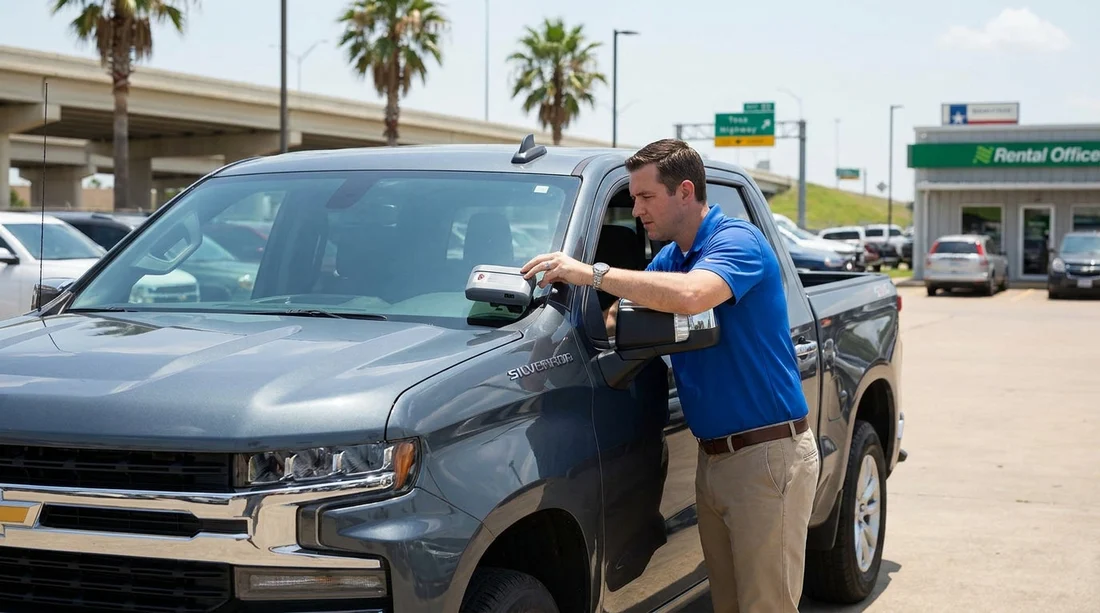
Quick Summary:
- Confirm the toll tag is assigned to your rental agreement before leaving.
- Photograph the toll tag number and windscreen area before driving away.
- Verify your toll billing option is shown clearly on the agreement.
- Check for old transponder stickers, mounts, or prior customer labels.
Texas toll roads can save time around major cities, but they also create a common worry with car hire: being billed for someone else’s tolls. The good news is you can reduce that risk with a short, repeatable check at the counter and in the vehicle. Your goal is simple, confirm the toll device in the car is linked to your rental agreement for the correct dates, and confirm you understand the billing method that will be used.
Know what you are checking: tag, account link, and billing option
In Texas, rental fleets commonly use an electronic toll tag or transponder system that is managed by the rental company or its toll service provider. Sometimes tolls post automatically when the tag is read. Other times, the toll road bills by licence plate, and the rental company later passes the charge to you with administrative or service fees depending on the programme.
To avoid past charges, you are checking three things:
1) The device in the car, the physical toll tag, sticker, or transponder, and its identifier.
2) The account association, whether that identifier is active and linked to your rental contract, not a previous one.
3) The billing option on your agreement, for example, opting into a toll programme, pay per day, pay per use, or declining and accepting plate-bill handling rules.
If you are picking up at a busy airport location, such as those served by car hire in Texas at IAH or Dallas DFW rentals, build an extra five minutes into your pick-up time for these checks.
Counter checklist: what to ask and what to have printed
Start at the desk or kiosk, because the counter is where the system link is created. Use clear, specific phrasing that forces a verifiable answer.
1) Ask for the toll programme name and your selected option
Say: “Which toll programme is on this agreement, and how will tolls be billed?” Then look at the paperwork or the digital agreement screen. You want to see the selection in writing, not a verbal summary. If you intended to avoid toll roads entirely, ensure the agreement does not show an opted-in daily toll product by default.
2) Ask the agent to confirm transponder assignment to your contract
Say: “Can you confirm the car’s toll tag number is assigned to my rental agreement for today’s start time?” Some agents can see a transponder ID in their system, others can only confirm the toll product is active. Either way, you are signalling that you expect the assignment to match your rental dates.
If you are collecting from Austin AUS or San Antonio SAT, ask the same question even if the agent seems rushed. It is faster to resolve at the desk than after tolls post.
3) Confirm the vehicle details on the agreement match the car you take
Past-charge problems can happen when a vehicle is swapped but the toll device assignment is not updated. Check the licence plate (or last characters if that is what is printed), VIN, and unit number if shown. If you later change cars due to a warning light or damage, repeat the toll check for the replacement vehicle and request an updated agreement.
In-car checklist: what to inspect before you exit the car park
Once at the vehicle, do a focused inspection of the toll hardware and any signs of prior customer setup. This takes two minutes if you know where to look.
1) Locate the toll tag or transponder and record its identifier
Common placements include the top centre of the windscreen near the rear-view mirror, the lower windscreen, or a small box mounted on the glass. Some fleets use a sticker tag. Photograph the device in place, and if a serial number is visible, photograph that too. If the number is tiny, use your phone’s zoom and stabilise your hands.
If you cannot find any device but the agreement indicates a toll programme, ask the lot attendant or return to the counter for clarification. If you do find a device but your agreement indicates you declined toll service, clarify what “decline” means for plate billing and whether the device should be present or disabled.
2) Check for old stickers, secondary tags, or tampering signs
Look for remnants of previous adhesive mounts, old RFID stickers, or another tag hidden behind the mirror area. Multiple devices can confuse toll readers or create disputes later. Also check for a device that appears loose, partly detached, covered by a sunshade strip, or obstructed by aftermarket tint. If it looks suspect, ask for another car, because a misread can lead to delays and messy billing.
What to do if something does not add up
If you spot any mismatch, handle it immediately, before you pass the exit gate.
If the toll option is wrong on the agreement: return to the counter and ask for a corrected agreement. Do not rely on “we will fix it later”.
If the vehicle was swapped: request an updated agreement that shows the new car, and ask them to confirm the toll device is reassigned to the updated contract.
If there are multiple tags or old labels: ask for another vehicle. Avoid removing tags yourself, because that can create liability for damaged equipment or later disputes.
If you cannot locate a tag but you expect one: get staff to show you where it is, or note the absence in writing on your agreement if possible.
If you are unsure whether to opt in: base the decision on your route. In Texas, a small number of toll segments can be convenient, but a daily toll product may cost more than occasional plate-billed tolls, depending on the provider’s fees. The key is to choose consciously and have it written down.
How this checklist protects you in a dispute
No checklist can guarantee that a toll road or a back-office system will never misallocate a charge, but you can dramatically improve your position. You will have: the toll device identifier you were issued, the agreement showing your selected billing option, photos tying the device to the car and time, and proof of the vehicle details you accepted. That combination makes it easier for customer support to trace the correct account association and remove charges that belong to a prior renter.
These checks are useful across the state, including pick-ups like El Paso airport car rental, because toll and plate-billing processes can still be applied through fleet systems even when you mostly drive locally.
FAQ
How do I know whether the toll tag is actually “reset” for my car hire? You usually cannot perform the reset yourself. Instead, confirm the toll option on your agreement and ask staff to confirm the transponder is assigned to your contract dates, then photograph the tag ID.
What should I do if I find two toll tags or old toll stickers on the windscreen? Do not remove anything. Ask for a different vehicle or have staff document which device is active, because multiple tags can cause misreads and billing confusion.
If I decline the toll programme, can I still be charged for toll roads in Texas? Yes. Many roads can bill by licence plate, and the rental company may pass through tolls plus handling fees. Declining usually means you are not using their discounted tag programme.
Does taking photos at pick-up really help if charges appear later? Yes. Photos that show the tag, vehicle, and time create a clear record of what you were issued, which helps support teams trace account assignment and correct errors.
What if I swap cars during the rental due to a mechanical issue? Ask for an updated agreement reflecting the new vehicle, and repeat the toll tag check and photos. Vehicle swaps are a common moment when toll assignment mistakes can happen.

























































































