


Quick Summary:
- A digital voucher usually works, provided details match your driving licence.
- Bring the payment card used, plus a second ID as backup.
- Save your voucher offline, screenshots help when signal is poor.
- Carry your confirmation email and rental terms to resolve counter queries.
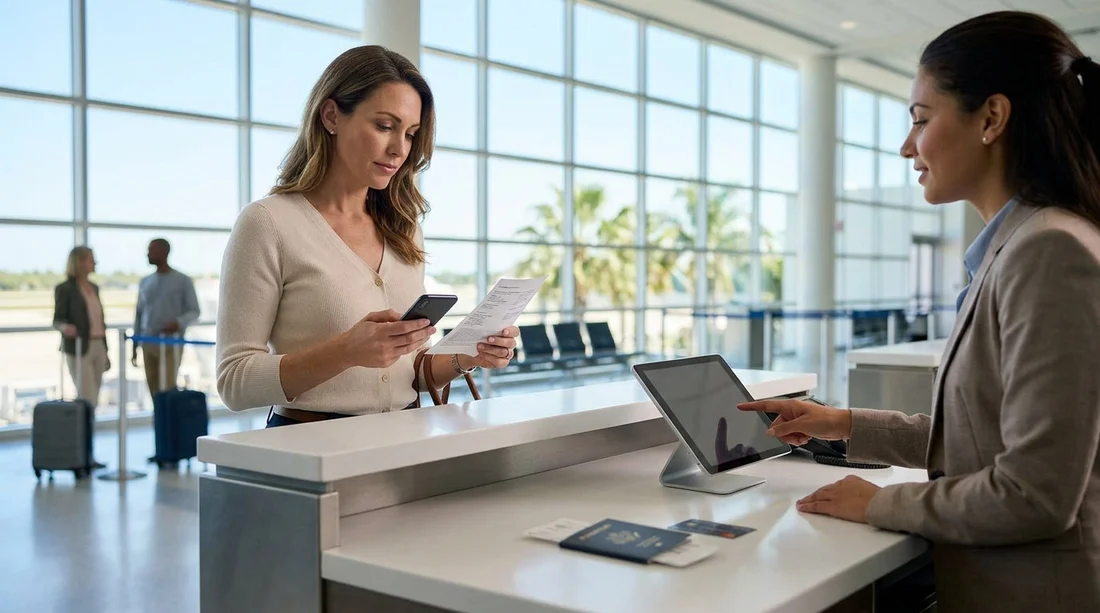
When you land in Florida and head to the rental counter, you may wonder whether you must present a printed voucher, or if showing it on your phone is enough. In most cases, a digital voucher is accepted for car hire, but the practical reality at pick-up is that staff need to verify key details quickly. Having the right backup proof can prevent delays, especially after a long flight or during peak arrival times.
This guide explains what a voucher is, when a printed copy can help, what other documents matter more than paper, and how to prepare for smooth collection in Florida.
What is a voucher, and why do rental desks ask for it?
A voucher is proof that you have arranged your car hire and it summarises the main booking details. It typically includes the lead driver name, pick-up location, dates and times, vehicle category, and any inclusions such as insurance options or additional drivers. At the counter, staff use it to find your reservation, confirm it matches your identification, and ensure the rate and inclusions align with the system.
Many Florida locations can pull up your booking using your name, reservation number, or email address. Even so, a voucher remains helpful because it gives you a clear reference if there is any mismatch in times, location, or inclusions.
Is a digital voucher sufficient for car hire in Florida?
Yes, a digital voucher is usually sufficient for car hire in Florida. Most airport and city rental counters routinely accept vouchers shown on a smartphone screen, whether as a PDF, email, or in an app. They are mainly looking for the reservation number and the driver details, rather than the document format.
However, there are a few situations where relying only on a live email can slow you down. Airport Wi-Fi can be patchy, mobile data may be limited, and phones can run out of battery. Also, if the counter has a query, it is quicker to show a clearly readable PDF or screenshot than to search through inbox folders.
If you are collecting near Orlando International Airport, you can reduce the chance of confusion by checking your voucher shows the exact pick-up point, for example at car hire airport Disney Orlando MCO. Similar location clarity helps in Miami too, such as car hire Miami MIA, where multiple desks and terminals can make it easy to mix up providers or collection points.
When a printed voucher can still help
Printed vouchers are rarely mandatory, but they can still be useful in specific circumstances:
If your name contains special characters or multiple surnames. A printed copy can make it easier to show the exact spelling and order of names, which should match your driving licence and passport.
If you expect you might need to amend details at the counter. If there is a query about inclusions, fuel policy, or the booked vehicle category, it is easier for both you and staff to review a paper copy quickly.
If you have accessibility needs or prefer paper for peace of mind. Paper is a dependable backup when travelling, especially on long itineraries.
That said, a printed voucher will not fix the most common causes of delays. In Florida, the main issues tend to be payment card acceptance, driver licence requirements, deposit holds, and credit card name matching.
What matters more than a printed voucher at pick-up
To collect your car hire smoothly in Florida, focus on the items below. These are the documents and checks that typically determine whether the rental can be released.
1) Driving licence
Bring your full, valid driving licence for every driver listed. Ensure it is in date and not damaged. If your licence does not use Roman characters, consider carrying an International Driving Permit as supportive documentation, even if not always required, because it can speed up verification.
2) Passport or second photo ID
Many desks will ask for a passport, particularly for international visitors. A second form of ID can help if a system requires additional verification.
3) The payment card used for the booking
Bring the card that matches the lead driver name and is intended for the security deposit. In Florida, deposits are commonly pre-authorised on a credit card. If you plan to use a different card at the counter, confirm it will be accepted and that the cardholder is present.
4) Reservation number and booking confirmation
Your digital voucher or confirmation email is usually enough here. The fastest approach is to have the reservation number ready so the desk can find your record immediately.
5) Rental terms you can reference
If there is a dispute about inclusions, the written rental terms on your confirmation can help resolve it quickly. This is especially useful in busy hubs such as car rental Orlando MCO or downtown Miami locations like budget car rental downtown Miami DWN, where lines can move faster when you can show clear documentation.
The best way to carry a digital voucher, without relying on signal
A digital voucher works best when you treat it as an offline document. Before travelling, download the PDF to your phone, and also take two screenshots, one showing the reservation number and driver name, and another showing the pick-up location and times. If your email client supports offline access, mark the confirmation message for offline viewing.
Also consider emailing a copy to a travelling companion, or saving it to a secure cloud drive that you can access on another device if your phone is lost. If you do print one page, the most useful section is the booking reference and the pick-up instructions.
Common pick-up delays in Florida, and how a voucher helps
Name mismatch: If the booking is not in the lead driver’s exact name, staff may need to rework the reservation. Your voucher helps you spot the mismatch early.
Wrong location: Florida has multiple similarly named locations, especially around airports and downtown areas. Your voucher should show the precise branch code or address.
Arrival time shift: If your flight is delayed and you arrive outside office hours, it can become a “no show” risk depending on terms. Keeping your confirmation to hand makes it easier to discuss options quickly.
Inclusions confusion: Customers sometimes expect certain cover or extras that are not included. Your voucher is the quickest reference point for what was arranged.
Florida-specific pick-up tips for a smoother counter experience
Allow extra time at major airports. Orlando and Miami can be very busy, and queue times can spike when multiple flights arrive together.
Check toll needs. Florida’s toll roads are common. If you plan to drive in Miami, Orlando, or down to the Keys, ask at the counter about toll payment options so you are not surprised later.
Know your vehicle category. Your voucher usually lists a category, not a guaranteed model. If you need extra luggage space, verify the category suits your plans.
Keep your phone charged. Bring a cable and a portable charger so you can show documents even after a long flight.
Should you print the voucher anyway?
If printing is easy for you, a one-page printout is a low-effort backup. But for most travellers, a properly saved digital voucher plus strong supporting documents is the more important preparation. Think of the voucher as the fast reference, and your licence and payment card as the true “keys” to collecting your car hire.
The most reliable approach is: carry the voucher digitally, store it offline, and bring confirmation details and identification that match the booking. That combination covers nearly all scenarios at Florida pick-up desks.
FAQ
Do I need to print my voucher to collect car hire in Florida? Usually no. Most rental desks accept a digital voucher on your phone, but having an offline copy or screenshot can prevent delays if reception is poor.
What if my phone battery dies before I reach the counter? You can normally provide your reservation number and identification, but it is safer to carry screenshots or a printed page. A portable charger also helps during long arrival queues.
Is the voucher the same as the rental agreement? No. The voucher is booking confirmation, while the rental agreement is the contract you sign at the counter. Bring your voucher to confirm inclusions, then review the agreement before signing.
What documents should I bring besides the voucher? Bring your driving licence, passport or second photo ID, and the payment card intended for the deposit. Ensure the lead driver name matches across documents.
Can I collect the car if the voucher name does not match my ID? It can be difficult. Rental firms typically require the lead driver at pick-up and the booking to match their identification. If you spot a mismatch, it is best to resolve it before arrival.

























































































