


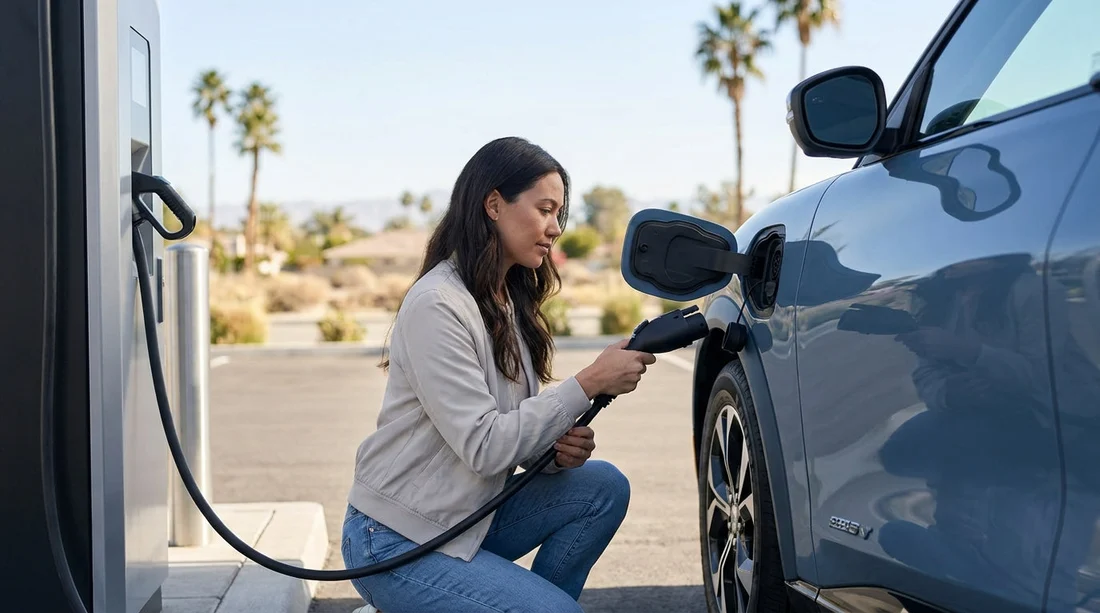
Quick Summary:
- Confirm whether your rental is CCS or NACS/Tesla before pick-up.
- Ask if Supercharger access is enabled, and which sites are supported.
- Check whether an adapter is included, and what type it is.
- Plan routes around fast chargers near airports, hotels, and day trips.
Electric car hire in California is easy once you know one thing, which charging connector your rental car uses. That connector decides where you can plug in, how fast you can charge, and whether you need an adapter for certain networks.
Today, most questions come down to CCS versus NACS (Tesla). CCS (Combined Charging System) is the larger connector historically used by many non Tesla EVs in the US. NACS is Tesla’s slimmer plug, increasingly adopted by other brands, and often paired with access to parts of the Tesla Supercharger network.
Before you collect the keys, take a moment to confirm the connector type and charging access rules for your specific rental. Airport pick-ups can be busy, so having this checked in advance can save time, reduce range anxiety, and help you plan charging stops that fit your trip.
Why connector type matters for California car hire
California has dense public charging coverage, but not every plug fits every car. The connector on the vehicle determines charging options, whether you need an adapter, and how you start and pay for a session.
If your itinerary includes long freeway stretches, coastal drives, or national parks, fast charging access becomes the practical difference between a smooth day and an unnecessary detour.
The two connectors you will see most: CCS vs NACS (Tesla)
CCS (Combo 1) is the common fast-charging inlet on many non Tesla EVs that have been on rental fleets for years. It supports DC fast charging and usually pairs with a J1772 port for slower AC charging.
NACS (Tesla connector) is the plug used by Tesla vehicles and, increasingly, by other manufacturers on new models. In practical terms, NACS can open up the Tesla Supercharger network, but access depends on the vehicle brand, model year, and whether that specific Supercharger site supports non Tesla charging.
Rental fleets in California can include both types, sometimes within the same category listing. That is why it is worth confirming the exact model, not just “electric” or “EV”.
How to tell which connector your rental car has
There are three reliable ways to confirm connector type before pick-up.
1) Check the booking details or vehicle model. If the confirmed model is a Tesla, it will be NACS. If it is a common non Tesla EV, it is often CCS, although this is changing as manufacturers adopt NACS.
2) Ask the desk or fleet team one direct question: “Is this car NACS (Tesla plug) or CCS?” This wording avoids confusion with general terms like “Tesla compatible”.
3) Verify at the car. Open the charge door and visually confirm. This takes seconds and prevents you driving off with an incorrect plan.
If you are picking up near a major hub such as Los Angeles Airport (LAX) or San Francisco Airport (SFO), you will usually have multiple charging options nearby.
Tesla Supercharger access, what “compatible” really means
Many renters assume “Tesla compatible” means any EV can use any Supercharger with an adapter. In reality, Supercharger access can vary by site and by vehicle brand.
If you are renting a Tesla, Supercharger use is generally straightforward, but billing depends on how the rental company manages charging fees. Confirm how fees are handled so there are no surprises.
If you are renting a non Tesla EV with CCS, access to Superchargers may be possible at some locations that have Magic Dock or support CCS connections. Availability is not universal, so do not plan a long drive assuming every Supercharger is usable.
If you are renting a non Tesla EV with NACS, access may be available to selected Supercharger sites, but it can still be limited. Ask at pick-up, “Is Supercharger charging enabled on this vehicle, and how do I start a session?”
Adapters, what to confirm before you leave the lot
Adapters can be the difference between flexibility and frustration. Before you drive away, confirm which adapters are included, where they are stored, and whether they are DC fast-charge capable or AC only.
If you are travelling through Orange County after arriving via Santa Ana (SNA), or heading towards Silicon Valley after San Jose (SJC), adapter clarity matters because charging availability can vary by neighbourhood and time of day.
Charging prep checklist for California EV renters
Use this quick prep list before pick-up and again at the vehicle. Confirm the connector, confirm fast charging access for your route, check how you pay, install key charging apps, and know the return expectations for state of charge.
If your trip includes Sacramento area driving, you might compare vehicle categories and charging practicality alongside options such as SUV hire near Sacramento (SMF), because larger EVs can have different real-world consumption at highway speeds and in heat.
FAQ
How do I know if my electric rental in California will use CCS or NACS?
Confirm the exact model in your booking, then ask the desk directly whether the car is CCS or NACS. At pick-up, open the charge door and visually verify before leaving.
Can I use Tesla Superchargers with a non Tesla rental car?
Sometimes, but not always. Access depends on the vehicle brand, whether Supercharger access is enabled for that model, and whether the specific site supports non Tesla charging.
Will my car hire include an adapter for charging?
It varies by provider and vehicle. Ask whether an adapter is included, where it is stored, and whether it supports DC fast charging or only AC destination charging.
Do I need charging apps for an EV rental in California?
Often yes. Many CCS networks rely on apps or accounts, and having at least one backup app helps if a station is busy or a payment terminal is not working.
What should I do if I arrive at a charger and the plug does not fit?
Do not force the connector. Locate a nearby compatible charger in your navigation app, and confirm whether you have the correct adapter for that network.





























































































