


Quick Summary:
- Confirm your voucher details, pick-up time, and the exact counter location.
- Make the desk search using the lead driver’s exact name format.
- Check flight changes, terminal, and arrival time tied to the booking.
- Contact support for the supplier confirmation number and a fresh email.
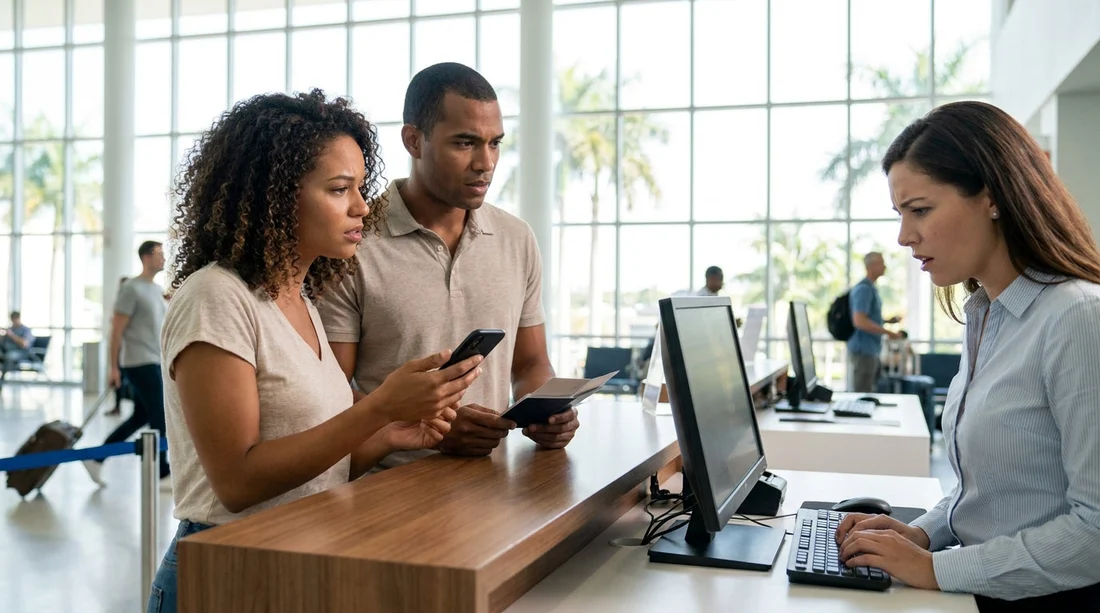
Arriving in Miami and hearing “we can’t find your booking” can be stressful, especially after a long flight. In most cases, the reservation exists but is sitting under a slightly different name format, an amended pick-up time, a different desk location, or a reference number the agent is not searching. The key is to work through a clear checklist, keep your documents ready on your phone, and ask the desk to search using the right fields.
This guide walks you through a step-by-step process to locate your car hire booking quickly at pick-up, reduce the risk of being charged again, and get on the road with minimal delay.
Step 1: Pause and confirm you are at the correct desk
In Miami, the same brand can operate from multiple counters, or the pick-up process may be handled by a partner. Before troubleshooting the booking itself, confirm the desk name on your voucher, and confirm the address or airport location matches where you are standing.
If you are collecting near the airport, the counter may be in a consolidated facility and the brand signage can look similar. If you are collecting in the city, ensure you did not accidentally go to an airport counter. If you need location context for typical Miami-area pick-ups, see Enterprise car rental Miami or nearby alternatives such as car rental Doral.
Step 2: Open your voucher and check the essential fields
Most “missing booking” issues are solved by reading the voucher out loud and asking the agent to search by the same details. On your voucher, locate and verify these items:
Supplier and brand shown on the voucher: The booking may be under a specific supplier even if you booked through a comparison flow. Ask the agent to confirm you are in the correct supplier system.
Reservation reference and voucher number: These are not always the same. Provide both if you have them. If the desk is searching only by surname, ask them to search by reservation reference, voucher number, or confirmation number.
Pick-up date and time: If your flight was delayed and your pick-up time passed, the booking can be marked as a no-show in some systems. Even a one-day date difference will prevent a match.
Pick-up location code: Airport counters often use location codes, while city branches use a different code. A booking at “Miami Airport” may not appear when searching a “Miami Downtown” branch list.
Step 3: Check the name format, spacing, and additional surnames
Name formatting is one of the most common reasons a desk cannot find a booking quickly. Miami desks often search using the driver’s last name, but your reservation might have been stored differently depending on how it was entered.
Match the lead driver’s name: The booking must be under the lead driver, not a passenger. If you used a partner’s card in the booking flow but you are the driver, ensure the driver name is the one on the reservation.
Double surnames and hyphens: If you have two last names, a hyphenated surname, or an apostrophe, ask the agent to try each part separately. Systems can store “De La Cruz” under “Cruz”, or “O’Neil” under “Oneil”.
Middle names: If your middle name appears as part of the surname field, it can block an exact match search. Ask the agent to search by partial surname plus first name initial.
Accents and special characters: If your name includes accents, the stored record may have stripped them. Use the unaccented version when spelling it out.
While you are there, ensure the name on the booking matches your driving licence and passport. Even if you locate the booking, a name mismatch can create a separate issue at the agreement stage.
Step 4: Confirm flight details and any schedule changes
If you are picking up at Miami International Airport, the desk may expect a flight number, or the reservation may be associated with an arrival time. If your flight changed, the desk might be looking at the wrong arrival window, or the booking might have been moved in the system.
Flight number on the booking: If the booking confirmation shows a flight number, verify it matches what you actually flew. If it changed, tell the agent the updated flight number and arrival time.
Terminal and pick-up instructions: Some desks serve multiple terminals. If you arrived at a different terminal, you might have gone to a different counter than the one listed on your voucher.
Late arrivals: If you arrived after hours, the booking may have rolled to the next day or been flagged. Ask whether they can reinstate the reservation, especially if you have proof of your flight delay.
If you need to understand airport versus local branch collection, compare pick-up patterns such as car hire airport Coral Gables versus city locations like car rental Coral Gables.
Step 5: Search using all confirmation sources you have
Do not rely on only one email. At the desk, open your confirmation email and voucher PDF, and check any amendment emails for the latest dates and times.
Ask the agent to search by each reference number you have. If the desk insists the booking does not exist, request they check recent reservations for the date and location using partial name matches.
Step 6: Check for common booking mix-ups
When the booking cannot be found, it is often present but filed under a different assumption. Quickly rule out these scenarios:
Wrong pick-up date due to time zones: If you booked from abroad, your confirmation might display local time differently. Verify the Miami local date and time shown on the voucher.
Different pick-up location selected: In Miami, nearby areas can be close on a map. A reservation made for Doral, Coral Gables, or an airport desk might be confused. Cross-check the address line on your voucher.
Multiple bookings: If you tried to book more than once due to a payment error, one booking may be cancelled and one confirmed. Ensure you are showing the “confirmed” status email.
Step 7: Contact support and ask for a written re-confirmation
If the desk still cannot locate the reservation within a few minutes, shift to a parallel approach: keep one person at the counter while another contacts support using the phone number shown on the voucher. Ask support to confirm the booking is active, provide the supplier’s confirmation number, and email the confirmation to you again.
At the counter, ask the agent to note the time and that you are awaiting confirmation. This can help if pricing changes while you wait.
Step 8: If you must create a new agreement, protect yourself
Sometimes, especially during peak demand, the desk may propose creating a new walk-up rental if they cannot locate the original record quickly. Before you accept, try to avoid paying twice or losing your original rate.
Ask whether the original reservation can be reinstated: If it was marked no-show due to delay, reinstatement may be possible.
Get a written note of “booking not found”: Ask the desk for a brief written statement or a manager note. This can support follow-up if needed.
Confirm inclusions before signing: Ensure the car hire agreement reflects the insurance and extras you expect, and that you understand any security deposit and fuel policy.
FAQ
Why can’t the car hire desk find my booking even with a confirmation email? The desk often needs the supplier confirmation number, and emails can show a different reference. Name format, pick-up location code, or amended times can also hide the record.
What details should I read out first at the counter in Miami? Start with supplier name, voucher number, supplier confirmation number, pick-up date and time, and the exact lead driver surname as on the booking.
If my flight was delayed, will my Miami reservation be cancelled? It can be marked as a no-show if you arrive after the scheduled pick-up time. Ask whether they can reinstate it, and provide proof of delay if requested.
Can I switch pick-up from Miami Airport to a city branch if the booking is missing? Sometimes, but it is treated as a location change and may alter availability or pricing. First try to locate the original reservation at the correct desk and confirm options.
What should I do if the desk wants me to pay again? Ask them to keep searching by confirmation numbers, contact support for re-confirmation, and only consider a new agreement after getting written notes and saving all documents.





























































































