


Quick Summary:
- Mobile boarding passes are usually accepted, but they rarely replace required ID.
- Bring a physical driving licence and passport to avoid counter delays.
- Payment card must match the lead driver, and is usually physical.
- Keep booking confirmation and insurance details ready, using offline screenshots.
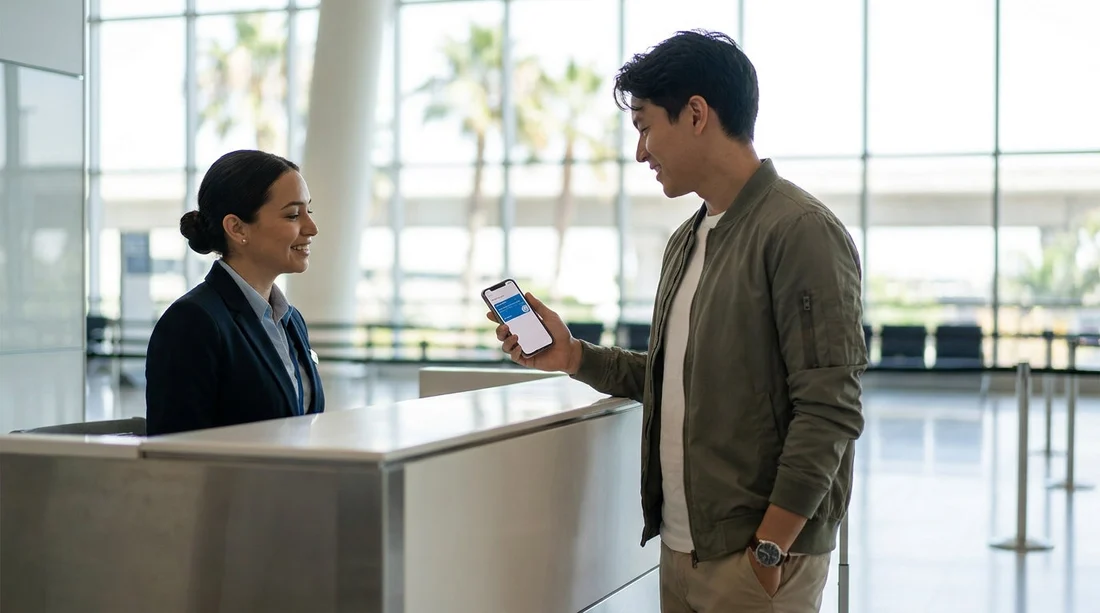
If you are collecting a car hire vehicle at Orlando International Airport (MCO), it is normal to have everything on your phone, from flight details to hotel check-in. A common question at the rental counter is whether a mobile boarding pass is accepted for pick-up. In most cases, staff will accept a mobile boarding pass as supporting information, but it is not the document that actually qualifies you to drive away. The essentials are still your identity, driving entitlement, and payment method.
The easiest way to avoid delays at the counter is to treat your phone as a helpful backup and your physical documents as the main proof. Mobile boarding passes can be useful for matching your name, confirming arrival, or checking flight times if there is a query. However, they do not replace the checks that car hire staff must complete before releasing a vehicle.
If you are comparing providers and procedures at MCO, it helps to read the pick-up basics for car rental at Orlando Airport (MCO) and keep the required items together in one wallet or travel organiser.
What pick-up staff usually accept on your phone
At Orlando Airport, car hire counters and desks in the terminal or rental facility are generally comfortable with digital documents, as long as they are readable, match the lead driver, and can be verified quickly. These are the items that are typically fine to show on your phone.
Mobile boarding pass. Usually accepted as supporting evidence of travel, especially if your reservation is tied to an arrival date and time. It can help confirm you have just landed, or it can help staff find a booking if you are missing a reference. It is rarely a formal requirement for car hire pick-up, so do not rely on it as your only travel proof.
Booking confirmation. A confirmation email or PDF on your phone is normally useful. It speeds up check-in if it contains the reservation number, lead driver name, vehicle category, and supplier. Because airport Wi-Fi or mobile signal can be unreliable, it is wise to have a screenshot of the key page with your reference number.
For general airport collection guidance and typical requirements, you can cross-check car rental Orlando MCO so you know what the counter is likely to request first.
What usually must be physical to avoid delays
Even though mobile documents are widely accepted for convenience, there are three areas where physical items are still commonly expected at Orlando Airport car hire counters.
Driving licence. For most renters, the licence must be physically presented. Staff need to inspect it for validity, expiry, photo, and tampering. A photo of your licence on your phone is usually not accepted as a substitute.
Passport or government photo ID. For international visitors, a passport is the standard identity document. Either way, staff typically need the physical document for verification. A scan or photograph is commonly refused because it is harder to authenticate.
Payment card used for the deposit. This is the most frequent cause of counter delays. Many providers require a physical card in the lead driver’s name for the security deposit, even if the total price is prepaid. Virtual cards and some mobile wallets can be problematic if the terminal cannot complete the required authorisation.
Common Orlando Airport pick-up scenarios and how to prepare
Scenario: Your phone battery is low. A dead phone can turn a smooth pick-up into a slow one, especially if your confirmation is only in an email. Bring a charging cable, and consider a small power bank in your carry-on. Also keep your reservation number written down somewhere secure.
Scenario: You have mobile wallet only. If you normally pay with a mobile wallet at home, bring a physical card too. Even when mobile wallet payments work, the deposit process may require the physical card.
Scenario: You are hiring a larger vehicle. For SUVs or vans, staff may take extra time confirming driver eligibility, deposit amount, and card acceptance. If your trip involves theme parks, compare options such as SUV hire near Disney Orlando MCO or van rental Orlando MCO, and keep your documents ready so the counter process stays simple.
Tips to avoid counter delays when using digital travel documents
Screenshot key items. Save a screenshot of the booking reference, pick-up time, and supplier name. If you use an airline app for the boarding pass, take a screenshot of the pass too in case the app logs out.
Bring originals, not copies. For identity and driving entitlement, originals are the norm. A photo can help explain something but rarely replaces an original document.
Plan for deposits. Expect a hold on your card for the security deposit. Even if you have sufficient funds, some cards or card types may not be accepted for deposit holds. Having an alternative physical card can prevent a failed pick-up.
Does the answer differ by supplier?
Yes, the details can vary by supplier and even by desk location, but the pattern is consistent. A mobile boarding pass is usually acceptable as a supporting document, while physical ID, a physical driving licence, and a suitable payment card are the items that most often determine whether you can collect the vehicle.
If you are checking policies for particular brands, reading supplier-specific information in advance can help you prepare the right documents, for example Enterprise car rental Orlando MCO or Avis car rental Orlando MCO.
Bottom line for car hire pick-up at MCO
You can usually use a mobile boarding pass at Orlando Airport to support your pick-up, especially for confirming arrival and helping staff locate your reservation. But it is not the critical document that releases the keys. To avoid delays, prioritise physical ID and your physical driving licence, and ensure you have an accepted payment card in the lead driver’s name available for the deposit.
FAQ
Is a mobile boarding pass accepted for rental car pick-up at Orlando Airport?
Usually yes, but mainly as supporting information. Car hire staff still rely on physical ID, a physical driving licence, and a valid payment card for verification and the deposit.
Can I pick up my Orlando car hire with only digital documents?
In most cases, no. A digital booking confirmation helps, but you will typically need your physical passport or photo ID and your physical driving licence at the counter.
Will Apple Pay or Google Pay work for the security deposit?
Sometimes it may work for payments, but deposits often require a physical card and an authorisation hold. Bring a physical credit or debit card that matches the lead driver to avoid problems.
What if I cannot access my boarding pass because my phone has no signal?
Counter staff usually do not require a boarding pass, but it can help. Save offline screenshots of your booking reference and boarding pass, and keep your reservation number written down.
Do I need to print anything for car hire at MCO?
Printing is rarely required if you have your physical ID and driving licence, plus your payment card. A printed confirmation can be helpful, but a clear digital confirmation is usually fine.





























































































