


Quick Summary:
- From Terminal B, follow Ground Transportation signs to the A/B side exits.
- Take the airport tram to Level 1, then walk to the rental car counters.
- Allow 15 to 30 minutes from gate to car hire counter.
- If redirected to Terminal C, use the shuttle, then follow Rental Cars signage.
Orlando International Airport (MCO) is designed to make car hire straightforward, but the key is knowing which level you need and which signs to trust. Terminal B sits in the main North Terminal complex (A and B sides), where most major rental car counters are located in the Ground Transportation area. In most cases you will not need an off-site shuttle, you will use the airport’s internal people mover (tram) and a short walk.
If you are arranging car hire in advance, it helps to understand MCO’s layout: gates are in Airside concourses, while the rental desks are in the main Terminal building on Level 1. Your job from Terminal B is simply to get from the Airside back to the Terminal hub, then head down to Ground Transportation and follow the Rental Cars signs.
For practical planning and car hire comparisons for this airport, you can review options on Orlando Airport car rental and Orlando car hire at MCO.
Fastest route from Terminal B to the rental car centre
Step 1, exit your gate area and follow signs to the tram. From the Terminal B Airside (the gate concourse), look for signs reading “Tram to Terminal” or “Main Terminal”. The tram is frequent and is the standard way back to the central Terminal building where Ground Transportation is located.
Step 2, ride the people mover to the main Terminal hub. The ride is short, typically a few minutes, and drops you at the central Terminal building for the A and B sides. Once you arrive, you are effectively in the main terminal complex, with clear directional signage to Baggage Claim and Ground Transportation.
Step 3, go down to Level 1 for Ground Transportation and Rental Cars. Follow signs for “Baggage Claim” or “Ground Transportation”. At MCO’s North Terminal, rental car counters are on Level 1. Use escalators or lifts and keep an eye out for “Rental Cars” overhead signs as you approach the Ground Transportation area.
Step 4, walk to your car hire counter, then proceed to the pick-up location. Once you reach the rental car centre area, you will see the line-up of company desks. After paperwork, you will be directed to the garage or pick-up area as instructed by the provider. If you have reserved through Hola Car Rentals, your confirmation will indicate the brand and where to collect.
If you want to narrow down providers and desk locations before you land, car rental at Orlando MCO is a useful reference point, and larger groups may prefer browsing SUV hire at Orlando MCO.
Which signs to follow from Terminal B
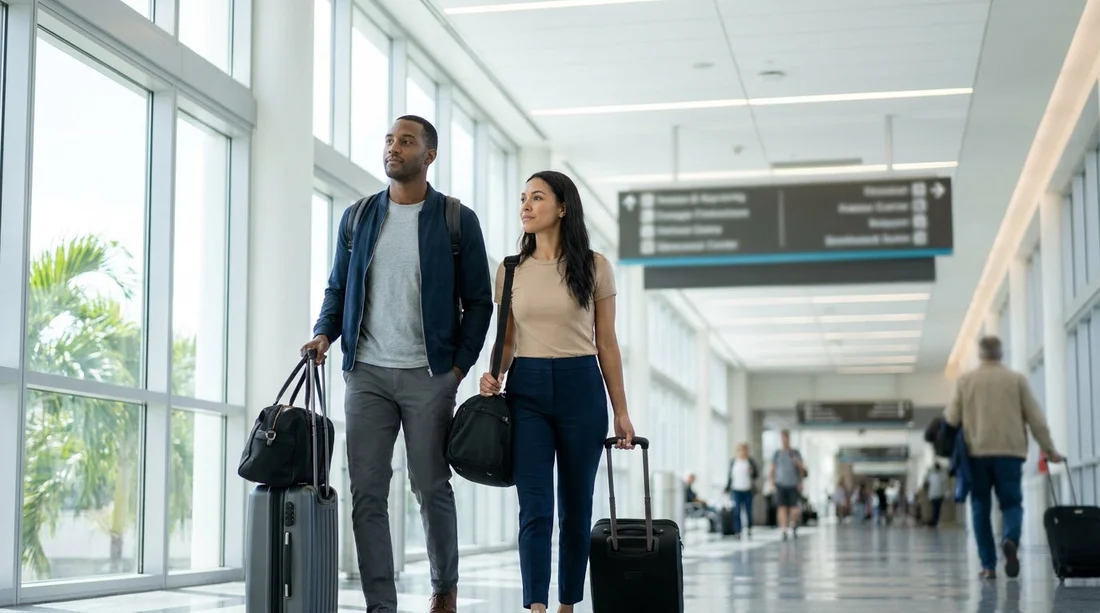
MCO signage is generally consistent, but after a long flight it is easy to follow the wrong category. From Terminal B, the sequence that works best is:
1) “Tram to Terminal” or “Main Terminal”, to leave the Airside gate area.
2) “Baggage Claim”, even if you are travelling with hand luggage only. This route takes you towards Level 1 and Ground Transportation.
3) “Ground Transportation” and “Rental Cars”, once you are in the main terminal corridors and approaching the exits.
Try not to follow “Hotel Shuttles” or “Shared Ride” unless you truly need them, as they can take you away from the rental desks and add backtracking. When in doubt, ask an airport staff member for “Rental car counters, Level 1, Terminal B side”, and they will point you to the correct escalator bank.
Timing: how long it usually takes
Your real question is often, “How quickly can I be at the car hire desk from Terminal B?” The honest answer depends on baggage, queues, and time of day, but these ranges are typical:
Gate to tram platform: about 5 to 10 minutes walking.
Tram ride to the main Terminal: usually 2 to 4 minutes plus a short wait.
Terminal hub to Level 1 rental counters: about 5 to 10 minutes.
Total: around 15 to 30 minutes in many cases, longer if you have checked bags or land during peak arrivals.
If you are travelling with family or a lot of luggage, add time for lifts, regrouping, and restrooms. If your car hire provider is popular at that hour, desk queues can be the biggest variable, so it is sensible to budget at least 30 to 45 minutes from arrival at the gate to driving away.
Tram vs shuttle: what to expect at MCO
From Terminal B in the North Terminal, the normal connection is the airport people mover (tram) from the Airside to the main Terminal. This is not a rental company shuttle, it is an airport-operated system that simply connects the gate concourses to the central terminal hub.
In most situations, you do not need an off-site shuttle for car hire at MCO because many rental counters are located within the terminal complex. That said, there are two situations where a shuttle becomes relevant:
1) You accidentally end up in the wrong terminal area. If you follow signs toward Terminal C by mistake, you may need to use an inter-terminal shuttle or re-route back through the main terminal connections.
2) A specific provider’s pick-up instructions require a separate transfer. This is less common for mainstream airport desk rentals in the North Terminal, but always follow the collection instructions on your confirmation if they differ from general airport wayfinding.
As a rule, trust the airport signage that specifically says “Rental Cars” and “Ground Transportation”, and use the tram only to move between the Airside gates and the terminal hub.
If you land in Terminal C but need the rental car centre
Some travellers say “Terminal B” meaning they are arriving at the older main terminal, but others may be directed toward Terminal C during connections or wayfinding. If you find yourself in Terminal C, look for signs for ground transportation and the inter-terminal shuttle options. The goal is to get back to the rental car facilities connected with the terminal complex you are using and the provider named in your car hire confirmation.
To keep things simple, confirm two details before you start moving: the terminal you are physically in (B side of the North Terminal, or Terminal C), and whether your rental company is a standard on-airport provider with a counter in the terminal complex. Once you know that, follow “Rental Cars” signs and ask staff if anything looks inconsistent with your reservation paperwork.
Practical tips for a smoother car hire pick-up
Check your confirmation for the exact brand name at MCO. Some brands operate multiple desks or share counters. Knowing the brand reduces wandering once you reach the rental car centre.
Keep your driving licence and payment card accessible. The slowest part can be searching for documents at the desk, especially with tired children or multiple travellers.
Use the lift if you have a trolley. Escalators can create bottlenecks with luggage, and a lift ride can be faster overall if you are fully loaded.
Plan your first stop before you leave the airport. Many people collecting car hire in Orlando drive directly to a fuel station or shop to get water, toll transponder information, and basics. Having that in mind makes the first 20 minutes behind the wheel calmer.
Allow extra time in the evening. Flight banks can cause simultaneous arrivals, which increases tram crowds and desk queues. Budgeting an extra 15 minutes can prevent stress.
FAQ
How do I get from Terminal B gates to the rental car centre at MCO? Take the tram from the Airside gates to the main Terminal hub, then follow signs to Level 1 Ground Transportation and Rental Cars.
Is the rental car centre walkable from Terminal B at Orlando Airport? Yes, once you return to the main Terminal hub by tram, the route to the rental counters is an indoor walk using lifts or escalators down to Level 1.
How long should I allow from landing at Terminal B to my car hire desk? In many cases 15 to 30 minutes is achievable, but allow longer with checked baggage, evening arrivals, or busy holiday periods.
Do I need a shuttle from Terminal B to collect car hire at MCO? Usually no, because the standard connection is the airport tram to the main terminal area and then a short walk to the rental counters on Level 1.
What should I do if I cannot find the rental car signs from Terminal B? Head towards Baggage Claim and Ground Transportation first, then look for Rental Cars signage on Level 1, or ask airport staff to point you to the rental car counters.





























































































