


Quick Summary:
- Follow “MIA Mover” and “Rental Car Center” signs after Terminal B arrivals.
- Walk to the MIA Mover station on Level 3 via moving walkways.
- Ride the free MIA Mover to the Rental Car Center in about 3 minutes.
- Plan 15 to 30 minutes total from gate to car hire desk.
If you are arriving into Miami Airport (MIA) and your flight brings you into Terminal B, the process for reaching the Rental Car Center is straightforward once you know the key landmarks, the correct level, and the signage wording to follow. Miami’s rental car desks are not inside Terminal B, they are grouped together at the separate Rental Car Center, connected by the elevated MIA Mover people mover.
This guide walks you step by step from the moment you enter the terminal building, through arrivals and the correct lifts, to the MIA Mover platform and on to the car hire counters. It also covers realistic timings, what can slow you down, and a few practical checks that make the handover smoother when you collect keys.
Understand where you are in Terminal B
Miami International Airport’s terminal layout can feel confusing because areas are linked, and “Terminal B” often refers to the Concourse B area within the North Terminal. The good news is that, regardless of the exact gate you arrive at in Concourse B, the directions you need are consistent: you are aiming for the MIA Mover station (the elevated train) which takes you directly to the Rental Car Center.
In the terminal, the most reliable signs to look for say “MIA Mover” and “Rental Car Center”. If you keep those two phrases in mind, you can ignore most other wayfinding until you are on the correct level.
Step 1: From the aircraft, follow signs for baggage claim and exits
After you disembark, follow the standard “Baggage Claim” and “Arrivals” signs. International arrivals may require immigration and customs first, which will add time. For domestic arrivals, your next major decision point is simply reaching the main terminal circulation areas where lifts, escalators, and moving walkways connect concourses to the central terminal.
Do not worry if you see signs for “Ground Transportation” or “Buses”, the Rental Car Center route is still best found by focusing on “MIA Mover” signage. If you need checked bags, collect them before heading to the MIA Mover.
Step 2: Head to Level 3 for the MIA Mover
The MIA Mover station is accessed from the terminal on Level 3. If you are at baggage claim level (commonly Level 1), use lifts or escalators up to Level 3. Some areas may label levels slightly differently depending on the zone, so rely on the overhead signs that point to the “MIA Mover”.
As you move through the terminal, you will typically pass shops and open corridors. Expect a mix of moving walkways and standard walkways. Keep your documents and phone handy, especially if you will need to show a driving licence, booking confirmation, or payment card at the counter.
Step 3: Follow “MIA Mover” and “Rental Car Center” signs to the station
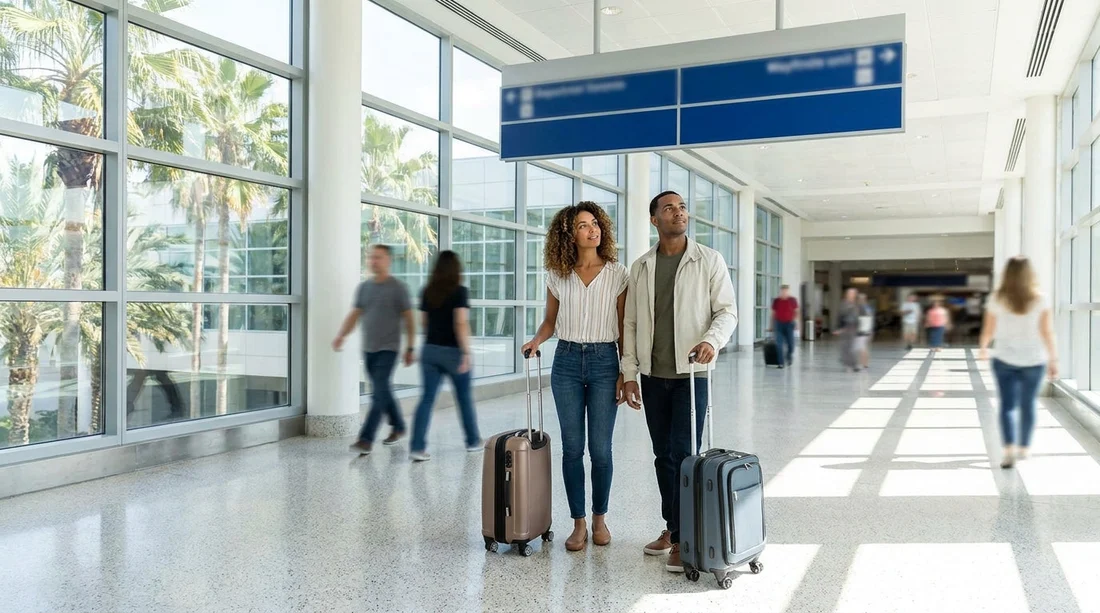
Once on Level 3, the walk to the station is well signposted. You will see overhead signs directing you towards “MIA Mover” and “Rental Car Center”. The route is designed for travellers with luggage, so it is wide, step free, and supported by moving walkways in sections.
Walking time varies based on where you start in Concourse B and how busy the terminal is. As a rough guide, from the arrivals circulation areas it is often 5 to 10 minutes to the station entrance, allowing for crowds and luggage pace.
If you are comparing car hire options before you arrive, Hola Car Rentals provides Miami airport information on this page: car rental at Miami Airport (MIA).
Step 4: Enter the MIA Mover station and board the train
The MIA Mover is a free, automated people mover connecting the terminal to the Rental Car Center. Once you enter the station, you will typically go up to the platform area and wait behind the marked lines. Trains run frequently, so the wait is usually short, even during busy periods.
The ride itself is quick, commonly around 3 minutes. Stand with your luggage positioned safely, and be ready to move when doors open, as other travellers will be exiting at the same time.
Step 5: Arrive at the Rental Car Center and find your car hire desk
When you exit the MIA Mover at the Rental Car Center, follow the signs for “Car Rental” and individual company names. The building is set up for high volume, with multiple counters grouped together, plus signage and information boards.
If you have a larger group or more luggage, you may want to plan for a bigger vehicle type so the collection process feels less pressured at the kerb and in the garage. These pages can help you review options in advance: van rental at Miami (MIA) and minivan rental in Florida from MIA.
At the counter, you will usually need your driving licence, passport or ID, and a payment card in the lead driver’s name. If you have additional drivers, expect them to present licences too. Once paperwork is complete, you will be directed to the correct level or aisle in the parking facility for vehicle collection.
Timing: how long it takes from Terminal B to the Rental Car Center
Timing depends on three things: where you arrive within Concourse B, whether you have checked baggage, and how busy immigration or the terminal is. A realistic set of ranges is:
Fastest realistic scenario (light crowds, no bags): about 15 minutes from walking off the aircraft to reaching a car hire desk.
Typical scenario (some walking, moderate crowds, collecting bags): about 25 to 35 minutes.
Busy scenario (international arrival queues, peak times, delays at baggage): 45 minutes or longer.
If you have a tight schedule, build in buffer time for the counter process itself, which can vary from 5 minutes to over 20 minutes depending on queue length and whether you need to confirm coverage, deposits, and vehicle class.
Practical tips to keep the route smooth
Use signage wording, not memory. At MIA, “MIA Mover” is the clearest sign to follow from Terminal B. If you see “Rental Car Center”, treat it as confirmation you are still on track.
Keep essentials accessible. Before you leave the terminal, put your licence, payment card, and confirmation where you can reach them without unpacking at the desk.
Expect a short lift or escalator step. Many people lose time by staying on the wrong level. If signs point you to Level 3, take them literally.
Know your group’s needs. Families often find it easier to pick up a larger vehicle class so child seats and cases fit without reorganising in the garage lanes.
If plans change, consider nearby alternatives. If you end up staying outside the airport area, you might compare other locations, such as Payless car hire in Downtown Miami, depending on where you are staying and your transport options.
What you will see when you reach the car park and vehicle pick-up area
After leaving the desk area, you will generally head into the multi-storey car park portion of the Rental Car Center. There are signs for each company and for rows or sections where vehicles are staged. Staff may direct you to a specific bay, or you may be asked to choose within a category and then stop at the exit booth for final checks.
Before you drive off, do a quick walkaround. Check for noticeable marks on bumpers and wheels, confirm fuel level, and make sure you understand the toll options for Miami and South Florida roads. Also set up navigation before leaving the garage lanes, because exits can be busy.
FAQ
Is the Rental Car Center inside Terminal B at Miami Airport in Miami? No, the car hire desks are in the separate Rental Car Center, reached via the MIA Mover from the terminal.
Which level do I need for the MIA Mover from Terminal B? Follow signs to Level 3 and look for “MIA Mover” and “Rental Car Center” wayfinding.
How much does the MIA Mover cost? It is free to use, and it runs frequently between the terminal and the Rental Car Center.
How long should I allow from Terminal B to the car hire desks? Allow 15 to 30 minutes in many cases, and longer if you have baggage or arrive at peak times.
Can I get a van or minivan from the Miami Airport Rental Car Center? Yes, larger vehicle types are available, and you can review options like vans and minivans through Hola Car Rentals.





























































































