


Quick Summary:
- Follow Rent-A-Car Center signs and match your company with level.
- Use your agreement to confirm aisle, row, and stall numbers.
- Match licence plate and vehicle class before loading luggage.
- Photograph existing damage and confirm fuel level before the exit.
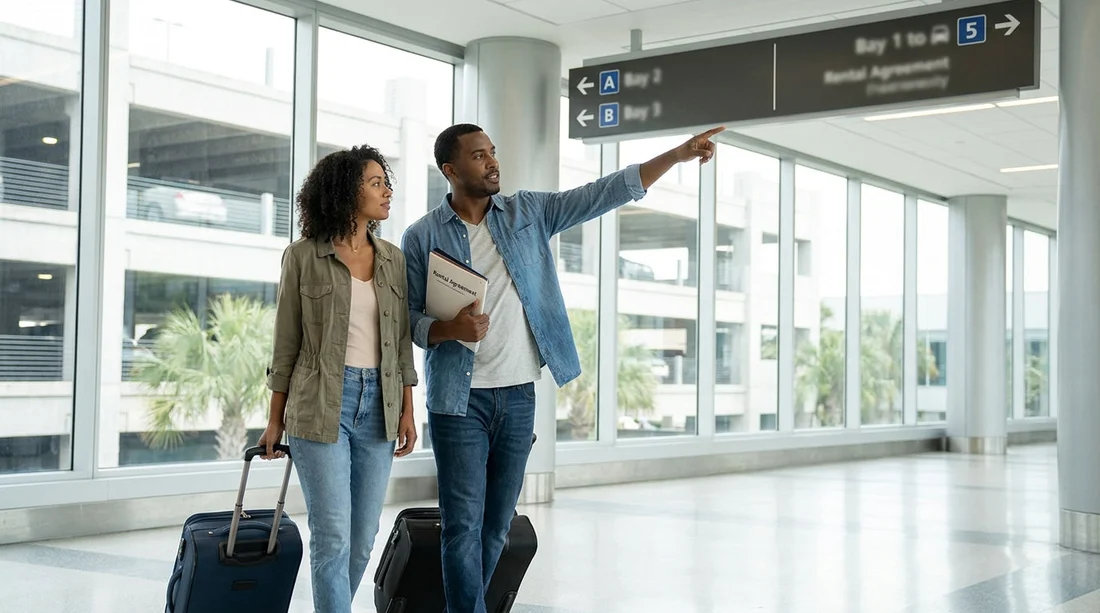
After you have finished at the car hire counter at LAS, the next challenge is simple but important, finding the exact bay where your vehicle is parked. At Harry Reid International Airport in Las Vegas, most rental pickups happen at the dedicated Rent-A-Car Center, a multi-level garage with marked aisles, numbered rows, and exit booths. The layout is designed to be repeatable, so if you know what to look for, you can go from counter to driver’s seat without second-guessing yourself.
This guide walks you through what the signs mean, how aisle numbering usually works, which paperwork details help you pinpoint the bay, and what to verify on the vehicle before you leave the garage. For additional airport notes, see LAS airport car hire and general options for car rental in Las Vegas.
1) Start with the right signs after the counter
Once the counter staff have handed you your agreement and keys, look for directional signs that mention “Pick-Up”, “Ready/Return”, or “Customer Pick-Up”. At LAS, the Rent-A-Car Center is built to move people in one direction, from desks to vehicles to the exit lanes. The most useful signs tend to show your company identification, the level or zone, and aisle or row arrows that narrow your search.
If you are travelling with luggage or children, pause briefly at the first large directory sign. Confirm you are walking toward the correct company section before you commit to a long corridor or lift.
2) Understand aisle numbering and bay layouts in the garage
Most airport rental garages follow a predictable pattern: each aisle is labelled, each row is numbered, and each parking stall is marked on the ground or a pillar. Your goal is to get to the correct aisle first, then scan for the right row and stall within it.
At LAS you may also see sections reserved for vehicle classes, for example “SUV”, “Full Size”, or “Manager’s Special”. If your agreement says “choose any car in Row X”, you are looking for the eligible row rather than a single stall number.
If you are picking up a larger vehicle, it is worth noting that SUV areas can be on a different level. For class guidance, see SUV hire at LAS.
3) Use your paperwork to pinpoint the exact bay
Your rental agreement is the map. Before you walk away from the counter area, scan it for a parking stall or bay number, the vehicle registration (licence plate), a basic vehicle description, and the fuel policy. If anything is unclear, return to the counter while you are still nearby and ask for the directions to be confirmed in plain terms.
Depending on the brand you are using, your directions may be slightly different. Provider-specific pages can help you anticipate pick-up rows, such as Hertz car hire at Las Vegas LAS or Alamo car hire at Las Vegas LAS.
4) When you reach the aisle, verify it is truly your car
In busy periods, similar vehicles can be parked next to each other. Before you load luggage or connect your phone, confirm the licence plate matches your agreement if it is provided. Also confirm the class and key features that matter for your trip, such as number of seats and whether it is automatic.
If your agreement is for “pick any car in the row”, confirm the car is within the correct row and is not marked as “Do Not Rent”, “Hold”, or reserved. If you are unsure, ask a lot attendant before you leave the bay.
5) Inspect the vehicle carefully before you reach the exit booth
The exit gate is where your agreement is finalised, and it is also where you will be least able to stop and photograph damage without holding up other drivers. Do a quick inspection in the bay itself, checking bodywork, wheels and tyres, glass, and any warning lights after you start the engine.
Take timestamped photos and a short video walkaround. Capture the plate, all four corners, and any existing damage close-up and wide. If you see something significant, report it immediately to on-site staff and ask that it is recorded on your agreement.
FAQ
How do I know which aisle to go to after the car hire counter at LAS? Follow the company’s “Pick-Up” signs first, then use the aisle or row number printed on your rental agreement. If the agreement says “choose any car in Row X”, go straight to that row.
My paperwork shows a stall number, but the space is empty. What should I do? Double-check the level and the nearest pillar marker to ensure you are in the correct aisle. If it is still empty, ask a lot attendant or the exit booth staff, as the car may have been moved for cleaning or fuelling.
What should I verify on the vehicle before leaving the garage? Confirm the licence plate matches your agreement, check fuel level if it is stated, then photograph existing damage inside and out. Make sure warning lights are not showing after starting.
Where do I report scratches or dents I find at pick-up? Report them immediately to on-site staff in the pick-up area or at the exit booth, and ask for the damage to be noted on your agreement. Photos taken in the bay help support what you report.
If I booked online, will the counter still tell me where the car is parked? Yes, the counter or kiosk normally issues paperwork that includes a stall number, a row, or instructions for selecting a vehicle within a specific section. Use those details, not just the booking confirmation.





























































































