


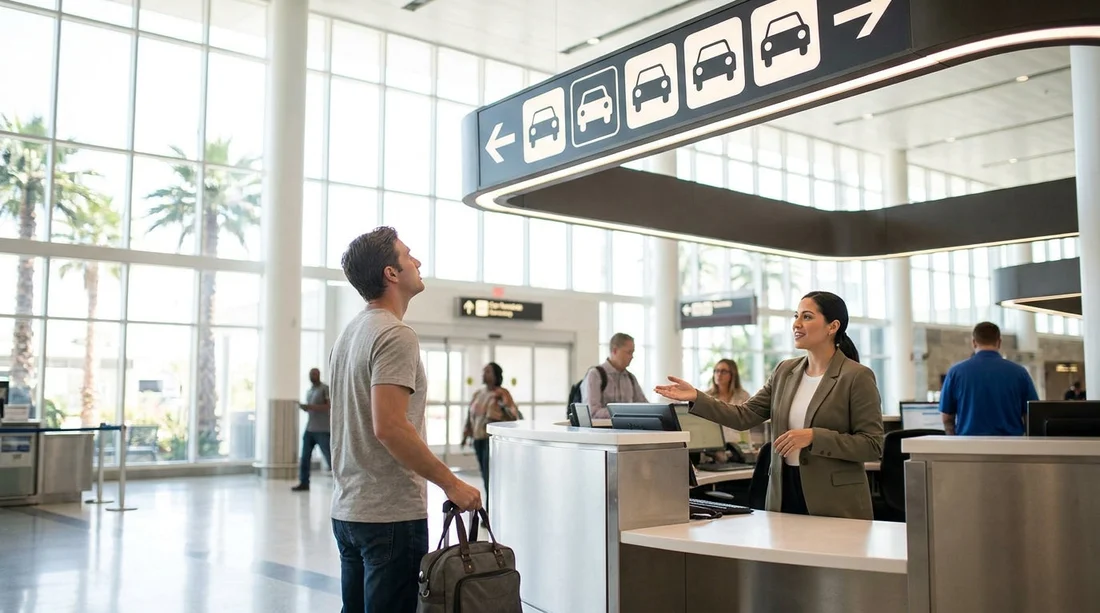
Quick Summary:
- Check your voucher for supplier name, location, and counter instructions.
- Follow LAX Rental Car Shuttles signs to the correct pick-up island.
- At shared desks, verify your supplier on queue screens and directory boards.
- Confirm the correct brand at the desk before joining express lines.
Arriving at LAX and discovering that car hire desks are shared can feel confusing, especially after a long flight. The good news is that shared counters are designed to streamline staffing and space, not to make pickups harder. Once you know what to check on your voucher and what signage to follow, you can get to the correct desk quickly and avoid joining the wrong queue.
This guide focuses on Los Angeles International Airport, how the shared counter setup works, and the exact details that help you identify the right desk fast, even when multiple brands appear to be operating from the same area.
What “shared counters” means at LAX
At LAX, most major car hire companies operate away from the passenger terminals and are reached by shuttle. You will typically travel to a rental facility where several brands may share physical space, staff, or check-in lanes.
The key point is that the brand name on the wall is not always enough. The fastest way to identify the correct desk is to use your voucher details and match them to the on-site signs and queue screens.
Start with your voucher, the wording matters
Before you even leave the terminal, open your voucher and look for four items that directly determine where you should go.
Supplier name: This is the brand you must check in with, even if another brand shares the counter space. If the voucher lists a well-known supplier but the counter looks different, trust the voucher first and then confirm signage.
Pick-up location: At LAX, this is typically an off-airport rental facility reached by shuttle. The address or facility name helps you confirm you are in the right building, not just in a general rental car area.
Counter instructions: Many vouchers include lines such as “Proceed to the shared service desk” or “Check in at partner counter.” These instructions are often the single most useful clue when desks are shared.
Reservation reference and lead driver name: When an agent serves multiple brands, they may ask for your reservation number immediately to route you correctly. Having this ready reduces back-and-forth.
If you need a practical overview of LAX pick-up flows and what to expect, these pages can help you align your voucher instructions with the airport setup, such as car hire at Los Angeles Airport (LAX) and car rental Los Angeles LAX.
Follow the right airport signage, terminal to shuttle
In the terminals, ignore generic Ground Transportation signs until you find the specific Rental Car Shuttles direction. LAX signage is designed to funnel travellers to designated kerbside pick-up points, usually marked by island numbers, coloured columns, or lettered zones depending on terminal.
1) Go to the correct level. Many terminals have departures upstairs and arrivals downstairs. Shuttles are commonly at arrivals level, but always follow the signs rather than assumptions.
2) Match the shuttle branding. Some shuttles are clearly branded by a supplier, while others serve multiple brands. If desks are shared, the shuttle may also be shared, so look for a list of participating brands on the vehicle sides or on the kerbside sign.
3) Confirm you are boarding the right route. Ask the driver, “Does this shuttle go to [supplier name on voucher]?” This is normal at LAX and can save time if you get on the wrong bus.
What to look for once you reach the rental facility
When you enter the rental building, shared counters usually become obvious: a single queue feeding several windows, or one long desk with multiple brand logos above it. Here is how to locate your correct desk quickly.
Look for a brand directory sign. Many facilities post a large sign listing each brand and where to queue. If you see your supplier listed as “served at Desk B” or “served at partner counter,” follow that instruction even if another logo is more prominent.
Check queue screens and stanchion signs. Shared desks often use digital screens that rotate brand names. Stand back for a few seconds and watch the cycle, your supplier may appear after another brand.
Ask one targeted question. Rather than asking “Where do I go?” ask “Is [supplier name] processed at this counter today?” That forces a clear yes or no, which is useful when staffing changes.
Do not join an express line until brand is confirmed. Some express lanes are brand-specific or require membership. If desks are shared, an express sign might apply to only one supplier, even if the physical lane is near the shared counter.
If your supplier is one of the common brands at LAX, it can help to read the relevant supplier-specific pick-up notes in advance, for example National car rental Los Angeles LAX or Payless car hire Los Angeles LAX.
Fast troubleshooting if you cannot find the right desk
If you are standing in the rental hall and still cannot locate your supplier, use this quick troubleshooting flow.
Re-check the pick-up address. Confirm you are in the correct facility for the voucher location. At large airports, being in a rental building is not always enough, you must be in the right one.
Find the information point or greeter. Many facilities have staff near the entrance whose job is to direct customers to the correct queue. Show the supplier name on your voucher rather than explaining your full booking.
Look for a served here notice. Shared desks frequently post a small notice stating that one brand is temporarily served at another brand’s counter.
Check whether you need to complete a kiosk step first. Some setups require scanning your driving licence or entering your reservation number at a kiosk, then you are directed to a specific agent.
Picking the right car for your group without slowing down the desk search
Finding the right desk is the first hurdle, the next is making sure you are collecting the vehicle class you reserved. If you are travelling as a family or with several cases, it helps to know whether you are expecting a standard car or a larger people carrier, because some facilities direct larger vehicles to a different aisle after paperwork.
If your reservation is for a larger vehicle category, you may find it useful to review class expectations before arriving at the counter, such as minivan rental Los Angeles LAX. This reduces time at a shared counter, where agents are trying to keep multiple brand queues moving.
FAQ
Why do car hire companies share counters at LAX? Shared counters help manage space, staffing, and peak flight arrivals, especially when multiple brands operate in one rental facility.
My voucher brand is not on the big sign, what should I do? Check queue screens, small directory boards, and any served at partner desk notices, then ask staff to confirm where that brand is processed.
Can I use any desk if the counters are shared? Only if the desk is authorised to process your supplier’s contracts. Always confirm the supplier name on your voucher before joining a line.
What information should I have ready to be routed correctly? Have the supplier name, reservation reference, lead driver name, and pick-up instructions visible on your phone or printout.
Does a shared counter change where I collect the car? Sometimes. Paperwork may be handled at a shared desk, while vehicle collection happens in a separate aisle or level, directed by the agent.





























































































