


Quick Summary:
- Your phone is usually enough with US data, offline maps, and mount.
- Hire sat nav if you want a simple backup without roaming worries.
- Download offline maps before pickup to handle dead spots and junctions.
- Bring a fast charger and place the phone safely, away from sun.
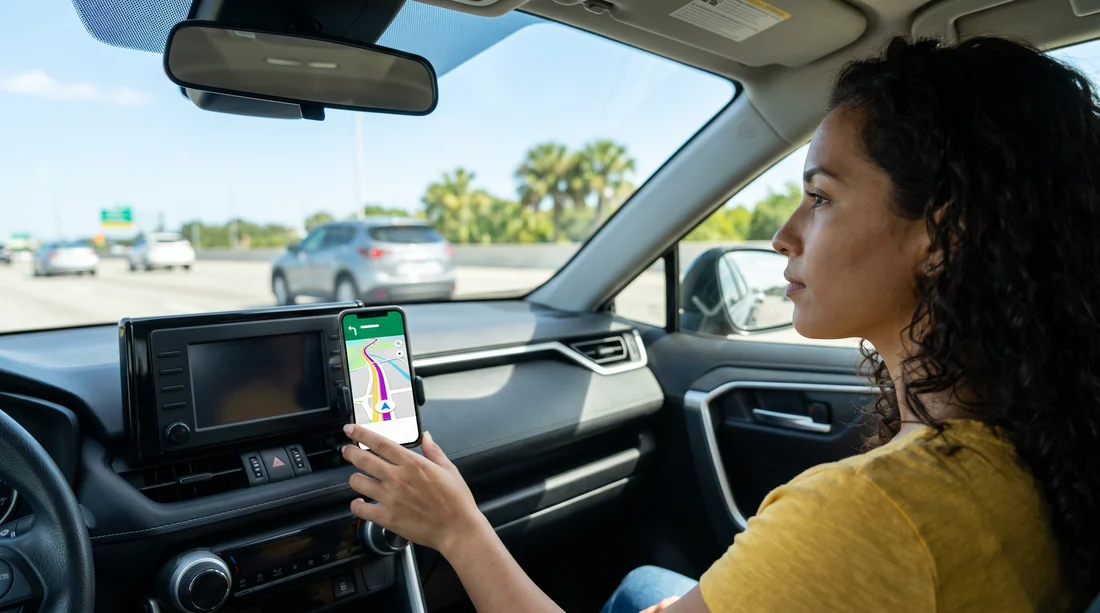
Picking up a car hire in Orlando often comes with a decision, pay extra for a hired sat nav, or rely on your phone. In most cases, a smartphone with Google Maps, Apple Maps or Waze is more than capable for driving around International Drive, the theme parks, and day trips towards Tampa or the Space Coast. That said, Florida heat, long motorway stretches, roaming limits, and the realities of in-car mounting can make a dedicated device feel worthwhile for some travellers.
This guide breaks down when your phone is enough, when a hired sat nav makes sense, and the practical setup that matters more than the app you choose. If you are arranging car rental in Orlando MCO, it is worth thinking about navigation before you land, because a few minutes of prep can save a lot of wrong turns around complex junctions.
How good is phone navigation in Orlando?
Orlando is generally easy for phone navigation. Major roads and motorways are well mapped, and real-time traffic data is a genuine advantage on busy routes like I-4. If you are driving between the airport, hotel areas and the parks, your phone will normally outperform older sat nav units because it updates closures and congestion quickly.
However, phones are not perfect. You can lose signal in pockets, your battery can drain fast with constant GPS use, and some plans limit high-speed data. If you are arriving from the UK, your network may apply roaming charges or fair-use limits that make heavy navigation expensive. A phone is still the best option for many people, but it works best when you set it up for Orlando driving rather than assuming it will cope automatically.
What a hired sat nav gives you
A hired sat nav is appealing because it is a self-contained solution. You do not need a data plan, it does not depend on your phone battery, and it is usually mounted in a way that keeps the screen visible without you holding a device. For drivers who want to keep their phone out of sight, or families sharing one phone, the simplicity can reduce friction.
The main downside is value. Many travellers already carry a powerful navigation device in their pocket, so paying extra can feel unnecessary, particularly for short stays. Some sat nav units also have less responsive maps and weaker rerouting than phone apps. If you do choose a sat nav, treat it as a convenience and backup rather than a guarantee that every route choice will be better.
Data, roaming, and US SIM options
The biggest question is not whether your phone can navigate, it is whether you can afford to keep it connected. Navigation does not usually burn huge amounts of data, but constant map loading, traffic updates, and searching for places adds up. If your plan includes US roaming at a reasonable cost, phone navigation is straightforward. If it does not, you have three practical alternatives.
First, buy an eSIM or US SIM for the trip so your phone has reliable data without surprise charges. Second, rely on hotel and attraction Wi-Fi to download maps before each drive, then navigate offline. Third, hire a sat nav and keep your phone in airplane mode. For many visitors, an eSIM plus offline downloads is the sweet spot, especially if you are collecting your vehicle from car hire at Orlando MCO and want directions immediately after pickup.
Offline maps, the simplest way to make your phone reliable
Offline maps are the easiest upgrade you can give your phone. Download the Orlando area in Google Maps or your preferred app while on Wi-Fi before you travel, and you can still get turn-by-turn directions even if you temporarily lose signal. You will not always get live traffic while offline, but you will avoid the worst-case scenario of a blank screen at a complicated interchange.
Mounting, power, and heat, the real deciding factors
The reason people abandon phone navigation is rarely the maps, it is the practicalities inside the car. In Florida, a phone running GPS at full brightness can overheat, especially in direct sun on the windscreen. When that happens, your screen dims or the phone may stop charging. A sat nav can also overheat, but phones are more sensitive because they are doing more tasks at once.
Use a proper mount. Holding a phone to navigate is unsafe and can be illegal depending on how you use it. Bring a vent or dash mount that fits your device, or confirm you can source one locally. Place it low enough not to block your view, and not directly in the path of strong sun.
Bring a fast charger. A USB-C or Lightning cable plus a car charger with enough power output is essential. Some rental cars have USB ports, but they may charge slowly. A dedicated charger helps keep the phone stable on longer drives.
Cool the device. Use air vents to keep the phone cooler, avoid leaving it on the dashboard when parked, and consider lowering screen brightness slightly. If you stop for shopping or a meal, take the phone with you rather than baking it in the car.
Tolls and route choices around Orlando
Orlando has many toll roads, and your navigation choice affects how confidently you drive them. Phone apps are usually good at offering toll and no-toll routes, but the settings can reset or be easy to miss when you are tired after a flight. Before you set off, check whether your app is set to avoid tolls, allow tolls, or show both.
If you are happy using toll roads to save time, the main priority is clear guidance at slip roads and exits. If you want to minimise tolls, offline maps can still guide you, but double-check your route options before you leave Wi-Fi. When arranging car rental at Orlando airport MCO, it is also smart to understand any toll payment options offered with your rental so you are not distracted trying to work it out on the move.
When hiring sat nav is worth it
A hired sat nav can be a sensible add-on in a few specific scenarios.
You have limited or expensive data. If your plan does not cover the US well, a sat nav removes the stress of rationing connectivity.
You are sharing driving with multiple people. A dedicated device avoids draining one person’s phone and keeps navigation consistent.
You want a backup for long days. If you expect to be out all day, with the phone also used for photos, tickets, and messages, the extra battery resilience is useful.
You prefer a simpler setup. Some drivers just want to turn on the car, start guidance, and not deal with app permissions, downloads, or notifications.
When your phone is clearly enough
For many Orlando trips, your phone wins easily.
Short stays focused on main attractions. Routes between the airport, I-Drive, Disney and Universal are straightforward for phone apps.
You have an eSIM or roaming included. Real-time traffic and quick rerouting is a major advantage on I-4.
You can prepare offline maps. Even with patchy signal, offline coverage keeps you moving confidently.
You have the right accessories. A mount and fast charger often matter more than the choice of navigation device.
If you are choosing a vehicle type for luggage and family comfort, it can help to think about where a mount will sit and how easy it is to keep devices powered. For example, drivers opting for SUV hire near Disney in Orlando MCO often appreciate the higher seating position, but still need to keep screens placed safely and not in direct sunlight.
FAQ
Is it cheaper to use my phone than hiring sat nav for car hire in Orlando? Often yes, especially if you already have US roaming or an affordable eSIM. If your plan charges heavily for US data, a sat nav or offline maps can be cheaper overall.
Will Google Maps work without data in Orlando? Yes, if you download an offline map area in advance. You can still get turn-by-turn directions, but you may lose live traffic updates and some re-routing features until you reconnect.
Do I need a phone mount in a rental car? A mount is strongly recommended for safe navigation. It keeps the screen visible without holding the phone, and helps you follow junction instructions without distraction.
What is the biggest risk of using my phone for navigation in Florida? Overheating and battery drain are the main issues. Use a fast charger, keep the phone out of direct sun, and run air conditioning towards the device if needed.
Should I avoid toll roads in Orlando? It depends on your priorities. Toll roads can save time, but you should set your navigation preferences before you drive and understand your rental’s toll payment arrangements to avoid confusion.





























































































