


Quick Summary:
- Most LAX counters accept a digital voucher, if details are readable.
- Ensure your name, dates, location and vehicle group match exactly.
- Save the voucher offline and bring ID and payment card.
- Prevent delays by carrying a printed copy or screenshot backup.
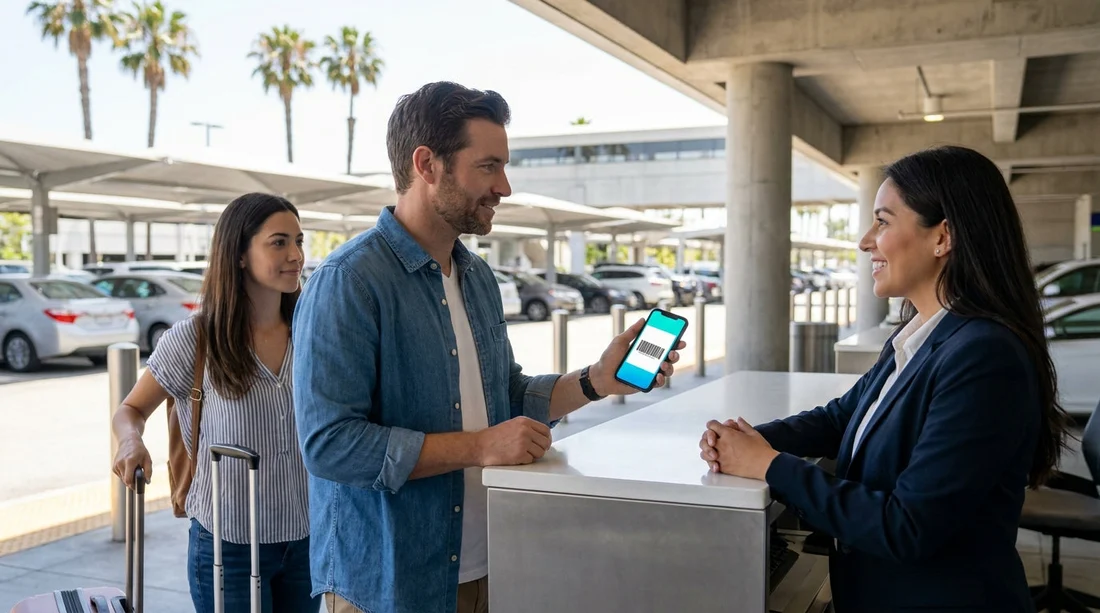
Yes, in most cases you can use a digital voucher on your phone for rental car pick-up at LAX in Los Angeles. Rental desks are used to seeing mobile confirmations, PDFs and emails, and they typically just need the key booking information to be clear and consistent with your identification and payment method.
That said, acceptance is not only about whether the voucher is digital. It depends on whether staff can verify the reservation quickly, and whether your voucher details match what the supplier system expects at the counter. If your phone has no signal, a flat battery, or a dim screen, even a valid booking can turn into a delay. The good news is that you can avoid most issues with a few simple checks before you land.
If you are arranging car hire specifically for the airport, these Hola pages can help you understand the LAX set-up and what to expect at pick-up: car hire at Los Angeles Airport (LAX) and car hire in Los Angeles (LAX).
What the LAX counter usually accepts as a “digital voucher”
A digital voucher is usually one of the following: a PDF voucher attached to an email, a confirmation email that shows the reservation number and supplier, or an in-app confirmation screen. At LAX, any of these can work, as long as the desk agent can read the reservation number and match it to your booking.
In practice, counter teams care less about the file type and more about the content. If the voucher is blurred, cropped, or missing the supplier name, it may take longer to locate, or the agent might ask you to forward the email to a desk address or show a different screen.
Which details must match to avoid being turned away
Even with a clear voucher, the pick-up will only go smoothly if the details line up across your voucher, passport or driving licence, and the payment card. Focus on these common match points:
Lead driver name. The main driver name on the voucher should match your driving licence. Small differences like missing middle names are often fine, but mismatched first or last names can be a problem. If your booking was made using a nickname or a different surname, get it corrected before arrival.
Pick-up location. LAX has specific rental operations, so make sure the voucher says Los Angeles Airport (LAX) and not a city branch. A wrong location can lead to a rebooking or a long transfer.
Pick-up and return dates and times. If you arrive late, some suppliers treat it as a no-show after a grace period. Having the correct flight details and adjusting your time window in advance reduces risk.
Vehicle group, not a specific model. Your voucher generally confirms a category, not a particular car. Expect an “or similar” equivalent. If you need a larger option for luggage or passengers, consider checking availability in a higher category before you travel, for instance an SUV rental at Los Angeles LAX page can clarify what that segment usually includes.
Inclusions and exclusions. Look closely at whether your voucher includes taxes, airport fees, additional driver, and what fuel policy applies. Disputes at the counter usually happen when a driver expects something included that is actually optional.
Payment method and deposit rules. The payment card presented at the counter normally needs to be in the lead driver’s name and have enough available funds for the security deposit. A voucher is not a substitute for the required card.
What to do if your phone has no signal at LAX
Signal and Wi-Fi can be inconsistent during busy periods, and you might be in a shuttle queue or indoor area when you need your voucher most. Plan for offline access.
Save the voucher as an offline file. Download the PDF to your phone storage, not only your email inbox. If you use a mail app that needs data to load attachments, you may not be able to open it.
Take a screenshot. A screenshot is often the fastest backup. Make sure it includes the reservation number, the supplier, the pick-up location, dates, and the lead driver name.
Keep key details in Notes. Copy the reservation number and supplier name into a note. If the agent can type a confirmation number, you are not reliant on a barcode or attachment opening.
Know where the Rental Car Centre shuttle is. LAX uses shuttles to reach the rental facilities. Having your voucher ready before you board helps, but if you need a moment to locate it, step aside rather than holding up the line.
What to do if your phone battery is low or your screen is damaged
A dead phone is one of the easiest ways to create avoidable delays at the counter. You do not need to panic, but you should have a backup that is not dependent on your handset.
Carry a printed copy. A single printed page with the reservation number and itinerary is still one of the most reliable options. It also helps if your screen is cracked or too dim to read.
Bring a power bank and cable. LAX can involve waiting, including for the shuttle and at the desk. A short top-up can be enough to display your voucher.
Send the voucher to a travel companion. If you are travelling with someone else, email them the voucher. They can show it if your phone fails, but remember the lead driver still must be present with the required documents.
How counter staff verify your booking and why delays happen
At pick-up, the desk agent will usually pull up your reservation in their system using your surname and booking reference. Delays often happen for predictable reasons: the booking reference shown is a broker reference rather than the supplier confirmation, the pick-up time is outside the expected window, or the driver’s name does not match the licence.
Another common cause is missing documentation. Even with a perfect voucher, the agent may need to see a valid driving licence, a passport or ID, and a suitable payment card. Some drivers also need to show an International Driving Permit depending on licence type and country of issue.
If you prefer to understand requirements by supplier, these pages can be useful reference points for common counter processes at LAX: Hertz at LAX and Dollar at LAX.
Tips to keep your car hire pick-up moving quickly
For an efficient pick-up at LAX, treat the voucher as one part of a wider checklist. Before flying, open your voucher and confirm it is readable, includes your name, dates, and LAX, and shows a booking reference that the supplier can use. If you see two reference numbers, label which is the supplier confirmation and which is the agent reference.
Make sure your driving licence is valid for the entire rental period and not close to expiry. Confirm your payment card is accepted and has enough available credit for the deposit. If you are planning to add drivers, have them present with their licences, because counters usually cannot add an absent driver later without paperwork.
Finally, allow extra time. LAX is busy, and queues can build. Arriving at the Rental Car Centre with your voucher already saved offline, plus a printed backup in your bag, is usually enough to avoid the most common holdups.
FAQ
Do I need to print my voucher for car hire pick-up at LAX? Printing is usually not required, but it is a smart backup. A printed copy can save time if your phone will not load the voucher or your battery dies.
What information should I make sure is visible on my phone voucher? Show the lead driver name, pick-up location as LAX, pick-up and return dates, and the reservation number. Having the supplier name visible also helps staff find your booking faster.
Will the counter accept a screenshot instead of the original PDF? Most counters will accept a clear screenshot if it includes the booking reference and itinerary details. If the screenshot is missing key information, you may be asked to open the full voucher.
What happens if the voucher name does not match my driving licence? The desk may refuse to release the vehicle to you, or require the booking to be amended. Correct the name in advance so the voucher, licence and payment card all align.
Can I pick up at LAX if I cannot access my email due to no signal? Often yes, if you have the reservation number saved offline and your ID matches. To reduce risk, download the voucher PDF or save a screenshot before you travel.





























































































