


Quick Summary:
- You can request CarPlay or Android Auto, but it is not guaranteed.
- Choose newer trims, SUVs, or premium classes to improve compatibility odds.
- Add a clear note, specify wired or wireless, and bring a cable.
- At pick-up, verify the infotainment menu, USB ports, and pairing.
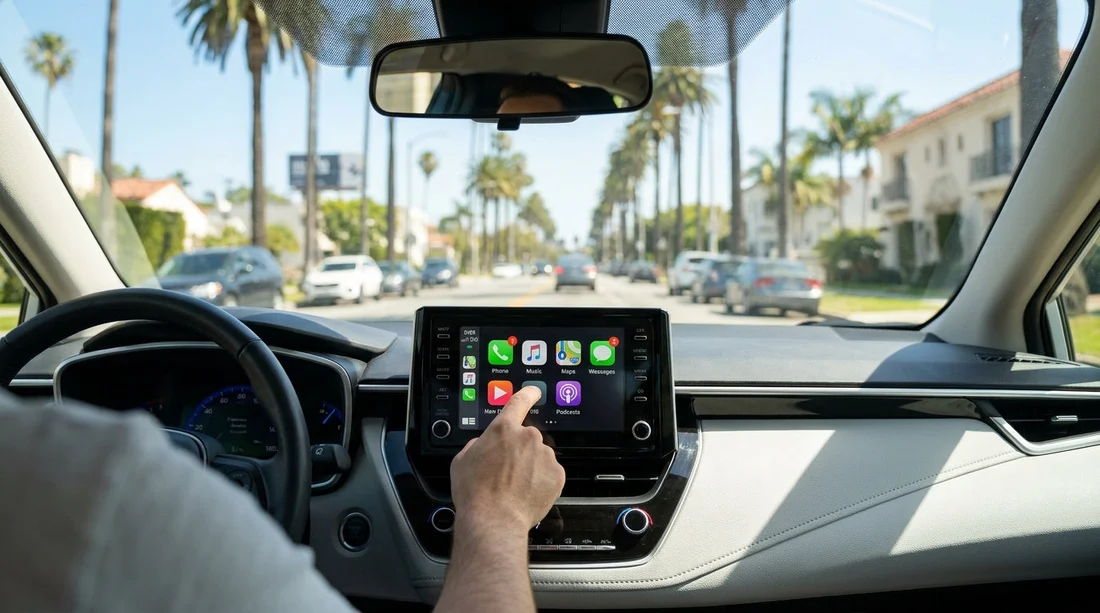
Yes, you can request Apple CarPlay or Android Auto on a rental car booking in Los Angeles, but most car hire reservations are for a vehicle category, not a specific make, model, or infotainment system. That means phone integration is often treated as a preference rather than a promised feature. The good news is you can take several practical steps to maximise your chances, and you can confirm key details at pick-up before you drive away.
Los Angeles driving makes phone integration especially useful. Between complex interchanges, fast-moving freeways, and limited phone-handling options while driving, having maps, calls, and music integrated on the screen can reduce distraction and make navigation smoother. The aim is to stack the odds in your favour from the moment you choose a class, then verify compatibility quickly at the counter and in the car park.
How requests work for CarPlay and Android Auto in Los Angeles car hire
Most rental suppliers do not guarantee Apple CarPlay or Android Auto in the same way they guarantee seating capacity or transmission type. Your booking typically locks in a category, for example compact, intermediate, SUV, or premium, and the fleet assigned on the day depends on availability. Even within the same category, one vehicle might have CarPlay while another has a different infotainment system or an older head unit that lacks phone integration.
That said, adding a request can help. Many rental desks can see notes and will try to match you with a suitable vehicle if one is available. The key is to make your request specific, realistic, and easy to action. Treat it like requesting a preference, then plan to confirm it at pick-up.
If you are collecting near the airport, it can help to review the typical fleet mix for your location and class. Hola Car Rentals provides location pages that are useful when comparing options around major hubs such as Los Angeles LAX car rental, where fleet turnover can be higher and newer models are more common.
Choose the right class to maximise your chances
The single biggest lever is class selection. Newer vehicles and higher trims are more likely to include modern infotainment systems with Apple CarPlay or Android Auto. While nothing is universal, these patterns are common in Los Angeles car hire fleets.
1) Consider an SUV category for newer tech. SUVs are often newer model years in rental fleets and tend to be specified with larger screens. If you are already weighing comfort and luggage space, an SUV can improve your odds of getting phone integration too. You can compare relevant options via pages like SUV hire at Los Angeles LAX or SUV rental California LAX.
2) Mid-size and full-size categories can outperform economy. Entry-level economy cars sometimes lack upgraded infotainment, especially in older stock. Moving up one or two categories can increase the likelihood of a compatible system, even if it is wired rather than wireless.
3) Premium and near-luxury categories often include CarPlay. Higher categories frequently include it, but confirm whether it is wired-only. Some vehicles will have CarPlay but no Android Auto, or vice versa, depending on brand and head unit.
Add a booking note that staff can action
When adding a request, clarity beats length. A useful note should include your phone type and whether you need wired or wireless. It should also state that you are happy with any vehicle in the booked category, as long as it supports the required integration. This helps staff identify the right car quickly.
Your system: “Apple CarPlay required” or “Android Auto required”.
Connection preference: “Wireless preferred, wired acceptable” or “Wired is fine”.
Essentials only: If navigation is the main need, say so. Staff may interpret it as a priority.
Keep expectations realistic. Notes increase your chances, but availability on the day still rules. If the feature is essential for your trip, plan to verify before leaving the lot, and be ready to ask for a different vehicle within the same class if one is available.
What to verify at pick-up, before you drive away
Even if the counter confirms CarPlay or Android Auto, it is worth checking the car yourself. Two cars can have similar screens but different software. Aim to verify in under three minutes while you are still at the vehicle.
1) Check the infotainment menu for “Apple CarPlay” or “Android Auto”. Look under Phone, Projection, Apps, or Connectivity. If the option is missing, it may not be supported, or it may require enabling via a USB connection first.
2) Identify whether it is wired or wireless. Wireless CarPlay and wireless Android Auto are not universal. If you need wireless, verify that the system prompts for it, or that Bluetooth pairing triggers the projection feature without a cable.
3) Locate usable USB ports. Some ports are charge-only, others support data. Data ports are often labelled with a small phone or connectivity icon, or are located in the centre console rather than the rear. If you plug in and nothing happens, try a different port.
4) Use your own cable. Bring a reliable cable for your device. For iPhone, a genuine or MFi-certified cable helps. For Android, a quality data cable matters, and some cheaper cables only charge. Having your own cable removes one common failure point.
Los Angeles-specific tips for smoother phone integration
Plan for poor signal zones. In LA you can hit patchy coverage in underground car parks, some canyon roads, or dense downtown areas. Download offline maps for key areas before pick-up, then your navigation remains usable even if data drops.
Bring a windscreen or vent mount as a backup. If the system lacks integration or has a fault, a mount allows safer glanceable navigation, though you should still comply with local hands-free rules. Treat it as a contingency, not your primary plan.
If you are also considering alternative nearby pick-up points outside LAX, it can be useful to compare availability patterns at different hubs, for example car hire at Santa Ana Airport (SNA) or Alamo car hire at Los Angeles LAX, as fleet age and trims can vary by location and supplier.
How to set expectations when the feature is essential
If Apple CarPlay or Android Auto is critical to your trip, the best approach is to treat it as a must-check item rather than a guaranteed inclusion. Choose a class with higher likelihood, add a clear note, arrive with a good cable, and verify the system before departing. If the assigned car does not support your required system, politely ask whether a swap within your category is available.
FAQ
Can I guarantee Apple CarPlay or Android Auto with a Los Angeles car hire booking? Usually no. Most rentals guarantee a category, not specific infotainment features, so it is a request and a pick-up verification item.
Is Apple CarPlay more common than Android Auto in rental cars? It depends on the fleet brands and model years. Many modern cars include both, but some models offer only one, so specify which you need.
Do I need to bring my own cable for CarPlay or Android Auto? Yes, it is strongly recommended. Many vehicles require a wired connection, and having a reliable data cable avoids the most common connection problems.
How do I tell if the system is wireless before leaving the lot? Pair Bluetooth, then see if CarPlay or Android Auto launches without plugging in. If it only appears after connecting a USB cable, it is wired-only.
What should I do if the car does not have the feature after I requested it? Ask at the desk or with lot staff whether another car in the same class is available with CarPlay or Android Auto, then test it before departing.





























































































