


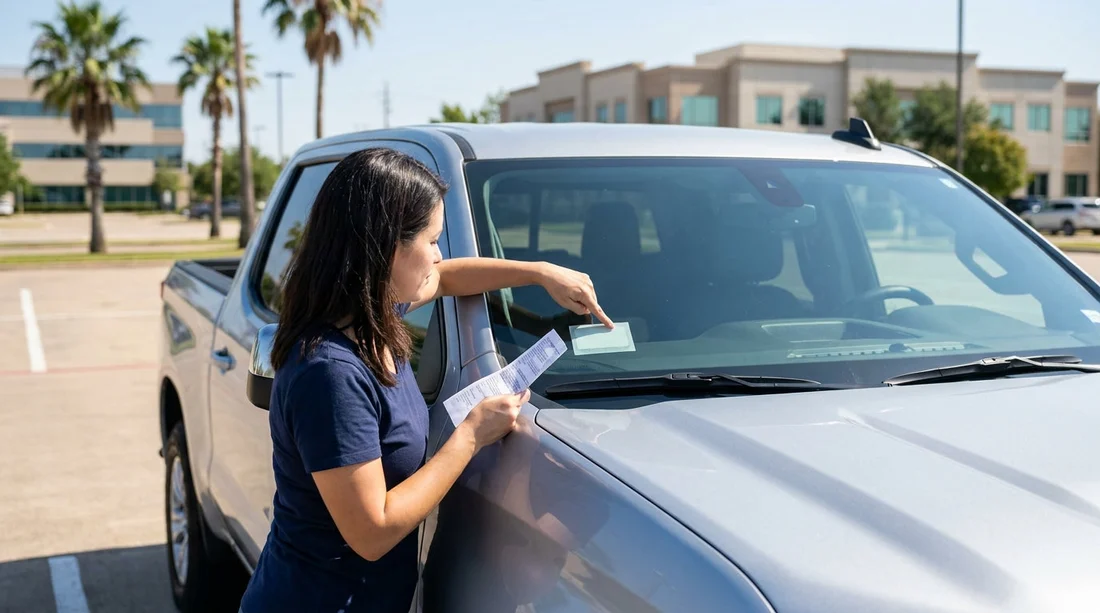
Quick Summary:
- Confirm the vehicle registration and insurance proof are present and readable.
- Check for any toll tag or toll policy sticker, and note fees.
- Verify the windscreen has no expired permits, and nothing blocks vision.
- Photograph all stickers, plate numbers, and the glovebox documents before departure.
Before you pull out of the lot in Texas, it is worth taking two minutes to check what is on the windscreen and what paperwork is in the vehicle. With car hire, you are often juggling unfamiliar toll roads, different local rules, and a fleet vehicle that may carry permits or tags you have never seen before. A quick, calm check helps you avoid toll surprises, compliance issues, and delays if you are stopped or involved in an incident.
This counter checklist focuses on permits, registration information, and toll related stickers, plus the practical details that affect legality and day to day driving in Texas.
1) Windscreen condition and placement of stickers
Start with the basics: the windscreen must give you a clear view. Look for cracks in the driver’s line of sight, heavy chips, or any film that makes night driving difficult. Then check the placement of any stickers. In general, stickers should not block your view, especially in the central area of the windscreen. If you see a cluster of old tags, dealership style decals, or anything peeling that distracts you, ask the desk or lot attendant whether it is supposed to be there.
Also check that the rear view mirror area is not cluttered by multiple transponder mounts or old adhesive pads. Extra mounts can hint the car previously used a different toll device, which can create confusion about which account gets billed. Taking a quick photo of the windscreen from outside and inside is a simple way to document what you received.
2) Registration and vehicle identification documents to confirm
In Texas, you want to ensure the vehicle has the correct registration information available. In most rental vehicles, this will be in the glovebox or provided in the rental folder. Look for a current registration document or a copy that clearly identifies the vehicle.
Match the details against the car itself. Confirm the licence plate number matches the paperwork. Then locate the Vehicle Identification Number, commonly visible through the lower windscreen on the driver’s side, and ensure the VIN shown there matches what is printed on the registration copy and your rental agreement. This reduces headaches if a toll authority, parking operator, or police officer needs to verify the vehicle.
If you are collecting at a major airport location, it can help to review pickup guidance on the relevant Hola Car Rentals page for your arrival point, for example car hire Houston IAH or Enterprise car rental Dallas DFW, then cross check the paperwork before you leave the facility.
3) Proof of insurance, and what you should look for
Rental cars are typically covered under the rental company’s policies and the cover you select, but the documents provided can still matter during a roadside stop or after a collision. In the folder or glovebox, look for an insurance card, a self insurance notice, or a document that indicates the insurer or claims contact. What you need is clarity: a document that ties the vehicle to a valid policy or a self insured status, plus a phone number for claims.
Do not assume the presence of a card means you personally have every type of coverage. Instead, compare it with your rental agreement, which should state what is included or declined. If anything is missing or unclear, sort it out before you drive off, because it is much harder once you are on the highway.
4) Toll tags and toll policy stickers, the most common Texas tripwire
Texas has extensive tolled roads, and visitors often meet them quickly around Dallas Fort Worth, Houston, Austin, and the approaches to major airports. Your rental may have a transponder, or it may use a plate based billing setup. Either way, you should identify the system before you use a toll lane.
On the windscreen, look for a toll tag, a transponder, or a sticker explaining the toll programme. It may be mounted near the rear view mirror or on the upper windscreen. Note any brand name printed on the device. Then look for written guidance in the rental documents that explains how tolls are charged, including administrative fees, daily caps, or whether you must opt in.
Two practical checks help avoid surprises. First, verify whether the device appears active and properly mounted, not loose in the glovebox. A transponder that is not mounted may not scan correctly, which can lead to plate billing and extra fees. Second, confirm the agreement describes what happens on toll roads if you do not have a transponder, because some toll facilities charge by plate and bill later.
If you are picking up near Dallas or Fort Worth, where toll networks are common, you may find it useful to review location specific info like car hire Fort Worth DFW so you have the right expectations for toll tags and policies at pickup.
5) Permits, inspection, and other windscreen papers you might see
In some states you may be used to seeing an annual inspection sticker on the windscreen. Texas changed its inspection programme rules for many vehicles, and stickers can vary by vehicle type and county. In a rental fleet, you might see legacy items, inventory labels, or parking permits from an airport facility. The key is not to judge the legality by appearance, but to ensure nothing looks obviously expired or irrelevant in a way that could raise questions.
Here is what to check when you see a paper or sticker on the windscreen: does it have a clear date or expiry, does it appear to match the state and the vehicle, and does it obstruct your view. If the sticker looks outdated, ask for confirmation and, if needed, request a different vehicle. You want to leave with a car that looks current and professionally prepared.
6) Rental agreement and emergency info, keep them accessible
Not everything important is on the windscreen. Your rental agreement is the document that proves you are authorised to use the vehicle. Confirm it lists the correct driver name, dates, and vehicle details. Also look for roadside assistance or breakdown contact details. Save those numbers in your phone before you depart, because searching for paperwork on the shoulder of a highway is unsafe.
Also confirm fuel policy and return instructions. These are not windscreen items, but they are commonly stored in the same folder. If you are collecting in Central Texas, you can cross reference your pickup plan with information like minivan rental Austin AUS to ensure your trip timing and return location align with the contract.
7) A fast, repeatable “before you roll” photo routine
To make this checklist actionable, do a consistent set of photos after you check the stickers and documents. Take a photo of the windscreen showing any toll tag and stickers, one of the licence plate, and one of the VIN visible through the glass. Then photograph the registration and insurance documents, plus the first page of the rental agreement showing the vehicle details and any toll programme terms. This gives you a record if a dispute arises about toll charges, permits, or the condition of the vehicle at pickup.
Finally, ensure nothing on the dash or windscreen could turn into a safety issue, such as a loose transponder swinging on a mount or papers sliding into your view. Once those checks are done, you can drive away confident that your car hire is set up properly for Texas roads.
FAQ
Do I need to see a physical registration card in a Texas rental car? You should have registration information available in the vehicle or rental folder. If you cannot find it, ask the counter staff before leaving.
Where is the VIN on the car, and why should I match it? The VIN is usually visible through the lower driver side windscreen. Matching it to the paperwork helps confirm you received the correct vehicle.
How can I tell if the rental has a toll tag, and what if it does not? Look near the rear view mirror for a transponder or toll sticker. If there is none, read the toll policy in your agreement to understand plate billing and fees.
Is it a problem if there are multiple old stickers on the windscreen? It can be, especially if they obstruct visibility or suggest an outdated permit. Ask the rental location to confirm what is required and remove or swap the car if needed.
What is the quickest way to protect myself from paperwork disputes later? Take clear photos of windscreen stickers, the plate, the VIN, and the key documents before you leave the lot.





























































































