


Quick Summary:
- Confirm the rental toll programme is disabled when using your own transponder.
- Add the rental car plate to your E‑ZPass account for exact dates.
- Ask how missed reads, video tolling, and admin fees are handled.
- Record the plate, state, and class, then keep your pickup paperwork.
Using your own E‑ZPass with a rental car in New York can be a smart way to keep toll costs predictable, but it only works cleanly when the rental’s toll billing setup and your E‑ZPass account are aligned. The risk is not usually that tolls go unpaid, it is that they get paid twice, once via your personal E‑ZPass and again via the rental company’s toll programme, with additional administrative fees.
This matters for car hire around New York because tolling is widespread and increasingly cashless. You might cross the MTA bridges and tunnels, use Port Authority crossings, or drive the New York State Thruway. Many toll points read a transponder first, then fall back to “Tolls by Mail” using the number plate if the transponder is absent or not read properly. In a rental vehicle, that fallback can trigger the rental company’s billing pathway even if you thought your E‑ZPass would handle everything.
If you are collecting near JFK, the counter staff deal with toll questions every day. Location-specific policies can still vary, so treat tolls as a pick-up checklist item, not an afterthought. For context on where you might be picking up, Hola Car Rentals provides options such as car rental at New York JFK airport and car rental in New York JFK.
How tolls get billed on a rental car in New York
Most rental fleets offer a toll product that covers electronic tolls and processes plate-based tolls for you. If that programme is active on your agreement, tolls associated with the vehicle’s plate may route to the rental company, then to you, often with a per-day charge when tolls are incurred or a per-toll convenience fee. This can be helpful if you do not have E‑ZPass, but it can conflict with personal transponder use.
Your personal E‑ZPass, by contrast, is designed to bill tolls to your account when the transponder is detected. If the rental has its own transponder installed, it can be read instead of yours, or your transponder may be shielded or not detected depending on placement. If no transponder is read, the system may bill by plate. In that case, the rental company receives the toll notice and bills you through their programme, even though you later see a separate E‑ZPass charge from another crossing where your transponder was read.
The key is to confirm, in advance and at pick-up, which identifier will be used for billing, transponder or plate, and which party will process plate-based tolls during your hire period.
What to confirm at the desk before you drive away
1) Whether a toll programme is on your rental agreement. Ask the agent to show you, in the contract, the toll option status and how charges are applied. You want to know whether the programme is automatically enabled, whether it can be declined, and what happens if a toll is incurred while it is declined. Some agencies still process plate tolls regardless, then add administrative fees. Others allow you to rely fully on your own E‑ZPass if you have linked the plate correctly.
2) Whether the car has an in-vehicle transponder already installed. Many vehicles have a unit mounted on the windscreen or integrated into a housing. Confirm if it is active, inactive, removable, or tied to the rental’s toll plan. If it is active, your own E‑ZPass might not be the transponder that gets read.
3) The exact vehicle details you must add to your E‑ZPass account. You will need the number plate, the issuing state, and sometimes the vehicle class. Write it down or photograph the plate and the paperwork. This is especially important because a single character error can cause tolls to be captured by plate and routed to the rental company instead of your account.
4) The timing window for adding and removing the plate. E‑ZPass systems may take time to propagate plate additions for video tolling. Confirm whether you should add the plate before you depart the lot, and set the start and end dates to match your hire. If your account supports temporary plate assignments, use that feature rather than leaving the plate on indefinitely.
5) How “missed reads” and video tolling are handled. Even with a transponder, missed reads happen. Ask what occurs if a toll point does not read your E‑ZPass and charges by plate instead. If the rental company will still receive those plate tolls, you want to know the process for avoiding duplicate charges, including what documentation you must provide and the dispute timeline.
6) What fees apply if the rental company ends up billing any tolls. Administrative fees can be more expensive than the toll itself. Confirm whether fees are per toll, per day with toll usage, or capped. This helps you decide whether using your own E‑ZPass is worth it for your itinerary.
Practical steps to avoid duplicate toll charges
Link the plate for the precise hire dates. If your E‑ZPass account allows a date range, set it to cover the pick-up to drop-off window, plus a small buffer if your return time is late at night and processing is delayed. Remove the plate after the trip so you are not billed for later renters’ tolls, which is a rare but stressful scenario.
Use one transponder strategy, not two. If the rental provides a built-in transponder that cannot be deactivated, do not assume your personal one will take precedence. In that case, it may be simpler to rely on the rental’s toll product, or ask for a vehicle without an active unit, if available. Mixing transponders increases the chance of inconsistent reads and split billing.
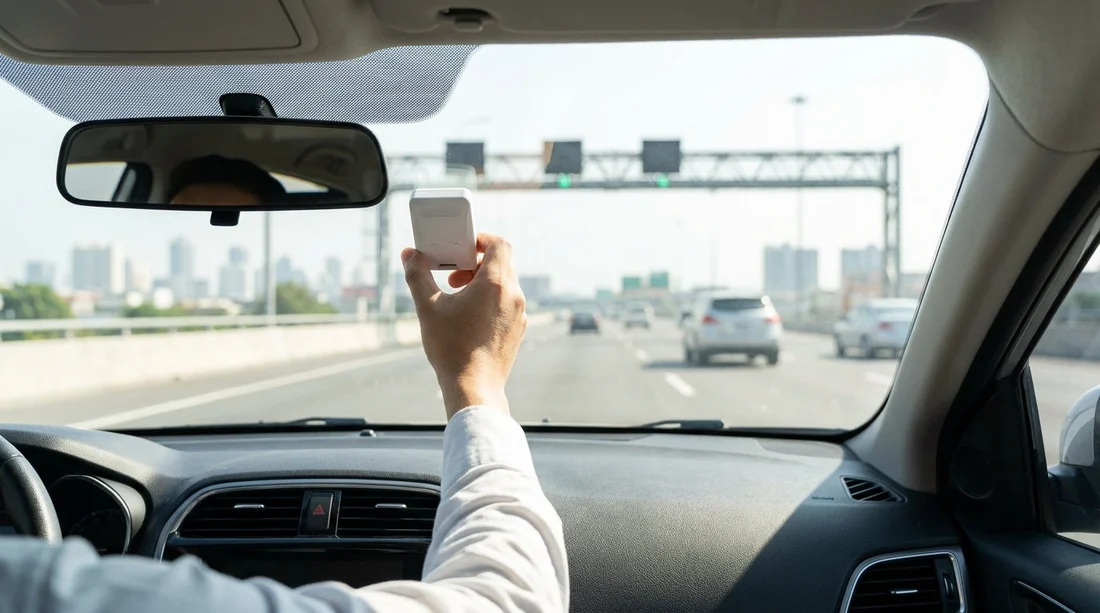
Mount your E‑ZPass correctly. If you are using your own transponder, place it where your E‑ZPass authority recommends, typically high on the windscreen. Avoid placing it behind metallic tints or near built-in housings that could interfere. A clean read reduces the chances of plate-based billing.
Keep evidence until tolls settle. Save the rental agreement, the vehicle details page, and any receipt that shows toll plan selection. E‑ZPass charges can post quickly, while rental toll bills may arrive days or weeks later. Having documentation makes it easier to reconcile and dispute.
How this affects car hire budgeting in New York
When planning car hire costs, tolls are one of the hardest items to estimate, because routes and traffic change. The most important budgeting move is preventing fees that do not reflect actual tolls, such as duplicated tolls or administrative add-ons. Clarifying the toll programme status at pick-up can be as important as confirming fuel policy.
Vehicle type can also change your toll rates depending on classification rules, especially if you move into larger categories. If you are comparing options, it can help to understand what you are hiring, for example an SUV rental in New York JFK, versus a smaller car. Confirm the class the rental company lists for the vehicle so your E‑ZPass account matches it if required.
Finally, if you are collecting from a specific brand desk, do not assume policies are identical across operators. Even when toll operators are the same, rental toll administration can differ. Hola Car Rentals includes brand-specific pages such as Alamo car rental New York JFK, which can be useful when you are comparing terms before arriving at the counter.
If you are starting your trip from New Jersey, it is still worth confirming toll handling at the point of collection, because plate-based billing can be processed differently by operator. Hola Car Rentals also lists pick-up options such as car rental at Newark EWR.
FAQ
Can I use my personal E‑ZPass in a rental car in New York? Yes, but you should confirm the rental’s toll programme settings and add the rental vehicle’s plate to your E‑ZPass account for the hire dates to avoid duplicate billing.
Do I need to add the rental car’s number plate if I have my own transponder? It is strongly recommended because if a toll point misses your transponder read, video tolling may bill by plate. Linking the plate helps ensure those tolls still route to your E‑ZPass account.
What should I do if the rental car already has a transponder on the windscreen? Ask whether it is active and tied to a toll programme. If it is active, your personal transponder may not be used, so clarify which billing method will apply before you drive off.
How long after my trip might rental toll charges appear? It varies, but it can take days or weeks because toll notices and processing lag behind travel. Keep your agreement and check both your E‑ZPass statements and any rental invoices.
What proof helps if I am charged twice for the same toll? Your E‑ZPass transaction record, the rental agreement showing toll plan selection, and the vehicle plate details. With these, you can ask the rental billing team to review and reverse duplicated charges or fees.





























































































