


Quick Summary:
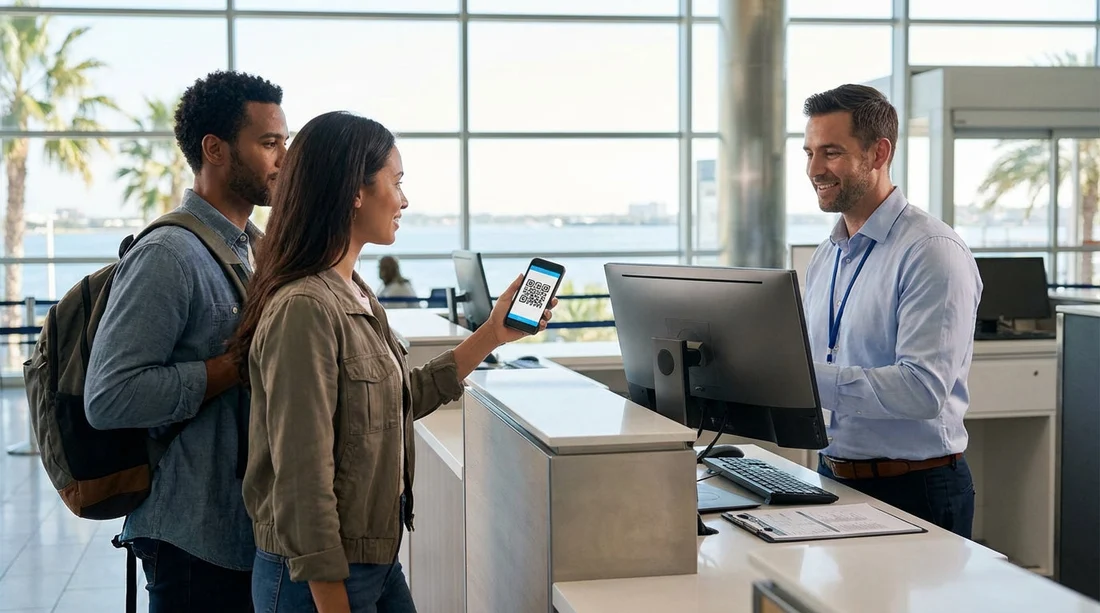
- A mobile voucher or QR code is usually accepted at SFO counters.
- Carry the booking reference, supplier name, and pick-up time offline.
- Bring the payment card used, plus a valid driving licence and ID.
- Save screenshots or a PDF copy if airport mobile data fails.
Picking up car hire at San Francisco International Airport can be straightforward, but the counter experience varies by provider, staff member, and how your booking was made. Most travellers now arrive with a confirmation email, a mobile voucher in an app, or a QR code. The key question is whether that digital proof alone is enough when you reach the desk, especially if Wi-Fi is patchy, your phone battery is low, or your data plan stops working.
In most cases at SFO, a mobile voucher or QR code is accepted as proof of booking. However, it is not the only thing you may need. Rental desks typically care less about the format of the voucher and more about matching your reservation to your identity, eligibility, and payment method. Thinking of the voucher as “helpful for locating the booking” rather than “the only requirement” will keep you prepared.
If you are comparing providers and pick-up details in advance, the Hola Car Rentals SFO pages can help you review options by airport location and supplier, such as San Francisco Airport car rental and car rental at SFO.
What the counter usually accepts as proof of booking
At SFO, proof of booking is generally accepted in any readable form that contains a reservation number and the main booking details. That can include a QR code, a barcode, a PDF voucher, or an email confirmation. Some suppliers use QR codes for faster lookup, while others simply type the reservation number into their system.
What staff usually need to see is:
Your reservation number, sometimes called a booking reference or confirmation number.
The lead driver’s name, which must match your driving licence.
Pick-up location and time, so they can find the correct booking and vehicle class.
Supplier or brand, since SFO has multiple brands in the same facility.
If your voucher is stored in an app, make sure it opens without requiring a fresh login or email verification. If the app asks for a code sent by text message, and your UK SIM does not roam, you can get stuck at the counter even though you have a valid booking.
When a QR code alone may not be enough
A QR code can be sufficient for locating the reservation, but you can still be turned away or delayed if you cannot satisfy the separate requirements for car hire. Common situations include:
Payment card checks. The counter may require the physical payment card used to pay, or at least a major credit card in the lead driver’s name. A QR code does not solve a payment card mismatch.
Name or licence mismatches. If the booking is in one name and the driving licence is in another, staff may refuse to release the vehicle until the booking is amended.
No offline access. If the QR code is inside an email that will not load, you may not be able to show the details staff ask for, like the booked category or included cover.
Multiple reservations. If you have changed dates or created more than one booking, staff may pull up the wrong one unless you can show the correct reference and times.
After-hours or busy periods. During queues, agents often want the fastest path to verify you. A clear PDF or screenshot that shows the reference and main details can speed things up.
Supplier-specific policies can also differ. If you want to check typical supplier expectations at SFO, you can review brand pages such as Hertz car hire at SFO or Avis car rental at SFO.
What to have available offline if data fails
Mobile reception at airports can be unpredictable, and Wi-Fi portals sometimes require repeated sign-ins. The simplest protection is to make sure you have the booking details stored locally on your phone, and ideally a back-up method if your phone fails altogether.
Before you travel, save:
A screenshot of the confirmation screen that includes the reservation number, lead driver name, dates, and pick-up location (SFO).
A PDF voucher in your phone files, available offline. Many email apps allow you to download attachments for offline viewing, but test it by turning on airplane mode.
The supplier telephone number from your confirmation, saved in your contacts, in case you must call via airport Wi-Fi.
A note with key details such as booking reference, pick-up time, and the vehicle class booked.
If you are travelling with a companion, consider sharing the PDF to their phone too. If you lose your device or it runs out of battery in the queue, your back-up can prevent a long delay.
Documents you will still need at the desk
Even with perfect proof of booking, most SFO rental desks will ask for documents to validate that you are eligible to drive and to place a deposit. Prepare for the standard set:
Driving licence. Bring your full, valid photocard licence. If your licence is not in English or you have a paper-only licence, check whether an International Driving Permit is recommended for your situation.
Passport or additional ID. Many desks verify identity with a passport, especially for international travellers. Names must match across documents and booking.
Payment card in the lead driver’s name. Deposits are usually placed on a credit card. Some suppliers accept certain debit cards, but acceptance can vary by location and vehicle type. A mobile wallet may not be accepted for deposits if staff require the physical card.
Proof of address. Not always required, but occasionally requested if documents show older details or if extra verification is needed.
Keep these items accessible before you join the queue. Looking for your passport at the counter slows things down, and some desks will move to the next customer if you cannot present documents quickly.
Why the counter may ask to see more than the voucher
It can feel surprising when you have a QR code and still get questioned. From the desk perspective, the voucher proves a reservation exists, but it does not prove the rental can legally and securely proceed. Agents must confirm risk controls such as:
Driver identity and licence validity for compliance and insurance purposes.
Card ownership and deposit capability to cover security deposits, tolls, fuel differences, or damages.
Eligibility for the chosen vehicle, for example age-related restrictions or premium category requirements.
Agreement to local terms, such as toll programmes and additional driver policies.
The fastest pick-ups happen when your voucher is readable, your documents are ready, and your payment method aligns with the booking and supplier rules.
Tips to avoid delays at SFO car hire pick-up
Charge your phone before landing. Queues can be long and you may need your screen on for a while.
Use screenshots, not just email search. Airport inbox search can fail when you are offline or your email app is not synced.
Know the exact supplier name. Some brands operate multiple desks or share facilities, and staff may direct you based on brand rather than your broker.
Keep your booking editable. If the lead driver name is wrong, it is better to resolve it before travel than at the desk.
Print a copy if you prefer belt-and-braces. Printing is not required for most travellers, but a single page with the reference and dates is a robust back-up if your phone fails.
If you are travelling with a larger group or need extra luggage space, you may also want to compare vehicle types ahead of time, including van rental at SFO, because desk staff sometimes confirm seating and luggage needs during allocation.
What if you cannot access your voucher at all?
If your phone is dead and you have no printed copy, you can still often retrieve the reservation, but expect extra time. Provide the agent with as many of these as you can: your full name as booked, pick-up date and time, and the email address used. If you paid in advance, your payment card transactions may also help you locate the reservation, although staff still usually need a booking reference for the fastest search.
If the desk cannot find the booking due to system delays or you cannot provide enough details, you may need to contact the booking provider using the support details from your confirmation. This is another reason offline saving matters. Having your reference number written down can be the difference between a quick lookup and a prolonged search.
Does a mobile voucher change anything about insurance, deposits, or extras?
The voucher format rarely changes the commercial terms. Whether you show a QR code or printed page, the desk will still apply the same rules on deposits, cover, and optional products. What matters is what your reservation includes and what you accept at the counter.
To stay clear, read your voucher details before you travel and be ready to answer basic questions: whether you want to add an additional driver, whether you need child seats, and how you plan to handle toll roads. If you are unsure what is included, your saved PDF or screenshot should show key inclusions such as mileage and any pre-paid cover, and that helps avoid confusion during check-in.
FAQ
Is a QR code on my phone enough to pick up car hire at SFO? Usually, yes, as long as it allows the agent to retrieve your reservation. You will still need your driving licence, ID, and an accepted payment card for the deposit.
Should I print my car hire voucher for SFO? Printing is rarely required, but it is a reliable back-up. A downloaded PDF and a screenshot stored offline typically provide the same practical benefit.
What details should be visible on the mobile voucher? The reservation number, lead driver name, pick-up and drop-off dates and times, and the SFO location. Having the supplier name visible also speeds up desk routing.
What if I have no mobile data at SFO and cannot open my email? Use an offline screenshot or saved PDF. If you do not have one, give the agent your name, dates, and email address so they can search manually, which may take longer.
Can I use Apple Pay or Google Pay instead of a physical card? Sometimes payments are accepted, but deposits often require a physical card in the lead driver’s name. Bring the actual card to avoid being refused at the counter.





























































































