


Quick Summary:
- Choose credit, skip debit prompts, and enter 00000 when ZIP requested.
- Pay inside with an attendant when a machine demands a US ZIP.
- Use contactless, but expect limits, offline terminals, and occasional tap failures.
- Try official parking apps, save receipts, and photo the screen for disputes.
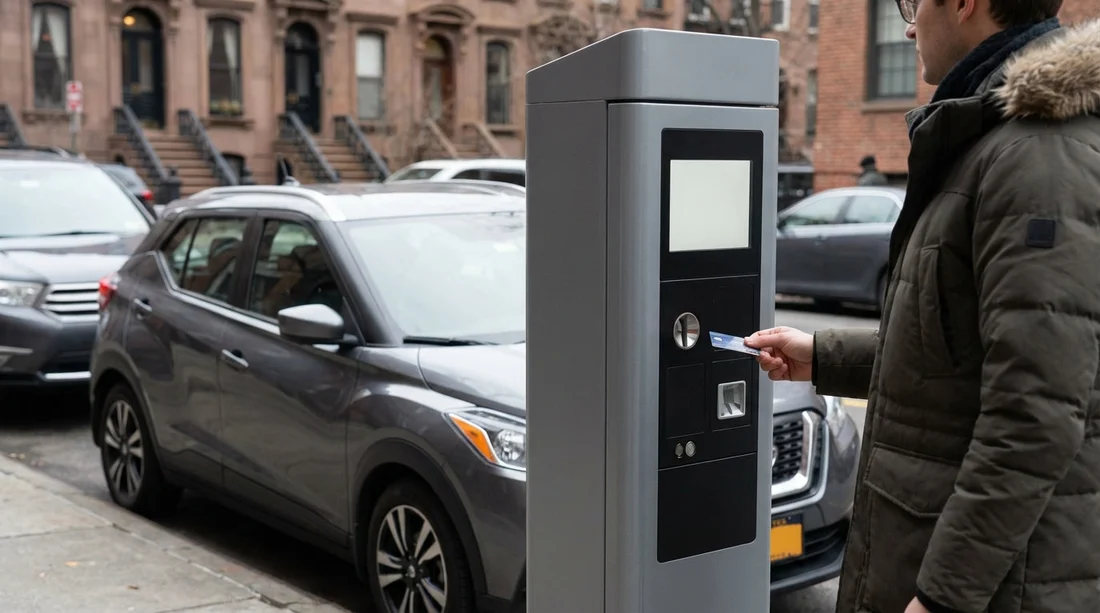
UK travellers are often surprised when a New York parking pay station asks for a ZIP code, or insists on a “PIN”, then declines an otherwise working Visa or Mastercard. This is common at unattended terminals used for street parking, garages, and even some fuel and toll related kiosks. If you are in New York for car hire, understanding what the terminal is really asking for, and what it can and cannot accept, saves time and avoids accidental fines.
The short version is that many US terminals are built around American card habits. They expect a five digit billing ZIP for “address verification”, and they sometimes route cards through networks that treat foreign cards differently. The result is not that your UK card is bad, but that the machine is checking for data your card does not provide in the same way.
If you are collecting a rental car around the airports, you may see these issues immediately in car parks or garages near arrivals. For pickup areas around Newark, it helps to know your options before you drive out, especially if you have chosen car hire at Newark Airport (EWR). Similar problems can occur after a JFK arrival, including at pay on foot stations in garages, when you are organising car hire at New York JFK.
Why New York parking terminals ask for ZIP codes
Many US terminals use an extra check called AVS, which compares the ZIP code you enter with the postcode on the card’s billing address. In the US, that is a straightforward five digit number. In the UK, postcodes are letters and numbers, and a terminal designed only for US ZIP formats may not know what to do with them.
Some terminals show “ZIP” even when they really mean “billing postcode”. Others are hard coded to accept only five digits. When the check fails, the terminal may decline or send you back to the start.
A separate issue is that some pay stations are configured for “US debit”, which expects a PIN and routes the transaction through domestic debit rails. A UK debit card may have a PIN, but the routing, verification rules, and fraud settings can still make the payment fail. That is why the same card can work in a shop with a modern reader, but fail at an older outdoor kiosk.
Why UK cards fail more often at unattended kiosks
Unattended payment environments in the US are higher risk for fraud. To reduce chargebacks, merchants often enable stricter checks. A pay station might require AVS for swipe or chip transactions, or it may refuse contactless above certain amounts. Some machines also operate “offline” for short periods, storing transactions to process later, and foreign cards are more likely to be rejected in offline mode.
Another quirk is the way US terminals label the payment type. You might see options such as “Credit”, “Debit”, or “ATM”. For a UK visitor, “Debit” sounds normal, but in the US it can mean “US debit with PIN”. Choosing “Credit” often gives your card the best chance because it routes through the international credit networks without the PIN requirement.
When you are budgeting for car hire, build in a small buffer for parking, as you may need to switch to a different payment method or pay inside, which can sometimes carry a slightly different fee structure.
Workarounds that usually work, step by step
The aim is to get the transaction processed with the least friction while keeping evidence that you tried to pay correctly. Use the following approaches in order, moving to the next if the machine declines.
1) Choose “Credit” and avoid the PIN route
If the terminal offers “Credit” versus “Debit”, pick Credit, even if you are using a debit card. Many UK debit cards support credit style authorisation on US terminals. This often bypasses the PIN prompt, and reduces the chance the machine tries a US only debit network.
If the screen insists on a PIN after selecting credit, cancel and start again, because some terminals remember the last choice. If it still demands a PIN, it may be configured for domestic debit only, and you will likely need a different method such as paying inside.
2) When asked for ZIP, try a five digit workaround
There is no universal “right” answer because terminals vary, and you should never enter a PIN or sensitive data you do not understand. However, for ZIP code prompts, these are the practical options that UK travellers commonly find work:
Try 00000 when the machine will only accept five digits. Some merchants accept it as a bypass for non US cards.
Try the digits from your UK postcode only if the screen explicitly says “billing ZIP or postcode”, and only if it allows letters. If it demands five digits and rejects letters, this will not help.
Do not guess a random US ZIP. If the terminal is truly doing AVS, a random ZIP will fail and may increase fraud flags.
If 00000 fails, move on quickly to paying inside or using an app. Repeated declines can sometimes trigger your bank’s fraud controls.
3) Use contactless or mobile wallet, but plan for limits
Tap to pay can be the easiest route because it avoids some ZIP prompts, but New York pay stations are inconsistent. Some allow contactless only up to a certain amount, others support it but have poor antennas, and some have contactless turned off at night.
To improve your odds, try a phone wallet (Apple Pay or Google Pay) if you have it, because tokenised payments can be accepted where plastic cards fail. If the terminal asks for a ZIP after you tap, it may still be doing AVS on the underlying card, so be ready to switch methods.
If your car hire plans include longer garage stays, split payments may not be possible, so ensure you have at least two ways to pay, such as a second card or cash.
4) Pay inside or at a staffed booth
The most reliable fix is to pay a person rather than a machine. Many garages have a cashier window, an office desk, or an intercom that can route you to a staffed lane. Staffed terminals are often newer, and the attendant can manually run the card without the ZIP requirement, or they can process chip and signature where needed.
This matters around busy arrival corridors and hotels. If you are using a rental car from Newark and staying in New Jersey, you may also encounter smaller garages where the outside kiosk is old but the inside terminal works fine, particularly if you arranged car rental near New Jersey EWR.
5) Use parking apps as an alternative to the kiosk
In New York City, many areas use app based parking sessions, which can remove the kiosk problem entirely. The key is to use the app that matches the sign or meter zone, then start a session and pay in app with your preferred method. If you are using an eSIM or roaming, check you have data before you leave the car.
Even with apps, your UK bank might challenge a first payment. If you have your banking app, approve the transaction promptly. Also keep in mind that some app payments are treated as “card not present”, which can trigger additional checks.
6) Keep proof of payment and proof of failed attempts
Whether you pay at a machine, in app, or at a booth, keep evidence. This is particularly important if you are parking while travelling between boroughs or airports, or if you are in a garage that issues paper tickets. Practical proof to keep includes:
Receipts, paper or emailed, showing date, time, amount, and location.
Screenshots of app confirmations and the zone number.
Photos of the pay station screen if it shows an error, and the meter ID on the sticker.
Bank notifications showing a pending authorisation, even if it later reverses.
This proof helps if you receive a parking notice, or if you need to explain a charge to your bank. It also helps if a rental company later asks about a ticket linked to the vehicle during your car hire period.
How to prepare before you park in New York
A few preventative steps reduce the chance of a stressful decline when you are already looking for a space.
Carry two cards, ideally from different issuers. Some US terminals simply behave better with one network than another on a given day.
Enable overseas usage in your banking app and make sure your bank has your current mobile number for verification.
Know your daily limits for contactless and for cash withdrawals, just in case you need a fallback.
Keep some cash in small denominations. Not every garage will take it, but when it is accepted it can save time.
Expect deposits and pre authorisations. Some garages pre authorise more than the final charge, similar to how rental deposits work in car hire. Make sure you have enough available balance.
If you are choosing a rental provider for airport pickup, it can be useful to compare options and policies for deposits and payment cards. For example, travellers sometimes look at brands available through Hola such as Payless car hire at New York JFK or airport area choices like Avis car rental in New Jersey EWR, then plan the same “two card” approach for both rental and parking.
What to do if you are already stuck at the barrier
If the pay on exit machine will not accept your UK card and there is a queue behind you, prioritise getting help rather than repeatedly retrying. Press the help button or call the number on the machine. Explain that you have an international card and the terminal is requesting a ZIP. Staff can often take payment remotely, direct you to a staffed lane, or note your plate and let you exit to pay inside.
If the machine printed a ticket, keep it even if it looks blank. Some systems encode the entry time in the barcode, and it can help staff reconstruct the charge. If you had declines, take a quick photo of the decline message before you move away from the terminal.
If you must leave without paying due to a malfunction, ask staff for a written note or a receipt showing “machine down” or “paid at desk”. That single piece of proof can prevent later disputes during your car hire trip.
FAQ
Why does a New York pay station ask for a ZIP when my UK card has a postcode? Many US kiosks use address verification designed for five digit US ZIP codes, and some cannot process UK postcode formats.
What ZIP code should I enter with a UK card at a parking meter? If it only accepts five digits, try 00000 once. If it still declines, pay inside or use the zone’s official app.
Is selecting “Credit” safe if I am using a UK debit card? Yes, on many US terminals it simply changes the routing. It can avoid US debit PIN prompts and improve approval rates.
Will contactless always work at New York parking kiosks? No. Some kiosks have tap limits, weak readers, or offline settings. A phone wallet can help, but you still need a backup.
What proof should I keep in case I get a parking ticket? Keep receipts, app confirmations, photos of the meter ID, and screenshots of any error screens or pending bank authorisations.





























































































