


Quick Summary:
- Before landing, download an offline airport map and your booking details.
- From Terminal 3, follow purple “AirTrain” and “Rental Cars” signs.
- Ride AirTrain Blue Line to the Rental Car Center station.
- At the center, locate your company counter, then follow bay signage.
Arriving at San Francisco International Airport and realising you have no mobile data can feel stressful, especially when you are trying to reach car hire pick-up quickly. The good news is that SFO is designed for this. You can get from Terminal 3 to the Rental Car Center using airport signage and the free AirTrain, with no need for apps, ride-hailing, or live navigation.
This guide gives a step-by-step, no-data plan, plus a short pre-landing checklist so you can stay calm and keep moving as soon as you step off the plane in San Francisco.
What to download before landing (works without mobile data)
Even if you plan to follow signs the whole way, a few offline items reduce friction. Do these while you still have inflight Wi-Fi, airport Wi-Fi, or data from home.
1) Save your car hire confirmation for offline access. Screenshot your reservation number, pick-up company, and pickup instructions. Also screenshot your name as it appears on the booking and the reserved vehicle class. If your provider emails a PDF, download it to your phone so it opens offline.
2) Download an offline airport map. Most map apps let you save an area for offline use. Save “San Francisco International Airport” and zoom in around Terminal 3 and the Rental Car Center. This is a backup, not your main navigation.
3) Screenshot the AirTrain route diagram. SFO has a simple AirTrain system with clear station names. A screenshot helps if you want reassurance about the direction of travel.
4) Note your essentials in one place. Write down, or screenshot, the customer service number for your rental company and your flight number. If anything changes at the counter, you will not need data to find these details.
If you are still choosing providers for SFO, Hola Car Rentals keeps key pick-up details together on provider pages such as Avis car rental San Francisco SFO and National car rental San Francisco SFO, which you can review before you travel.
Step-by-step: Terminal 3 to Rental Car Center with only signs
The route is consistent whether you land in Terminal 3 or connect there. Your goal is to reach the AirTrain platform, then take the correct line to the Rental Car Center station.
Step 1: Exit the secure area and orient yourself. After you deplane, follow the “Baggage Claim” signs down to baggage reclaim. If you have checked luggage, collect it first. Most car hire providers require you to have all bags with you before you travel to the Rental Car Center.
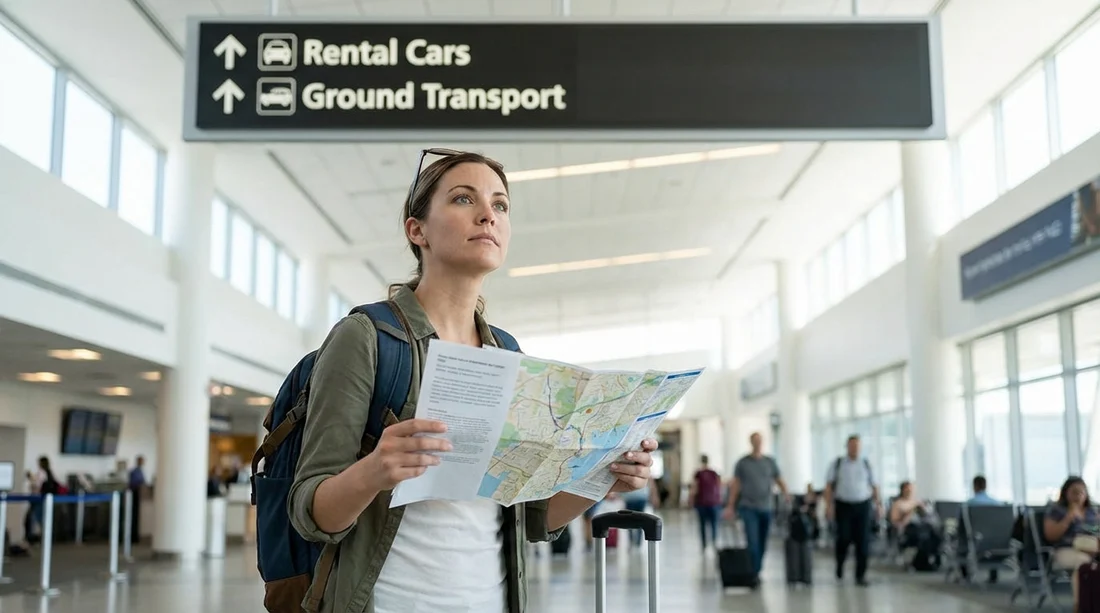
Step 2: Look specifically for “AirTrain” and “Rental Cars” signs. At SFO, wayfinding is strong. You will see overhead signs for AirTrain, often alongside “Parking” and “Rental Cars.” Do not follow “Ground Transportation” for buses or shuttles, because rental cars at SFO are consolidated at the Rental Car Center and reached by AirTrain.
Step 3: Head to the AirTrain station for Terminal 3. Follow signs to the AirTrain station connected to Terminal 3. This is an elevated, automated people mover. You do not need a ticket, payment, or mobile app. The key is simply getting to the platform and choosing the correct line.
Step 4: Choose the AirTrain Blue Line for the Rental Car Center. SFO AirTrain has two lines, and the signage uses colour and destination names. You want the Blue Line because it serves the “Rental Car Center.” On the platform, confirm that the next train is labelled for the Rental Car Center. If you are uncertain, wait for the next train and check the electronic signs again. Trains run frequently, so waiting a few minutes is usually faster than getting on the wrong loop.
Step 5: Ride to the “Rental Car Center” station. Stay on until the station is announced as the Rental Car Center. The stations are clearly labelled, and announcements are typically both visual and audio. Keep your bags with you, and stand near the doors if you have bulky luggage.
Step 6: Follow “Car Rental” signs inside the building. After you exit the train, you will walk into the Rental Car Center complex. This area is designed for high volume and is signposted by company names, counter areas, and pick-up garage directions. Look for your company name first, then follow the arrows.
Step 7: Know whether you need the counter or can go straight to the car. Some loyalty programmes allow you to go directly to a bay, but if you have no data and are unsure, go to the company counter first. Staff can confirm your booking using your driving licence and reservation number. This is where offline screenshots help most.
Step 8: Find your bay and do a quick walkaround. Once directed to a bay, match the vehicle class and plate number on your paperwork. Walk around the car and note existing marks with the attendant. Take photos if your phone battery allows. You still do not need mobile data for photos.
For travellers comparing options by vehicle type, the Hola overview page car hire San Francisco SFO can be helpful to check which providers and categories are commonly available at the airport.
Common no-data pitfalls, and how to avoid them
Mistaking hotel shuttles for rental transport. At SFO, the Rental Car Center is not served by individual rental shuttles in the way some airports operate. If you get pulled towards “Hotel Shuttles” or “Shared Ride Vans,” pause and re-locate the “AirTrain” signs instead.
Getting on the wrong AirTrain line. The Red Line and Blue Line each serve different loops. The simplest check is the destination display. If it does not say “Rental Car Center,” do not board. If you already boarded, you can get off at the next stop and re-check signage on the platform.
Relying on a low battery phone as your only plan. If your boarding pass, booking, and ID are on your phone, switch to low power mode after landing. Airport signs do the navigation work, so save your battery for identification, photos, and any unexpected calls.
Assuming you will have Wi-Fi everywhere. You may find free Wi-Fi in terminals, but it can be patchy in transit areas. Treat Wi-Fi as a bonus, not a requirement. Your route should work purely with signage and the AirTrain.
If you need help while staying offline
If something does not match what you expected, use the staffed resources designed for exactly this situation. Ask an SFO information desk worker in the terminal for the quickest way to AirTrain for the Rental Car Center. Once at the Rental Car Center, ask any staff member to point you to the correct counter area for your company.
If your reservation is at a different Bay Area airport, be aware that pick-up logistics differ. Hola also covers nearby airport options such as car rental San Jose SJC, which can be useful if your itinerary changes.
Timing, accessibility, and luggage tips
How long does it take? From Terminal 3 baggage claim to the Rental Car Center, many travellers can do it in roughly 20 to 35 minutes depending on walking pace, lift availability, and how long you wait for the train. Peak periods can add time at the counter.
Accessibility. AirTrain stations and trains are designed for step-free access, and lifts are available. If you are travelling with a pushchair, wheelchair, or heavy luggage, follow the lift signage rather than stairs or escalators.
Travelling with lots of bags. Keep one hand free, move to the side on platforms, and let others exit the train first. If you are a group, agree a simple rule: everyone stays together until you reach the company counter.
FAQ
Q: Do I need a ticket or app for the SFO AirTrain to the Rental Car Center? A: No. AirTrain within the airport is free, and you simply follow signs to the platform and board the correct line.
Q: Which AirTrain line goes to rental car pick-up from Terminal 3? A: Follow signs for the AirTrain Blue Line and confirm the destination display says “Rental Car Center.”
Q: What if I accidentally get on the wrong AirTrain loop? A: Get off at the next station, return to the platform, and wait for a train labelled “Rental Car Center.”
Q: Where do I go once I arrive at the Rental Car Center? A: Follow the internal “Car Rental” and company-name signs to your counter, then to the numbered bays for vehicle pick-up.
Q: What should I save offline before landing to make car hire smoother? A: Screenshot your confirmation number and company, download any PDFs, and save an offline airport map for reassurance.





























































































