


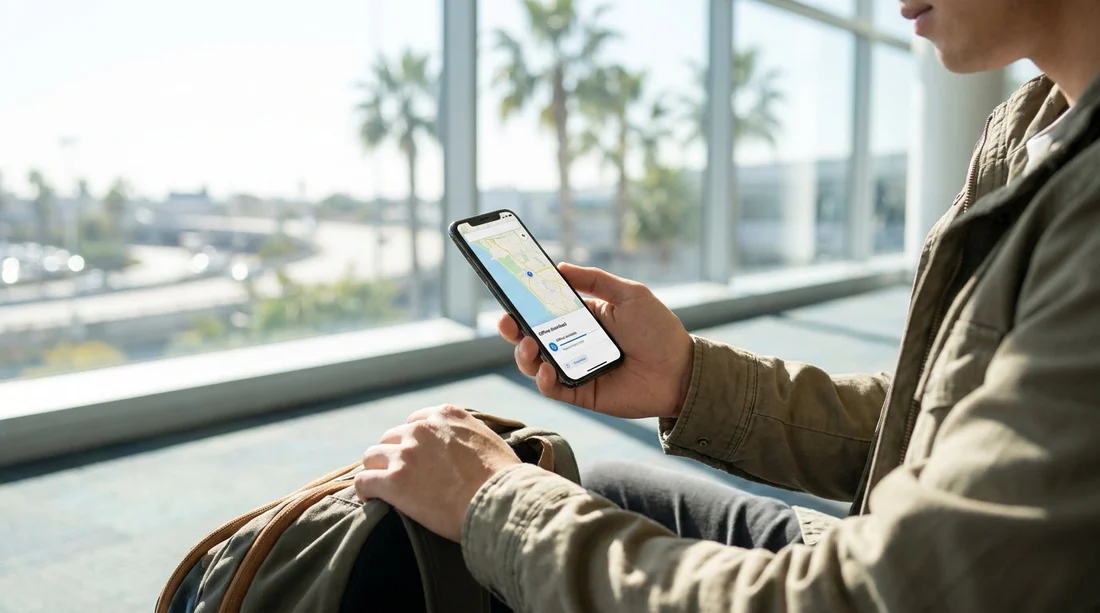
Quick Summary:
- Download an offline map for Greater Los Angeles on Wi‑Fi.
- Enable Google Maps “Avoid tolls” and re-check after each route change.
- Plan a toll strategy for express lanes and bridges before driving.
- Pack power, mounts, and backups so navigation works without data.
Picking up a car hire in Los Angeles can feel like being dropped into a maze of freeways, interchanges, and fast moving traffic. The easiest way to lower stress is to set up your phone for offline navigation and to reduce unexpected toll charges before you collect the keys. A little preparation also helps if your mobile signal drops, you do not want to use roaming data, or you are simply trying to keep battery usage low.
This checklist focuses on two things: downloading offline Google Maps for the areas you will drive, and setting routes to avoid toll roads and toll lanes where possible. It is designed to be completed before pick-up, ideally on hotel or home Wi‑Fi.
Pre-pickup setup checklist for offline Google Maps
1) Update Google Maps and sign in
Open your app store and update Google Maps so the offline features and road data are current. Then open Google Maps, sign into your Google account, and confirm Location Services and Background App Refresh are enabled. Offline maps work best when your phone can keep GPS running while you drive.
2) Download the right offline map area
In Google Maps, tap your profile icon, choose “Offline maps”, then “Select your own map”. Zoom and drag the frame so it covers where you will actually drive, not just your hotel and the airport. For most visitors, that means LAX, your accommodation, plus typical day-trip corridors like Santa Monica, Hollywood, Downtown LA, Beverly Hills, Pasadena, Anaheim, and any coastal routes you expect to use.
Offline maps do take storage. Before downloading, check you have space available and consider temporarily offloading large videos. A larger map is often worth it in Los Angeles because a small change in plans can mean a very different freeway.
3) Name the map and set auto-updates
After downloading, rename the map something obvious like “Los Angeles offline”. In the Offline maps settings, enable auto-update on Wi‑Fi. This helps when roadworks or closures change after you arrive. If you have limited data, keep downloads restricted to Wi‑Fi only.
4) Save key places for quick access
Offline maps are more useful when your destinations are already stored. Save your hotel, the airport, and a few essentials (petrol station near your lodging, a supermarket, and a parking structure). Starring places means you can pull them up quickly at the kerbside without relying on search.
5) Understand what offline mode does and does not do
Offline maps let you navigate by GPS without data, but some features are reduced. Live traffic, many alternate routes, and some business details may be limited. You can still use turn-by-turn navigation, which is the main goal for leaving the rental location calmly and safely.
If you are collecting near the airport, having your route ready matters because the first few miles around LAX can be busy. If you are comparing pick-up options, Hola Car Rentals has location pages like car hire Los Angeles LAX and car rental California LAX that are handy for checking the general area you may want included in your offline map.
How to avoid toll roads and reduce toll surprises in Los Angeles
Los Angeles is less about toll booths and more about toll lanes. You may not cross many traditional toll roads, but you can accidentally enter ExpressLanes or tolled express lanes if you follow the fastest route suggestions.
1) Turn on “Avoid tolls” in Google Maps
Before you start your first drive, set this once and then verify it each time you begin a new route. In Google Maps, enter a destination, tap “Directions”, then open route options and enable “Avoid tolls”. If you are using an iPhone, confirm Google Maps has permission to access location “Always” or “While Using”, so your route does not reset mid-journey.
2) Still check the route preview for tolled lanes
Avoiding tolls reduces risk, but it is not perfect, especially where only specific lanes are tolled. On the route overview, look for small “toll” labels and review any alternate route that seems surprisingly fast. In Los Angeles, the temptation is to take the fastest option, but a few minutes saved can come with a charge.
3) Learn the common tolled facilities you might encounter
Depending on where you drive, you may meet ExpressLanes on parts of I‑10 and I‑110, and tolled express lanes in other counties. If your plans include Orange County, you might see toll roads such as SR‑73, SR‑133, SR‑241, and SR‑261. The key point is that you can enter these quickly via freeway ramps, so you want your navigation settings and your situational awareness aligned.
4) Decide your toll strategy before you collect the car
Different rental providers handle tolls differently, sometimes via a toll pass option, plate billing, or an administrative fee per event. The surprise is usually not the toll itself, but the add-on charges. Before pick-up, read your rental confirmation and decide whether you want to avoid tolls entirely or allow them when they genuinely help.
If you are still choosing providers for your car hire, reviewing supplier specific pages can help you compare expectations around pick-up and driving. For example, National car rental Los Angeles LAX and budget car hire California LAX are useful starting points for understanding your options around the airport area.
Offline navigation: make it work on the road
Download your first route while on Wi‑Fi
Even with offline maps, it helps to build your first route before you leave your hotel or rental facility. Load the directions to your first stop while you still have Wi‑Fi, then keep the phone screen on for the first minute or two so the GPS lock is stable. Once you are moving, you can switch to audio guidance and keep the screen dimmer to save battery.
Use a windscreen mount and a car charger
Navigation drains power quickly, especially with brightness high and audio guidance on. Pack a reliable car charger and cable, ideally one that matches your phone’s fast charging standard. A windscreen or dashboard mount keeps your eyes closer to the road, and stops the phone sliding around during merges.
Keep a simple back-up
Take a screenshot of the first few turns out of the rental facility, plus the name of the freeway you need. Around LAX, wrong lane choices can create long loops. Having a basic “if all else fails” plan reduces panic if the app lags while you pull away.
Set your phone to reduce distractions
Before driving, enable Do Not Disturb or a driving focus mode. Turn off non-essential notifications. You want voice prompts to be clear, and you do not want calls or pop-ups to cover the map at a complicated junction.
A practical pre-pickup checklist you can run in 10 minutes
Step 1: Update Google Maps, sign in, allow location permissions.
Step 2: Download an offline map covering LAX and your full itinerary area.
Step 3: Save your hotel, first destination, and a nearby petrol station.
Step 4: Enable “Avoid tolls”, then preview your first route for toll labels.
Step 5: Decide toll policy for your rental, prioritise avoiding surprise fees.
Step 6: Pack charger, cable, mount, and a written note of key freeways.
With those done, your car hire pick-up becomes simpler: you can focus on the vehicle inspection, mirrors, and getting used to the controls, rather than wrestling with signal bars in a busy pick-up lane.
FAQ
Can I use Google Maps navigation in Los Angeles without mobile data? Yes. If you download an offline map for the area first, Google Maps can provide GPS turn-by-turn navigation without data. You will not get full live traffic features.
How do I make Google Maps avoid toll roads before I start driving? Create your route, open route options, and enable “Avoid tolls”. Re-check it for each new trip, because settings can differ between routes or after app updates.
What toll charges are most likely to surprise rental car drivers in Los Angeles? Tolled express lanes and ExpressLanes are a common source of surprise, because they can be entered from normal freeway ramps. The toll may be small, but fees added by billing systems can be higher.
How big should my offline map download be for a Los Angeles trip? Big enough to cover your accommodation plus likely day trips. If you plan to visit beaches, theme parks, or other counties, expand the download to include those corridors.
What should I pack to keep offline navigation reliable during a car hire? Bring a fast car charger, the correct cable, and a phone mount. Also save key places in advance and keep a simple written note of the first freeway you need.





























































































