


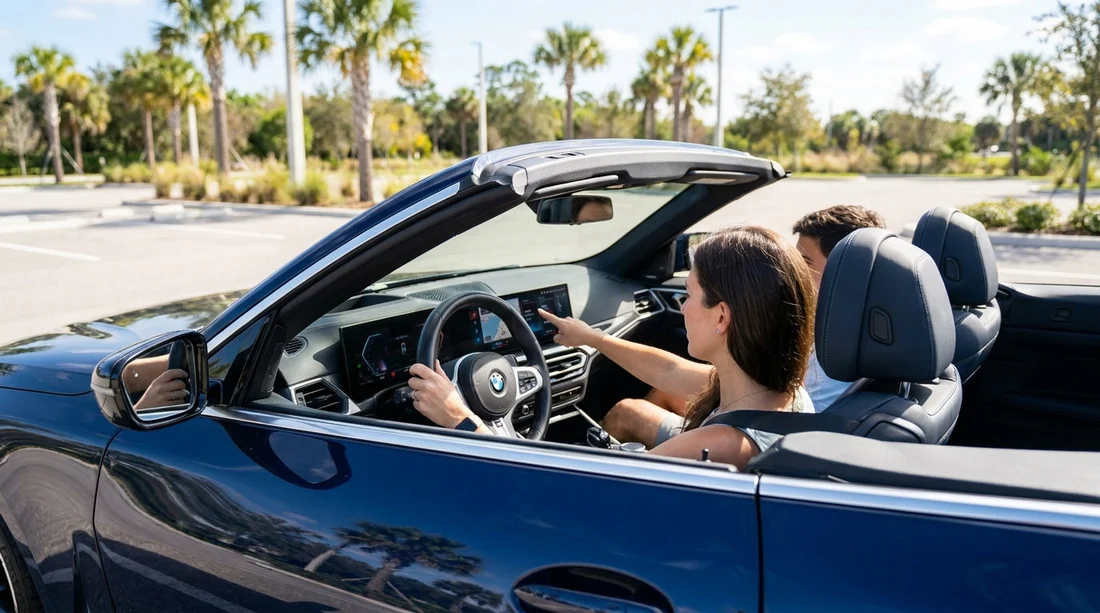
Quick Summary:
- Ask for the exact trim, then confirm AEB and lane assist exist.
- Before leaving, check dashboard icons show systems enabled and unmuted.
- Test parking sensors and camera views in a safe, stationary check.
- Photograph settings screens and warning lights, then reset before returning.
Driver-assist tech varies hugely between vehicles, even within the same model name, so it is worth taking two minutes at the counter and another two minutes in the car before you start car hire in Florida. The aim is not to test safety systems aggressively, but to confirm the features you expect are actually fitted, switched on, and set to sensible defaults for unfamiliar roads, heavy rain, and busy interstates.
If you are collecting from a busy hub such as Orlando Airport (MCO) or Tampa Airport (TPA), allow a little extra time for these checks, as lighting and noise can make it harder to spot warnings or hear beeps.
1) Counter-side questions that prevent surprises
Start by confirming what you are actually being given. Rental categories describe size, not technology, so two similar cars can have completely different sensor suites.
Ask for the exact vehicle details. Request the make, model, and trim level, plus whether it has a driver-assistance package. If the agent cannot guarantee a trim, ask whether a car with AEB and lane keeping is available in your class or as an alternative in the lot.
Clarify the three headline systems. Ask the agent to confirm “automatic emergency braking”, “lane keeping assist”, and “blind-spot monitoring”. Many people use “lane assist” to mean either lane-departure warning (beeps only) or lane keeping (gentle steering input), so confirm which one it is.
Confirm what is not included. Adaptive cruise control, rear cross-traffic alert, 360-degree camera, and front parking sensors are not universal. For city pick-ups, locations like downtown Miami can mean tight spaces, so it is worth knowing your parking assistance options.
2) In the car, before you move: the “icons and menus” check
Once seated, do a calm, stationary check with the engine on and the seatbelt fastened. This is where you confirm features are enabled, not just advertised.
Look for the tell-tale dashboard icons. Different brands use different symbols, but you are looking for lane markings, a collision icon, radar waves, or side markers. If an icon shows “OFF” or a crossed-out symbol, the system is disabled or unavailable.
Open the driver-assistance settings screen. Use the steering wheel buttons or infotainment menus to find “Driver Assist”, “Safety”, or similar. Confirm these are toggled on where available.
AEB and forward collision warning. Check that forward collision warning is on, and that braking intervention is not set to “off”. If there is an alert sensitivity setting, “medium” is a practical starting point.
Lane warning and lane keeping. Confirm whether it is warning-only or steering assist. If it is active steering, set the intensity to standard until you are comfortable.
Blind-spot monitoring. Confirm the indicator location, typically in the mirror or on the A-pillar, and whether there is an audible alert when you signal.
3) Visual inspection: sensors, camera lenses, and windscreen condition
Many driver-assist features depend on cameras and radar seeing clearly. A feature can be on in the menu but ineffective due to a blocked sensor.
Check the windscreen area around the rear-view mirror. Lane assist and AEB often rely on a forward-facing camera mounted high on the windscreen. Look for dirt, heavy smears, or stickers near that area, and avoid a car with a crack in the camera’s field of view.
Inspect the front grille or lower bumper. Radar units sit behind plastic panels. If the area is heavily caked with bugs or road film, wipe it gently with a damp cloth if available.
Check rear camera clarity. A cloudy lens creates a misleading view at night or in rain. Wipe it lightly and report faults before leaving the lot.
4) Safe functional checks without risky driving
You can confirm basic operation without intentionally triggering emergency interventions.
Reverse camera and sensors. With your foot on the brake, shift to reverse and confirm the camera image appears quickly and guidelines show. If there are parking sensors, listen for audible tones and ensure they are not muted.
Lane system readiness. Many cars show lane lines on the instrument cluster once the camera can see the road markings. As you exit the car park and reach a clearly marked lane, check whether lane lines appear on the display.
5) Know the common “why is it not working?” moments in Florida
Driver-assist features are not magic, and Florida conditions can reduce performance.
Heavy rain and spray. AEB and lane systems may warn “temporarily unavailable” in downpours. Increase following distance and stay ready to steer and brake normally.
Sun glare at sunrise and sunset. Low-angle sun can wash out camera contrast, so lane detection may flicker on bridges, near water, or on bright concrete.
Worn or confusing lane markings. Construction zones, merge areas, and older paint can make lane keeping drift. Treat it as a helper, not a substitute for steering.
6) Document settings, then return the car responsibly
Because you are using car hire, you might hand the vehicle back to someone else quickly. Make changes that help you drive safely, but keep track of what you changed.
Take quick photos of key screens. A photo of the driver-assist menu and warning volume setting can help you restore the previous state when returning the car.
If you are switching vehicle types for luggage or family space, note that larger vehicles can have different sensor coverage. If you are collecting a larger vehicle near theme parks, the SUV options around Disney in Orlando may differ in safety tech by trim, so repeat the same menu and sensor checks each time you swap vehicles.
Finally, if you are picking up in Miami and heading straight into dense traffic, give yourself a low-pressure first mile to understand the alerts. A car collected via Miami airport and downtown routes can throw a lot at you quickly, and driver-assist is most helpful when you recognise its sounds and symbols.
FAQ
Do all Florida rental cars include AEB and lane assist? No. Some newer models do, but features vary by model year and trim. Always confirm at the counter and in the settings menu before you drive away.
What dashboard signs show AEB or collision warning is active? Look for a forward collision icon and ensure it is not marked “OFF”. In the safety menu, confirm forward collision warning and automatic braking are enabled.
Can I adjust lane assist strength and warning volume in a hire car? Usually yes, these are normal driver preferences. Avoid deep factory resets, but adjusting sensitivity and volume is typically fine and can improve comfort.
Why did the car say sensors are blocked when it is sunny? Glare, road film, bugs on the grille, or a dirty windscreen camera area can trigger temporary blocks. Clean the sensor areas gently and reassess, especially after rain or long highway stretches.
Should I rely on driver-assist to brake or keep me in lane? Treat it as support, not a guarantee. Stay attentive, keep safe distances, and be ready for systems to pause in rain, construction zones, or poor lane markings.





























































































