


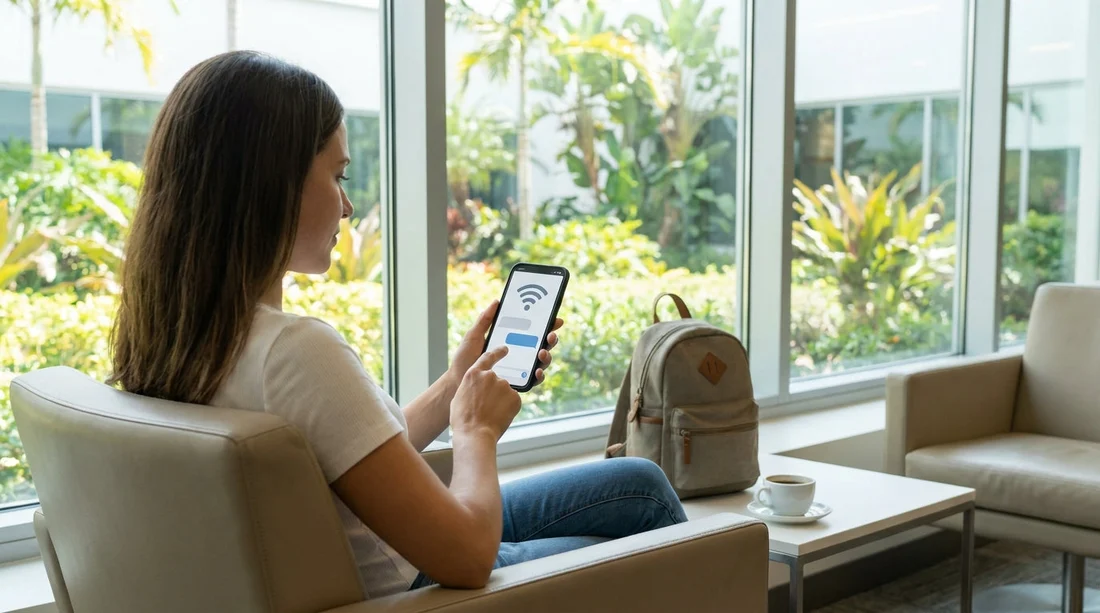
Quick Summary:
- Add a WhatsApp-enabled number and test it before you fly.
- Share flight number, arrival time, and terminal to avoid delays.
- If arriving Wi‑Fi-only, arrange eSIM data or an SMS-capable SIM.
- Save Hola contact details and allow notifications on your phone.
Arriving in Miami without roaming can feel like a small detail until it affects your car hire pick-up. If your phone cannot receive calls or texts, a message about meeting points, ID checks, opening hours, or short delays may not reach you in time. The good news is that a few simple choices before you fly can make it easy for Hola to contact you, even if you plan to rely on airport Wi‑Fi.
This guide explains which contact details help most, why Wi‑Fi-only arrival can cause gaps, and practical fixes such as eSIMs and WhatsApp. The aim is not to change your travel style, it is to make sure you stay reachable when it matters.
What contact details should you provide for a smooth pick-up?
For car hire in Miami, the most reliable contact setup is one that works across different networks and does not depend on a single app. When you enter your details, think in terms of what will still work if your data drops briefly, and what staff can use quickly if they need to clarify something.
Provide a mobile number with an international format. Use the full country code (for example, +44 for the UK). Avoid hotel or landline numbers, they rarely help during airport arrivals. If you are travelling with a companion, adding a second reachable number can also help if one phone runs out of battery.
Add an email address you can access on your phone. Email is not ideal for urgent messages, but it becomes useful if you connect to Wi‑Fi and can quickly check updates. Make sure it is an inbox you actually monitor while travelling.
Share key trip context. If you can include your flight number, scheduled arrival time, and whether you are collecting at the airport or a city location, it reduces the need for back-and-forth messages. It also helps if your flight is early or delayed. If you are collecting at Miami International Airport, the location details matter, see car rental at Miami Airport (MIA) for context on pick-up planning.
Confirm your preferred contact channel. If you know you will not have roaming, say so and state what will work instead, such as WhatsApp over Wi‑Fi or an eSIM data line. This avoids staff trying to call a number that cannot receive calls.
Why Wi‑Fi-only arrival can affect car hire pick-up
Many travellers land in Miami with mobile data switched off to avoid roaming fees, expecting airport Wi‑Fi to cover everything. Airport Wi‑Fi is helpful, but it is not always seamless from the moment you step off the plane.
Common friction points include: Wi‑Fi can be unavailable briefly while you move between areas, or you may need to accept terms on a webpage before it works. Your phone may connect to Wi‑Fi but still delay notifications if battery saver is on or background data is restricted. Some verification texts, app sign-ins, or password resets require SMS, which you cannot receive without a working mobile line.
For car hire, those gaps can matter. If there is a change to where to meet, a question about your arrival time, or a request to confirm a detail, a missed message can create avoidable waiting. Even at a city collection point, Wi‑Fi-only can cause the same issue if you are walking between terminals, parking areas, or street-level meeting spots. If your pick-up is in the city rather than MIA, you might also be looking at car rental in Miami or, for central areas, budget car hire in Downtown Miami, where timing and directions can be sensitive to real-world connectivity.
Simple fixes that avoid roaming charges
You do not need to buy an expensive roaming pack to stay reachable. These options usually cost less and provide more control.
1) Use an eSIM for data. If your phone supports eSIM, you can install a US data plan before you travel and switch it on when you land. That gives you mobile internet for WhatsApp, iMessage, email, and maps, without relying on public Wi‑Fi. Data alone covers most communication needs.
2) Use WhatsApp with a stable number. WhatsApp works well on Wi‑Fi or mobile data, and it is commonly used for quick updates. The key is that WhatsApp is linked to a phone number. Do not change the number tied to your WhatsApp profile right before travel unless you are confident it is set up correctly. If you do, message a friend to confirm you can send and receive messages while on Wi‑Fi.
3) Enable Wi‑Fi Calling if your network supports it. Some UK and EU networks allow calls and SMS over Wi‑Fi as if you were on your normal line. If enabled, you can receive an SMS even with roaming off, provided you have Wi‑Fi. Test this at home by switching on aeroplane mode and then enabling Wi‑Fi, then try sending yourself a text from another phone.
Best practice checklist for the day before your flight
A quick pre-flight check prevents most cannot-reach-you scenarios. Run through these steps the day before you travel.
Check your phone settings. Ensure notifications are allowed for WhatsApp, your email app, and any travel apps you rely on. Turn off aggressive battery restrictions for those apps, or at least confirm they can push notifications while the screen is locked.
Confirm your arrival details are accurate. Double-check the arrival date, time, and flight number. Small time zone mistakes can cause big confusion, especially on overnight flights into Miami.
Prepare a backup plan for connectivity. Decide what you will do if Wi‑Fi is slow. For example, you might switch on an eSIM, or buy a prepaid SIM after landing. Having that decision made in advance reduces stress.
What to do after you land at MIA if you still have no signal
If you land and you are temporarily offline, do not panic. The goal is to get connected long enough to receive any instructions and confirm you are on track.
Connect to airport Wi‑Fi first. Open a browser if needed to accept terms, then open WhatsApp and your email. Give your phone a minute to pull in messages. If you are collecting from the airport, keep your pick-up plan aligned with Miami Airport (MIA) car rental logistics, since meeting points and timing tend to be more structured there.
Keep messages short and specific. If you need to reach out, include your name, booking reference if available, and your current location (for example, arrivals and terminal). That reduces follow-up questions.
Special cases that often cause contact problems
Travelling as a group. If one person holds the booking but another person will collect the car hire, make sure the collector’s phone number is included as well. At minimum, ensure the person with the booking keeps their phone powered on and connected.
Pick-up away from the airport. If you are collecting outside MIA, directions matter more, especially if you are navigating unfamiliar streets. For example, if you are staying near business areas, van rental in Doral information can be relevant for larger groups, and if you are closer to neighbourhood areas, car rental in Coral Gables may shape when and how you travel to pick-up.
FAQ
What is the best phone number format to provide for Miami car hire? Use your mobile number with the full international dialling code, such as +44 or +353. This reduces failed calls and mismatched country formats.
Will WhatsApp work if I do not have roaming in Miami? Yes, WhatsApp works on Wi‑Fi or mobile data. The key is having a working data connection and ensuring WhatsApp notifications are enabled.
If I only use airport Wi‑Fi, what is the main risk at pick-up? The main risk is missing time-sensitive messages during short periods without Wi‑Fi, or when Wi‑Fi requires sign-in, causing delays in receiving instructions.
Is an eSIM enough for communication, or do I need a US phone number? An eSIM data plan is usually enough for messaging, email, and maps. A US number can help for voice calls, but it is not essential if WhatsApp is available.
What should I do if my phone battery dies before I am contacted? Use airport charging points as soon as possible and reconnect to Wi‑Fi or your eSIM. If travelling with others, share a secondary number in advance as backup.





























































































