


Quick Summary:
- You can usually use your own E‑ZPass in Pennsylvania rental cars.
- Confirm the rental toll programme is disabled to avoid double billing.
- Add the rental plate to your E‑ZPass account for your dates.
- Remove the rental plate after return to prevent later mismatched charges.
Many drivers arriving for car hire in Pennsylvania already have an E‑ZPass transponder and want to keep tolls simple, especially around the Pennsylvania Turnpike, major bridges, and the Philadelphia area. In most cases you can use your personal transponder in a rental vehicle, but you need to manage two common risks: the rental company’s toll programme charging you anyway, and your E‑ZPass account not being properly matched to the rental licence plate. A little preparation before you pick up the keys, plus a few checks at the counter, usually prevents both problems.
If you are collecting near Philadelphia, the key steps are the same whether you pick up at the airport or downtown. If you are comparing locations, see Philadelphia Airport car rental and Philadelphia car rental for typical pickup contexts.
Are personal E‑ZPass transponders allowed in rental cars?
Generally, yes. E‑ZPass is tied to your account, not permanently to one vehicle, as long as your account is set up to recognise the vehicle using the transponder. E‑ZPass customers commonly move a transponder between cars, and the system will read the device the same way inside a rental. The important part is that your account should be configured correctly for the rental’s licence plate, and you should avoid simultaneously enrolling in the rental company’s toll programme.
What to confirm at the counter to prevent double billing
Double billing typically happens when the rental car is enrolled in a toll service that charges you per toll plus administrative fees, while your personal E‑ZPass also pays the toll. Even if the toll authority charges only once, the rental company may still bill you if their programme shows toll activity tied to the vehicle’s plate. Before you drive away, confirm these points clearly and keep the paperwork.
1) Ask whether the vehicle is automatically enrolled in a toll programme. Some programmes are opt-in, others are effectively automatic unless you decline. Ask the agent to explain how their system works for Pennsylvania toll roads and bridges.
2) Decline or disable the toll programme if you will use your own E‑ZPass. Ask for the option in writing on your rental agreement, or at least a printed receipt noting that toll service was declined. If the agent cannot disable it, you need to decide whether to rely on your personal transponder or accept the rental toll service to avoid disputes.
3) Confirm whether there is a built-in transponder in the vehicle. Some rental vehicles may have an integrated toll device or tag. If there is one, ask how to ensure it does not transmit. You do not want two devices being read, which can create mismatches that are hard to fix later.
4) Get the licence plate number before leaving the lot. Even if the counter does not have it ready, you can record it at the car. You will likely need it to add the vehicle to your E‑ZPass account properly.
If you are choosing between providers for car hire, the toll policy can differ by brand and sometimes by location. When reading rental terms for a specific desk, it can help to compare information shown on pages such as Dollar car rental Philadelphia and Alamo car rental Philadelphia, then confirm the on-the-day toll options at the counter.
How to set up your E‑ZPass account for a Pennsylvania rental
To make your personal transponder work smoothly during car hire, treat the rental car like a temporary vehicle on your account. The aim is for the toll authority to match transponder reads and any plate-based tolls to your account, so you do not trigger mailed invoices to the rental company.
Step 1: Add the rental vehicle’s licence plate to your account. Many E‑ZPass accounts allow multiple vehicles. Add the plate number and select the correct state. If your account requires vehicle type, choose the closest match, such as passenger car.
Step 2: Use effective dates where possible. Some account portals let you assign start and end dates. Use them to match your rental period. If dates are not available, create a reminder to remove the plate promptly after return.
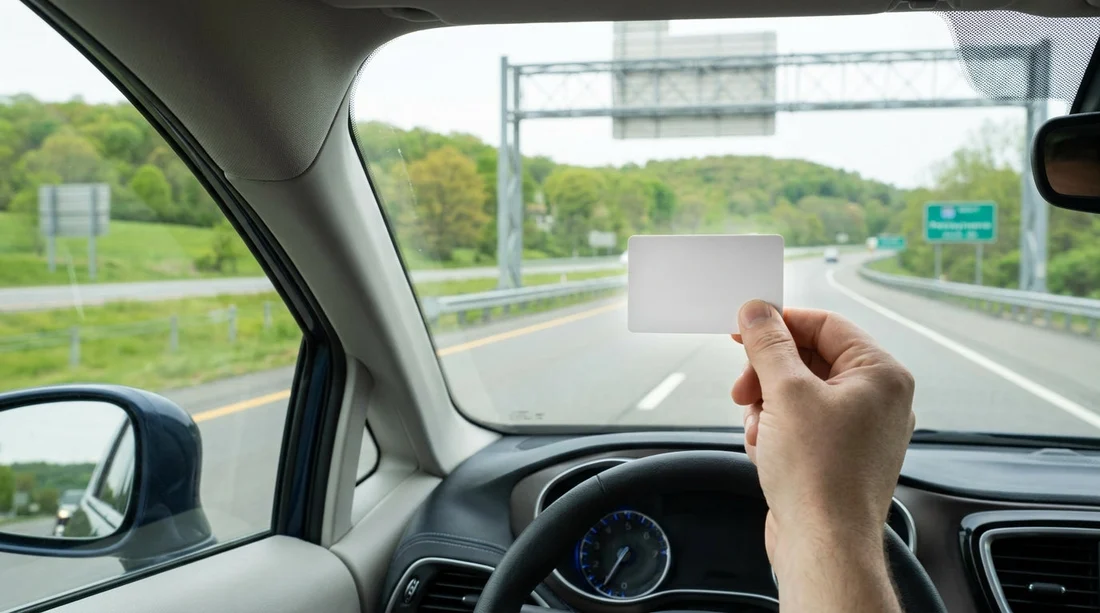
Step 3: Ensure your transponder is mounted correctly. Place it on the windscreen as your issuer recommends, typically behind and below the rear-view mirror. Avoid areas with heavy tinting or metallic film that can block RFID signals.
Step 4: Remove the plate after return. This is one of the most overlooked steps. If the plate remains on your account and a future renter uses toll roads without a transponder read, toll-by-plate charges might appear on your account.
What to do if you get charged twice
If you see a toll on your E‑ZPass account and a separate toll charge from the rental company, start by gathering your evidence: your rental agreement showing you declined toll service, screenshots of the E‑ZPass transaction, and the dates and times. Then contact the rental company first, because their toll programme is usually the source of the extra fees. Ask for a review and provide the proof that you paid through your own transponder.
For travellers who prefer UK English terminology and are researching car hire options and policies before arriving, you may also notice the wording differences on pages like car hire Philadelphia, which can help you align what you ask for at the counter.
FAQ
Can I use my own E‑ZPass transponder with car hire in Pennsylvania? Yes, it usually works in a rental car, provided the transponder is mounted correctly and your E‑ZPass account is set up to recognise the rental vehicle’s licence plate.
What should I say at the rental counter to avoid being billed twice? Ask if the vehicle is enrolled in a toll programme, request that it is declined or disabled, and ask for written confirmation on your agreement or receipt.
Do I need to add the rental car’s licence plate to my E‑ZPass account? It is strongly recommended. If the transponder is not read or toll-by-plate is used, the plate helps match the toll to your account instead of the rental company.
When should I remove the rental plate from my E‑ZPass account? Remove it immediately after you return the car. Leaving it on your account can cause later toll-by-plate charges from a future renter to appear on your account.
What if the rental car already has a toll device installed? Tell the agent you will use your own transponder and ask how to ensure the rental device does not transmit. If they cannot disable it, using only the rental programme may reduce disputes.





























































































